

共找到 706 项 “Screen” 相关结果
- 全部分类
- 全部
- 文学
- 历史
- 哲学/宗教
- 法律
- 政治/社会
- 医学
- 教育/心理学
- 艺术/传媒
- 研究生考试
- 资格认证考试
- 公开课
- 语言
- 经济金融
- 管理学
- IT/计算机
- 自然科学
- 工学/工程
- 体育
- 行业资料
- 音乐
- 汽车机械制造
- 文档模板
- 创业
- 农学
- 生活
- 数据库教程
- 民族
简介: 所属分类:计算机网络 > 程序设计> java javascript j2ee > 本书是 javascript超级畅销书的最新版。ecmascript5和html5在标准之争中双双胜出,使大量专有实现和客户端扩展正式进入规范,同时也为 javascript增添了很多适应未来发展的新特性。《 javascript高级 程序设计》这一版除增加5章全新内容外,其他章节也有较大幅度的增补和修订,新内容篇幅约占三分之一。全书从 javascript语言实现的各个组成部分——语言核心、dom、bom、事件模型讲起,深入浅出地探讨了面向对象编程、ajax与comet服务器端通信,html5表单、媒体、canvas(包括 webgl)及 webworkers、地理定位、跨文档传递消息、客户端存储(包括indexeddb)等新api,还介绍了离线应用和与维护、性能、部署相关的最佳开发实践。《 javascript高级 程序设计(第3版)》附录展望了未来的api和ecmascriptharmony规范。 本书适合有一定编程经验的 web应用开发人员阅读,也可作为高校及社会实用技术培训相关专业课程的教材。 第1章 javascript简介 1.1 javascript简史 1.2 javascript实现 1.2.1 ecmascript 1.2.2 文档对象模型(dom) 1.2.3 浏览器对象模型(bom) 1.3 javascript版本 1.4 小结 第2章 在html中使用 javascript 2.1 元素 2.1.1 标签的位置 2.1.2 延迟脚本 2.1.3 异步脚本 2.1.4 在xhtml申的用法 2.1.5 不推荐使用的语法 2.2 嵌入代码与外部文件 2.3 文档模式 2.4 元素 2.5 小结 第3章 基本概念 3.1 语法 3.1.1 区分大小写 3.1.2 标识符 3.1.3 注释 3.1.4 严格模式 3.1.5 语句 3.2关键字和保留字 3.3 变量 3.4 数据类型 3.4.1 typeof操作符 3.4.2 undefined类型 3.4.3 null类型 3.4.4 boolean类型 3.4.5 number类型 3.4.6 string类型 3.4.7 0bj ect类型 3.5 操作符 3.5.1 一元操作符 3.5.2 位操作符 3.5.3 布尔操作符 3.5.4 乘性操作符 3.5.5 加性操作符 3.5.6 关系操作符 3.5.7 相等操作符 3.5.8 条件操作符 3.5.9赋值操作符 3.5.10 逗号操作符 3.6 语句 3.6.1 if语句 3.6.2 do—while语句 3.6.3 while语句 3.6.4 for语句 3.6.5 for—in语句 3.6.6 label语句 3.6.7 break和continue语句 3.6.8 with语句 3.6.9 switch语句 3.7 函数 3.7.1 理解参数 3.7.2 没有重载 3.8 小结 第4章 变量、作用域和内存问题 第5章 引用类型 第6章 面向对象的 程序设计 第7章 函数表达式 第8章 bom 第9章 客户端检测 第10章 dom 第11章 dom扩展 第12章 dom2和dom3 第13章 事件 第14章 表单脚本 第15章 使用canvas绘图 第16章 html5脚本编程 第17章 错误处理与调试 第18章 javascriptgn xml 第19章 e4x 第20章 json 第21章 ajax与comet 第22章 高级技巧 第23章 离线应用与客户端存储 第24章 最佳实践 第25章 新兴的api 附录a ecmascript harmony 附录b 严格模式 附录c javascript库 附录d javascript工具 javascript简介 本章内容 javascript历史回顾 javascript是什么 javascript与ecmascript的关系 javascript的不同版本 avascript诞生于1995年。当时,它的主要目的是处理以前由服务器端语言(如perl)负责的一些输入验证操作。在 javascript问世之前,必须把表单数据发送到服务器端才能确定用户是否没有填写某个必填域,是否输入了无效的值。 netscape navigator希望通过 javascript来解决这个问题。在人们普遍使用电话拔号上网的年代,能够在客户端完成一些基本的验证任务绝对是令人兴奋的。毕竟,拨号上网的速度之慢,导致了与服务器的每一次数据交换事实上都成了对人们耐心的一次考验。 自此以后, javascript逐渐成为市面上常见浏览器必备的一项特色功能。如今, javascript的用途早已不再局限于简单的数据验证,而是具备了与浏览器窗口及其内容等几乎所有方面交互的能力。今天的 javascript已经成为一门功能全面的编程语言,能够处理复杂的计算和交互,拥有了闭包、匿名(lamda,拉姆达)函数,甚至元编程等特性。作为 web的一个重要组成部分, javascript的重要性是不言而喻的,就连手机浏览器,甚至那些专为残障人士设计的浏览器等非常规浏览器都支持它。当然,微软的例子更为典型。虽然有自己的客户端脚本语言vbscript,但微软仍然在inter net explorer的早期版本中加入了自己的 javascript实现 。 javascript从一个简单的输入验证器发展成为一门强大的编程语言,完全出乎人们的意料。应该说,它既是一门非常简单的语言,又是一门非常复杂的语言。说它简单,是因为学会使用它只需片刻功夫;而说它复杂,是因为要真正掌握它则需要数年时间。要想全面理解和掌握 javascript,关键在于弄清楚它的本质、历史和局限性。 1.1 javascript简史 在 web日益流行的同时,人们对客户端脚本语言的需求也越来越强烈。那个时候,绝大多数因特网用户都使用速度仅为28.8kbit/s的“猫”(调制解调器)上网,但网页的大小和复杂性却不断增加。为完成简单的表单验证而频繁地与服务器交换数据只会加重用户的负担。想象一下:用户填写完一个表单,单击“提交”按钮,然后等待30秒钟,最终服务器返回消息说有一个必填字段没有填好……当时走在技术革新最前沿的 netscape公司,决定着手开发一种客户端语言,用来处理这种简单的验证。 当时就职于 netscape公司的布兰登?艾奇(brendan eich),开始着手为计划于1995年2月发布的 netscape navigator 2开发一种名为livescript的脚本语言——该语言将同时在浏览器和服务器中使用(它在服务器上的名字叫livewire)。为了赶在发布日期前完成livescript的开发, netscape与sun公司建立了一个开发联盟。在 netscape navigator 2正式发布前夕, netscape为了搭上媒体热炒 java的顺风车,临时把livescript改名为 javascript。 由于 javascript 1.0获得了巨大成功, netscape随即在 netscape navigator 3中又发布了 javascript 1.1。 web虽然羽翼未丰,但用户关注度却屡创新高。在这样的背景下, netscape把自己定位为市场领袖型公司。与此同时,微软决定向与navigator竞争的自家产品inter net explorer浏览器投入更多资源。 netscape navigator 3发布后不久,微软就在其inter netexplorer 3中加入了名为jscript的 javascript实现(命名为jscript是为了避开与 netscape有关的授权问题)。以现在的眼光来看,微软1996年8月为进入 web浏览器领域而实施的这个重大举措,是导致 netscape日后蒙羞的一个标志性事件。然而,这个重大举措同时也标志着 javascript作为一门语言,其开发向前迈进了一大步。 微软推出其 javascript实现意味着有了3个不同的 javascript版本: netscape navigator中的 javascript、inter net explorer中的jscript和scriptease中的cenvi。与c及其他编程语言不同,当时还没有标准规定 javascript的语法和特性,3个不同版本并存的局面已经完全暴露了这个问题。随着业界担心的日益加剧, javascript的标准化问题被提上了议事日程。 1997年,以 javascript 1.1为蓝本的建议被提交给了欧洲计算机制造商协会(ecma,european computer manufacturers association)。该协会指定39号技术委员会(tc39,technical committee #39)负责“标准化一种通用、跨平台、供应商中立的脚本语言的语法和语义”(http://www.ecma international.org/memento/tc39.htm)。tc39由来自 netscape、sun、微软、borland及其他关注脚本语言发展的公司的程序员组成,他们经过数月的努力完成了ecma-262——定义一种名为ecmascript(发音为“ek-ma-script”)的新脚本语言的标准。 第二年,iso/iec(international organization for standardization and international electrotechnical commission,国标标准化组织和国际电工委员会)也采用了ecmascript作为标准(即iso/iec-16262)。自此以后,浏览器开发商就开始致力于将ecmascript作为各自 javascript实现的基础,也在不同程度上取得了成功。 1.2 javascript实现 虽然 javascript和ecmascript通常都被人们用来表达相同的含义,但 javascript的含义却比ecma-262中规定的要多得多。没错,一个完整的 javascript实现应该由下列三个不同的部分组成(见图1-1)。 核心(ecmascript) 文档对象模型(dom) 浏览器对象模型(bom) 1.2.1 ecmascript 由ecma-262定义的ecmascript与 web浏览器没有依赖关系。实际上,这门语言本身并不包含输入和输出定义。ecma-262定义的只是这门语言的基础,而在此基础之上可以构建更完善的脚本语言。我们常见的 web浏览器只是ecmascript实现可能的宿主环境之一。宿主环境不仅提供基本的ecmascript实现,同时也会提供该语言的扩展,以便语言与环境之间对接交互。而这些扩展——如dom,则利用ecmascript的核心类型和语法提供更多更具体的功能,以便实现针对环境的操作。前面介绍过的node以及众所周知的adobe flash也都是宿主环境。 既然ecma-262标准没有参照 web浏览器,那它都规定了些什么内容呢?大致说来,它规定了这门语言的下列组成部分: 语法 类型 语句 关键字 保留字 操作符 对象 ecmascript就是对实现该标准规定的各个方面内容的语言的描述。 javascript实现了ecmascript,adobe actionscript同样也实现了ecmascript。 1. ecmascript的版本 ecmascript的不同版本又称为版次,以第x版表示(意即描述特定实现的ecma-262规范的第x个版本)。ecma-262的最近一版是第5版,发布于2009年。而ecma-262的第1版本质上与 netscape的 javascript 1.1相同——只不过删除了所有针对浏览器的代码并作了一些较小的改动:ecma-262要求支持unicode标准(从而支持多语言开发),而且对象也变成了平台无关的( netscape javascript 1.1的对象在不同平台中的实现不一样,例如date对象)。这也是 javascript 1.1和1.2与ecma-262第1版不一致的主要原因。 ecma-262第2版主要是编辑加工的结果。这一版中内容的更新是为了与iso/iec-16262保持严格一致,没有作任何新增、修改或删节处理。因此,一般不使用第2版来衡量ecmascript实现的兼容性。 ecma-262第3版才是对该标准第一次真正的修改。修改的内容涉及字符串处理、错误定义和数值输出。这一版还新增了对正则表达式、新控制语句、try-catch异常处理的支持,并围绕标准的国际化做出了一些小的修改。从各方面综合来看,第3版标志着ecmascript成为了一门真正的编程语言。 ecma-262第4版对这门语言进行了一次全面的检核修订。由于 javascript在 web上日益流行,开发人员纷纷建议修订ecmascript,以使其能够满足不断增长的 web开发需求。作为回应,ecma tc39重新召集相关人员共同谋划这门语言的未来。结果,出台后的标准几乎在第3版基础上完全定义了一门新语言。第4版不仅包含了强类型变量、新语句和新数据结构、真正的类和经典继承,还定义了与数据交互的新方式。 与此同时,tc39下属的一个小组也提出了一个名为ecmascript 3.1的替代性建议,该建议只对这门语言进行了较少的改进。这个小组认为第4版给这门语言带来的跨越太大了。因此,该小组建议对这门语言进行小幅修订,能够在现有 javascript引擎基础上实现。最终,es3.1附属委员会获得的支持超过了tc39,ecmas-262第4版在正式发布前被放弃。 ecmascript 3.1成为ecma-262第5版,并于2009年12月3日正式发布。第5版力求澄清第3版中已知的歧义并增添了新的功能。新功能包括原生json对象(用于解析和序列化json数据)、继承的方法和高级属性定义,另外还包含一种严格模式,对ecmascript引擎解释和执行代码进行了补充说明。 2. 什么是ecmascript兼容 ecma-262给出了ecmascript兼容的定义。要想成为ecmascript的实现,则该实现必须做到: 支持ecma-262描述的所有“类型、值、对象、属性、函数以及程序句法和语义”(ecma-262第1页); 支持unicode字符标准。 此外,兼容的实现还可以进行下列扩展。 添加ecma-262没有描述的“更多类型、值、对象、属性和函数”。ecma-262所说的这些新增特性,主要是指该标准中没有规定的新对象和对象的新属性。 支持ecma-262没有定义的“程序和正则表达式语法”。(也就是说,可以修改和扩展内置的正则表达式语法。) 上述要求为兼容实现的开发人员基于ecmascript开发一门新语言提供了广阔的空间和极大的灵活性,这也从另一个侧面说明了ecmascript受开发人员欢迎的原因。 3. web浏览器对ecmascript的支持 1996年, netscape navigator 3捆绑发布了 javascript 1.1。而相同的 javascript 1.1设计规范随后作为对新标准(ecma-262)的建议被提交给ecma。伴随着 javascript的迅速走红, netscape豪情满怀地着手开发 javascript 1.2。然而,问题是ecma当时还没有接受 netscape的建议。 netscape navigator 3发布后不久,微软也推出了inter netexplorer 3。微软在ie的这一版中捆绑了jscript 1.0,很多人都认为jscript 1.0与 javascript 1.1应该是一样的。但是,由于没有文档依据,加之不适当的特性模仿,jscript 1.0还是很难与 javascript 1.1相提并论。 1997年,内置 javascript 1.2的 netscape navigator 4发布;而到这一年年底,ecma-262第1版也被接受并实现了标准化。结果,虽然ecmascript被认为是基于 javascript 1.1制定的,但 javascript 1.2与ecmascript的第1版并不兼容。 jscript的升级版是inter netexplorer 4中内置的jscript 3.0(随同微软iis 3.0发布的jscript 2.0从来也没有移植到浏览器中)。微软通过媒体大肆宣传jscript 3.0是世界上第一个ecma兼容的脚本语言,但当时的ecma-262尚未定稿。于是,jscript 3.0与 javascript 1.2都遭遇了相同的尴尬局面——谁都没有按照最终的ecmascript标准来实现。 netscape决定更新其 javascript实现,即在 netscape navigator 4.06中发布 javascript 1.3,从而做到了与ecma-262的第一个版本完全兼容。在 javascript 1.3中, netscape增加了对unicode标准的支持,并在保留 javascript 1.2新增特性的同时实现了所有对象的平台中立化。 在 netscape以mozilla项目的名义开放其源代码时,预期 javascript 1.4将随同 netscape navigator 5一道发布。然而,一个激进的决定,彻底重新设计 netscape代码,打乱了原有计划。后来, javascript 1.4只发布了针对 netscape ent erprise server的服务器版,而没有内置于 web浏览器中。 到了2008年,五大主流 web浏览器(ie、firefox、safari、chrome和opera)全部做到了与ecma-262兼容。ie8是第一个着手实现ecma-262第5版的浏览器,并在ie9中提供了完整的支持。firefox 4也紧随其后做到兼容。下表列出了ecmascript受主流 web浏览器支持的情况。 浏 览 器 ecmascript兼容性 浏 览 器 ecmascript兼容性 netscape navigator 2 — opera 6~7.1 第2版 netscape navigator 3 — opera 7.2+ 第3版 netscape navigator 4~4.05 — safari 1~2.0.x 第3版* netscape navigator 4.06~4.79 第1版 safari 3.x 第3版 netscape 6+(mozilla 0.6.0+) 第3版 safari 4.x~5.x 第5版* ie3 — chrome 1+ 第3版 ie4 — firefox 1~2 第3版 ie5 第1版 firefox 3.0.x 第3版 ie5.5~ie7 第3版 firefox 3.5~3.6 第5版* ie8 第5版* firefox 4.0 + 第5版 ie9+ 第5版 * 不完全兼容的实现 1.2.2 文档对象模型(dom) 文档对象模型(dom,document object model)是针对xml但经过扩展用于html的应用程序编程接口(api,application programming interface)。dom把整个页面映射为一个多层节点结构。html或xml页面中的每个组成部分都是某种类型的节点,这些节点又包含着不同类型的数据。看下面这个html页面: hello world! 在dom中,这个页面可以通过见图1-2所示的分层节点图表示。 通过dom创建的这个表示文档的树形图,开发人员获得了控制页面内容和结构的主动权。借助dom提供的api,开发人员可以轻松自如地删除、添加、替换或修改任何节点。 1. 为什么要使用dom 在inter netexplorer 4和 netscape navigator 4分别支持的不同形式的dhtml(dynamic html)基础上,开发人员首次无需重新加载网页,就可以修改其外观和内容了。然而,dhtml在给 web技术发展带来巨大进步的同时,也带来了巨大的问题。由于 netscape和微软在开发dhtml方面各持己见,过去那个只编写一个html页面就能够在任何浏览器中运行的时代结束了。 对开发人员而言,如果想继续保持 web跨平台的天性,就必须额外多做一些工作。而人们真正担心的是,如果不对 netscapet和微软加以控制, web开发领域就会出现技术上两强割据,浏览器互不兼容的局面。此时,负责制定 web通信标准的w3c(world wide webconsortium,万维网联盟)开始着手规划dom。 图 1-2 2. dom级别 dom1级(dom level 1)于1998年10月成为w3c的推荐标准。dom1级由两个模块组成:dom核心(dom core)和dom html。其中,dom核心规定的是如何映射基于xml的文档结构,以便简化对文档中任意部分的访问和操作。dom html模块则在dom核心的基础上加以扩展,添加了针对html的对象和方法。 请读者注意,dom并不只是针对 javascript的,很多别的语言也都实现了dom。不过,在 web浏览器中,基于ecmascript实现的dom的确已经成为 javascript这门语言的一个重要组成部分。 如果说dom1级的目标主要是映射文档的结构,那么dom2级的目标就要宽泛多了。dom2级在原来dom的基础上又扩充了(dhtml一直都支持的)鼠标和用户界面事件、范围、遍历(迭代dom文档的方法)等细分模块,而且通过对象接口增加了对css(cascading style sheets,层叠样式表)的支持。dom1级中的dom核心模块也经过扩展开始支持xml命名空间。 dom2级引入了下列新模块,也给出了众多新类型和新接口的定义。 dom视图(dom views):定义了跟踪不同文档(例如,应用css之前和之后的文档)视图的接口; dom事件(dom events):定义了事件和事件处理的接口; dom样式(dom style):定义了基于css为元素应用样式的接口; dom遍历和范围(dom traversal and range):定义了遍历和操作文档树的接口。 dom3级则进一步扩展了dom,引入了以统一方式加载和保存文档的方法——在dom加载和保存(dom load and save)模块中定义;新增了验证文档的方法——在dom验证(dom validation)模块中定义。dom3级也对dom核心进行了扩展,开始支持xml 1.0规范,涉及xml infoset、xpath和xml base。 在阅读dom标准的时候,读者可能会看到dom0级(dom level 0)的字眼。实际上,dom0级标准是不存在的;所谓dom0级只是dom历史坐标中的一个参照点而已。具体说来,dom0级指的是inter net explorer 4.0和 netscape navigator 4.0最初支持的dhtml。 3. 其他dom标准 除了dom核心和dom html接口之外,另外几种语言还发布了只针对自己的dom标准。下面列出的语言都是基于xml的,每种语言的dom标准都添加了与特定语言相关的新方法和新接口 svg(scalable vector graphic,可伸缩矢量图)1.0; mathml(mathematical markup language,数学标记语言)1.0; smil(synchronized multimedia integration language,同步 多媒体集成语言)。 还有一些语言也开发了自己的dom实现,例如mozilla的xul(xml user interface language,xml用户界面语言)。但是,只有上面列出的几种语言是w3c的推荐标准。 4. web浏览器对dom的支持 在dom标准出现了一段时间之后, web浏览器才开始实现它。微软在ie5中首次尝试实现dom,但直到ie5.5才算是真正支持dom1级。在随后的ie6和ie7中,微软都没有引入新的dom功能,而到了ie8才对以前dom实现中的bug进行了修复。 netscape直到 netscape 6(mozilla 0.6.0)才开始支持dom。在 netscape 7之后,mozilla把开发重心转向了firefox浏览器。firefox 3完全支持dom1级,几乎完全支持dom2级,甚至还支持dom3级的一部分。(mozilla开发团队的目标是构建与标准100%兼容的浏览器,而他们的努力也得到了回报。) 目前,支持dom已经成为浏览器开发商的首要目标,主流浏览器每次发布新版本都会改进对dom的支持。下表列出了主流浏览器对dom标准的支持情况。 浏 览 器 dom兼容性 netscape navigator 1. ~ 4.x — netscape 6+ (mozilla 0.6.0+) 1级、2级(几乎全部)、3级(部分) ie2~ie4.x — ie5 1级(最小限度) ie5.5~ie8 1级(几乎全部) ie9+ 1级、2级、3级 opera 1~6 — opera 7~8.x 1级(几乎全部)、2级(部分) opera 9~9.9 1级、2级(几乎全部)、3级(部分) opera 10+ 1级、2级、3级(部分) safari 1.0.x 1级 safari 2+ 1级、2级(部分) chrome 1+ 1级、2级(部分) firefox 1+ 1级、2级(几乎全部)、3级(部分) 1.2.3 浏览器对象模型(bom) inter netexplorer 3和 netscape navigator 3有一个共同的特色,那就是支持可以访问和操作浏览器窗口的浏览器对象模型(bom,browser object model)。开发人员使用bom可以控制浏览器显示的页面以外的部分。而bom真正与众不同的地方(也是经常会导致问题的地方),还是它作为 javascript实现的一部分但却没有相关的标准。这个问题在html5中得到了解决,html5致力于把很多bom功能写入正式规范。html5发布后,很多关于bom的困惑烟消云散。 从根本上讲,bom只处理浏览器窗口和框架;但人们习惯上也把所有针对浏览器的 javascript扩展算作bom的一部分。下面就是一些这样的扩展: 弹出新浏览器窗口的功能; 移动、缩放和关闭浏览器窗口的功能; 提供浏览器详细信息的navigator对象; 提供浏览器所加载页面的详细信息的location对象; 提供用户显示器分辨率详细信息的screen对象; 对cookies的支持; 像xmlhttprequest和ie的activexobject这样的自定义对象。 由于没有bom标准可以遵循,因此每个浏览器都有自己的实现。虽然也存在一些事实标准,例如要有window对象和navigator对象等,但每个浏览器都会为这两个对象乃至其他对象定义自己的属性和方法。现在有了html5,bom实现的细节有望朝着兼容性越来越高的方向发展。第8章将深入讨论bom。 1.3 javascript版本 作为 netscape“继承人”的mozilla公司,是目前唯一还在沿用最初的 javascript版本编号序列的浏览器开发商。在 netscape将源代码提交给开源的mozilla项目的时候, javascript在浏览器中的最后一个版本号是1.3。(如前所述,1.4版是只针对服务器的实现。)后来,随着mozilla基金会继续开发 javascript,添加新的特性、关键字和语法, javascript的版本号继续递增。下表列出了 netscape/mozilla浏览器中 javascript版本号的递增过程: 浏 览 器 javascript版本 浏 览 器 javascript版本 netscape navigator 2 1.0 firefox 1.5 1.6 netscape navigator 3 1.1 firefox 2 1.7 netscape navigator 4 1.2 firefox 3 1.8 netscape navigator 4.06 1.3 firefox 3.5 1.8.1 netscape 6+(mozilla 0.6.0+) 1.5 firefox 3.6 1.8.2 firefox 1 1.5 实际上,上表中的编号方案源自firefox 4将内置 javascript 2.0这一共识。因此,2.0版之前每个递增的版本号,表示的是相应实现与 javascript 2.0开发目标还有多大的距离。虽然原计划是这样,但 javascript的这种发展速度让这个计划成为不再可行。目前, javascript 2.0还没有目标实现。 请注意,只有 netscape/mozilla浏览器才遵循这种编号模式。例如,ie的jscript就采用了另一种版本命名方案。换句话说,jscript的版本号与上表中 javascript的版本号之间不存在任何对应关系。而且,大多数浏览器在提及对 javascript的支持情况时,一般都以ecmascript兼容性和对dom的支持情况为准。 1.4 小结 javascript是一种专为与网页交互而设计的脚本语言,由下列三个不同的部分组成: ecmascript,由ecma-262定义,提供核心语言功能; 文档对象模型(dom),提供访问和操作网页内容的方法和接口; 浏览器对象模型(bom),提供与浏览器交互的方法和接口。 javascript的这三个组成部分,在当前五个主要浏览器(ie、firefox、chrome、safari和opera)中都得到了不同程度的支持。其中,所有浏览器对ecmascript第3版的支持大体上都还不错,而对ecmascript 5的支持程度越来越高,但对dom的支持则彼此相差比较多。对html5已经正式纳入标准的bom来说,尽管各浏览器都实现了某些众所周知的共同特性,但其他特性还是会因浏览器而异。 …… nicholas c. zakas(尼古拉斯?泽卡斯)世界顶级 web技术专家,现为雅虎公司界面呈现架构师,负责my yahoo!和雅虎首页等大访问量站点的设计。尼古拉斯拥有丰富的 web开发和界面设计经验,曾经参与许多世界级大公司的 web解决方案开发。他还是high performance javascript一书的作者,并与他人合作撰写了 professional ajax和even faster web sites。尼古拉斯拥有梅里马克学院计算机科学学士学位和埃迪柯特学院的mba学位。他的twitter别名是@slick net。

Appreciating English from the screen
光盘作者: 胡美华主编;樊燕龙[等]编写
出版社:国防工业出版社,2010
简介: 本书共选取十二部经典影视剧,构成十二个单元。每个单元设有背景信息(Background Information)、课前任务(Before-class Tasks)、课堂活动(In-class Ac-tivities)和课后任务(Aher-class Tasks)四个部分,让读者通过对影视的鉴赏,通过视、听、说训练及读、写等综合实践,提高英语综合应用能力及综合文化素养。

Western screen: an enjoyable journey
光盘作者: 高磊,焦宁,郝伟编著
出版社:中国海洋大学出版社,2008
简介: 本书旨在以经典电影和剧集为载体,精彩对白辅以注释,使读者带着放松的心态融入到原声影视剧创造的语言环境之中,聆听、领会、学习、模仿原汁原味的英语,同剧中人物一起用英语思维,不知不觉中学会最地道最鲜活的词汇和表达方式。书中同时辅以介绍影片拍摄背景、演员阵容或文化背景的“相关链接”,以方便影迷读者追根溯源,还以“点滴感悟”来探讨影片使我们产生的共鸣。此外,书中加载了部分影片中的音乐,美妙的旋律也会使你在研究对白之余感受到些许轻松。 世界越来越小。英语变得日益重要。对那些苦于提高英语能力的读者,我们要强调:看英文原声影视作品是最有效最有趣味的英语学习途径之一!所以,我们编写了这本《欧美影视之旅》(western screen:an enjoyable journey),旨在以经典电影和剧集为载体。精彩对白辅以注释,使读者带着放松的心态融入到原声影视剧创造的语言环境之中。聆听、领会、学习、模仿原汁原味的英语,同剧中人物一起用英语思维。不知不觉中学会最地道最鲜活的词汇和表达方式。书中同时辅以介绍影片拍摄背景、演员阵容或文化背景的“相关链接”,以方便影迷读者追根溯源,还以“点滴感悟”来探讨影片使我们产生的共鸣。此外。书中加载了部分影片中的音乐。美妙的旋律也会使你在研究对白之余感受到些许轻松。

作者: 文渊阁工作室编著
出版社:中国铁道出版社,2006
简介:1 基础概念篇 第1章 认识扩展插件 1.1 什么是扩展插件 1.2 扩展插件的下载与安装 1.3 扩展插件的使用 小技巧 快速更改连续序号的文件名 2 基本插件 第2章 对象插件的制作 2.1 认识对象插件 2.2 简易对象插件的制作 2.3 内置API函数的应用 2.4 制作对象插件实例:水平线 2.5 打包扩展插件 小技巧 对象插件其他常用的API接口函数 第3章 行为插件的制作 3.1 认识行为插件 3.2 行为插件的基本结构 3.3 制作行为插件实例:打开浏览器 3 高级插件篇 第4章 DOM与命令插件的制作 4.1 认识DOM 4.2 DOM处理函数 4.3 DOM对象的属性和方法 4.4 交互式命令插件 4.5 命令插件实例:图像附加文字说明 小技巧(一)快速查找颜色代码 小技巧(二)快速制作insertHTML() 第5章 服务器行为插件的制作 5.1 网络数据库 5.2 服务器行为插件创建器 5.2 服务器行为插件文件 5.4 连接数据库 5.5 服务器行为实例:选择性显示 小技巧 ASP JavaScript 第6章 浮动面板插件的制作 6.1 认识浮动面板 6.2 自制浮动面板 6.3 制作浮动面板实例:Script编辑器 4 应用插件篇 第7章 开发类扩展插件的应用 7.1 对象插件创建器 7.2 行为插件创建器 7.3 JavaScript编辑器 第8章 解析常用的扩展插件 8.1 Win Timer:定时关闭窗口 8.2 UItiMailTo:插入邮件链接 8.3 MenuBuilder:下拉式链接菜单 5 附录篇 附录A Dreamweaver DOM对象 附录1 文件节点对象 附录2 元素节点对象 附录3 文字节点对象 附录4 注释节点对象 附录B JavaScript入门 B.1 变量 B.2 选择 B.3 循环 附录C JavaScript对象索引 C.1 Math对象 C.2 String对象 C.3 Date对象 C.4 Document对象 C.5 Form对象 C.6 Links对象 C.7 History对象 C.8 Navigator对象 C.9 Location对象 C.10 Window对象 C.11 Screen对象 C.12 Image对象
In silico : 3D animation and simulation of cell biology with Maya and MEL /
光盘作者: Jason Sharpe, Charles John Lumsden, Nicholas Woolridge.
简介:Summary: Publisher Summary 1 In Silicointroduces Maya programming into one of the most fascinating application areas of 3D graphics: biological visualization. In five building-block tutorials, this book prepares animators to work with visualization problems in cell biology. The book assumes no deep knowledge of cell biology or 3D graphics programming. An accompanying DVD-ROM includes code derived from the tutorials, the working Maya computer files, and sample animated movies. *Teaches artists and scientists to create realistic digital images of humans and nature with the popular CG program, Maya *This self-contained study guide includes background, foundations, and practice *Step-by-step example programs and end-result demonstrations help readers develop their own portfolios *Gorgeous four-color screen shots throughout Publisher Summary 2 Prepares animators to work with visualization problems in cell biology. This book contains Maya screen captures, tables, and flowcharts to compliment the instruction and tutorials. It teaches artists and scientists to create realistic digital images of humans and nature with popular CG program, Maya.
Movie making:stereoscopic digital cinema from script to screen
光盘作者: (美)Bernard Mendiburu著;黄裕成,刘志强译
出版社:人民邮电出版社,2011
简介: 好莱坞正进入3D立体时代!全球电影都加入到这场变革中!从《3D电 影制作――数字立体电影制作全流程》开始,您可以学习到3D立体电影从 前期策划到影片发布的所有重要技能。 3D立体的感知与科学以一种最常见的方式在展示着,我们从中获得了 所需要立体视觉的规律,帮助我们从2D世界向立体世界转换。《3D电影制 作――数字立体电影制作全流程》列举了立体电影制作的各种工具。在关 注当前局限性的同时,也留意即将发生的、使得立体制作更顺畅的变化。 书中一步步详细介绍了3D立体如何影响到电影制作的方方面面,其中包括 编剧、艺术设计、摄影、剪辑、视觉特效以及影片发行等。 随书附赠的DVD光盘包括大量展示各种概念和技术的2D和3D画面、用不 同的技术手段来制作的3D立体短片、剖析某一效果的After Effects项目文 件、软件工具的链接以及展示技术的练习。 《3D电影制作――数字立体电影制作全流程》作者Bernard Mendiburu 是位视效艺术家、数字摄像机工程师。在过去10年中,Bernard的工作经历 从3D R&D公司到法国巴黎领先的CTO数字3D立体后期工作室,再到梦工厂立 体负责人。这样的经历使他对3D立体电影在技术、艺术及管理等方面所面 临的挑战有着更宽广的认识。Bernard是美国SMPTE协会的积极分子,在为 3D立体电视小组(3D TV Task Force)、ACM SIGGRAPH洛杉矶办事处及国 际立体联盟(International Stereoscopic Union,ISU)工作。

Electronic literature : new horizons for the literary /
光盘简介:Summary: Publisher Summary 1 With desktop, laptop, and handheld devices available at even poverty-stricken scholars' prices, the age of turning the page seems to be passing by. Writers, good writers are responding to these technologies in a new genre, and Hayles (literature and design/media arts, U. of California, Los Angeles) uses her expertise here to explain its importance and move it into the classroom. She describes the transition from page to screen and the contexts for electronic literature (namely, the body and the machine), and shows how the genre is both revealing and transforming as it revalues computational practice. In a very lively final chapter she discusses the respective futures of print and electronic literature. Annotation 漏2009 Book News, Inc., Portland, OR (booknews.com)

简介:"This CD is an atlas of images of minerals as seen in thin section using a polarizing microscope. Minerals are listed according to structure and composition using a sequence following the Dana system. There is also an alphabetical index. From either of these lists, the user can access any page in the atlas by clicking on the mineral or topic name. The first section deals with seven fundamental optical properties, followed by sixty-five minerals and images of alteration textures. Each page includes the mineral name, chemical formula, two to four images, and explanatory text. All images can be enlarged to near-screen size. An Atlas of Minerals in Thin Section is an ideal supplement for undergraduate laboratory courses in optical mineraology, petrology, and earth materials."--publisher's Web site.

The didactics of audiovisual translation /
光盘作者: edited by Jorge Diaz Cintas.
简介:Summary: Publisher Summary 1 While exploring the state of the art of translator training, the focus of this collection of 15 essays is on one of the most complex and dynamic areas of the translation disciplines. Contributors describe the nature of the audiovisual text, the challenges of translating screen to writing need and screenplays, the scripted and unscripted language of the screenplay and what subtitlers need to know about both, the discipline as it applies to special needs including translation for those with hearing and vision differences, the use of subtitled materials for foreign language instruction, and personalized subtitling as a means to enhance second language acquisition. Hands on experience essays are especially interesting and include subtitler training as part of a general program in language professions, teaching and learning to subtitling and academic environment, learning to subtitle online, and teaching overdubbing. Annotation 漏2008 Book News, Inc., Portland, OR (booknews.com)

简介:Summary: Publisher Summary 1 Ladd (chemistry, University of Surrey, UK) and Palmer (crystallography, University of London) introduce structure determination by X-ray crystallography in this text for advanced students in crystallography, chemistry, and chemical physics. This fourth edition adds new chapters on structure determination from powder data, macromolecular crystallography, and computational procedures in X-ray crystallography. The CD-ROM, new to this edition, contains programs and data sets that allow readers to participate in aspects of X-ray crystallography discussed in the book. Annotation (c) Book News, Inc., Portland, OR (booknews.com) Publisher Summary 2 There have been many advances in x-ray crystallography since the production of the third edition of this book, and the authors have endeavoured to introduce a number of them into this new edition. The overall plan of the book has been maintained because we believe that it has been well received in the academic community, but substantial revisions have been carried out and new material and chapters added. In particular, we have extended the discussion of the theory of x-ray diffraction and added new chapters on structure determination from powder data, on macromolecular crystallography, and on computational procedures in x-ray crystallography. We consider that x-ray crystallography is a universal tool for studying molecular structure, a view upheld by the pioneers in the subject, notably W.H. & W.L. Bragg, J. D. Bernal, Dorothy Hodgkin (n茅e Crowfoot), Kathleen Lonsdale (n茅e Yardley), and Linus Pauling, so that the broadening of the scope of the text in this way is fully justified. We have maintained the practice of devising problems to illustrate the work of each chapter, and have provided detailed, tutorial solutions. The appendices contain mostly mathematical procedures related to the material of the main text.This edition is accompanied by a suite of computer programs on a compact disc. The programs enable the reader to participate fully in many of the aspects of x-ray crystallography discussed in the book. In particular, the program system XRAY* is interactive, and enables the reader to follow through, at the monitor screen, the computational techniques involved in single-crystal structure determination, albeit in two dimensions. Several sets of x-ray data are provided for practice with this system.

作者: 王延,孙镜,邱政政主编
出版社:文汇出版社,2010
简介:很高兴能为上海外语频道ics和新东方共同推出的《脱口而出秀口语》系列丛书作序。 2009年初,新东方受邀参与上海外语频道首档英语教学脱口秀栏目“screen talk——看电影、学英语”的策划与录制。经过一年时间的积累和沉淀,该栏目的影响力位居频道榜首的消息让我欣喜;而把节目的精华提炼并编辑出书的想法更让我欣慰,因为这样可以让更多的英语学 习者从中获益。 其实,漂亮的口语包括语音、语调节奏、用词、句式、思维和文化等多个要素。首先,对于任何一门语言,语音是基础,它不仅包括单词的发音,还包括真实交际中连读、失爆、弱化、浊化、重音、缩读等多种音变形式。至于语调节奏,则是流利表达英语的润滑剂,没有接触过老外,没有和他们有过面对面的交谈,是很难感受到语调节奏在表达思想中的巨大作用和强大震撼力的。再者,语言是文化的载体,用词和旬式的正确与否直接体现了对异国文化了解的程度。可以说,做到这三点便达到了与老外的形似,若能在此基础上,学会西方人的思维逻辑和文化习俗,进而用英语去思考则完全可以达到神似的效果。更多>>
简介:This new book by the world's leading programming language textbook authors carefully explains how to use Perl as a general-purpose programming language and how to program multi-tier, client/server, database-intensive, Internet-and-Web-based applications. Dr. Harvey M. Deitel and Paul J. Deitel are the principals of Deitel & Associates, Inc., the internationally recognized corporate training and content-creation organization specializing in C++, Java™, C#, C, Visual Basic庐, XML™, Python, Perl, Internet, World Wide Web and object technologies. The Deitels are also the authors of the world's #1 Java and C++ textbooks, Java How to Program, 3/e and C++ How to Program, 3/e. In Perl How to Program, the Deitels and their colleagues, Tem R. Nieto and David C. McPhie, discuss topics you need to build complete, Web-based applications including: CGI/HTML forms/XML/CGI.pm Control Structures/Arrays/Hashes Regular Expressions/Strings Objects/Encapsulation OOP/Inheritance/References Database/DBI/SQL/Signals/Contexts Security/Accessibility Typeglobs/File Globbing Networking/Sockts/Internet Protocols Cookies/Session Tracking Filehandles/Data Structures Process Control/Forking/Piping Subroutines/Modules/Packages/Overloading Web Automation/OLE Automation Server-Side Includes/Ties/Closures Graphics/GUI/Perl/TK Perl How to Program includes extensive pedagogic features: Hundreds of LIVE-CODE™ programs with screen captures that show exact outputs Extensive World Wide Web and Internet resources to encourage further research Hundreds of tips, recommended practices and cautions-all marked with icons

简介:This picture-book computer guide is essentially a compendium of exercises presented as a series of screen shots with captions. The exercises instruct the reader in basic Flash techniques of drawing, animation, shape and motion tweening, bitmaps, text, movie clips, buttons, sound, and publishing. Weil and Green work for a training company in California. Annotation c. Book News, Inc., Portland, OR (booknews.com)

简介:Covering the full cycle of building a service business, this textbook identifies the elements of business strategy, details implementation techniques, discusses capacity management, and describes the everyday skills managers need. Case studies provide real-world illustrations of the principles described. Charts, diagrams, and screen captures supply visual displays of the information covered in the text. The authors include professors of business and a consultant. Annotation c. Book News, Inc., Portland, OR (booknews.com)
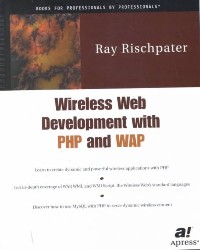
简介: The enormous popularity of the World Wide Web can be attributed in large part to the fact that it is a dynamic, highly interactive medium. As web accessibility through wireless devices becomes increasingly popular, developers are challenged to maintain the high level of interactivity and flexibility that users are accustomed to on their personal computer browsers. Fortunately, this task isn't as daunting as it seems, as the language tools used to create conventional web pages can also be implemented in the wireless arena. Wireless Web Development with PHP and WAPis the result of author Ray Rischpater's years of experience in both wireless development and PHP programming, and shows you how to make the most of both technologies to create scalable wireless applications. You'll also learn how to use MySQL with PHP to serve wireless content as you review examples drawn from real-world wireless applications. In addition to tackling the wireless Web's software development challenges, Rischpater examines equally important but often overlooked issues such as user interface design and optimizing wireless sites for presentation on today's screen phones.
简介: Introduction Foreword About the Author Core MFC The MFC Architecture A Brief History of MFC The MFC Class Hierarchy CObject CCmdTarget CWinThread CWinApp CWnd CFrameWnd CView CDocument Summary MFC Dialogs, Controls, and Data Interaction Creating an Application Starting and Using MFC AppWizard The AppWizard-Generated Code Modifying the Application Adding Dialog Controls Adding Initialization Using Dialog Controls ToolTips Enabling ToolTips Displaying Text Dialog Data Exchange Standard DDX UpdateData Using Standard Dialog Boxes File Open/Save Color Selector Font Selector Print Dialog Summary The Windows Common Controls Initializing and Using the Common Controls Notifications for Windows Common Controls The Notification Message Structure Overview of the Notification Process A Better Notification Handling Scheme Specifying Notification Ranges with ON_NOTIFY_RANGE Hot Key Controls: Class CHotKeyCtrl CHotKeyCtrl Class Methods Creating and Initializing a CHotKeyCtrl Object Using a Hot Key Control Spin Controls: Class CSpinButtonCtrl Spin Control Styles CSpinButtonCtrl Messages CSpinButtonCtrl Class Methods Creating and Initializing a Spin Control Sample Program: SPIN1 Slider Controls: Class CSliderCtrl Slider Control Styles CSliderCtrl Messages CSliderCtrl Class Methods Creating and Initializing a Slider Control Sample Program: Slider Controls (SLIDER1) Sample Program: SLIDER1 Progress Bar Controls: Class CProgressCtrl CProgressCtrl Class Methods Creating and Initializing a CProgressCtrl Object Using a Progress Control Image Lists: Class CImageList CImageList Class Methods Creating and Initializing a CImageList Control List View Controls: Class CListCtrl List View Control Styles Image Lists and the List View Control List View Items and Subitems List View Notification Messages Creating and Initializing a CListCtrl Object Using the List View Control Tree View Controls: Class CTreeCtrl Tree View Control Styles Tree View Notification Messages CTreeCtrl Class Methods Creating and Initializing a Tree View Control Using a CTreeCtrl Object Sample Program: TREELIST.EXE Tab Controls: Class CTabCtrl Tab Control Styles Tab Control Notification Messages CTabCtrl Class Methods The Tab Item Structure (TC_ITEM) Creating and Initializing a Tab Control Using a Tab Control Animate Controls: Class CAnimateCtrl Animate Control Styles Animate Control Notification Messages CAnimateCtrl Class Methods Creating and Initializing an Animate Control Using an Animate Control Rich Edit Controls: Class CRichEditCtrl Rich Edit Control Window Styles The Character Format Structure (CHARFORMAT) The Paragraph Format Structure (PARAFORMAT) CRichEditCtrl Class Methods CRichEditCtrl Line-Related Methods CRichEditCtrl Text-Selection Methods CRichEditCtrl Formatting Methods CRichEditCtrl Editing Methods CRichEditCtrl Clipboard Methods CRichEditCtrl General-Purpose Methods Creating and Initializing a Rich Edit Control Using a Rich Edit Control Summary Painting, Device Contexts, Bitmaps, and Fonts Device Contexts The Graphics Device Interface MFC Wrapping MFC Device Context Classes The Base Class: CDC Painting with Class CPaintDC Managing Client Areas with Class CClientDC Managing Frame Windows with Class CWindowDC Windows Graphic Objects Pens: Class CPen Brushes: Class CBrush Fonts: Class CFont Bitmaps: Class CBitmap Palettes: Class CPalette Regions: Class CRgn GDI Coordinate Systems Logical Mapping Modes Vector Graphics Drawing Modes Lines and Polylines Rectangles Regions Polygons Ellipses Bezier Curves Fonts and Text Font Characteristics The TEXTMETRIC Structure The LOGFONT Structure Font Creation Drawing Text Sample Program: Vector Graphics and Text Methods (VECTEXT1.EXE) Raster Graphics Named Raster Operations (ROPs) Bitmaps Device-Dependent Bitmaps Device-Independent Bitmaps (DIBs) The CBitmap Class Transferring and Contorting Bitmaps Bitmap Resources Tacking Resources onto an Executable File Getting Image Resources out of an Executable File Sample Program: Exploring Bitmap Resources (BITMAP1) Summary Custom Control Development Window Classes Versus C++ Classes A Validating Edit Control The Clock Static Control Control Metrics Painting the Face Locating the Hands Painting the Hands Setting the Time Pitfalls of Subclassing Standard Controls The Hyperlink Control Implementation Strategy Font Processing Painting the Window Controlling the Cursor Mouse Input Keyboard Input Launching the Link Advanced Custom Control Topics Subclassing Limitations Notifications Using the Resource Editor with Custom Classes Summary The MFC Application Object, Message Routing, and Idle Processing The MFC Application Object CWinApp and Application Lifetime The CWinApp Data Members The CWinApp Member Functions Application-Specific Initialization Functionality in InitInstance OLE Container Support 3D Look for Windows NT 3.5x Registry Usage Most Recently Used Files List SDI and MDI Document/View Main Frame Window Creation Automation Support Rich Edit Control Support Command-Line Handling Message Routing, Message Maps, and Message Categories Message Routing PreTranslateMessage Message Maps Idle Processing OnIdle Idle Processing for Dialogs The Splash Screen Component Summary Documents, Views, and Applications That Use Them The Document/View Architecture Documents, Frames, and Views Document Templates Creating New Documents Opening New Files Single Versus Multiple Document Templates Views The CView Class The CScrollView Class The CFormView Class The Database View Classes The Control Views Changing Views in an SDI Using the MDI Summary Extending the User Interface Responding to the User Keyboard Messaging Handling Keyboard Messages Mouse Messaging Handling Mouse Messages User Interfaces and AppWizard Extending Menus Obtaining Menus and Pop-up Menus Adding Menu Items Using Floating Pop-up Menus Putting Control Bars to Use Using Toolbars and Rebars Using Status Bars Showing and Hiding Control Bars Supporting ToolTips Updating the User Interface Property Sheets and Wizards MFC's Support for Property Sheets and Wizards Creating a Simple Wizard Splitting a View Summary Printing Printing Fundamentals Printing with MFC Printing in the View The PrintInfo Object Printing Menu Commands Printing and GDI Mapping Modes WYSIWYG Printing Application Resources The Application Class The View Class Pagination Printing with a Known Page Count Printing with an Unknown Page Count Printing Page Numbers Stopping and Aborting Print Jobs Halting a Print Job in OnPrepareDC() Halting a Print Job in OnPrint() Summary MFC and COM Programming COM A Little History Interfaces, Objects, and Methods Some Terminology A Real-World View The IUnknown Interface Servers, Clients, and Classes The COM Runtime Environment Defining the Class Factory How Are COM Objects Reused? Marshaling and Threading Marshaling Threading COM, OLE, and Automation IDispatch Automation Servers, Objects, and Controllers Supporting Both IDispatch and IUnknown Persisting COM Data Structured Storage Identifying COM Data (Monikers) Transferring Data Uniform Data Transfer Connectable Objects DCOM Object Creation Invoking Methods Security Issues Some Important Information BSTR SAFEARRAY HRESULT VARIANT Further Reading Summary COM and MFC Understanding the Afx Global Functions Application Lifetime Control Client Control Management Connection Point Management Control Registration Exceptions Initialization Licensing Type Information Reviewing the OLE Macros Class Factories Client/Container Common Commands Control Property Persistence Dialog Data Exchange Dispatch Maps Event Maps Property Page Data Mapping Property Pages Type Library Access MFC and the OLE Class Categories Active Document Automation Common Dialogs for OLE Container Control Drag and Drop (Universal Data Transfer) Document Servers Support Summary MFC OLE Servers Document Servers Server Types Full Server Active Document Container/Server Mini-Server Document Server Design OLE Documents Active Documents Building an Active Document Server Persistence Rendering the View Automation Servers IDispatch GetIDsOfNames GetTypeInfo GetTypeInfoCount Invoke IDispatch-Derived Interface in ODL Calling Methods Through IDispatch GetIDsOfNames Type Information Methods Invoke Dispinterfaces Differ from Interfaces Calling Methods Through IDispatch Dual Interfaces The Variant An Automation Server Using MFC Server Type Declaring and Defining Additional Dispinterfaces Adding Methods and Properties Summary MFC OLE Clients IDispatch and Its Place in Automation Interface Definition for Automation Servers IDL and ATL ODL and MFC Dual Interfaces MFC and Automation Controller Connecting to a Server Server Review Building a Controller Using COleDispatchDriver Using #import Remote Automation Summary MFC ActiveX Controls Development Strategy MFC ATL MFC and ATL Control Development Two Faces of a Control Runtime Design Time Subclassing a Control MFC ATL Component Categories ICatRegister ICatInformation Methods, Properties, and Events Properties Methods Events Property Pages Property Pages in ATL Property Pages in MFC Component Registration Registration Scripts Registration and Controls COM Object Subkeys Building an MFC Control Interface Definition A Quick ATL Port Summary MFC ActiveX Control Containers Active Document Container Storage Site Objects In-Place Activation Document Extensions Building the Simplest Active Document Container OLE Controls Adding Containment to an Existing Project ActiveX Container Control Containment and Events Summary Using MFC and ATL What Is ATL and Why Is It Important for Programming in MFC? Helpful ATL COM Support for MFC Applications COM Pointers the Smart Way Other ATL COM Support Advanced ATL Support for MFC Applications Begin with Your MFC Application Add the Required ATL Support Summary Scripting Your MFC Application Scripting Basics Scripting Interfaces Dual Interfaces Object Models Implementing a Scripted Application Object Implementation Summary MFC Database Programming MFC Database Processing Relational Database Concepts Tables Columns Records Cursors Transactions Storing and Retrieving Data SELECT INSERT DELETE UPDATE Database Communication Mechanisms ODBC DAO Which Methodology Should I Use? ODBC/MFC CDatabase CRecordset DAO CDaoWorkspace CDaoDatabase CDaoRecordset CDaoTableDef CDaoQueryDef Summary Advanced Database Support The COM Approach OLE DB ADO Which One Should I Use? OLE DB Consumers Using the ATL Wrapper Classes CDataSource CSession Accessors Rowsets Accessing Datasource Data Using the ADO C++ Interfaces ADOConnection ADORecordset ADOCommand ADOField ADOProperty ADOParameter ADOError Summary MFC Utility Classes Strings and Collections Strings and String Classes Inside the CString Class Practical CString Usage CString Summary Collections Inside Collection Classes Templated Collections The UNL_MultiEd Application Overview An STL Approach Summary File I/O and MFC The CFile Class Processing Files with CFile Inside the CFile Class The CStdioFile Class The CMemFile Class The CSharedFile Class The CFileDialog Class The User-Defined CFileDialog Class Practical Usage of CFile and CFileDialog Opening a File Reading Data from a File A Classical Approach What Are Streams? Summary Exceptions What Are They Good For? Types of Exceptions Structured Exception Handlers Nesting of Structured Exception Handlers Raising Structured Exceptions Cleaning Up After an Exception C++ Exceptions Defining a C++ Exception Class MFC Exceptions MFC CException-Derived Classes CMemoryException CNotSupportedException CArchiveException CFileException CResourceException COleException CDbException COleDispatchException CUserException CDaoException CInternetException Deriving Your Own MFC-Compliant Exception Objects Deleting Exceptions Using MFC Exception Macros Mixing Exceptions Summary MFC and the Web MFC and DHTML DHTML, MSIE, and the Internet Using the Internet Explorer Web ActiveX Control Internet Explorer ActiveX Control Basics CHtmlView CHtmlView and the Document/View Relationship CHtmlView and COM Using the Internet Explorer ActiveX Control in a Dialog Box Using DHTML The DHTML Object Model The Document Object Other DHTML Objects Collection Objects DHTML COM Interfaces Obtaining the Document DHTML Interface Obtaining the DHTML Collections Interfaces Using the DHTML Interface The DHTML Element Interface Methods Document Navigation Summary CSocket Programming How Do Network Communications Work? Sockets, Ports, and Addresses Winsock and MFC Initializing the Winsock Environment Creating a Socket Making a Connection Sending and Receiving Messages Closing the Connection Socket Events Controlling Event Triggering Detecting Errors Getting Socket Information Sockets and I/O Serialization Building a Networked Application Creating the Application Shell Window Layout and Startup Functionality Inheriting from the CAsyncSocket Class Connecting the Application Sending and Receiving Ending the Connection Summary WinInet Programming Web Application Protocols and WinInet Hypertext Transfer Protocol File Transfer Protocol Gopher Protocol WinInet API and MFC Internet Session Basics CInternetSession CInternetFile CInternetException CInternetConnection Building a Simple WinInet Application Application-Level Functionality HTTP Classes FTP Classes Gopher Classes Building a Simple FTP Client Summary ISAPI Extensions The Foundation From There to Here From GET to POST Adding Some Form Elements Change the Form Change the Parse Map Declare and Use the Handler Function Add a Radio Button Other Form Input Elements Change the Form Change the Parse Map Change the Handler Function Summary MAPI and MFC The Messaging Application Programming Interface Client Applications Two Higher-Level Alternatives: Simple MAPI and CMC Simple MAPI Common Messaging Calls The MapiMessage Structure The MapiFileDesc Structure Limited MAPI Functionality in MFC The CDocument Connection Doing MAPI the MFC Way The CDocument::OnFileSendMail() Method Sample Program: MAPI1.EXE Summary TAPE and MFC Overview Assisted Telephony Basic Telephony Service Supplemental Telephony Service Extended Telephony Service History of TAPI TAPI 1.3 TAPI 1.4 TAPI 1.5 TAPI 2 TAPI 2.1 TAPI 2.2 TAPI 3 Using Assisted Telephony Using Basic Telephony Configuring TAPI Connecting with TAPI Transmitting Data with TAPI Disconnection with TAPI Terminating a TAPI Session Summary MFC and Graphics Programming MFC and OpenGL What Is OpenGL? Graphics Boot Camp Core Terms and Key Concepts The Basic Mathematics of Graphics Programming OpenGL Boot Camp OpenGL Datatypes OpenGL Function Naming Conventions OpenGL Render Function Scoping The OpenGL Matrix Stack The OpenGL Rendering Context Minimal OpenGL Program and a Custom View Creating Your Basic MFC Application Adding the Custom OpenGL Base Class Integrate the Custom View Class into Your Application Build Your 3D Scene Add the OpenGL Libraries to Your Project抯 Link List 2D and 3D Models Basic Model Development Model Transformations Display Lists Light The Basics of Light in OpenGL Types of Light Object Material Properties Texture Mapping OpenGL Images and Windows Device-Independent Bitmaps Applying Texture Special Effects Blending Fog Summary MFC and DirectX What Is DirectX? DirectX in a Nutshell DirectX Components DirectX Basics Differences in COM Programming Style and DirectX DirectX Component Startup Sequence DirectDraw Basics Initializing DirectDraw DirectDraw and Palettes DirectDraw Surfaces DirectDraw Page Flipping DirectDraw from a Window Using DirectDraw in Practice Surfaces and Bitmaps Windowed Rendering Error Handling DirectDraw Shutdown Summary Multimedia and MFC Multimedia Fundamentals The DirectX Media Player Control Media Formats Supported by the Media Player Control Inside the Media Player Control The CMediaPlayer Class Using the Media Player Control Playing Sound Working with Waves Revisiting DirectSound Using DirectSound to Play Sound Effects Summary Advanced MFC Inside the Registry Registry Usage Configuration Services Information State User Preferences The Registry Structure Programmatic Control of the Registry The Registry API The Registry Sample Application The Registry Key Editor Dialog Creating a New Key Deleting a Key Deleting a Name/Value Pair A Word About Wrapping the Registry Functions A Word About Installation Summary Writing and Using DLLs Advantages of DLLs Code Elimination Modularity and Packaging Extensibility Inside an AFX DLL Exporting Classes, Functions, and Data The Big Deal About Exports Mangled Names Exporting Classes What Goes Around, Comes Around Exporting Explicit Functions Exporting Data Exporting MFC Data Exporting the Destructor Export Toolkit include Files What to Export Other DLL Issues AfxLoadLibrary and AfxFreeLibrary Designing for Extensibility and Reuse Resource Location Multiple Module Definition Files Load Addresses and the Linker Summary Creating Custom Wizards Property Sheets and Property Pages The CPropertySheet and CPropertyPage Classes The Wizard Walk and the Property Sheet Connection Creating a Wizard Setting the Wizard Mode Enabling the Wizard Buttons Displaying the Wizard Wizard Notification Messages Sample Program: Off to See the Wizard (WIZARD1.EXE) Creating Wizard Page Dialog Template Resources Create a Dialog Class for Each Dialog Resource Exploring the Welcome Page: Class CIntroPage Exploring the About You Page: Class CPage1 Updating Wizard Information for CPage2 and CPage3 Creating and Displaying the Wizard Summary Index
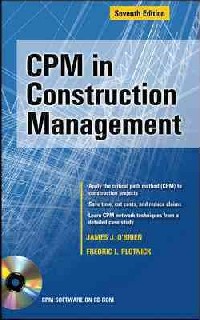
简介:Accelerate with CPM--and this Leading Guide to Construction Planning and Scheduling CD-ROM Includes Full-Function Deltek Open Plan CPM Software A $2000-retail-value, unrestricted license to this world-class product is provided on the included CD-ROM. No limits to number of activities, time for evaluation, or usage. With instruction on CPM and powerful software, you are ready for business now. The CD-ROM also provides: Links to download powerful software from Oracle (Primavera), Microsoft, and othersA PDF file of full-color and scalable copy for all screen shots in the textAdditional chapter on screen-by-screen instructions for classic Primavera P3 softwareA computer-readable PDF of two sample CPM specifications The critical path method (CPM) of planning and scheduling is a powerful tool for engineering and construction project design and management. When it comes to applying CPM to day-to-day construction situations, this guide, known as the industry bible, is the one you'll want to have. Written by the former vice chair of the celebrated construction management firm that renovated San Francisco's cable car system and redeveloped New York's JFK airport, and by one of America's leading construction scheduling experts, the Seventh Edition of CPM in Construction Managementarms you with the critical knowledge and power to model the project and master the software for smooth handling of complex jobs. This highly informative, practical book shows you how CPM: Works--and how to make it work for youServes as the analytical tool of choice for evaluation, negotiation, resolution, and/or litigation of construction claimsCuts costs in a one-person operation or the most complex multinational enterpriseHelps you stay on top of every aspect of complicated projectsSaves you big money in delay avoidance, accurate cost predictions, and claims reductionsMultiplies the effectiveness of your instincts, experience, and knowledgeCan be successfully implemented by properly utilizing the power of leading scheduling software products Specifications of major engineering firms call for the project CPM to be prepared and administered in accordance with this text, which also serves as a primary resource for PSP and PMI-SP exam preparation. With case studies of major global construction projects and a "John Doe" example project that's followed throughout, this book will simplify your application of CPM. Cut project time to the minimum. Determine which deliveries to expedite, and which may slide. Know instantly the impact of change-and how to thrive while others fail. Understand CPM's courtroom evidentiary value--and watch disputes be amicably resolved. This updated classic is the construction tool that makes everything around you work better, faster, and more economically.
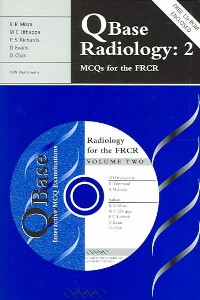
简介:Summary: Publisher Summary 1 QBase examination analysis software allows the reader to attempt exams and will automatically mark, analyse and store completed exams. Publisher Summary 2 QBase Radiology 1 and 2 together represent a completely comprehensive resource for all postgraduate and undergraduate trainees in radiology. In combination, the books include 900 multiple choice questions (480 on Volume 1 and 420 on Volume 2) and the free CD-ROMs that accompany both books also contain all 900 MCQs and over 100 high quality radiological images. The powerful QBase examination analysis software allows the reader to attempt the same exams as printed in the book, but on screen, realistically replicating the examination situation. The user can also 'custom-build' their own exams based on their own choice of subjects and number of questions, sit an exam that is automatically set by the program using all of the questions on the CD, or they can sit a 'shuffled' version of an exam, whereby the question parts (A-E) are reorganised automatically to avoid pattern recognition. The software also allows the user to set their own 'confidence level' when taking an exam and it will automatically mark, analyse and store completed exams for future review and re-sitting, allowing the package to be used as a fully interactive self-learning tool.
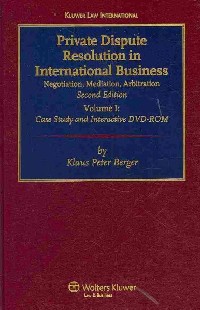
简介:"Private Dispute Resolution in International Business" consists of two books and an interactive DVD ROM. Volume I follows the progress of a dispute between two companies, in step-by-step detail, through negotiation, mediation, and arbitration in turn. Volume II provides precise, informed solutions to the problems raised in the first volume's case study. The DVD ROM contains not only all contracts and other written documentation produced during the dispute - including all procedural orders and awards rendered by the arbitral tribunal during the arbitration, the text of legal materials such as arbitration laws and rules and international conventions, and further learning and teaching aids-but also almost 100 videos dramatising the negotiation, mediation, and arbitration proceedings described in the books, conducted by highly experienced practitioners active in the field of international dispute resolution. Subtitles in the videos refer the viewer to paragraphs in the books where each relevant legal problem is analysed. In addition, an internet home page provides regular updates. To summarise: the Case Study (Volume I) provides a realistic and highly practical approach to learning and teaching the law and practice of private dispute resolution in international business; the Handbook (Volume II) provides a comprehensive comparative study of the law of international dispute resolution; the DVD ROM allows for a highly innovative, interactive teaching and learning experience, and provides a comprehensive collection of arbitration rules and other documentary material; and, the videos on the DVD ROM clearly manifest the soft skills and advocacy skills required to successfully resolve international business disputes, including the unique opportunity to draw on-screen comparisons between the negotiation, mediation, and arbitration methods. With its concrete and highly practical approach, this innovative teaching and training tool for international dispute resolution will be of immeasurable value to students and teachers of dispute resolution, corporate counsel, international lawyers, and business people. The DVD-ROM has a large number of interactive teaching and learning features which you can use simultaneously with the books or separately.

Financial planning using Excel : forecasting planning and budgeting techniques / 2nd ed.
光盘作者: Sue Nugus
简介:This book covers all aspects of budget preparation, from designing and creating a budgetary control system, consolidating data and working with spreadsheets. Now fully updated to include the latest version of Excel, Excel 2007 and for easy budgeting now with access to an online resource of worked examples and spreadsheet templates. The book shows how things are done in Excel 2003 and Excel 2007 to ease transition from the previous version to the new version. Now in full colour throughout to aid quick uderstanding through numerous colour screen shots. For those who use Excel on a daily basis in budget planning, this book is a must. It contains a wealth of practical examples, tips, new techniques all designed to help quickly exploit and master Excel to its full advantage and therefore use spreadsheets for more effective management accounting in your firm. Covers migration from Excel 2003 to Excel 2007 showing how to do it in both versions, new edition now in full colour through out to aid quick understanding, practical examples,tips and techniques - exploit Excel 2007 for effective management accounting.