- 全部分类
- 全部
- 文学
- 历史
- 哲学/宗教
- 法律
- 政治/社会
- 医学
- 教育/心理学
- 艺术/传媒
- 研究生考试
- 资格认证考试
- 公开课
- 语言
- 经济金融
- 管理学
- IT/计算机
- 自然科学
- 工学/工程
- 体育
- 行业资料
- 音乐
- 汽车机械制造
- 文档模板
- 创业
- 农学
- 生活
- 数据库教程
- 民族
作者: 王小君
出版社:人民邮电出版社 2018年02月
简介:
本书全面系统地介绍了Flash CC的基本功能,以循序渐进的方式详细讲解了图形的绘制与编辑,时间轴、帧与图层的使用,Flash中的基础动画,元件、库和实例,使用滤镜和模板,声音和视频的使用,组件的应用,ActionScript脚本以及动画的优化和发布等。在后面的一章,综合运用了前面所讲的知识进行案例制作,包括商业网络广告制作、游戏制作、贺卡制作。通过案例和综合练习的训练,读者可以使用Flash CC自主编辑、制作动画。本书以“理论结合实例”的形式进行编写,共12章,包含61个实例(38个即学即用 20个课后习题 3个综合案例)。每个案例都详细介绍了制作流程,图文并茂,操作性极强,除此之外,从第2章起每个章节都配有课后练习,方便读者在学习完当前章节后深入练习和巩固,学以致用。本书还附赠丰富的资源包,内容包括所有实战和商业案例的原始素材、实例效果、微课视频、PPT课件。本书不仅可作为普通高等院校的专业教材,还非常适合作为初中级读者的入门及提高参考书,尤其是零基础读者。
【目录】
第01章 Flash CC基础入门 1
1.1 认识Flash动画 .................................2
1.1.1 Flash动画的特点................................. 2
1.1.2 Flash的应用领域................................. 3
1.2 Flash CC的启动与退出 ................................. 4
1.2.1 启动Flash CC...................................... 4
1.2.2 退出Flash CC...................................... 5
1.3 Flash CC的工作界面 ................................. 5
1.3.1 菜单栏............................................... 6
1.3.2 时间轴............................................... 6
1.3.3 工具箱............................................... 7
1.3.4 浮动面板............................................ 7
1.3.5 绘图工作区........................................ 8
1.3.6 “属性”面板..................................... 8
1.4 设置*参数 ................................. 8
1.4.1 “常规”*参数.............................. 8
1.4.2 “文本”*参数.............................. 9
1.5 设置Flash工作空间 ................................. 9
1.5.1 标尺..................................................10
1.5.2 网格..................................................10
1.5.3 辅助线..............................................11
1.6 Flash工作区布局的调整 ................................. 12
1.7 章节小结............................................. 14
第02章 图形的绘制 15
2.1 绘图工具............................................. 16
2.1.1 线条工具...........................................16
2.1.2 矩形工具.......................................... 18
2.1.3 椭圆工具.......................................... 18
2.1.4 基本矩形工具................................... 20
2.1.5 基本椭圆工具................................... 20
2.1.6 多角星形工具................................... 21
2.2 选择工具............................................. 22
2.2.1 选取线条.......................................... 22
2.2.2 移动线条.......................................... 23
2.2.3 复制线条.......................................... 23
2.2.4 调整线条.......................................... 23
即学即用 绘制精致铅笔 .................................24
2.2.5 其他作用.......................................... 26
2.3 部分选取工具...................................... 26
2.4 铅笔工具与刷子工具 .................................27
2.4.1 铅笔工具.......................................... 27
即学即用 绘制表情................................... 29
2.4.2 刷子工具.......................................... 30
2.4.3 橡皮擦工具...................................... 33
2.5 钢笔工具............................................. 34
2.5.1 绘制直线.......................................... 34
2.5.2 绘制曲线.......................................... 35
2.5.3 添加锚点.......................................... 36
2.5.4 删除锚点.......................................... 36
2.5.5 转换锚点工具................................... 36
2.6 查看工具............................................. 37
2.6.1 手形工具.......................................... 37
2.6.2 缩放工具.......................................... 37
2.7 组合与分离图形................................. 38
2.8 章节小结............................................. 39
2.9 课后习题............................................. 39
课后习题 绘制向日葵................................ 39
课后习题 绘制海鸥................................... 40
第03章 图形的编辑操作 41
3.1 填充工具............................................. 42
3.1.1 颜料桶工具...................................... 42
3.1.2 墨水瓶工具...................................... 43
即学即用 缤纷多彩的文字 .................................44
3.1.3 滴管工具.......................................... 47
3.1.4 渐变变形工具................................... 48
即学即用 太阳出来啦................................ 49
3.2 任意变形工具...................................... 51
3.2.1 旋转与倾斜.......................................51
3.2.2 缩放................................................ 52
3.2.3 扭曲................................................ 52
3.2.4 封套................................................ 52
即学即用 熊猫头像................................... 53
3.3 套索工具............................................. 54
3.4 图形对象基本操作 ................................. 56
3.4.1 选取图形.......................................... 56
3.4.2 移动图形.......................................... 56
3.4.3 复制图形.......................................... 57
3.4.4 对齐图形......................................... 58
3.5 3D旋转和3D平移工具 .................................59
3.5.1 3D旋转工具.......................................59
3.5.2 3D平移工具.......................................61
3.6 图形的优化与编辑 .................................62
3.6.1 优化图形.......................................... 62
3.6.2 将线条转换成填充............................ 63
3.6.3 图形扩展与收缩................................ 63
即学即用 将位图转换为矢量图.................................64
3.7 章节小结............................................. 67
3.8 课后习题............................................. 67
课后习题 骑白马的小王子................................. 67
课后习题 制作杠铃................................... 68
第04章 时间轴、帧与图层的使用 69
4.1 时间轴与帧......................................... 70
4.1.1 时间轴............................................. 70
4.1.2 帧.................................................... 70
4.2 编辑帧................................................. 73
4.2.1 移动播放指针................................... 73
4.2.2 插入帧............................................. 74
4.2.3 插入关键帧...................................... 74
4.2.4 插入空白关键帧............................... 74
即学即用 变换的字母................................ 75
4.2.5 选取帧............................................. 77
4.2.6 删除帧............................................. 77
4.2.7 剪切帧............................................. 77
4.2.8 复制帧............................................. 78
4.2.9 粘贴帧............................................. 78
4.2.10 移动帧........................................... 79
4.2.11 翻转帧........................................... 80
即学即用 小蚂蚁....................................... 80
4.3 洋葱皮工具......................................... 83
4.4 图层.................................................... 84
4.4.1 普通层............................................. 85
4.4.2 引导层............................................. 85
4.4.3 遮罩层............................................. 86
4.5 图层的编辑......................................... 86
4.5.1 新建图层.......................................... 86
4.5.2 重命名图层...................................... 87
4.5.3 调整图层的顺序............................... 88
4.5.4 图层属性设置................................... 89
4.5.5 选取图层...........................................90
4.5.6 删除图层...........................................91
4.5.7 复制图层...........................................91
4.5.8 分散到图层...................................... 92
即学即用 美丽城市................................... 92
4.5.9 隐藏图层.......................................... 97
4.5.10 图层的锁定和解锁........................... 97
4.5.11 图层文件夹..................................... 97
即学即用 浮雕文字................................... 98
4.6 章节小结........................................... 101
4.7 课后习题........................................... 101
课后习题 眨眼睛......................................102
课后习题 创建立体文字 .................................102
第05章 Flash中的基础动画 103
5.1 动画的基本类型.................................104
5.2 逐帧动画........................................... 104
5.3 动作补间动画.................................... 105
即学即用 乡间的小汽车.................................106
5.4 形状补间动画.................................... 108
5.4.1 创建形状补间动画...........................108
即学即用 变换形状..................................108
即学即用 变形文字特效.................................110
5.4.2 形状提示......................................... 112
5.5 引导动画........................................... 114
即学即用 小鱼儿...................................... 115
5.6 遮罩动画........................................... 117
即学即用 鲜花文字..................................117
即学即用 七彩倒影.................................. 119
5.7 章节小结........................................... 123
5.8 课后习题........................................... 123
课后习题 遮罩文字..................................123
课后习题 直升机......................................124
第06章 元件、库、实例 125
6.1 Flash中的元件.................................. 126
6.1.1 图形元件.........................................126
6.1.2 创建影片剪辑元件...........................127
6.1.3 创建按钮元件..................................128
即学即用 小狗按钮.................................. 129
6.1.4 转换元件.........................................131
6.2 库...................................................... 131
6.2.1 库的界面.........................................132
6.2.2 库的管理.........................................132
6.3 实例.................................................. 133
6.3.1 创建实例.........................................134
6.3.2 设置实例.........................................134
即学即用 古典诗词..................................138
6.4 章节小结........................................... 141
6.5 课后习题........................................... 141
课后习题 变色按钮..................................141
课后习题 奔跑的花豹...............................142
第07章 使用滤镜和模板 143
7.1 添加滤镜........................................... 144
7.1.1 投影................................................144
7.1.2 模糊...............................................145
7.1.3 发光...............................................145
即学即用 路灯.........................................146
7.1.4 斜角...............................................148
7.1.5 渐变发光.........................................149
7.1.6 渐变斜角......................................... 151
即学即用 火箭......................................... 151
7.2 编辑滤镜........................................... 154
7.2.1 禁用滤镜.........................................154
7.2.2 启用滤镜......................................... 155
7.2.3 删除滤镜......................................... 155
7.2.4 滤镜预设......................................... 156
7.3 使用模板........................................... 156
7.3.1 打开模板.........................................157
7.3.2 范例文件.........................................157
即学即用 网页菜单特效.................................160
7.3.3 演示文稿......................................... 161
即学即用 公司介绍动画PPT.................................162
7.3.4 横幅...............................................164
7.3.5 AIR for Android.............................. 165
7.3.6 AIR for IOS..................................... 166
7.3.7 广告............................................... 166
7.3.8 动画............................................... 169
即学即用 雪花.........................................171
即学即用 小虫子......................................172
7.3.9 媒体播放.........................................173
即学即用 相册.........................................174
7.4 章节小结........................................... 175
7.5 课后习题........................................... 175
课后习题 月亮.........................................176
课后习题 流动的文字...............................176
第08章 声音和视频的使用 177
8.1 可导入的声音格式.................................178
8.2 导入声音........................................... 179
8.3 添加声音........................................... 179
8.3.1 将声音添加到时间轴........................179
即学即用 箱包广告..................................181
即学即用 爆炸的气球...............................185
8.3.2 将声音添加到按钮...........................187
即学即用 功夫少年..................................188
8.4 编辑声音........................................... 190
8.4.1 设置声音播放的效果........................ 190
8.4.2 设置同步......................................... 191
8.4.3 设置声音的属性.............................. 192
8.4.4 更新声音........................................194
8.5 导入视频........................................... 194
8.5.1 导入视频的格式...............................194
8.5.2 认识视频编解码器........................... 195
即学即用 创建内嵌视频.................................196
8.6 章节小结........................................... 197
8.7 课后习题........................................... 197
课后习题 小青蛙呱呱叫.................................197
课后习题 播放视频..................................198
第09章 组件的应用 199
9.1 认识Flash中的组件.................................200
9.1.1 组件的用途......................................200
9.1.2 组件的分类.....................................200
9.2 User Interface组件.................................201
9.2.1 Button组件......................................201
即学即用 壁纸精选..................................202
9.2.2 CheckBox组件...................................204
9.2.3 ColorPicker组件...............................205
9.2.4 ComboBox组件..................................206
9.2.5 DataGrid组件...................................206
9.2.6 Label组件........................................207
9.2.7 List组件..........................................207
9.2.8 NumericStepper组件........................208
9.2.9 Progress Bar组件.............................208
9.2.10 Radio Button组件........................... 209
9.2.11 ScrollPane组件............................... 209
9.2.12 Slider组件.....................................210
9.2.13 TextArea组件.................................210
9.2.14 TextInput组件............................... 211
即学即用 登录页面..................................212
9.2.15 TileList组件..................................214
9.2.16 UILoader组件.................................215
9.2.17 UIScrollBar组件.............................215
9.3 Video组件......................................... 216
9.4 章节小结........................................... 217
9.5 课后习题........................................... 217
课后习题 动画加载进度条.................................217
课后习题 加载外部图像.................................218
第10章 ActionScript脚本 219
10.1 Flash中的ActionScript.................................220
10.1.1 ActionScript概述...........................220
10.1.2 ActionScript 3.0的新功能.................................220
10.2 Flash CC的动作面板.................................221
10.2.1 认识动作面板................................221
10.2.2 面向对象编程概述..........................222
10.3 ActionScript 3.0语法.................................222
10.3.1 分号和冒号....................................222
10.3.2 括号..............................................223
10.3.3 文本..............................................223
10.3.4 注释..............................................224
10.3.5 关键字与保留字.............................224
10.3.6 常量..............................................225
10.3.7 变量..............................................225
10.4 运算符............................................. 226
10.4.1 赋值运算符....................................226
10.4.2 算术运算符....................................226
10.4.3 算术赋值运算符.............................226
10.4.4 按位运算符...................................227
10.4.5 比较运算符....................................227
10.4.6 逻辑运算符....................................227
10.4.7 字符串运算符................................227
10.5 语句、关键字和指令.................................227
10.5.1 语句..............................................227
10.5.2 定义关键字....................................228
10.5.3 属性关键字....................................228
10.5.4 指令..............................................228
10.6 ActionScript 3.0程序设计.................................228
10.6.1 逻辑运算.......................................228
10.6.2 程序的三种结构.............................229
10.6.3 选择程序的结构 ............................230
10.6.4 循环程序的结构 ...........................231
10.7 函数................................................ 234
10.7.1 定义函数.......................................234
10.7.2 调用函数.......................................235
10.7.3 函数的返回值................................236
10.7.4 函数的参数....................................238
10.8 类.................................................... 240
10.8.1 类的概述.......................................240
10.8.2 创建自定义的类.............................240
10.8.3 创建类的实例................................241
10.8.4 包块和类.......................................241
10.8.5 包的导入.......................................241
10.8.6 构造函数.......................................242
10.8.7 声明和访问类的属性......................242
10.8.8 声明和访问类的方法......................243
即学即用 控制人物动作.................................243
即学即用 泡泡.........................................246
即学即用 火焰效果..................................248
即学即用 极速飘移文字................................. 249
即学即用 导航网站..................................251
10.9 章节小结......................................... 253
10.10 课后习题....................................... 253
课后习题 烟花.........................................253
课后习题 开花效果..................................254
第11章 优化动画 255
11.1 优化动画......................................... 256
11.1.1 减小动画的大小.............................256
11.1.2 动画文本的优化.............................256
11.1.3 颜色的优化....................................256
11.1.4 动画中的元素和线条的优化.................................256
11.2 导出Flash动画作品 .................................257
11.2.1 导出图像.......................................257
11.2.2 导出影片.......................................258
即学即用 导出为视频...............................258
11.3 Flash动画的发布.................................260
11.3.1 设置发布格式................................260
11.3.2 发布动画作品................................262
即学即用 发布为网页...............................262
11.4 章节小结......................................... 263
11.5 课后习题......................................... 263
课后习题 导出图像..................................264
课后习题 将动画导出为视频.................................264
第12章 综合案例 265
12.1 商业网络广告.................................. 266
12.2 捉小鸟............................................. 270
12.3 制作生日贺卡.................................. 275
作者: 戈金刚
简介:
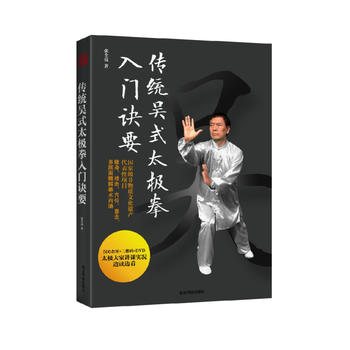
39式杨氏养生太极拳,将体育锻炼与医疗保健相结合,突出了防治疾病的功能。作者出身中医和武术世家,从小耳濡目染养生之道,十分注重钻研医学,获得卫生部颁发的针灸师证书和高级按摩师证,多次在中国中医研究院进修,并将医疗方法和临床经验融进39式杨氏养生太极拳里,对习练者起到健身康复的作用。
【目录】
*章 绪论
太极拳的健身和养生原理
太极拳的锻炼要领
第二章 基本动作图解
身法
手法
步法
第三章 呼吸法与取穴法
39式杨氏养生太极拳的健身呼吸法和疗病呼吸法
39式杨氏养生太极拳配穴穴位图解
第四章 图解39式杨氏养生太极拳
后记
【免费在线读】
据传说,1860 年,位于北京平安里西大街的瑞王府里,搭起了擂台,一位来自河北永年县的青年杨露禅打遍京城无对手,被呼为“杨无敌”。
如果杨露禅到此为止,那么他也不过是一个武林高手而已,但杨露禅的特殊经历和特殊机遇帮助他缔造了中国武术史上一个更大的奇迹。杨露禅的武艺学自河南陈家沟,但人们很快发现杨氏太极拳和陈氏太极拳在走架、打手风格上都有很大的差别,甚至格格不入,有人甚至怀疑杨氏太极拳是否真的出自陈家沟,比如,陈氏太极拳像缠一根丝,讲究螺旋式运力;杨氏太极拳则像抽一根丝,是一种向前的穿透力,强调连绵不断。后来才知道,杨露禅把陈家沟的武功给改了。为什么要改呢?
原来,杨露禅在京城成名以后,很多达官贵人跑来向他学太极拳,下到低级军官,上到亲王贝勒,杨露禅发现这些人教起来很困难。首先,八旗子弟长期养尊处优身体退化,已经不适于练习激烈凶猛的套路;其次,做官做到一定级别就要有官派,否则会被人认为不稳重,一些翻滚腾挪的动作与他们身份不符;而更深刻的原因是,当时的晚清,冷兵器时代已经过去,武术的战争意义急剧下降,一些凶狠的武功招式被认为不文明。
所以,杨露禅把高难度的和凶猛的动作通通砍掉。为了间歇性地发力,传统的陈氏太极拳动作一下快一下慢;杨氏太极拳去掉了发力,其快慢是均匀的。杨氏太极拳里没有跳跃的动作,连跺脚都去掉了。他这一改革,大大降低了学拳的门槛,不仅达官贵人可以练太极拳,普通老百姓,甚至花甲老人都能练习。
后世的杨氏太极拳家又引进了中医经络学,并糅入导引、吐纳等技巧,其健身养生、祛病延年的效果已经被实践所证明,因此,杨氏太极拳又被称为健身养生拳。
作者: 凤凰高新教育
出版社:北京大学出版社 2018年01月
简介:
Word、Excel、PPT是Office办公软件中重要且常用的3个组件。在文秘与行政管理工作中,经常需要使用这3个组件来完成相关事务。
《Word/Excel/PPT 在文秘与行政管理中的应用》从实际工作应用出发,以“员工资料管理→办公登记与行程安排→员工招聘与录用管理→员工培训管理→员工考勤管理→员工薪资管理→公司客户管理→办公用品管理→市场营销管理→会议管理→工作总结与报告→公司宣传与活动策划→对外商务管理”为线索,精心挑选多个案例,详细地给读者讲解Word、Excel、PPT在文秘与行政管理工作中的实操应用。
本书既适合在公司中从事文秘工作、行政管理工作的人员学习,也适合作为大中专职业院校文秘行政相关专业的学习用书,同时还可以作为文秘与行政办公技能培训教材。
网店美工必读Photoshop淘宝、天猫、微店设计与装修实战100例
光盘作者: 凤凰高新教育
出版社:北京大学出版社 2018年04月
简介:
随着电商竞争的加剧,网店的装修,也就是网店的美工与广告设计成为提高客流量与转化率的重要着力点。如何通过图片与文字的恰当搭配与编排,让自家店铺的商品在众多竞争对手中脱颖而出。吸引顾客点击浏览并下单购买,是每家网店进行店铺装修时都必须考虑的问题。本书以淘宝、天猫、微店为平台,结合大量精美实例讲解了网店美工与广告设计的重点知识与技能。全书安排了100个经典的装修设计案例,系统地讲解网店装修中图像的调整、商品照片的修复与修饰、商品影调的调控、商品照片的调色、商品的抠取与合成等理论精华和图像处理基本技法,以及各类主图与直通车图片、店招、导航条、欢迎模块与促销广告、分类导航、商品细节描述、优惠券与收藏区、客服区等网店装修核心区域的设计。
《网店美工必读Photoshop淘宝、天猫、微店设计与装修实战100例(PC端 手机端)》附带教学资源,包括全书所有实例的素材文件和效果文件,以及高清语音教学视频,帮助读者提高学习效率。本书结构清晰、语言简洁,适合网店经营的初、中级读者阅读,包括网店美工、图像处理人员、平面广告设计人员、网络广告设计人员等,同时也可作为各类计算机培训中心、中职中专、高职高专和大中专院校等相关专业的辅导教材。
作者: 孙杰
出版社:清华大学出版社 2018年01月
简介:
Autodesk 3ds Max 2016是Autodesk公司开发的基于PC系统的三维动画渲染和制作软件,广泛应用于工业设计、广告、影视、游戏、建筑设计等领域。《3ds Max 2016动画制作案例课堂(第2版)》通过180个具体实例,全面、系统地介绍了3ds Max 2016的基本操作方法和动画制作技巧。《3ds Max 2016动画制作案例课堂(第2版)》共分为17章。所有例子都是精心挑选和制作的,将3ds Max 2016枯燥的知识点融入实例之中,并进行了简要而深刻的说明。可以说,读者通过对这些实例的学习,将起到举一反三的作用,一定能够由此掌握动画设计的精髓。
《3ds Max 2016动画制作案例课堂(第2版)》按照软件功能以及实际应用进行划分,每一章的实例在编排上循序渐进,其中既有打基础、筑根基的部分,又不乏综合创新的例子。其特点是把3ds Max 2016的知识点融入到实例中,读者将从中学到3ds Max 2016基本操作、常用三维文字的制作、常用三维模型的制作、工业模型的制作、设置材质与贴图、对象动画的制作、使用编辑修改器制作动画、摄影机及灯光动画、使用约束和控制器制作建筑动画、空间扭曲动画、粒子与特效动画、大气特效与后期制作、常用三维文字标版动画、节目片头动画、海底美人鱼动画、小桥流水动画片段制作和中草药牙膏动画等。
《3ds Max 2016动画制作案例课堂(第2版)》可以帮助读者更好地掌握3ds Max 2016的使用操作和动画制作思路,提高读者的软件应用以及动画制作水平。《3ds Max 2016动画制作案例课堂(第2版)》内容丰富,语言通俗易懂,结构清晰。适合于初、中级读者学习使用,也可以供从事游戏制作、影视制作和三维设计等从业人员阅读;同时还可以作为大中专院校相关专业、相关计算机培训班的上机指导教材。
作者: 亿瑞设计
出版社:清华大学出版社 2018年01月
简介:
《Photoshop CC 中文版基础培训教程》全面、系统地介绍了Photoshop CC 的基本操作方法和图形图像处理技巧,包括初识Photoshop CC、Photoshop CC 基本操作、绘制和编辑选区、绘制图像、修饰图像、编辑图像、绘制图形及路径、调整图像的色彩和色调、图层的应用、应用文字与蒙版、使用通道与滤镜,以及商业案例实训等内容。
作者: 凤凰高新教育
出版社:北京大学出版社 2017年08月
简介:
Photoshop CC 是一款功能强大的图像处理软件,被广泛应用于图像处理、特效设计、广告设计等相关领域。
《Photoshop CC实战从入门到精通》内容系统、全面,详细讲解了Photoshop CC 图像处理与设计的相关技能。其中包括:PhotoshopCC 快速入门、Photoshop CC 基础操作、选区的创建与修改、图像的绘制与修饰、图层的管理与应用、路径的绘制与编辑、文字的输入与编辑、通道和蒙版的应用、色彩的调整与编辑、神奇滤镜的功能和应用、文件自动化处理和打印输出,以及Web 图像和视频、动画。在本书的*后还安排了4 章实战案例,讲解了Photoshop CC 在相关领域的综合应用。另外,在附录部分还提供了3 套“综合上机实训题”,实训内容由易到难、由浅到深,层层递进,以进一步强化读者的动手能力。
全书内容安排合理有序,语言风格通俗易懂,实例题材丰富多样,每个操作步骤的介绍都力求做到清晰、准确。本书特别适合广大职业院校及计算机培训学校作为相关专业的教材,也可供广大Photoshop CC 初学者、设计爱好者学习、参考。
Best new games Dale N. Le Fevre.
光盘简介:With Best New Games, Updated Edition, you can lead people of all ages and abilities in cooperative fun! This resource is rich with activity ideas for classroom and physical education teachers as well as group leaders in settings such as scout troops, youth groups, college orientations, retirement and senior centers, day care centers, park district programs, and business conferences and meetings. Best New Games is the most comprehensive collection of New Games currently available, presenting a wide range of activities, including ice breakers and get-acquainted games, games for building sensitivity and trust, team-building games, and games for opening and closing your play session. For those unfamiliar with New Games, a new DVD included with the book offers footage of 15 games in action to help you quickly understand how to play and present New Games. Best New Games begins by covering the basics of using the games, including how to lead, adapt, and create your own New Games. Then you’ll find 77 games presented according to activity level (low, low/moderate, moderate, and high) as well as 7 trust games. Each game description includes instructions for play, tips, safety considerations, age-level accommodations, space and equipment requirements, and the developmental skill focus. The updated edition also features an easier-to-use format and a game finder to help you take the stress out of planning play sessions. The game finder offers an at-a-glance listing of all games organized by activity level, when to play, number of players, special space and equipment needed, social purposes, and skills needed and developed. An expanded discussion of how to use the activities in the book will help you identify the games appropriate for your group and your unique needs. For teachers, a new section details how New Games can fulfill educational and physical activity standards in the United States, Australia, Canada, and the United Kingdom. Plus, ideas and suggestions for incorporating New Games into lesson plans offers a great starting point for more active learning in the classroom. With Best New Games, you can give your students and group members a new way to be physically and mentally active, regardless of age, size, sex, or ability. By focusing on the fun of play, Best New Games, Updated Edition, can help you pave the way to better teamwork, cooperation, and trust both in and out of the classroom.
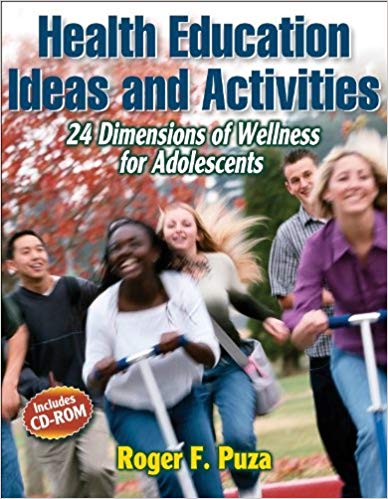
Health education ideas and activities : 24 dimensions of wellness for adolescents Roger F. Puza.
光盘简介:Health Education Ideas and Activities provides fresh, cost-effective, and multifaceted ways to teach health education at the middle and high school levels. Grounded in the real world and tested in classrooms, each lesson idea and teaching tool is ready to use with minimal preparation time. Health Education Ideas and Activities includes 24 units and 139 lesson ideas spanning a variety of health and wellness topics such as resiliency, self-awareness, conflict resolution, self-esteem, yoga, and alternative healing. You can use these materials to tailor your existing units and lessons to the changing needs of your students. You also can use the materials to reinforce or expand your existing physical education curriculum to drive home the importance of health. You'll be able to develop the health literacy of students in any class setting while meeting revised 2006 national standards for health education. This resource is classroom developed and tested by a physical and health educator with more than 30 years of experience teaching at the middle and high school levels. Roger Puza understands that kids growing up in today's world face more health challenges than ever. The lesson ideas and activities in this book reach into their world and take hold, laying the groundwork for tomorrow's healthy, active adults. Health Education Ideas and Activities contains these time-saving features: -Specific, ready-to-use assessments for easily building accountability into your teaching -Over 200 handouts and 20 tests -A handy CD-ROM containing all the reproducibles for quick access -A lesson idea finder for quickly locating the content you need Health Education Ideas and Activities provides new and experienced educators with organized information on all dimensions of health—intellectual, physical, spiritual, emotional, and social. The book's comprehensive and multifaceted approach guarantees this will be one resource you'll go to time and again.
作者: Helen Ball (Author), Kevin Davis (Author), Peter Ransom (Author)
简介:Engage and motivate your Level 3 Mathematical Studies students, and deliver the new specification with confidence. Authentic real-life examples and ready to use data sets from a range of contexts develop mathematical skills and understanding. This is an off-the-shelf teaching solution which includes a complete set of lesson plans and activities to engage and stimulate your Core Maths students. All resources are available on the CD-ROM as editable Word documents so you can tailor the lessons to your students needs. Clear practical guidance is offered on how to deliver the course for non-specialist teachers, and extra guidance on unfamiliar topics such as Fermi estimation. It closely matches the new AQA Mathematical Studies specification, with separate sections for compulsory units and optional pathways, and has a flexible scheme of work which gives ideas on timings and fitting Core Maths around other qualifications and subjects."
作者: 余新咏 刘乐 田莉莉
简介:本书系统介绍CorelDRAW X7的基本功能,从基础知识开始,以循序渐进的方式详细讲解对象的基本操作、线型工具的使用、几何图形工具的使用、图形的修饰与编辑、图形的填充、轮廓线的操作、图像的效果操作、文本与表格。在后面一章,综合运用前面所讲的知识进行案例制作,包括字体设计、插画设计、海报设计、Logo设计、版式设计和产品包装设计。通过案例和综合练习的训练,读者可以使用CorelDRAW X7自主绘制和处理图形。 本书以“理论结合实例”的形式进行编写,共10章,包含52个实例(29个即学即用+17个课后习题+6个综合案例)。每个案例都详细介绍了制作流程,图文并茂、操作性强。除此之外,每个章节都配有课后练习,方便读者在学习完当前章节后进行练习和巩固。本书还附赠丰富的资源包,内容包括所有案例的实例效果、原始素材、多媒体教学视频。 本书不仅可作为普通高等院校相关专业的教材,还非常适合作为零基础读者的入门及提高参考书。另外,本书所有内容均采用中文版CorelDRAW X7进行编写,请读者注意。
AQA GCSE (91)biology. Teacher pack Sunetra Berry, Louise Smiles; series editor: Ed Walsh.
光盘作者: Louise Smiles (Author), Ed Walsh (Editor)
简介:Collins AQA GCSE (9-1) Biology Teacher Pack will help you develop and embed the skills your students need to succeed in all three assessment objectives, while providing a clear and supportive route through the new, more challenging GCSE content. Written by a team of expert authors for the 2016 specification, this book provides a ‘go-to’ guide to support teachers throughout the course. Teach with confidence using an introduction to the new specification, schemes of work, plans for co-teaching the different courses, and a comprehensive set of editable lesson plans and worksheets. • Written by experienced teachers for the new 2016 specification • Detailed lesson plans, with learning objectives, learning outcomes and a clear teaching and learning cycle that introduces, challenges, embeds and consolidates ideas and understanding • Supports all students to make good progress, with three levels of differentiation in every lesson plan • Stretches more able students with extend activities in every lesson • Ready to use worksheets and practical sheets for recording investigative work • Technician’s notes with equipment lists and set-up instructions for practicals • Flexible Scheme of Work to help you introduce and plan for the new specification
作者: 李凤
出版社:人民邮电出版社 2017年07月
简介:
《会计实操一点通》依据《小企业会计准则》详细且全面地介绍了财务、结算、税务全盘实操过程。主要包括会计核算、会计要素、会计做账基本流程、会计做账规范、会计制度设置、企业建账前的准备等会计基础知识,以及原始凭证的填制、审核、保管、传递,记账凭证的填制、审核、装订、保管,会计账簿的登记、装订、保管、错账更正,各种物资的清查和处理,资产负债表和利润表的编制,纳税申报等内容。
作者: 赵少俐
出版社:湖南大学出版社 2017年10月
简介:
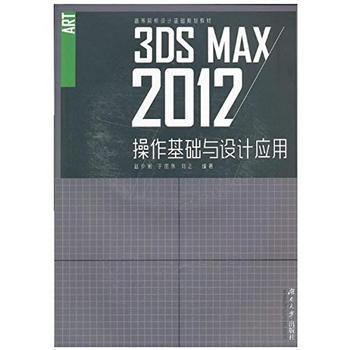
本书针对高校教学的一线实际需要编著完成,同时根据市场中设计公司对应届毕业生的实习基 本要求进行重点辅导和内容安排。书中的3ds Max2016设计流程完整并贴近实战,读者可以根据 自身学习情况选择相关章节阅读,本书内容细致、充实,毫无保留地将作者在教学、实践中获取的 3D建模经验呈现在大家面前。
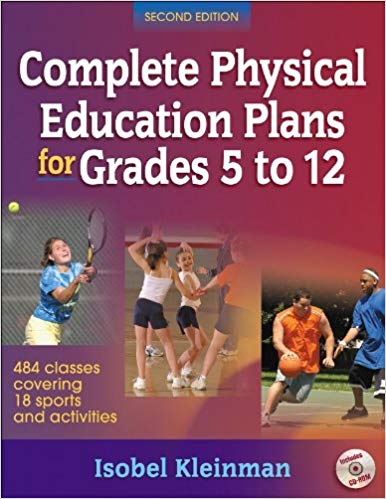
Complete physical education plans for grades 5 to 12 Isobel Kleinman.
光盘简介:With Complete Physical Education Plans for Grades 5 to 12, Second Edition, you can - use mechanically correct progressions to teach students more effectively and increase their enjoyment of physical activity; - build a complete, balanced physical education program that has something for everybody; - save preparation time with lesson plans for 484 classes covering 18 areas of fitness, creative movement and dance, and sports; - take advantage of ready-to-use assessment tools for each developmental level; - find health fitness standards and sport-related fitness norms for multiple ages and grade levels and both sexes; and - facilitate lessons with reproducible study sheets, extension projects, and portfolio checklists. This popular book provides loads of teacher-tested lesson plans and assessment tools that will decrease your preparation time and increase your students' competency. After listening to requests of the first edition's users, the author has packed two more popular field sports and a unique chapter on educational gymnastics into this new edition of Complete Physical Education Plans for Grades 5 to 12. Lessons can cover beginner, intermediate, and advanced levels and break down each skill as it is introduced. The chapters also integrate the applicable rules and strategies during the learning process and use methods that will keep students active, learning, successful, and completely motivated. In addition to the clear instruction for teaching skills, rules, and strategies, each lesson generates opportunities for students to develop physical, cognitive, and social skills. Each unit is designed to help students gain competency appropriate for their experience level. Formerly published as Complete Physical Education Plans for Grades 7 to 12, the book features exciting new material: - Detailed introductions of skills and how to practice the mechanics of each skill or dance - Three new chapters (field hockey, lacrosse, and educational gymnastics, the latter of which includes three units that can be used in teaching both gymnastics and creative dance) Complete Physical Education Plans for Grades 5 to 12 provides field-tested lesson plans for 484 classes covering 18 areas of fitness, creative movement and dance, and sports. These professionally prepared plans will not only cut your own prep time but also help you focus on the essentials in each step of your students' learning process. It is a great resource when you need material for a substitute teacher or when you are asked to submit plans to your school administrator. In addition to the lesson plans, the book and CD-ROM package contains a wealth of teaching and assessment tools, including skills rubrics, portfolio checklists, unit fact sheets, and quizzes. The accompanying CD-ROM enables you to print study sheets, student extension projects, portfolio checklists, unit quizzes, and answer keys. You can also print out any page of the text from the CD-ROM (e.g., lessons, full units, tests). Complete Physical Education Plans for Grades 5 to 12 is an ideal resource for physical education teachers and for district directors who want to give their teachers a resource through which they can provide a consistent curriculum across the school system.
Adobe Premiere Pro CC 2017经典教程
光盘作者: 马克西姆·亚戈
出版社:人民邮电出版社 2017年09月
简介:
《Adobe Premiere Pro CC 2017经典教程》由Adobe公司编写,是Adobe Premiere Pro CC软件的官方培训手册。《Adobe Premiere Pro CC 2017经典教程》共分为18课,每课都围绕着具体的例子讲解,步骤详细,重点明确,手把手教您进行实 际操作。本书除全面介绍了Adobe Premiere Pro CC的操作流程外,还详细介绍了Premiere Pro CC的新功能。书中给出了大量的提示和技巧,帮助您更高效地使用 Adobe Premiere Pro。《Adobe Premiere Pro CC 2017经典教程》各课重点突出,有利于读者自己掌握学习重点和学习进度。如果您对Premiere Pro还比较陌生,可以先了解使用Premiere Pro所需的基本概念和特性 ;如果您是个Premiere Pro的老手,则可以将主要精力放在新版本的技巧和技术的使用上。本书也适合各类相关内容的培训班学员及广大自学人员参考。