

简介
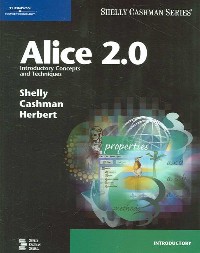
"Alice is free, downloadable software that was developed with funding from the National Science Foundation to make object-oriented programming concepts more accessible and exciting to students. This new book on Alice 2.0 provides the perfect approach to teaching this software to students. With its project-oriented, step-by-step pedagogy,students will easily grasp programming concepts and build confidence in their skills."--Publisher's website
目录
Table Of Contents:
Preface iv
Project One Exploring Alice and Object-Oriented Programming
Objectives 2(1)
What Is Alice? 2(2)
Creating an Alice World 4(58)
Objects and Object-Oriented Programming 5(1)
Starting Alice 6(2)
The Alice Interface 8(3)
The Welcome to Alice! Dialog Box 8(3)
The Main Work Areas of the Alice Interface 11(6)
The World Window 12(1)
The Object Tree 13(1)
The Details Area 13(2)
Primitive and User-Defined Methods 15(1)
The Editor Area 16(1)
The Events Area 16(1)
Other Elements of the Alice Interface 17(6)
The Clipboard 18(1)
The Trash Can 19(1)
The Play Button 20(1)
The Undo and Redo Buttons 20(1)
The Menu Bar 21(2)
Playing an Existing Alice World 23(3)
Creating a New Alice World 26(7)
Positioning the iceSkater in the New World 33(2)
Creating a Method to Animate the iceSkater 35(12)
Printing the Code for an Alice World 47(3)
Project Summary 50(1)
What You Should Know 50(1)
Apply Your Knowledge 51(2)
In the Lab 53(5)
Cases and Places 58(2)
Learning Exercises 60(2)
Project Two Developing Software Methods
Objectives 62(1)
Introduction 62(1)
Developing the Ice Skater Routine 62(72)
The Software Development Cycle 64(1)
The Design Phase 65(1)
The Implementation Phase 65(1)
The Testing Phase 65(1)
The Debugging Phase 66(1)
Software Documentation 66(1)
A Modular Design for the Ice Skater World 67(2)
Implementing the Ice Skater World --- Setting the Scene 69(10)
Implementing the Ice Skater World --- Documentation 79(3)
Implementing the Ice Skater World --- Bottom-Up Development 82(1)
Implementing the Ice Skater World --- Coding the opening Method 82(7)
Implementing the Ice Skater World --- Coding the figure8 Method 89(6)
Implementing the Ice Skater World --- Coding the jumpSpin Method 95(8)
Implementing the Ice Skater World --- Coding the routine Method 103(5)
Implementing the Ice Skater World --- Coding the closing Method 108(6)
Implementing the Ice Skater World --- Coding world my first method 114(3)
Project Summary 117(1)
What You Should Know 117(1)
Apply Your Knowledge 118(2)
In the Lab 120(9)
Cases and Places 129(3)
Learning Exercises 132(2)
Project Three Programming with Logical Structures
Objectives 134(1)
Programming with Logical Structures 134(103)
The Logical Structure of Algorithms 137(1)
Flowcharts 138(1)
Linear Sequences 139(1)
Selection Sequences --- Branching 139(9)
Multiple Branching 147(1)
Repetition Sequences --- Looping 148(20)
Pretest and Posttest loops 163(1)
Count-Controlled and Sentinel Loops 164(4)
Boolean Logic 168(5)
Project Summary 173(1)
What You Should Know 173(1)
Apply Your Knowledge 174(1)
In the Lab 175(6)
Cases and Places 181(2)
Learning Exercises 183(3)
Project Four Event-Driven Programming in Alice
Objectives 186(1)
User Interfaces and Event-Driven Programming 186(1)
Examining Events in an Existing Alice World 187(2)
Exploring How User Controls Work in an Alice World 189(4)
Creating a Skate Simulator with Interactive User Controls 193(30)
Project Summary 223(1)
What You Should Know 223(1)
Apply Your Knowledge 224(2)
In the Lab 226(8)
Cases and Places 234(1)
Learning Exercises 235(2)
Index 237
Preface iv
Project One Exploring Alice and Object-Oriented Programming
Objectives 2(1)
What Is Alice? 2(2)
Creating an Alice World 4(58)
Objects and Object-Oriented Programming 5(1)
Starting Alice 6(2)
The Alice Interface 8(3)
The Welcome to Alice! Dialog Box 8(3)
The Main Work Areas of the Alice Interface 11(6)
The World Window 12(1)
The Object Tree 13(1)
The Details Area 13(2)
Primitive and User-Defined Methods 15(1)
The Editor Area 16(1)
The Events Area 16(1)
Other Elements of the Alice Interface 17(6)
The Clipboard 18(1)
The Trash Can 19(1)
The Play Button 20(1)
The Undo and Redo Buttons 20(1)
The Menu Bar 21(2)
Playing an Existing Alice World 23(3)
Creating a New Alice World 26(7)
Positioning the iceSkater in the New World 33(2)
Creating a Method to Animate the iceSkater 35(12)
Printing the Code for an Alice World 47(3)
Project Summary 50(1)
What You Should Know 50(1)
Apply Your Knowledge 51(2)
In the Lab 53(5)
Cases and Places 58(2)
Learning Exercises 60(2)
Project Two Developing Software Methods
Objectives 62(1)
Introduction 62(1)
Developing the Ice Skater Routine 62(72)
The Software Development Cycle 64(1)
The Design Phase 65(1)
The Implementation Phase 65(1)
The Testing Phase 65(1)
The Debugging Phase 66(1)
Software Documentation 66(1)
A Modular Design for the Ice Skater World 67(2)
Implementing the Ice Skater World --- Setting the Scene 69(10)
Implementing the Ice Skater World --- Documentation 79(3)
Implementing the Ice Skater World --- Bottom-Up Development 82(1)
Implementing the Ice Skater World --- Coding the opening Method 82(7)
Implementing the Ice Skater World --- Coding the figure8 Method 89(6)
Implementing the Ice Skater World --- Coding the jumpSpin Method 95(8)
Implementing the Ice Skater World --- Coding the routine Method 103(5)
Implementing the Ice Skater World --- Coding the closing Method 108(6)
Implementing the Ice Skater World --- Coding world my first method 114(3)
Project Summary 117(1)
What You Should Know 117(1)
Apply Your Knowledge 118(2)
In the Lab 120(9)
Cases and Places 129(3)
Learning Exercises 132(2)
Project Three Programming with Logical Structures
Objectives 134(1)
Programming with Logical Structures 134(103)
The Logical Structure of Algorithms 137(1)
Flowcharts 138(1)
Linear Sequences 139(1)
Selection Sequences --- Branching 139(9)
Multiple Branching 147(1)
Repetition Sequences --- Looping 148(20)
Pretest and Posttest loops 163(1)
Count-Controlled and Sentinel Loops 164(4)
Boolean Logic 168(5)
Project Summary 173(1)
What You Should Know 173(1)
Apply Your Knowledge 174(1)
In the Lab 175(6)
Cases and Places 181(2)
Learning Exercises 183(3)
Project Four Event-Driven Programming in Alice
Objectives 186(1)
User Interfaces and Event-Driven Programming 186(1)
Examining Events in an Existing Alice World 187(2)
Exploring How User Controls Work in an Alice World 189(4)
Creating a Skate Simulator with Interactive User Controls 193(30)
Project Summary 223(1)
What You Should Know 223(1)
Apply Your Knowledge 224(2)
In the Lab 226(8)
Cases and Places 234(1)
Learning Exercises 235(2)
Index 237
- 名称
- 类型
- 大小
光盘服务联系方式: 020-38250260 客服QQ:4006604884
云图客服:
用户发送的提问,这种方式就需要有位在线客服来回答用户的问题,这种 就属于对话式的,问题是这种提问是否需要用户登录才能提问
Video Player
×
Audio Player
×
pdf Player
×
亲爱的云图用户,
光盘内的文件都可以直接点击浏览哦
无需下载,在线查阅资料!
