

简介
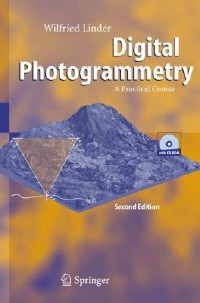
Potential readers/users are students of Photogrammetry, Geodesy, Geography and other sciences, but also all who are interested in this topic. No prior knowledge is necessary, except the handling of standard PCs. Theory is presented true to the motto "as little as possible, but as much as necessary". The main part of the book contains several tutorials. In increasing complexity, accompanied by texts explaining further theory, the reader can proceed step by step through the particular working parts.聽Most of the standard work in Digital Photogrammetry is shown and trained for example scanning, image orientation, mono and stereo plotting, aerial triangulation measurement (manual and automatic), block adjustment, automatic creation of surface models via image matching, creation of ortho images and mosaics, and others. Not only standard situations are dealt with but also more complex ones, such as unknown camera data, extreme relief or areas with very low contrast. Examples of both aerial and close-range photogrammetry present the power of these type of measurement techniques. The software is not limited to the example data included but may be used for personal projects. Part of the book comprises a complete description of the software.
目录
Introduction
Basic idea and main task of photogrammetry
Why photogrammetrynbsp;?
Image sources: Analogue and digital cameras
Digital consumer cameras
Short history of photogrammetric evaluation methods
Geometric principles
Camera position, focal length
Geometric principles
Image orientation
Geometric principles
Relative camera positions (stereo)
Some definitions
Length and angle units
A typical workflow in photogrammetry
Included software and data
Hardware requirements, operating system
Image material
Overview of the software
Installation
Additional programmes, copyright, data
General remarks
Software versions, support
Scanning of photos
Scanner types
Geometric resolution
Radiometric resolution
Some practical advice
Import of the scanned images
Example 1: A single model
Project definition
Orientation of the images
Camera definition
Interior orientation
Brightness and contrast
Control points
Exterior orientation
Over-determination and error detection
Model definition
Stereoscopic viewing
Measurement of object co-ordinates
Creation of DTMs via image matching
Some theory
Practical tests
Additional manual measurements
Quality control
Ortho images
Some theory
Resampling methods
Practical tests
Creation and overlay of contours
Simple 3D data collection
Example 2: Aerial triangulation
Aerial triangulation measurement (ATM)
Common principles
Interior orientation
Manual measurement
Automatic measurement via image matching: Introduction
Co-ordinate input and measurement of ground control points
Strip definition
Measurement of strip connections
Automatic image co-ordinate measurement (AATM)
Block adjustment with BLUH
Introduction
Running the block adjustment
Discussion of the results
Additional analysis of the results
Block adjustment with other programmes: Example BINGO
Mosaics of DTMs and ortho images
Model definition
Creation of a DTM mosaic
Creation of an ortho image mosaic
Shaded relief
Contour lines overlay
3D view
3D view in real-time: Example for plug-ins
Example 3: Some special cases
Scanning aerial photos with an A4 scanner
Interior orientation without camera parameters
Images from a digital camera
The situation
Interior and exterior orientation
Geometric problems
DTM creation
Differential DTM
An example of close-range photogrammetry
The situation
Interior and exterior orientation
Model definition
DTM creation
Image sequences
Visualisation of wave movement
Some remarks about lens distortion
A view into the future: Photogrammetry in 2020
Programme description
Some definitions
Basic functions
Aims and limits of the programme
Operating the programme
Buttons in the graphics windows
File handling
File > Select project
File > Define project
File > Edit project
File > Import raster
File > Import Rollei CDW
File > Combination
File > Reference list
File > Numerical file names
Pre programmes
Pre programmes > Camera definition > Analogue
Pre programmes > Camera definition > Digital
Pre programmes > Control point editor
Pre programmes > Strip definition
Pre programmes > Orientation > Measure > Interior orientation
Pre programmes > Orientation > Measure > Exterior orientation
Pre programmes > Orientation > Measure > Pseudo camera def
Pre programmes > Orientation > Measure >
Basic idea and main task of photogrammetry
Why photogrammetrynbsp;?
Image sources: Analogue and digital cameras
Digital consumer cameras
Short history of photogrammetric evaluation methods
Geometric principles
Camera position, focal length
Geometric principles
Image orientation
Geometric principles
Relative camera positions (stereo)
Some definitions
Length and angle units
A typical workflow in photogrammetry
Included software and data
Hardware requirements, operating system
Image material
Overview of the software
Installation
Additional programmes, copyright, data
General remarks
Software versions, support
Scanning of photos
Scanner types
Geometric resolution
Radiometric resolution
Some practical advice
Import of the scanned images
Example 1: A single model
Project definition
Orientation of the images
Camera definition
Interior orientation
Brightness and contrast
Control points
Exterior orientation
Over-determination and error detection
Model definition
Stereoscopic viewing
Measurement of object co-ordinates
Creation of DTMs via image matching
Some theory
Practical tests
Additional manual measurements
Quality control
Ortho images
Some theory
Resampling methods
Practical tests
Creation and overlay of contours
Simple 3D data collection
Example 2: Aerial triangulation
Aerial triangulation measurement (ATM)
Common principles
Interior orientation
Manual measurement
Automatic measurement via image matching: Introduction
Co-ordinate input and measurement of ground control points
Strip definition
Measurement of strip connections
Automatic image co-ordinate measurement (AATM)
Block adjustment with BLUH
Introduction
Running the block adjustment
Discussion of the results
Additional analysis of the results
Block adjustment with other programmes: Example BINGO
Mosaics of DTMs and ortho images
Model definition
Creation of a DTM mosaic
Creation of an ortho image mosaic
Shaded relief
Contour lines overlay
3D view
3D view in real-time: Example for plug-ins
Example 3: Some special cases
Scanning aerial photos with an A4 scanner
Interior orientation without camera parameters
Images from a digital camera
The situation
Interior and exterior orientation
Geometric problems
DTM creation
Differential DTM
An example of close-range photogrammetry
The situation
Interior and exterior orientation
Model definition
DTM creation
Image sequences
Visualisation of wave movement
Some remarks about lens distortion
A view into the future: Photogrammetry in 2020
Programme description
Some definitions
Basic functions
Aims and limits of the programme
Operating the programme
Buttons in the graphics windows
File handling
File > Select project
File > Define project
File > Edit project
File > Import raster
File > Import Rollei CDW
File > Combination
File > Reference list
File > Numerical file names
Pre programmes
Pre programmes > Camera definition > Analogue
Pre programmes > Camera definition > Digital
Pre programmes > Control point editor
Pre programmes > Strip definition
Pre programmes > Orientation > Measure > Interior orientation
Pre programmes > Orientation > Measure > Exterior orientation
Pre programmes > Orientation > Measure > Pseudo camera def
Pre programmes > Orientation > Measure >
- 名称
- 类型
- 大小
光盘服务联系方式: 020-38250260 客服QQ:4006604884
云图客服:
用户发送的提问,这种方式就需要有位在线客服来回答用户的问题,这种 就属于对话式的,问题是这种提问是否需要用户登录才能提问
Video Player
×
Audio Player
×
pdf Player
×
亲爱的云图用户,
光盘内的文件都可以直接点击浏览哦
无需下载,在线查阅资料!
