

简介
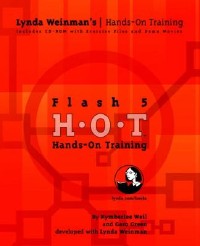
This picture-book computer guide is essentially a compendium of exercises presented as a series of screen shots with captions. The exercises instruct the reader in basic Flash techniques of drawing, animation, shape and motion tweening, bitmaps, text, movie clips, buttons, sound, and publishing. Weil and Green work for a training company in California. Annotation c. Book News, Inc., Portland, OR (booknews.com)
目录
Introduction p. xiv
A Note from Lynda Weinman p. xiv
About the Authors p. xvi
Our Team p. xviii
Acknowledgements from Kymberlee p. xix
Acknowledgements from Garo p. xx
How To Use This Book p. xxi
The Formatting in This Book p. xxii
Interface Screen Captures p. xxii
Mac and Windows System Differences p. xxii
Sharing Files with Windows Users p. xxii
A Note to Windows Users p. xxiii
Making Exercise Files Editable on Windows Systems p. xxiii
Making File Extensions Visible on Windows Systems p. xxvi
Flash System Requirements p. xxix
What's on the CD-ROM? p. xxxi
1. Background Information p. 2
Download Speed p. 3
Visual Control! p. 3
Enhanced Interactivity p. 3
Combine Vectors and Bitmaps p. 4
Scalability p. 5
Streaming Content p. 5
Caution: Plug-in Required! p. 9
Beyond Flash p. 10
What is Generator? p. 10
What's CGI? p. 10
2. The Flash Interface p. 12
The Document Window p. 13
The Layer Controls p. 18
The Panels p. 21
Creating Panel Sets p. 26
Saving Panel Sets p. 26
Changing Panel Layouts p. 27
Custom Keyboard Shortcuts p. 28
Creating a New Shortcut Set p. 29
3. Using the Color Tools p. 30
What is Web-Safe Color Anyway? p. 31
What Is Hexadecimal Color? p. 31
Exercise 1 Using the Mixer p. 33
Exercise 2 Adding Colors to Palettes p. 38
Exercise 3 Importing Palettes p. 43
Exercise 4 Creating Gradients p. 46
Exercise 5 Editing Gradients p. 51
4. Using the Drawing Tools p. 54
Drawing Tools Explained p. 55
Lines, Fills, and Strokes Explained p. 56
About the Pencil p. 57
Exercise 1 Drawing With the Pencil p. 58
Exercise 2 Modifying Lines p. 62
Exercise 3 Drawing with the Pen p. 72
Exercise 4 Modifying Lines p. 79
Exercise 5 Using the Oval and Rectangle p. 86
Exercise 6 Using the Brush p. 90
Exercise 7 Modifying Fills p. 94
Exercise 8 Multiple Objects p. 101
Exercise 9 Grouping Objects p. 106
5. Animation Basics p. 110
The Timeline p. 111
Projects and Movies p. 112
Exercise 1 Movie Properties p. 113
What is a Keyframe? p. 116
Keyframes in Flash p. 116
Exercise 2 Frame-by-Frame Animation with Keyframes p. 118
Exercise 3 Blank Keyframes and Onion Skinning p. 124
Exercise 4 Keyframes with Erasing Content p. 130
Exercise 5 Understanding Frame Rate p. 135
What is a Frame Rate? p. 137
Recommended Frame Rates in Flash p. 138
Exercise 6 Inserting and Deleting Frames p. 139
Exercise 7 Copying and Reversing Frames p. 147
Exercise 8 Testing Movies p. 149
6. Shape Tweening p. 154
What is Shape Tweening? p. 155
What shape tweening can do p. 157
What shape tweening can't do p. 157
Exercise 1 Shape Tweening p. 158
Exercise 2 Shape Hinting p. 163
Exercise 3 Multiple Shape Hints p. 168
Exercise 4 Animating Gradients p. 171
Exercise 5 Animated Glows p. 175
Exercise 6 Shape Tweening Text p. 179
Exercise 7 Tweening Shapes with Holes p. 183
Exercise 8 Multiple Shape Tweens p. 189
7. Symbols and Instances p. 196
The Symbol and Instance Structure p. 197
Symbol Naming Conventions p. 198
Exercise 1 Creating Graphic Symbols p. 199
Exercise 2 Creating More Symbols p. 205
Exercise 3 Creating Symbol Instances p. 207
Exercise 4 Editing Symbols p. 211
Exercise 5 Editing Symbol Instances p. 218
Exercise 6 Transforming Instances p. 226
Exercise 7 Animated Graphic Symbols p. 231
The Effect Panel p. 238
Important Timeline Vocabulary Terms p. 239
8. Motion Tweening p. 240
Shape Tween Versus Motion Tween p. 241
Exercise 1 Basic Motion Tweening p. 242
Exercise 2 Tweening Effects p. 246
Exercise 3 Editing Multiple Frames p. 251
Exercise 4 Using a Motion Guide p. 254
Exercise 5 Motion Tweening Text p. 263
Exercise 6 Exploding Text p. 271
Text Motion Tweening Options and Limitations p. 281
9. Bitmaps p. 282
Benefits of Bitmaps p. 283
Exercise 1 Importing and Compressing Bitmaps p. 285
Exercise 2 Importing Bitmap Sequences p. 291
Exercise 3 Bitmap Fills p. 293
Exercise 4 Breaking Apart Bitmaps p. 298
Exercise 5 Converting Bitmaps to Vectors p. 305
Exercise 6 Basic Masking p. 309
Exercise 7 Animated Masks p. 314
Exercise 8 Effects with Bitmaps: Fading Up and Down p. 316
Exercise 9 Effects with Bitmaps: Cross Dissolve p. 323
10. Buttons p. 326
Button States p. 327
Button Types p. 328
Exercise 1 Rollover Buttons p. 329
Exercise 2 Testing and Previewing Buttons p. 336
Exercise 3 Rollover Buttons Modified p. 340
Exercise 4 Duplicating and Aligning Buttons p. 344
Exercise 5 Invisible Buttons p. 350
Exercise 6 Adding Sound to Buttons p. 358
11. Movie Clips p. 364
What is a Movie Clip? p. 365
Exercise 1 Animated Graphic Symbol versus Movie Clip Symbol p. 366
Exercise 2 Modifying Movie Clip Instances p. 374
Exercise 3 Creating a Movie Clip p. 379
Exercise 4 Creating an Animated Rollover Button p. 387
12. ActionScripting Basics p. 394
The Actions Panel Defined p. 395
Exercise 1 Object Actions: Stop and Play p. 397
Exercise 2 Frame Actions: Stop p. 404
Interactivity and Actions: Events and Event Handlers p. 407
Mouse Events p. 407
Keyboard Events p. 408
Time-based Events p. 409
Exercise 3 Go To Frame Action (Slide Show) p. 410
Exercise 4 On Mouse Event: Get URL p. 420
Exercise 5 Basic Drop-down Menu p. 426
What Are Scenes? p. 434
Exercise 6 Drop-down Menu Targeting Scenes p. 435
What is LoadMovie? p. 448
Exercise 7 Loading Movies p. 449
What is a Preloader? p. 461
Exercise 8 Preloader p. 462
The Toolbox List p. 473
The Basic Actions List p. 474
13. Working with Text p. 476
Text Box Types p. 477
Label Text p. 477
Block Text p. 477
Editable Text p. 478
Creating, Modifying and Formatting Text p. 479
Character Panel p. 479
Paragraph Panel p. 481
Static Text p. 482
Text Options Panel: Static Text p. 482
Embedded Fonts vs. Device Fonts p. 483
Exercise 1 Working with Static Text p. 484
Character Attributes Gallery p. 488
Dynamic Text p. 489
Text Options Panel: Dynamic Text p. 489
Text Options Gallery p. 491
Exercise 2 Working with Dynamic Text p. 492
Exercise 3 Working with Dynamic Text and HTML p. 500
Input Text p. 504
Text Options Panel: Input Text p. 504
Exercise 4 Input Text p. 506
What is a Font Symbol? p. 515
Exercise 5 Font Symbols p. 516
14. Sound p. 520
Exercise 1 Importing Sounds p. 521
Exercise 2 Compressing Sound p. 524
Exercise 3 Creating Background Sound with Sound Effects p. 529
The Sound Panel p. 537
Effect p. 537
Sync p. 538
Loops p. 539
Edit button p. 539
Exercise 4 Controlling Sound with On/Off Buttons p. 541
Exercise 5 Sound Synchronizing p. 549
15. Publishing p. 556
What Types of Content Can Flash Publish? p. 557
Exercise 1 Flash and HTML p. 558
Exercise 2 Creating Projectors p. 568
Exercise 3 Modifying Projectors with FS Commands p. 572
More About Publish Settings p. 578
Formats Tab p. 579
Filename p. 579
Type p. 579
Flash Settings p. 580
HTML Settings p. 582
GIF Settings (.gif) p. 584
JPEG Settings (.jpeg) p. 586
PNG Settings (.png) p. 587
QuickTime p. 589
Real Player p. 591
Projector files p. 593
Top Tips for Optimizing Movies p. 594
16. Deconstruction p. 596
Exercise 1 The Big Picture p. 597
Layer Management p. 598
Exercise 2 Examining Scenes p. 600
Library Organization p. 603
Exercise 3 Investigating the Library p. 605
Exercise 4 Using the Movie Controller p. 606
Exercise 5 The Movie Explorer p. 607
Exercise 6 Recreating the Oak Tree Project p. 611
Exercise 7 Adding Buttons and Scenes p. 618
Exercise 8 Swapping Symbols and Modifying Button Behavior p. 623
Instance Properties Panel p. 630
Exercise 9 Cleaning Up the Scenes and Adding Stop Actions p. 632
Exercise 10 Finishing the Main Scene p. 636
Exercise 11 Finishing the OakTrees Scene p. 639
Exercise 12 Finishing the Acorn Scene p. 646
Exercise 13 Finishing the Preservation Scene p. 652
Exercise 14 Printing from the Project File p. 658
Exercise 15 Printing from the Flash Player p. 661
17. Integration p. 666
Exercise 1 Bringing Fireworks Content Into Flash p. 667
Exercise 2 Editing PNG Files in Flash p. 672
Exercise 3 Importing FreeHand Content as Keyframes p. 674
The FreeHand Import Dialog Box p. 675
Exercise 4 Importing FreeHand Content as Scenes p. 678
Exercise 5 Dreamweaver and Flash p. 681
Exercise 6 QuickTime p. 685
The QuickTime Dialog Box p. 692
Exercise 7 Illustrator Files Into Flash p. 694
Appendix A Troubleshooting FAQ p. 702
Appendix B Flash Resources p. 708
Macromedia Exchange for Flash p. 709
Macromedia Discussion Groups p. 709
Third-Party Flash Web Sites p. 710
Flashforward 2001 p. 716
Forward Society p. 716
CD-ROMs from Lynda.com p. 717
CDs from Flashforward p. 717
Appendix C Technical Support p. 718
Macromedia Technical Support p. 718
Peachpit Press p. 718
Iynda.com p. 719
Index p. 720
A Note from Lynda Weinman p. xiv
About the Authors p. xvi
Our Team p. xviii
Acknowledgements from Kymberlee p. xix
Acknowledgements from Garo p. xx
How To Use This Book p. xxi
The Formatting in This Book p. xxii
Interface Screen Captures p. xxii
Mac and Windows System Differences p. xxii
Sharing Files with Windows Users p. xxii
A Note to Windows Users p. xxiii
Making Exercise Files Editable on Windows Systems p. xxiii
Making File Extensions Visible on Windows Systems p. xxvi
Flash System Requirements p. xxix
What's on the CD-ROM? p. xxxi
1. Background Information p. 2
Download Speed p. 3
Visual Control! p. 3
Enhanced Interactivity p. 3
Combine Vectors and Bitmaps p. 4
Scalability p. 5
Streaming Content p. 5
Caution: Plug-in Required! p. 9
Beyond Flash p. 10
What is Generator? p. 10
What's CGI? p. 10
2. The Flash Interface p. 12
The Document Window p. 13
The Layer Controls p. 18
The Panels p. 21
Creating Panel Sets p. 26
Saving Panel Sets p. 26
Changing Panel Layouts p. 27
Custom Keyboard Shortcuts p. 28
Creating a New Shortcut Set p. 29
3. Using the Color Tools p. 30
What is Web-Safe Color Anyway? p. 31
What Is Hexadecimal Color? p. 31
Exercise 1 Using the Mixer p. 33
Exercise 2 Adding Colors to Palettes p. 38
Exercise 3 Importing Palettes p. 43
Exercise 4 Creating Gradients p. 46
Exercise 5 Editing Gradients p. 51
4. Using the Drawing Tools p. 54
Drawing Tools Explained p. 55
Lines, Fills, and Strokes Explained p. 56
About the Pencil p. 57
Exercise 1 Drawing With the Pencil p. 58
Exercise 2 Modifying Lines p. 62
Exercise 3 Drawing with the Pen p. 72
Exercise 4 Modifying Lines p. 79
Exercise 5 Using the Oval and Rectangle p. 86
Exercise 6 Using the Brush p. 90
Exercise 7 Modifying Fills p. 94
Exercise 8 Multiple Objects p. 101
Exercise 9 Grouping Objects p. 106
5. Animation Basics p. 110
The Timeline p. 111
Projects and Movies p. 112
Exercise 1 Movie Properties p. 113
What is a Keyframe? p. 116
Keyframes in Flash p. 116
Exercise 2 Frame-by-Frame Animation with Keyframes p. 118
Exercise 3 Blank Keyframes and Onion Skinning p. 124
Exercise 4 Keyframes with Erasing Content p. 130
Exercise 5 Understanding Frame Rate p. 135
What is a Frame Rate? p. 137
Recommended Frame Rates in Flash p. 138
Exercise 6 Inserting and Deleting Frames p. 139
Exercise 7 Copying and Reversing Frames p. 147
Exercise 8 Testing Movies p. 149
6. Shape Tweening p. 154
What is Shape Tweening? p. 155
What shape tweening can do p. 157
What shape tweening can't do p. 157
Exercise 1 Shape Tweening p. 158
Exercise 2 Shape Hinting p. 163
Exercise 3 Multiple Shape Hints p. 168
Exercise 4 Animating Gradients p. 171
Exercise 5 Animated Glows p. 175
Exercise 6 Shape Tweening Text p. 179
Exercise 7 Tweening Shapes with Holes p. 183
Exercise 8 Multiple Shape Tweens p. 189
7. Symbols and Instances p. 196
The Symbol and Instance Structure p. 197
Symbol Naming Conventions p. 198
Exercise 1 Creating Graphic Symbols p. 199
Exercise 2 Creating More Symbols p. 205
Exercise 3 Creating Symbol Instances p. 207
Exercise 4 Editing Symbols p. 211
Exercise 5 Editing Symbol Instances p. 218
Exercise 6 Transforming Instances p. 226
Exercise 7 Animated Graphic Symbols p. 231
The Effect Panel p. 238
Important Timeline Vocabulary Terms p. 239
8. Motion Tweening p. 240
Shape Tween Versus Motion Tween p. 241
Exercise 1 Basic Motion Tweening p. 242
Exercise 2 Tweening Effects p. 246
Exercise 3 Editing Multiple Frames p. 251
Exercise 4 Using a Motion Guide p. 254
Exercise 5 Motion Tweening Text p. 263
Exercise 6 Exploding Text p. 271
Text Motion Tweening Options and Limitations p. 281
9. Bitmaps p. 282
Benefits of Bitmaps p. 283
Exercise 1 Importing and Compressing Bitmaps p. 285
Exercise 2 Importing Bitmap Sequences p. 291
Exercise 3 Bitmap Fills p. 293
Exercise 4 Breaking Apart Bitmaps p. 298
Exercise 5 Converting Bitmaps to Vectors p. 305
Exercise 6 Basic Masking p. 309
Exercise 7 Animated Masks p. 314
Exercise 8 Effects with Bitmaps: Fading Up and Down p. 316
Exercise 9 Effects with Bitmaps: Cross Dissolve p. 323
10. Buttons p. 326
Button States p. 327
Button Types p. 328
Exercise 1 Rollover Buttons p. 329
Exercise 2 Testing and Previewing Buttons p. 336
Exercise 3 Rollover Buttons Modified p. 340
Exercise 4 Duplicating and Aligning Buttons p. 344
Exercise 5 Invisible Buttons p. 350
Exercise 6 Adding Sound to Buttons p. 358
11. Movie Clips p. 364
What is a Movie Clip? p. 365
Exercise 1 Animated Graphic Symbol versus Movie Clip Symbol p. 366
Exercise 2 Modifying Movie Clip Instances p. 374
Exercise 3 Creating a Movie Clip p. 379
Exercise 4 Creating an Animated Rollover Button p. 387
12. ActionScripting Basics p. 394
The Actions Panel Defined p. 395
Exercise 1 Object Actions: Stop and Play p. 397
Exercise 2 Frame Actions: Stop p. 404
Interactivity and Actions: Events and Event Handlers p. 407
Mouse Events p. 407
Keyboard Events p. 408
Time-based Events p. 409
Exercise 3 Go To Frame Action (Slide Show) p. 410
Exercise 4 On Mouse Event: Get URL p. 420
Exercise 5 Basic Drop-down Menu p. 426
What Are Scenes? p. 434
Exercise 6 Drop-down Menu Targeting Scenes p. 435
What is LoadMovie? p. 448
Exercise 7 Loading Movies p. 449
What is a Preloader? p. 461
Exercise 8 Preloader p. 462
The Toolbox List p. 473
The Basic Actions List p. 474
13. Working with Text p. 476
Text Box Types p. 477
Label Text p. 477
Block Text p. 477
Editable Text p. 478
Creating, Modifying and Formatting Text p. 479
Character Panel p. 479
Paragraph Panel p. 481
Static Text p. 482
Text Options Panel: Static Text p. 482
Embedded Fonts vs. Device Fonts p. 483
Exercise 1 Working with Static Text p. 484
Character Attributes Gallery p. 488
Dynamic Text p. 489
Text Options Panel: Dynamic Text p. 489
Text Options Gallery p. 491
Exercise 2 Working with Dynamic Text p. 492
Exercise 3 Working with Dynamic Text and HTML p. 500
Input Text p. 504
Text Options Panel: Input Text p. 504
Exercise 4 Input Text p. 506
What is a Font Symbol? p. 515
Exercise 5 Font Symbols p. 516
14. Sound p. 520
Exercise 1 Importing Sounds p. 521
Exercise 2 Compressing Sound p. 524
Exercise 3 Creating Background Sound with Sound Effects p. 529
The Sound Panel p. 537
Effect p. 537
Sync p. 538
Loops p. 539
Edit button p. 539
Exercise 4 Controlling Sound with On/Off Buttons p. 541
Exercise 5 Sound Synchronizing p. 549
15. Publishing p. 556
What Types of Content Can Flash Publish? p. 557
Exercise 1 Flash and HTML p. 558
Exercise 2 Creating Projectors p. 568
Exercise 3 Modifying Projectors with FS Commands p. 572
More About Publish Settings p. 578
Formats Tab p. 579
Filename p. 579
Type p. 579
Flash Settings p. 580
HTML Settings p. 582
GIF Settings (.gif) p. 584
JPEG Settings (.jpeg) p. 586
PNG Settings (.png) p. 587
QuickTime p. 589
Real Player p. 591
Projector files p. 593
Top Tips for Optimizing Movies p. 594
16. Deconstruction p. 596
Exercise 1 The Big Picture p. 597
Layer Management p. 598
Exercise 2 Examining Scenes p. 600
Library Organization p. 603
Exercise 3 Investigating the Library p. 605
Exercise 4 Using the Movie Controller p. 606
Exercise 5 The Movie Explorer p. 607
Exercise 6 Recreating the Oak Tree Project p. 611
Exercise 7 Adding Buttons and Scenes p. 618
Exercise 8 Swapping Symbols and Modifying Button Behavior p. 623
Instance Properties Panel p. 630
Exercise 9 Cleaning Up the Scenes and Adding Stop Actions p. 632
Exercise 10 Finishing the Main Scene p. 636
Exercise 11 Finishing the OakTrees Scene p. 639
Exercise 12 Finishing the Acorn Scene p. 646
Exercise 13 Finishing the Preservation Scene p. 652
Exercise 14 Printing from the Project File p. 658
Exercise 15 Printing from the Flash Player p. 661
17. Integration p. 666
Exercise 1 Bringing Fireworks Content Into Flash p. 667
Exercise 2 Editing PNG Files in Flash p. 672
Exercise 3 Importing FreeHand Content as Keyframes p. 674
The FreeHand Import Dialog Box p. 675
Exercise 4 Importing FreeHand Content as Scenes p. 678
Exercise 5 Dreamweaver and Flash p. 681
Exercise 6 QuickTime p. 685
The QuickTime Dialog Box p. 692
Exercise 7 Illustrator Files Into Flash p. 694
Appendix A Troubleshooting FAQ p. 702
Appendix B Flash Resources p. 708
Macromedia Exchange for Flash p. 709
Macromedia Discussion Groups p. 709
Third-Party Flash Web Sites p. 710
Flashforward 2001 p. 716
Forward Society p. 716
CD-ROMs from Lynda.com p. 717
CDs from Flashforward p. 717
Appendix C Technical Support p. 718
Macromedia Technical Support p. 718
Peachpit Press p. 718
Iynda.com p. 719
Index p. 720
- 名称
- 类型
- 大小
光盘服务联系方式: 020-38250260 客服QQ:4006604884
云图客服:
用户发送的提问,这种方式就需要有位在线客服来回答用户的问题,这种 就属于对话式的,问题是这种提问是否需要用户登录才能提问
Video Player
×
Audio Player
×
pdf Player
×
亲爱的云图用户,
光盘内的文件都可以直接点击浏览哦
无需下载,在线查阅资料!
