

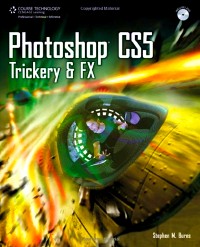
Photoshop CS5 trickery & FX /
副标题:无
分类号:
ISBN:9781435457577
微信扫一扫,移动浏览光盘
简介
As a digital artist, you have the advantage of being able to combine all of the creative art forms using your medium--the computer. Photoshop CS5 Trickery & FX shows you how to take your creativity and your art to a new level by blending your traditional artistic skills and vision with the powerful tools of Adobe Photoshop CS5. Photoshop CS5 combines 2D, 3D, and video into one interface, and this latest version of the software includes significant improvements in the 3D tools and functionality. Each chapter in the book is laid out as a complete tutorial that shows you how to use the amazing new Photoshop CS5 features to transform ordinary photos into incredible special effects and digital creations. You'll also find projects that illustrate the more practical uses of Photoshop to help you master your photo editing skills. With the skills you learn, you'll be able to spend more time working on the creative side of your art than worrying about the challenges of the technical aspects of the medium. Photoshop CS5 Trickery & FX shows you how to create fantastic digital art and imagery.
目录
Table of Contents 9
Introduction 13
CHAPTER 1 SIMPLIFYING THE INTERFACE 15
Open GL in CS5 Extended 17
Wacom Tablet\u2026an Important Peripheral for Artists 17
Photoshop CS5 Layout 18
Tools Palette 22
Palettes 25
Menus 27
Understanding the Paint Brush Engine 29
Creating Your Own Animated Paint Brush 31
Creating Your Own Custom Brush Palette 34
The Adobe Bridge Interface 37
Bridge Viewing Options 38
The Labeling Method 41
Workflow in Bridge 41
Creating Keywords for Each Image 42
The Adobe Camera Raw (ACR) Interface 46
Customizing ACR 5 Through the Options Panel 51
The Retouch Tool 53
Other Features in ACR 5 55
What You Have Learned 62
CHAPTER 2 CREATING YOUR CONCEPT USING A CUSTOM PERSPECTIVE 63
Establishing a Custom Perspective 65
Texturing the Lower Entrance 72
Creating the Wall Lamps to Illuminate the Hallway 78
Creating the Lid to the Underground Entrance 83
Final Finishes to the Foreground 85
Creating the Overpass 92
What You Have Learned 102
CHAPTER 3 CREATING 3D LOGOS WITH REPOUSS脡 103
Get to Know Repouss茅 105
Creating a 3D Logo in Repouss茅 105
Create the Base for the Text Logo 114
Create a Background for Your Scene 119
Texture and Render the Final Image 125
Add the Finishing Details 131
What You Have Learned 132
CHAPTER 4 LIGHTING AND IMAGE BASED LIGHTING (IBL) 133
A Quick Look at Exporting Models 135
Creating the Stage for Our Actor 136
Import the 3D Character 143
Using Photography for the Foreground 151
Adding IBL to the Scene 154
Using Additional 3D Lighting Styles to Match the Scene 156
Add the Finishing Details 160
What You Have Learned 162
CHAPTER 5 USING THE NEW BRUSHES 163
Setting Up the Wacom Tablet 165
Setting Up the Initial Portrait 169
Creating the Hair Using the New Brushes 176
Applying the Hair 180
What You Have Learned 186
CHAPTER 6 INTEGRATING 3D OBJECTS INTO A PHOTOGRAPHIC SCENE 187
3D Content LightWave 189
A Quick Look at 3D Content in Poser 191
Creating the Background 193
Adding Lighting to the Scene 196
Creating the Background 197
Creating Smoke and Lasers 202
What You Have Learned 206
CHAPTER 7 3D INTEGRATION FOR DESIGNERS 207
Importing 3D Using 3DVia 209
Importing Third-Party 3D Objects 209
Creating the Layout 211
Altering the Surface of the Car 224
Adding Localized Bump and Reflective Characteristics 229
Adding Depth of Field 231
Finishing Touches 233
What You Have Learned 234
CHAPTER 8 FINE ART APPLICATION WITH CS5 235
Altering the Reclining Figure 237
Adding Texture to the Figure 244
What You Have Learned 254
CHAPTER 9 ANIMATING YOUR 3D MODEL 255
Understanding the Animation Timeline 257
Take a Closer Look at the Animation Capabilities 260
Additional Notes on Animating Effects 269
What You Have Learned 273
INDEX 276
A 277
B 279
C 280
D 281
E 281
F 281
G 281
H 282
I 282
J\u2013K 282
L 283
M 283
N\u2013O 284
P 284
Q\u2013R 286
S 287
T 287
U 288
V 288
W 288
Introduction 13
CHAPTER 1 SIMPLIFYING THE INTERFACE 15
Open GL in CS5 Extended 17
Wacom Tablet\u2026an Important Peripheral for Artists 17
Photoshop CS5 Layout 18
Tools Palette 22
Palettes 25
Menus 27
Understanding the Paint Brush Engine 29
Creating Your Own Animated Paint Brush 31
Creating Your Own Custom Brush Palette 34
The Adobe Bridge Interface 37
Bridge Viewing Options 38
The Labeling Method 41
Workflow in Bridge 41
Creating Keywords for Each Image 42
The Adobe Camera Raw (ACR) Interface 46
Customizing ACR 5 Through the Options Panel 51
The Retouch Tool 53
Other Features in ACR 5 55
What You Have Learned 62
CHAPTER 2 CREATING YOUR CONCEPT USING A CUSTOM PERSPECTIVE 63
Establishing a Custom Perspective 65
Texturing the Lower Entrance 72
Creating the Wall Lamps to Illuminate the Hallway 78
Creating the Lid to the Underground Entrance 83
Final Finishes to the Foreground 85
Creating the Overpass 92
What You Have Learned 102
CHAPTER 3 CREATING 3D LOGOS WITH REPOUSS脡 103
Get to Know Repouss茅 105
Creating a 3D Logo in Repouss茅 105
Create the Base for the Text Logo 114
Create a Background for Your Scene 119
Texture and Render the Final Image 125
Add the Finishing Details 131
What You Have Learned 132
CHAPTER 4 LIGHTING AND IMAGE BASED LIGHTING (IBL) 133
A Quick Look at Exporting Models 135
Creating the Stage for Our Actor 136
Import the 3D Character 143
Using Photography for the Foreground 151
Adding IBL to the Scene 154
Using Additional 3D Lighting Styles to Match the Scene 156
Add the Finishing Details 160
What You Have Learned 162
CHAPTER 5 USING THE NEW BRUSHES 163
Setting Up the Wacom Tablet 165
Setting Up the Initial Portrait 169
Creating the Hair Using the New Brushes 176
Applying the Hair 180
What You Have Learned 186
CHAPTER 6 INTEGRATING 3D OBJECTS INTO A PHOTOGRAPHIC SCENE 187
3D Content LightWave 189
A Quick Look at 3D Content in Poser 191
Creating the Background 193
Adding Lighting to the Scene 196
Creating the Background 197
Creating Smoke and Lasers 202
What You Have Learned 206
CHAPTER 7 3D INTEGRATION FOR DESIGNERS 207
Importing 3D Using 3DVia 209
Importing Third-Party 3D Objects 209
Creating the Layout 211
Altering the Surface of the Car 224
Adding Localized Bump and Reflective Characteristics 229
Adding Depth of Field 231
Finishing Touches 233
What You Have Learned 234
CHAPTER 8 FINE ART APPLICATION WITH CS5 235
Altering the Reclining Figure 237
Adding Texture to the Figure 244
What You Have Learned 254
CHAPTER 9 ANIMATING YOUR 3D MODEL 255
Understanding the Animation Timeline 257
Take a Closer Look at the Animation Capabilities 260
Additional Notes on Animating Effects 269
What You Have Learned 273
INDEX 276
A 277
B 279
C 280
D 281
E 281
F 281
G 281
H 282
I 282
J\u2013K 282
L 283
M 283
N\u2013O 284
P 284
Q\u2013R 286
S 287
T 287
U 288
V 288
W 288
Photoshop CS5 trickery & FX /
- 名称
- 类型
- 大小
光盘服务联系方式: 020-38250260 客服QQ:4006604884
云图客服:
用户发送的提问,这种方式就需要有位在线客服来回答用户的问题,这种 就属于对话式的,问题是这种提问是否需要用户登录才能提问
Video Player
×
Audio Player
×
pdf Player
×
亲爱的云图用户,
光盘内的文件都可以直接点击浏览哦
无需下载,在线查阅资料!
