

简介
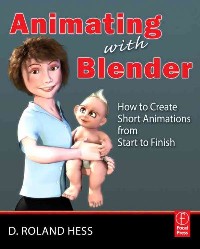
Blender has become one of the most popular 3D and animation tools on the market, with over 2 million users, and it is free! Animating with Blender is the definitive resource for creating short animation projects from scratch, the ideal platform for experimenting with animation.
Blender expert and author Roland Hess walks you through the entire process of creating a short animation, from writing to storyboarding and blocking, through character creation, animation and rendering.
* Learn the ropes from Roland Hess, one of Blender's developers and a community guru for this FREE animation program, which was used in the previz for Spiderman 2
* Create a single short animation project from start to finish, take an in-depth look into how all of the Blender tools work together
* Study, pick apart and reuse all of the files from the animation referenced throughout the book, with the Blender software and sample animation files included on the companion DVD
目录
Front Cover 1
Animating with Blender 4
Copyright Page 5
Contents 6
Foreword 12
Chapter 1 An Overview of the Short Animation Process 14
Creating a Short Animation 14
Avoiding Death By Natural Causes 14
Preproduction 15
Production 17
Postproduction 22
The Importance of Following the Work Flow 23
Chapter 2 Story Story Story 26
What Makes an Engaging Story 26
Writing It Down 32
Story Scope, Your Resources, and Reality 34
Scope Example: Adding a Second Character 35
Scope Example: Adding a Second Location 36
Scope Example: Adding Length 36
How Long Is My Story? 36
Chapter 3 Organization 38
Your Digital Assets 38
The Way That Blender Handles Assets 38
A Suggested Organizational Structure 39
Chapter 4 Storyboarding and the Story Reel 42
Storyboarding Basics 42
Suggested Tools 48
Pen Tablets 49
Paint Software 50
Blender's Image Editor 51
Creating the Storyboards 53
Telling the Story 55
Recording a Temporary Soundtrack for Timing 56
Assembling a Story Reel in Blender's Sequence Editor 57
Sequencer Tools for Working with Image Strips 63
Watching and Exporting the Story Reel 67
Chapter 5 Character Design and Creation 70
Designing in Line with Your Theme and Reality 70
The Beast 72
The Mom 73
The Dogs 74
Modeling Based on Storyboard Requirements 75
Faces, Hands, and Clothes 75
Level of Detail 76
Normal Mapping for Greater Detail at Lower Resolutions 77
Mesh Animation Issues 80
Quads, Edge Loops, and Joints 81
Bind Pose 85
Polygon Count 86
Preparing the Model for Future Work 88
Chapter 6 Libraries and Linking 90
Libraries, and Why You Should Bother 90
Linking Assets That Do Not Animate 94
Linking Assets for Object-Level Animation 99
Creating an Animation Proxy 99
Creating and Linking a Dupligroup 100
Which Method to Choose? 103
Linking Assets for Character Animation 103
Managing Your Links and Libraries 105
Finding and Fixing Broken Links 106
Moving a Shot File and Maintaining Its Links 107
Moving an Asset File 108
Chapter 7 Rough Sets, Blocking, and an Animatic 110
Creating Rough Sets 110
Preparing the File for the Rough Set 111
Building Your Template Scene File 114
Matching Camera Angles to Storyboards 115
Placing Your Characters 119
Proceeding Through the Story Reel 122
Special Case: Reusing Cameras 123
Additional Detail: Moving Cameras, Moving Characters 123
Creating an Animatic 125
Replacing Storyboards in the Story Reel 125
Chapter 8 Good Sound 130
Finding Decent Equipment and Environments 130
What to Use 131
Where to Record 132
Making the Recording 132
The Goal of the Recording Session 133
Some Sound Processing Basics 134
Removing Noise and Adjusting Levels 137
Previewing the Recorded Sound 138
Chapter 9 Rigging and Skinning 140
An Iterative Method for Rigging, Skinning, and Testing 140
Control Structures 141
Deformers 142
Helpers 142
General Rigging and Skinning Work Flow 142
Building the Rig in Layers 145
A Practical Example 146
Inverse Kinematics/Forward Kinematics 146
Auto IK 154
Another Rigging Example: The Fingers 154
Binding the Rig to the Mesh 155
To Deform or Not? 155
The Armature Modifier and Vertex Groups 156
The Mesh Deform Modifier 159
Lattices 161
Combining Different Deformation Methods with Vertex Groups 165
Testing Your Rig 167
A Final Example of Fixing a Rigging Problem 168
A Checklist for Preparing Rigged Characters for Life as a Library 170
Chapter 10 Facial Motion and Controls 174
Blender's Method for Controlling Facial Expressions 174
Creating a Library of Shapes 177
Different Ways to Construct Expressions 178
Expression Fragments 178
Splitting Expressions 179
Tips for Creating the Shapes 183
Mouth Shapes for Lip Syncing 186
Constructing Shape Controls 188
Rigging and Controlling Eyes 195
Spherical Eyes 195
Flattened, Squashed or Otherwise Nonspherical Eyes 196
Chapter 11 Animation 200
Creation of Per-Shot Working Files from the Scene Template 200
Animation Basics 202
Animating in Blender 205
Working in the Action Editor 206
Straight Ahead Animation 208
Pose to Pose Animation 209
A Practical Example 210
Timing 214
Overlap 215
Anticipation and Follow Through 217
Fine Tuning Your Animation 217
Analyzing Motion with Arcs 218
Facial Expressions 219
\ 219
Production Techniques 221
Pick it Up 221
Hold On! 222
Walk This Way 223
A Final Note 227
Chapter 12 Lip Sync 228
Adding Audio Strips to Shot Files 228
Creating the Sync 230
Mixing and Exporting Sound for the Final Edit 232
Chapter 13 Final Sets and Backgrounds 236
Work Flow 236
Quality versus Render Time 237
Geometry 237
Matching the Rough Set 237
Movable Objects and Construction 238
Materials 239
Raytracing, of Course 239
Subsurface Scattering 241
Full OSA 242
Lighting 243
What Not to Use 243
Lighting Exterior Shots 244
Lighting Interior Shots 247
Layering 249
Getting Help 251
Chapter 14 Simulation 256
Blender's Simulators 256
Fluids 256
Common Methods of Faking Water and Fluids 261
Cloth 266
Cloth Pinning 268
Rigid Bodies 271
Particles 275
Fire and Smoke 275
Bits o' Stuff 279
Strands\u2014Hair and Fur 283
Setting Up and Adding Parent Strands for Grooming 284
Filling it Out with Children 288
Materials 289
Soft Bodies 294
Blubber 294
Hair 296
Linking Issues with Simulators 298
Chapter 15 Rendering and Compositing 300
Goals and Overview 300
Lighting Your Shot Files 301
Compositing for Better, Faster Renders 303
Faster Renders 303
Better Renders 315
Contrast Boost 315
Midtone Brightness 316
Combining the Techniques 317
Color Adjustment 318
Motion Blur 320
Getting a Good Render on Your Local Machine 322
Final Animation Review 324
Preparing for Render Farming 325
Setting Up and Using a Render Farm 326
Using Render Farm Software: Farmerjoe 327
Running Farmerjoe Remotely 334
Checking the Final Frames 335
Staying Organized 335
Chapter 16 Final Edit and Output 338
Putting All of the Renders Together 338
Color Correction and More Post Effects 343
Editing for Timing 345
Sound, Music, and Foley 346
Music 347
Sound Effects and Foley 349
Output Formats 349
The Wrappers 349
Web Distribution 350
Audio 352
DVD 353
Afterword 358
Index 360
A 360
B 360
C 360
D 361
E 361
F 361
G 361
H 361
I 361
J 362
K 362
L 362
M 362
N 362
O 362
P 363
Q 363
R 363
S 364
T 365
U 365
V 365
W 365
Y 365
Z 365
Animating with Blender 4
Copyright Page 5
Contents 6
Foreword 12
Chapter 1 An Overview of the Short Animation Process 14
Creating a Short Animation 14
Avoiding Death By Natural Causes 14
Preproduction 15
Production 17
Postproduction 22
The Importance of Following the Work Flow 23
Chapter 2 Story Story Story 26
What Makes an Engaging Story 26
Writing It Down 32
Story Scope, Your Resources, and Reality 34
Scope Example: Adding a Second Character 35
Scope Example: Adding a Second Location 36
Scope Example: Adding Length 36
How Long Is My Story? 36
Chapter 3 Organization 38
Your Digital Assets 38
The Way That Blender Handles Assets 38
A Suggested Organizational Structure 39
Chapter 4 Storyboarding and the Story Reel 42
Storyboarding Basics 42
Suggested Tools 48
Pen Tablets 49
Paint Software 50
Blender's Image Editor 51
Creating the Storyboards 53
Telling the Story 55
Recording a Temporary Soundtrack for Timing 56
Assembling a Story Reel in Blender's Sequence Editor 57
Sequencer Tools for Working with Image Strips 63
Watching and Exporting the Story Reel 67
Chapter 5 Character Design and Creation 70
Designing in Line with Your Theme and Reality 70
The Beast 72
The Mom 73
The Dogs 74
Modeling Based on Storyboard Requirements 75
Faces, Hands, and Clothes 75
Level of Detail 76
Normal Mapping for Greater Detail at Lower Resolutions 77
Mesh Animation Issues 80
Quads, Edge Loops, and Joints 81
Bind Pose 85
Polygon Count 86
Preparing the Model for Future Work 88
Chapter 6 Libraries and Linking 90
Libraries, and Why You Should Bother 90
Linking Assets That Do Not Animate 94
Linking Assets for Object-Level Animation 99
Creating an Animation Proxy 99
Creating and Linking a Dupligroup 100
Which Method to Choose? 103
Linking Assets for Character Animation 103
Managing Your Links and Libraries 105
Finding and Fixing Broken Links 106
Moving a Shot File and Maintaining Its Links 107
Moving an Asset File 108
Chapter 7 Rough Sets, Blocking, and an Animatic 110
Creating Rough Sets 110
Preparing the File for the Rough Set 111
Building Your Template Scene File 114
Matching Camera Angles to Storyboards 115
Placing Your Characters 119
Proceeding Through the Story Reel 122
Special Case: Reusing Cameras 123
Additional Detail: Moving Cameras, Moving Characters 123
Creating an Animatic 125
Replacing Storyboards in the Story Reel 125
Chapter 8 Good Sound 130
Finding Decent Equipment and Environments 130
What to Use 131
Where to Record 132
Making the Recording 132
The Goal of the Recording Session 133
Some Sound Processing Basics 134
Removing Noise and Adjusting Levels 137
Previewing the Recorded Sound 138
Chapter 9 Rigging and Skinning 140
An Iterative Method for Rigging, Skinning, and Testing 140
Control Structures 141
Deformers 142
Helpers 142
General Rigging and Skinning Work Flow 142
Building the Rig in Layers 145
A Practical Example 146
Inverse Kinematics/Forward Kinematics 146
Auto IK 154
Another Rigging Example: The Fingers 154
Binding the Rig to the Mesh 155
To Deform or Not? 155
The Armature Modifier and Vertex Groups 156
The Mesh Deform Modifier 159
Lattices 161
Combining Different Deformation Methods with Vertex Groups 165
Testing Your Rig 167
A Final Example of Fixing a Rigging Problem 168
A Checklist for Preparing Rigged Characters for Life as a Library 170
Chapter 10 Facial Motion and Controls 174
Blender's Method for Controlling Facial Expressions 174
Creating a Library of Shapes 177
Different Ways to Construct Expressions 178
Expression Fragments 178
Splitting Expressions 179
Tips for Creating the Shapes 183
Mouth Shapes for Lip Syncing 186
Constructing Shape Controls 188
Rigging and Controlling Eyes 195
Spherical Eyes 195
Flattened, Squashed or Otherwise Nonspherical Eyes 196
Chapter 11 Animation 200
Creation of Per-Shot Working Files from the Scene Template 200
Animation Basics 202
Animating in Blender 205
Working in the Action Editor 206
Straight Ahead Animation 208
Pose to Pose Animation 209
A Practical Example 210
Timing 214
Overlap 215
Anticipation and Follow Through 217
Fine Tuning Your Animation 217
Analyzing Motion with Arcs 218
Facial Expressions 219
\ 219
Production Techniques 221
Pick it Up 221
Hold On! 222
Walk This Way 223
A Final Note 227
Chapter 12 Lip Sync 228
Adding Audio Strips to Shot Files 228
Creating the Sync 230
Mixing and Exporting Sound for the Final Edit 232
Chapter 13 Final Sets and Backgrounds 236
Work Flow 236
Quality versus Render Time 237
Geometry 237
Matching the Rough Set 237
Movable Objects and Construction 238
Materials 239
Raytracing, of Course 239
Subsurface Scattering 241
Full OSA 242
Lighting 243
What Not to Use 243
Lighting Exterior Shots 244
Lighting Interior Shots 247
Layering 249
Getting Help 251
Chapter 14 Simulation 256
Blender's Simulators 256
Fluids 256
Common Methods of Faking Water and Fluids 261
Cloth 266
Cloth Pinning 268
Rigid Bodies 271
Particles 275
Fire and Smoke 275
Bits o' Stuff 279
Strands\u2014Hair and Fur 283
Setting Up and Adding Parent Strands for Grooming 284
Filling it Out with Children 288
Materials 289
Soft Bodies 294
Blubber 294
Hair 296
Linking Issues with Simulators 298
Chapter 15 Rendering and Compositing 300
Goals and Overview 300
Lighting Your Shot Files 301
Compositing for Better, Faster Renders 303
Faster Renders 303
Better Renders 315
Contrast Boost 315
Midtone Brightness 316
Combining the Techniques 317
Color Adjustment 318
Motion Blur 320
Getting a Good Render on Your Local Machine 322
Final Animation Review 324
Preparing for Render Farming 325
Setting Up and Using a Render Farm 326
Using Render Farm Software: Farmerjoe 327
Running Farmerjoe Remotely 334
Checking the Final Frames 335
Staying Organized 335
Chapter 16 Final Edit and Output 338
Putting All of the Renders Together 338
Color Correction and More Post Effects 343
Editing for Timing 345
Sound, Music, and Foley 346
Music 347
Sound Effects and Foley 349
Output Formats 349
The Wrappers 349
Web Distribution 350
Audio 352
DVD 353
Afterword 358
Index 360
A 360
B 360
C 360
D 361
E 361
F 361
G 361
H 361
I 361
J 362
K 362
L 362
M 362
N 362
O 362
P 363
Q 363
R 363
S 364
T 365
U 365
V 365
W 365
Y 365
Z 365
- 名称
- 类型
- 大小
光盘服务联系方式: 020-38250260 客服QQ:4006604884
云图客服:
用户发送的提问,这种方式就需要有位在线客服来回答用户的问题,这种 就属于对话式的,问题是这种提问是否需要用户登录才能提问
Video Player
×
Audio Player
×
pdf Player
×
亲爱的云图用户,
光盘内的文件都可以直接点击浏览哦
无需下载,在线查阅资料!
