

简介
Summary:
Publisher Summary 1
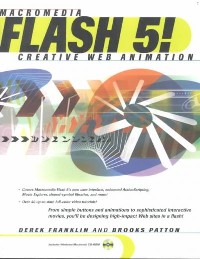
Showcases Flash 5!'s updated features while offering a guide to the Web-based graphics and animation program, covering drawing, layering, symbols, filters, rollover buttons, graphic elements, animation, sound, and interactivity.
Publisher Summary 2
This book/CD-ROM package shows how to create Flash movies for the Web. Gives step-by-step instructions for basics of the software's features and tools, then moves on to interactive tutorials, sample demos, and a training tour of Web animation. The CD-ROM contains QuickTime movie tutorials, exercise files, and a trial version of Flash 5. Franklin is a web design consultant. Patton is president and CEO of a multimedia and Web development firm. Annotation c. Book News, Inc., Portland, OR (booknews.com)
目录
Introduction p. ix
Why Flash? p. 1
Speed p. 1
Web Standard p. 4
Interactivity p. 5
Ease of Use p. 6
Design Capabilities p. 7
Versatility p. 8
Widespread Viewability p. 9
Integration p. 9
Getting Started p. 11
How Flash Works p. 11
What's New in Flash 5 p. 14
Interface p. 16
Options and Settings p. 36
Setting Movie Properties p. 44
The QuickTime Interactive Tutorials p. 46
Graphics p. 47
Tools and Options p. 48
Drawing Tasks p. 56
Using the Pen Tool p. 63
Pen and Drawing Preferences p. 69
Editing Simple Shapes p. 70
Strokes and Fills p. 74
Importing Vector Graphics p. 85
Optimizing Graphics p. 88
Using Color p. 89
Interactive Tutorial p. 100
Text p. 101
What Is Text? p. 102
Creating Text Elements p. 102
Working with Text Elements p. 106
Using Font Symbols for Dynamic Type Styling p. 121
Breaking Text Apart p. 124
Animation Considerations p. 124
Interactive Tutorial p. 126
Sound p. 127
Understanding Sound p. 128
Importing Sounds p. 129
Adding Sounds to the Timeline p. 130
Configuring/Editing Sound Instances p. 132
Sound Properties p. 139
Updating Sounds p. 143
Advanced Sound Capabilities p. 146
Using Sounds in Shared Libraries p. 146
Interactive Tutorials p. 146
Bitmaps p. 147
Importing Bitmaps p. 148
Adding Bitmaps to Your Movie p. 150
Working with Bitmaps p. 150
Bitmap Properties p. 156
Optimizing Your Images p. 158
Updating Bitmaps p. 161
Using Bitmaps in Shared Libraries p. 162
Using Animated GIFs p. 163
Using PNGs p. 165
Interactive Tutorial p. 166
Symbols p. 167
Understanding Symbols and Instances p. 167
Creating Symbols p. 171
Editing Symbols p. 179
Working with Instances p. 182
Interactive Tutorials p. 190
Working with Elements on the Stage p. 191
Selecting p. 191
Groups p. 197
Placing Elements on the Stage p. 198
Transforming Elements p. 207
Duplicating Elements p. 213
Cutting, Copying, Deleting, and Pasting p. 213
Interactive Tutorial p. 214
Using Layers to Separate Content and Functionality p. 215
Understanding Layers p. 216
Working with Layers p. 218
Identifying Graphical Elements on Different Layers p. 224
Using Guide Layers p. 226
Special-Purpose Layers p. 227
Layer Properties p. 232
Interactive Tutorials p. 234
Using Animation to Build Movement p. 235
How Animation Works p. 236
Understanding the Timeline p. 238
Working with Scenes p. 245
Frames p. 247
Creating Animation p. 258
Putting It All Together p. 271
Using QuickTime Video p. 275
Interactive Tutorials p. 276
Basic Actions for Building Interactivity p. 277
Interactivity in Flash p. 278
Actions Panel p. 289
Basic Actions in Depth p. 298
Interactive Tutorials p. 316
Building Advanced Interactivity Using ActionScript p. 317
What Is ActionScript? p. 318
Thinking Like a Programmer p. 320
Variables p. 323
Operators p. 334
Expressions p. 342
Statements p. 344
Functions p. 352
Working with Multiple Timelines p. 358
Objects p. 383
Smart Clips p. 397
The Actions Panel Options Menu p. 398
Printing p. 399
Interactive Tutorials p. 405
Using the Library to Manage Your Assets p. 407
The Interface p. 408
Managing Library Assets p. 410
Working with Symbols in the Library Window p. 413
Working with Sounds, Bitmaps, and Videos in the Library Window p. 415
Viewing and Organizing Library Items p. 416
Special Libraries p. 418
Interactive Tutorials p. 424
Using Movie Explorer to Manage Structure p. 425
Understanding the Display List p. 426
Movie Explorer Tasks p. 434
Interactive Tutorial p. 438
Testing p. 439
Getting Ready to Test p. 439
Testing Within the Flash Authoring Environment p. 440
The Test Movie and Test Scene Commands p. 442
The Testing Environment p. 443
Publishing Your Work p. 457
Delivery Methods p. 457
Flash and HTML p. 485
Player Issues p. 497
Understanding Templates p. 498
Interactive Tutorial p. 506
On the CD p. 507
Keyboard Shortcuts p. 509
Resource Sites p. 517
Third-Party Software p. 521
Index p. 525
Why Flash? p. 1
Speed p. 1
Web Standard p. 4
Interactivity p. 5
Ease of Use p. 6
Design Capabilities p. 7
Versatility p. 8
Widespread Viewability p. 9
Integration p. 9
Getting Started p. 11
How Flash Works p. 11
What's New in Flash 5 p. 14
Interface p. 16
Options and Settings p. 36
Setting Movie Properties p. 44
The QuickTime Interactive Tutorials p. 46
Graphics p. 47
Tools and Options p. 48
Drawing Tasks p. 56
Using the Pen Tool p. 63
Pen and Drawing Preferences p. 69
Editing Simple Shapes p. 70
Strokes and Fills p. 74
Importing Vector Graphics p. 85
Optimizing Graphics p. 88
Using Color p. 89
Interactive Tutorial p. 100
Text p. 101
What Is Text? p. 102
Creating Text Elements p. 102
Working with Text Elements p. 106
Using Font Symbols for Dynamic Type Styling p. 121
Breaking Text Apart p. 124
Animation Considerations p. 124
Interactive Tutorial p. 126
Sound p. 127
Understanding Sound p. 128
Importing Sounds p. 129
Adding Sounds to the Timeline p. 130
Configuring/Editing Sound Instances p. 132
Sound Properties p. 139
Updating Sounds p. 143
Advanced Sound Capabilities p. 146
Using Sounds in Shared Libraries p. 146
Interactive Tutorials p. 146
Bitmaps p. 147
Importing Bitmaps p. 148
Adding Bitmaps to Your Movie p. 150
Working with Bitmaps p. 150
Bitmap Properties p. 156
Optimizing Your Images p. 158
Updating Bitmaps p. 161
Using Bitmaps in Shared Libraries p. 162
Using Animated GIFs p. 163
Using PNGs p. 165
Interactive Tutorial p. 166
Symbols p. 167
Understanding Symbols and Instances p. 167
Creating Symbols p. 171
Editing Symbols p. 179
Working with Instances p. 182
Interactive Tutorials p. 190
Working with Elements on the Stage p. 191
Selecting p. 191
Groups p. 197
Placing Elements on the Stage p. 198
Transforming Elements p. 207
Duplicating Elements p. 213
Cutting, Copying, Deleting, and Pasting p. 213
Interactive Tutorial p. 214
Using Layers to Separate Content and Functionality p. 215
Understanding Layers p. 216
Working with Layers p. 218
Identifying Graphical Elements on Different Layers p. 224
Using Guide Layers p. 226
Special-Purpose Layers p. 227
Layer Properties p. 232
Interactive Tutorials p. 234
Using Animation to Build Movement p. 235
How Animation Works p. 236
Understanding the Timeline p. 238
Working with Scenes p. 245
Frames p. 247
Creating Animation p. 258
Putting It All Together p. 271
Using QuickTime Video p. 275
Interactive Tutorials p. 276
Basic Actions for Building Interactivity p. 277
Interactivity in Flash p. 278
Actions Panel p. 289
Basic Actions in Depth p. 298
Interactive Tutorials p. 316
Building Advanced Interactivity Using ActionScript p. 317
What Is ActionScript? p. 318
Thinking Like a Programmer p. 320
Variables p. 323
Operators p. 334
Expressions p. 342
Statements p. 344
Functions p. 352
Working with Multiple Timelines p. 358
Objects p. 383
Smart Clips p. 397
The Actions Panel Options Menu p. 398
Printing p. 399
Interactive Tutorials p. 405
Using the Library to Manage Your Assets p. 407
The Interface p. 408
Managing Library Assets p. 410
Working with Symbols in the Library Window p. 413
Working with Sounds, Bitmaps, and Videos in the Library Window p. 415
Viewing and Organizing Library Items p. 416
Special Libraries p. 418
Interactive Tutorials p. 424
Using Movie Explorer to Manage Structure p. 425
Understanding the Display List p. 426
Movie Explorer Tasks p. 434
Interactive Tutorial p. 438
Testing p. 439
Getting Ready to Test p. 439
Testing Within the Flash Authoring Environment p. 440
The Test Movie and Test Scene Commands p. 442
The Testing Environment p. 443
Publishing Your Work p. 457
Delivery Methods p. 457
Flash and HTML p. 485
Player Issues p. 497
Understanding Templates p. 498
Interactive Tutorial p. 506
On the CD p. 507
Keyboard Shortcuts p. 509
Resource Sites p. 517
Third-Party Software p. 521
Index p. 525
- 名称
- 类型
- 大小
光盘服务联系方式: 020-38250260 客服QQ:4006604884
云图客服:
用户发送的提问,这种方式就需要有位在线客服来回答用户的问题,这种 就属于对话式的,问题是这种提问是否需要用户登录才能提问
Video Player
×
Audio Player
×
pdf Player
×
亲爱的云图用户,
光盘内的文件都可以直接点击浏览哦
无需下载,在线查阅资料!
