

简介
Summary:
Publisher Summary 1
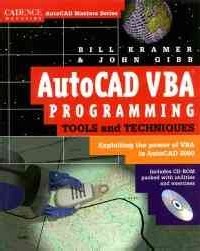
A book/CD-ROM package exploring Visual Basic for Applications (VBA) in AutoCAD, with coverage of basic and advanced topics. Covers the AutoCAD VBA environment, the AutoCAD object-oriented database, working with other applications, VBA toolbox routines, and programming style. The CD-ROM contains sample applications, macros, utilities, and examples for beginning and advanced programming. For AutoLISP and VB programmers, and AutoCAD users. Gibb is chairman of the AutoCAD User Group International Programming Interest Group. Kramer is president of a leading CAD/CAM/CAE supplier. Annotation c. Book News, Inc., Portland, OR (booknews.com)
Publisher Summary 2
This book opens the door to Visual Basic for Applications (VBA) in AutoCAD--including the robust new functions in AutoCAD 2000. You get an in-depth tour of all the basics, plus the more advanced areas such as using the Windows APIs, working with multiple
Harness the power of VBA to automate and customize AutoCAD. This complete guide explains the vital concepts of Visual Basic for Applications (VBA) specific to AutoCAD programming and provides examples. The companion CD-ROM is packed with sample applications, macros, and utilities.
目录
Introduction p. xiii
The AutoCAD VBA Environment p. 1
AutoCAD Programming Solutions p. 1
How AutoLISP Differs from VBA p. 3
Visual BASIC versus Visual BASIC for Applications p. 7
Essential VBA Vocabulary and Concepts p. 8
Getting Comfortable with the IDE p. 12
Starting the VBA IDE p. 13
What's in the IDE? p. 14
Developing Applications with VBA inside AutoCad p. 17
VBA Application Jump-Start p. 20
Description of the Application p. 20
Start Your IDE p. 21
Design the Form p. 21
First Lines of Program Code p. 23
Form Properties p. 24
Add a List Box Control p. 25
Programming the Starting Sequence p. 26
Global Variable Declarations p. 27
Counting Blocks Macro p. 28
Test Run the Main Macro p. 33
List Box Reactor Function p. 34
Test the Program p. 37
Final Test p. 38
Understanding the AutoCAD Object-Oriented Database p. 39
Object-Oriented Programming Introduction p. 39
What's an Object? p. 41
The Management Features of Objects p. 42
Object Concept Example p. 43
Computer Science Description of Objects p. 46
How Objects Are Stored in a Computer p. 47
About Creating New Objects p. 49
The AutoCAD Object Tree p. 49
The Document Object p. 52
Collection Objects p. 53
The Block Collection Object p. 53
Entity Objects p. 54
Learning about Objects in VBA p. 56
The AutoCAD Object Model p. 59
Methods, Properties, and Events p. 59
Exploration of the AutoCAD Object Tree p. 60
Getting to the Application Object p. 61
The Application Object p. 62
Accessing the Document Object in VB p. 66
The Documents Collection p. 67
Document Object Methods p. 70
Document Object Properties p. 71
Document Object Events p. 74
Event Programming Example p. 77
Utility Object Functions p. 78
Collections of Objects p. 83
Entity Objects p. 85
Curved Entity Objects p. 89
Text Entity Objects p. 93
Preferences p. 94
Example Sequence p. 96
Working with Entity Collection Objects p. 102
The Collection Object p. 102
Selection Sets Collection p. 103
Building a Collection of Entity Objects p. 104
Accessing Selection Set Members p. 106
More Selection Set Methods and Properties p. 107
Selection Set Collection Iterations p. 108
ModelSpace and PaperSpace Collections p. 111
Even More Selection Set Methods p. 112
Filtering the Selection Set p. 117
Refining the Filters - Numeric Tests p. 120
String Tests in Filters p. 123
Combining Multiple Tests p. 124
Selection Set Maintenance Issues p. 128
Working with Collections p. 130
Dawing Tables p. 131
AutoCAD Drawing Tables p. 131
Tables Are Collections p. 132
The Dictionary Collection p. 133
The DimStyles Collection p. 134
The Groups Collection p. 136
Groups versus Dictionaries p. 138
The Layer Collection p. 139
The Linetypes Collection p. 142
The Registered Apps Collection p. 143
The Text Styles Collection p. 143
The UCS Collection p. 145
The Views Collection p. 147
The View Ports Collection p. 148
View Port Object p. 150
The Paper Space View Port Object p. 152
The Blocks Collection p. 154
Creating a New Block Definition p. 155
Reading a Block Definition p. 156
Working with Attribute Objects in a Block p. 162
Working with Other Applications p. 167
Object Models p. 167
Interface to Microsoft Excel p. 169
Excel Application 1-Simple Database p. 170
Link to Excel p. 171
Variable Declarations p. 172
Excel Linkage Function p. 173
Closing the Workbook p. 175
Searching the Worksheet p. 176
Another Example Interface to Microsoft Excel p. 179
Using Handles p. 184
Object ID versus Handle p. 186
Linking with Other Applications p. 187
Storing Data in AutoCAD p. 188
Dictionary Object p. 188
Xrecord Objects p. 189
Accessing a Dictionary p. 189
Xrecord Contents p. 190
Reading Xrecords p. 192
Group Codes in Xrecords p. 193
Extended Data p. 194
Simple Xdata Example p. 196
Managing Multiple Projects p. 201
Putting Complete Applications Together p. 201
Loading Projects to Run p. 204
Embedded Projects p. 205
Projects on Disk p. 205
Re-using Code p. 207
Running a Macro from Another Project p. 208
Sharing Data between Projects p. 210
Late and Early Binding in VBA p. 211
Multiple Projects in Release 14 p. 212
API Calls from VBA p. 214
What's an API? p. 214
The API Viewer p. 216
INI File Calls p. 217
How the PrivateProfile String APIs Work p. 218
Registry Calls p. 225
The Registry Editor p. 226
The VBA Registry Functions p. 227
System Calls p. 230
Computer Name p. 232
User's Login Name p. 232
System and Local Time p. 233
The Windows Temporary Directory p. 234
System Environmental Variable p. 234
Free Disk Space p. 235
Conclusion p. 236
VBA Toolbox Routines p. 237
Definition of Terms p. 238
Toolbox Overview p. 238
Acquiring Data Items from a Data String p. 239
Add Back Slashes Result to a Path String p. 240
Add Trailing Back Slash to a String Path p. 241
Convert an Object's Entity Type to English p. 242
Count the Number of Occurrences of a Delimiter in a String p. 243
Create a Directory Path p. 244
Determine the Tense of a Word p. 245
Display a Fatal Error Message p. 246
Find a File p. 247
Find a Line in a List Box Control p. 248
Find an Application Window p. 249
Format a Point in a String p. 250
Get the Current View's Corner Points p. 251
Get the Extension from a String p. 252
Get the Left Substring from a String p. 253
Get the Path from a String p. 254
Get the Right Substring from a String p. 255
Pad a String with Spaces p. 256
Remove a String's Null Terminator p. 257
Replace all Requested Characters in a String with Another Character p. 258
Retrieve the System's Windows Directory p. 259
Show a Progress Spinner p. 260
Strip an Extension from a String p. 262
Strip the Path from a String p. 263
Verify a Control Exists on a Form p. 264
Verify a File's Existence p. 265
Verify a Listbox Item Exists p. 266
VB versus VBA p. 267
Quick Comparison of VB and VBA p. 268
Which Language for Which Situation? p. 272
Differences at the System Level p. 273
Porting Issues - from VB to VBA p. 273
Porting Issues - from VBA to VB p. 274
Attaching Your VB Application to the AutoCAD Object Model p. 274
VB and VBA Help p. 276
VB and VBA Help Conclusion p. 287
Gotcha's and Tips p. 288
Divergent Data Type Comparison p. 289
Using Control Keys to Maneuver in VBA p. 291
Class Modules in VBA p. 293
The Special Character for Date and Format p. 295
Named and Optional Arguments p. 296
Using an Array of Doubles versus a Variant as an Array p. 298
Passing an Array to an Object's Methods p. 300
Collections and Procedures p. 300
Short Circuit Evaluation p. 302
Accessing Objects on the Same Level as Your Current Object p. 303
Listbox Columns p. 305
Multiselect in a Listbox p. 308
Variable Name Shortcuts p. 309
Command Line Workaround p. 309
Passing Forms and Controls as Parameters p. 311
Multipage Form Controls p. 312
Conclusion p. 312
Programming Style p. 313
Commenting Your Code p. 314
Keeping Code Concise and Simple p. 316
Proper Use of Subroutines and Functions p. 318
Scope, Precedence, and Life of Variables p. 319
Error Trapping p. 322
Do You Need to Change Your Programming Style for VBA? p. 323
Event-Driven versus Procedural-Driven Language p. 324
The Hungarian Naming Convention p. 326
Conclusion p. 330
Class Modules and Objects p. 331
Not All Objects Are Equal p. 331
The VBA Class Module p. 332
Objects Example 1: Extended Data Manipulations p. 334
Making a Class Module p. 335
Properties p. 337
Methods p. 341
The Extended Data Example Project p. 345
Extended Data Object Conclusion p. 348
Objects Example 2: Hole Chart p. 349
An Object in an Object p. 350
The Inner Object p. 352
The Hole Charting Example Project p. 355
Hole Chart Application Conclusion p. 357
Creating Your Own Object p. 357
The AutoCAD VBA Environment p. 1
AutoCAD Programming Solutions p. 1
How AutoLISP Differs from VBA p. 3
Visual BASIC versus Visual BASIC for Applications p. 7
Essential VBA Vocabulary and Concepts p. 8
Getting Comfortable with the IDE p. 12
Starting the VBA IDE p. 13
What's in the IDE? p. 14
Developing Applications with VBA inside AutoCad p. 17
VBA Application Jump-Start p. 20
Description of the Application p. 20
Start Your IDE p. 21
Design the Form p. 21
First Lines of Program Code p. 23
Form Properties p. 24
Add a List Box Control p. 25
Programming the Starting Sequence p. 26
Global Variable Declarations p. 27
Counting Blocks Macro p. 28
Test Run the Main Macro p. 33
List Box Reactor Function p. 34
Test the Program p. 37
Final Test p. 38
Understanding the AutoCAD Object-Oriented Database p. 39
Object-Oriented Programming Introduction p. 39
What's an Object? p. 41
The Management Features of Objects p. 42
Object Concept Example p. 43
Computer Science Description of Objects p. 46
How Objects Are Stored in a Computer p. 47
About Creating New Objects p. 49
The AutoCAD Object Tree p. 49
The Document Object p. 52
Collection Objects p. 53
The Block Collection Object p. 53
Entity Objects p. 54
Learning about Objects in VBA p. 56
The AutoCAD Object Model p. 59
Methods, Properties, and Events p. 59
Exploration of the AutoCAD Object Tree p. 60
Getting to the Application Object p. 61
The Application Object p. 62
Accessing the Document Object in VB p. 66
The Documents Collection p. 67
Document Object Methods p. 70
Document Object Properties p. 71
Document Object Events p. 74
Event Programming Example p. 77
Utility Object Functions p. 78
Collections of Objects p. 83
Entity Objects p. 85
Curved Entity Objects p. 89
Text Entity Objects p. 93
Preferences p. 94
Example Sequence p. 96
Working with Entity Collection Objects p. 102
The Collection Object p. 102
Selection Sets Collection p. 103
Building a Collection of Entity Objects p. 104
Accessing Selection Set Members p. 106
More Selection Set Methods and Properties p. 107
Selection Set Collection Iterations p. 108
ModelSpace and PaperSpace Collections p. 111
Even More Selection Set Methods p. 112
Filtering the Selection Set p. 117
Refining the Filters - Numeric Tests p. 120
String Tests in Filters p. 123
Combining Multiple Tests p. 124
Selection Set Maintenance Issues p. 128
Working with Collections p. 130
Dawing Tables p. 131
AutoCAD Drawing Tables p. 131
Tables Are Collections p. 132
The Dictionary Collection p. 133
The DimStyles Collection p. 134
The Groups Collection p. 136
Groups versus Dictionaries p. 138
The Layer Collection p. 139
The Linetypes Collection p. 142
The Registered Apps Collection p. 143
The Text Styles Collection p. 143
The UCS Collection p. 145
The Views Collection p. 147
The View Ports Collection p. 148
View Port Object p. 150
The Paper Space View Port Object p. 152
The Blocks Collection p. 154
Creating a New Block Definition p. 155
Reading a Block Definition p. 156
Working with Attribute Objects in a Block p. 162
Working with Other Applications p. 167
Object Models p. 167
Interface to Microsoft Excel p. 169
Excel Application 1-Simple Database p. 170
Link to Excel p. 171
Variable Declarations p. 172
Excel Linkage Function p. 173
Closing the Workbook p. 175
Searching the Worksheet p. 176
Another Example Interface to Microsoft Excel p. 179
Using Handles p. 184
Object ID versus Handle p. 186
Linking with Other Applications p. 187
Storing Data in AutoCAD p. 188
Dictionary Object p. 188
Xrecord Objects p. 189
Accessing a Dictionary p. 189
Xrecord Contents p. 190
Reading Xrecords p. 192
Group Codes in Xrecords p. 193
Extended Data p. 194
Simple Xdata Example p. 196
Managing Multiple Projects p. 201
Putting Complete Applications Together p. 201
Loading Projects to Run p. 204
Embedded Projects p. 205
Projects on Disk p. 205
Re-using Code p. 207
Running a Macro from Another Project p. 208
Sharing Data between Projects p. 210
Late and Early Binding in VBA p. 211
Multiple Projects in Release 14 p. 212
API Calls from VBA p. 214
What's an API? p. 214
The API Viewer p. 216
INI File Calls p. 217
How the PrivateProfile String APIs Work p. 218
Registry Calls p. 225
The Registry Editor p. 226
The VBA Registry Functions p. 227
System Calls p. 230
Computer Name p. 232
User's Login Name p. 232
System and Local Time p. 233
The Windows Temporary Directory p. 234
System Environmental Variable p. 234
Free Disk Space p. 235
Conclusion p. 236
VBA Toolbox Routines p. 237
Definition of Terms p. 238
Toolbox Overview p. 238
Acquiring Data Items from a Data String p. 239
Add Back Slashes Result to a Path String p. 240
Add Trailing Back Slash to a String Path p. 241
Convert an Object's Entity Type to English p. 242
Count the Number of Occurrences of a Delimiter in a String p. 243
Create a Directory Path p. 244
Determine the Tense of a Word p. 245
Display a Fatal Error Message p. 246
Find a File p. 247
Find a Line in a List Box Control p. 248
Find an Application Window p. 249
Format a Point in a String p. 250
Get the Current View's Corner Points p. 251
Get the Extension from a String p. 252
Get the Left Substring from a String p. 253
Get the Path from a String p. 254
Get the Right Substring from a String p. 255
Pad a String with Spaces p. 256
Remove a String's Null Terminator p. 257
Replace all Requested Characters in a String with Another Character p. 258
Retrieve the System's Windows Directory p. 259
Show a Progress Spinner p. 260
Strip an Extension from a String p. 262
Strip the Path from a String p. 263
Verify a Control Exists on a Form p. 264
Verify a File's Existence p. 265
Verify a Listbox Item Exists p. 266
VB versus VBA p. 267
Quick Comparison of VB and VBA p. 268
Which Language for Which Situation? p. 272
Differences at the System Level p. 273
Porting Issues - from VB to VBA p. 273
Porting Issues - from VBA to VB p. 274
Attaching Your VB Application to the AutoCAD Object Model p. 274
VB and VBA Help p. 276
VB and VBA Help Conclusion p. 287
Gotcha's and Tips p. 288
Divergent Data Type Comparison p. 289
Using Control Keys to Maneuver in VBA p. 291
Class Modules in VBA p. 293
The Special Character for Date and Format p. 295
Named and Optional Arguments p. 296
Using an Array of Doubles versus a Variant as an Array p. 298
Passing an Array to an Object's Methods p. 300
Collections and Procedures p. 300
Short Circuit Evaluation p. 302
Accessing Objects on the Same Level as Your Current Object p. 303
Listbox Columns p. 305
Multiselect in a Listbox p. 308
Variable Name Shortcuts p. 309
Command Line Workaround p. 309
Passing Forms and Controls as Parameters p. 311
Multipage Form Controls p. 312
Conclusion p. 312
Programming Style p. 313
Commenting Your Code p. 314
Keeping Code Concise and Simple p. 316
Proper Use of Subroutines and Functions p. 318
Scope, Precedence, and Life of Variables p. 319
Error Trapping p. 322
Do You Need to Change Your Programming Style for VBA? p. 323
Event-Driven versus Procedural-Driven Language p. 324
The Hungarian Naming Convention p. 326
Conclusion p. 330
Class Modules and Objects p. 331
Not All Objects Are Equal p. 331
The VBA Class Module p. 332
Objects Example 1: Extended Data Manipulations p. 334
Making a Class Module p. 335
Properties p. 337
Methods p. 341
The Extended Data Example Project p. 345
Extended Data Object Conclusion p. 348
Objects Example 2: Hole Chart p. 349
An Object in an Object p. 350
The Inner Object p. 352
The Hole Charting Example Project p. 355
Hole Chart Application Conclusion p. 357
Creating Your Own Object p. 357
- 名称
- 类型
- 大小
光盘服务联系方式: 020-38250260 客服QQ:4006604884
云图客服:
用户发送的提问,这种方式就需要有位在线客服来回答用户的问题,这种 就属于对话式的,问题是这种提问是否需要用户登录才能提问
Video Player
×
Audio Player
×
pdf Player
×
