

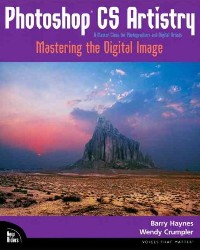
Photoshop CS artistry : mastering the digital image /
副标题:无
作 者:Barry Haynes, Wendy Crumpler, Sean Duggan.
分类号:
ISBN:9780735713741
微信扫一扫,移动浏览光盘
简介
Artistryis the key word here: When competent doesn't cut it. When what you're going for is museum-quality art prints, high-end advertising effects, and dizzyingly beautiful digitally manipulated images, this is the place to start. Providing a focused approach to the advanced features of Photoshop CS, this beautiful full-color guide tackl... more 籩s complex yet essential topics like color calibration and correction. Along the way, you'll learn how Photoshop's newest features-Photomerge technology (which allows you to create seamless panoramas from multiple images), enhanced Camera Raw support, an improved File Browser, nonsquare pixel support, and more-can aid in your quest for the perfect image. Throughout, the authors emphasize the relationship between Photoshop CS tools and traditional photography to provide essential context for complex tasks. The knowledge is sure to stick as you work your way through the detailed, step-by-step exercises and use the companion CD to view before-and-after images and access masks and tool settings for the book's tutorials. ?less
目录
Foreword
Overview of New Photoshop CS Features
Essential Photoshop Tools and Functionality
How to Use This Book and the Photoshop CS Artistry CD p. 2
Navigating in Photoshop CS p. 6
Setting System and Photoshop Preferences p. 21
The Tools Palette p. 37
Picking and Using Color p. 66
Selections, Paths, Masks, and Channels p. 71
Layers, Layer Masks, Adjustment Layers, and the Layer Comps Palette p. 77
History Palette, History Brush, and Snapshots p. 91
Transformation of Images: Layers, Paths, and Selections p. 97
Digital Cameras and Camera Raw p. 104
Automating Photoshop p. 116
Color Correction and Calibration to Create a Master Digital Image
Color Correction Tools p. 126
Digital Imaging and the Zone System p. 138
Color Spaces, Device Characterization, and Color Management p. 144
Photoshop Color Preferences, Monitor, Scanner, and Printer Calibration p. 154
Image Resolution, Scanning, Digital Capture, and Histograms p. 186
Your Workflow, Steps to Create a Master Image p. 202
Overall Color Correction, Selection, and Layer Techniques
The Colony Composite (Detailed Lasso, Quick Mask, and Color Selection Techniques) p. 216
Overall Color Correction (Overall Color Correction of Normal Images, Including Selected Area Modifications, Sharpening and Spotting, Print and Web Output) p. 224
Correcting a Problem Image (Overall Color Correction of Problem Images, Advanced Selections and Adjustment Layer Masks for Specific Color Correction, Spotting, and Sharpening Using Unsharp Mask, CMYK Preview, and Conversion) p. 244
Yellow Flowers (Replace Color, Range, and Mask Blur for Selection and Color Change) p. 256
Color Matching Images p. 262
Advanced Color Correction and Restoration Techniques
Burnley Graveyard (Duotones) p. 268
Desert AI (Complex Color Correction and Retouching) p. 272
Restoring Old Photos (Making a Great B&W Image, Colorizing B&W) p. 278
Combining Bracketed Captures or Scans to Increase Dynamic Range p. 285
Bryce Stone Woman (Lab Color Correction, Using Layers to Tune Opposite Color Areas) p. 296
Compositing Multiple Images with Layers, Adjustment Layers, and Layer Masks
Rain in Costa Rica (Basic Compositing Techniques to Create a Not-So-Basic Image) p. 304
The McNamaras (Seamless Composites and Color Correction of People) p. 313
The PowerBook Ad (A Complex Composite Production Ad) p. 320
Calculations, Patterns, Filters, Compositing, and Effects
Blend Modes, Calculations, and Apply Image p. 332
Vector Masks, Shape Layers, and Layer Styles
Texture and Pattern p. 350
Heartsinger CD Cover (Many Great Techniques for Using the Built-In Filters and Effects) p. 358
Digital Paint p. 381
Images for the Web and Multimedia
Optimizing Images for the Web p. 398
Web Photo Galleries, Contact Sheets, and Picture Packages p. 422
Chart of Print Display Longevity and Access Info for Wilhelm Research
Bibliography p. 434
Index p. 435
Colophon p. 461
New Riders Advertisements p. 471
About Author's New Books and Workshops p. 475
Quotes From Photoshop Instructors and Photographers who use Photoshop Artistry p. 477
Overview of New Photoshop CS Features
Essential Photoshop Tools and Functionality
How to Use This Book and the Photoshop CS Artistry CD p. 2
Navigating in Photoshop CS p. 6
Setting System and Photoshop Preferences p. 21
The Tools Palette p. 37
Picking and Using Color p. 66
Selections, Paths, Masks, and Channels p. 71
Layers, Layer Masks, Adjustment Layers, and the Layer Comps Palette p. 77
History Palette, History Brush, and Snapshots p. 91
Transformation of Images: Layers, Paths, and Selections p. 97
Digital Cameras and Camera Raw p. 104
Automating Photoshop p. 116
Color Correction and Calibration to Create a Master Digital Image
Color Correction Tools p. 126
Digital Imaging and the Zone System p. 138
Color Spaces, Device Characterization, and Color Management p. 144
Photoshop Color Preferences, Monitor, Scanner, and Printer Calibration p. 154
Image Resolution, Scanning, Digital Capture, and Histograms p. 186
Your Workflow, Steps to Create a Master Image p. 202
Overall Color Correction, Selection, and Layer Techniques
The Colony Composite (Detailed Lasso, Quick Mask, and Color Selection Techniques) p. 216
Overall Color Correction (Overall Color Correction of Normal Images, Including Selected Area Modifications, Sharpening and Spotting, Print and Web Output) p. 224
Correcting a Problem Image (Overall Color Correction of Problem Images, Advanced Selections and Adjustment Layer Masks for Specific Color Correction, Spotting, and Sharpening Using Unsharp Mask, CMYK Preview, and Conversion) p. 244
Yellow Flowers (Replace Color, Range, and Mask Blur for Selection and Color Change) p. 256
Color Matching Images p. 262
Advanced Color Correction and Restoration Techniques
Burnley Graveyard (Duotones) p. 268
Desert AI (Complex Color Correction and Retouching) p. 272
Restoring Old Photos (Making a Great B&W Image, Colorizing B&W) p. 278
Combining Bracketed Captures or Scans to Increase Dynamic Range p. 285
Bryce Stone Woman (Lab Color Correction, Using Layers to Tune Opposite Color Areas) p. 296
Compositing Multiple Images with Layers, Adjustment Layers, and Layer Masks
Rain in Costa Rica (Basic Compositing Techniques to Create a Not-So-Basic Image) p. 304
The McNamaras (Seamless Composites and Color Correction of People) p. 313
The PowerBook Ad (A Complex Composite Production Ad) p. 320
Calculations, Patterns, Filters, Compositing, and Effects
Blend Modes, Calculations, and Apply Image p. 332
Vector Masks, Shape Layers, and Layer Styles
Texture and Pattern p. 350
Heartsinger CD Cover (Many Great Techniques for Using the Built-In Filters and Effects) p. 358
Digital Paint p. 381
Images for the Web and Multimedia
Optimizing Images for the Web p. 398
Web Photo Galleries, Contact Sheets, and Picture Packages p. 422
Chart of Print Display Longevity and Access Info for Wilhelm Research
Bibliography p. 434
Index p. 435
Colophon p. 461
New Riders Advertisements p. 471
About Author's New Books and Workshops p. 475
Quotes From Photoshop Instructors and Photographers who use Photoshop Artistry p. 477
Photoshop CS artistry : mastering the digital image /
- 名称
- 类型
- 大小
光盘服务联系方式: 020-38250260 客服QQ:4006604884
云图客服:
用户发送的提问,这种方式就需要有位在线客服来回答用户的问题,这种 就属于对话式的,问题是这种提问是否需要用户登录才能提问
Video Player
×
Audio Player
×
pdf Player
×
亲爱的云图用户,
光盘内的文件都可以直接点击浏览哦
无需下载,在线查阅资料!
