

简介
Summary:
Publisher Summary 1
A guide to learning Java is split into twenty-one lessons, each featuring an explanation of a feature or features, a summary, and a quiz.
Publisher Summary 2
This book/CD-ROM tutorial teaches skills necessary for developing three types of programs with Java: applications on a computer, servlets on a web server, and browser-launched Java Web Start applications. The tutorial contains 21 self-contained lessons, each ending with a workshop section of questions, answers, and exercises, including certification practice exercises. The CD-ROM contains source code for examples in the book, Java SE Development Kit 6, NetBeans IDE 5.5, and other material. The readership for the book includes novices who are new to programming, people who have been introduced to earlier versions of Java, and experienced developers in other languages. Cadenhead and Lemay have both written numerous books on Web development. Annotation 漏2007 Book News, Inc., Portland, OR (booknews.com)
Publisher Summary 3
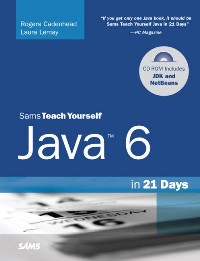
“If you get only one Java book, it should be Sams Teach Yourself Java in 21 Days” –PC Magazine In just 21 days, you can acquire the knowledge and skills necessary to develop three kinds of programs with Java: applications on your computer, servlets on a web server, and browser-launched Java Web Start applications. No previous programming experience required. By following the 21 carefully organized lessons in this book, anyone can learn the basics of Java programming. Learn at your own pace. You can work through each chapter sequentially to make sure you thoroughly understand all of the concepts and methodologies, or you can focus on specific lessons to learn the techniques that interest you most. Test your knowledge. Each chapter ends with a Workshop section filled with questions, answers, and exercises for further study. There are even certification practice questions. “Sams Teach Yourself Java is one of the best introductions to hands-on Java programming. If you buy one book on Java, this is the one to buy!” –Independent Web Review Completely revised, updated, and expanded to cover the latest features of Java 6Learn to develop standalone Java applications, web servlets, JavaServer Pages, and Java Web Start applicationsEasy-to-understand, practical examples clearly illustrate the fundamentals of Java programmingDiscover how Swing can help you quickly develop programs with a graphical user interfaceFind out about JDBC database programming, Internet client/server programming, and XML parsing with the open source XOM class libraryCovers new features of version 6 such as Java DB, the new relational database that is now a built-in part of Java Rogers Cadenhead is a web application developer who has written 22 books on Internet-related topics, including Sams Teach Yourself Java 2 in 24 Hours. He maintains this book’s official website at http://www.java21days.com. Laura Lemay is one of the world’s most popular authors on Web development topics. She is the author of the bestselling Sams Teach Yourself Web Publishing with HTML, as well as Sams Teach Yourself Perl in 21 Days. CD-ROM includes:Source code for the examples developed in the bookJava™ SE Development Kit 6NetBeans™ IDE 5.5Bonus materials Category: Java ProgrammingCovers: Java 6 Platform Standard EditionUser Level: Beginning—Intermediate $44.99 USA / $55.99 CAN / £31.99 Net UK (inc. of VAT)
目录
Table Of Contents:
Introduction 1(1)
How This Book Is Organized 2(2)
Who Should Read This Book 4(1)
Conventions Used in This Book 5(4)
Week I: The Java Language
Day 1: Getting Started with Java 9(26)
The Java Language 10(2)
History of the Language 10(1)
Introduction to Java 11(1)
Selecting a Development Tool 11(1)
Object-Oriented Programming 12(2)
Objects and Classes 14(3)
Attributes and Behavior 17(7)
Attributes of a Class of Objects 17(1)
Behavior of a Class of Objects 18(1)
Creating a Class 19(2)
Running the Program 21(3)
Organizing Classes and Class Behavior 24(7)
Inheritance 24(2)
Creating a Class Hierarchy 26(2)
Inheritance in Action 28(1)
Single and Multiple Inheritance 29(1)
Interfaces 30(1)
Packages 30(1)
Summary 31(1)
Q&A 31(1)
Quiz 32(1)
Questions 32(1)
Answers 32(1)
Certification Practice 32(1)
Exercises 33(2)
Day 2: The ABCs of Programming 35(28)
Statements and Expressions 36(1)
Variables and Data Types 36(7)
Creating Variables 37(2)
Naming Variables 39(1)
Variable Types 39(2)
Assigning Values to Variables 41(1)
Constants 41(2)
Comments 43(1)
Literals 44(4)
Number Literals 45(1)
Boolean Literals 46(1)
Character Literals 46(1)
String Literals 47(1)
Expressions and Operators 48(9)
Arithmetic 49(2)
More About Assignment 51(1)
Incrementing and Decrementing 52(1)
Comparisons 53(1)
Logical Operators 54(1)
Operator Precedence 55(2)
String Arithmetic 57(1)
Summary 58(1)
Q&A 59(1)
Quiz 60(1)
Questions 60(1)
Answers 60(1)
Certification Practice 60(1)
Exercises 61(2)
Day 3: Working with Objects 63(26)
Creating New Objects 64(3)
Using new 64(2)
What new Does 66(1)
A Note on Memory Management 66(1)
Accessing and Setting Class and Instance Variables 67(3)
Getting Values 67(1)
Changing Values 68(1)
Class Variables 69(1)
Calling Methods 70(4)
Nesting Method Calls 72(1)
Class Methods 73(1)
References to Objects 74(2)
Casting and Converting Objects and Primitive Types 76(6)
Casting Primitive Types 77(1)
Casting Objects 78(2)
Converting Primitive Types to Objects and Vice Versa 80(2)
Comparing Object Values and Classes 82(2)
Comparing Objects 82(2)
Determining the Class of an Object 84(1)
Summary 84(1)
Q&A 85(1)
Quiz 86(1)
Questions 86(1)
Answers 86(1)
Certification Practice 86(1)
Exercises 87(2)
Day 4: Lists, Logic, and Loops 89(26)
Arrays 90(6)
Declaring Array Variables 90(1)
Creating Array Objects 91(1)
Accessing Array Elements 92(1)
Changing Array Elements 93(2)
Multidimensional Arrays 95(1)
Block Statements 96(1)
if Conditionals 97(1)
switch Conditionals 98(6)
for Loops 104(3)
while and do Loops 107(2)
while Loops 107(2)
do-while Loops 109(1)
Breaking Out of Loops 109(3)
Labeled Loops 110(1)
The Conditional Operator 110(2)
Summary 112(1)
Q&A 112(1)
Quiz 112(2)
Questions 112(1)
Answers 113(1)
Certification Practice 113(1)
Exercises 114(1)
Day 5: Creating Classes and Methods 115(30)
Defining Classes 116(1)
Creating Instance and Class Variables 116(1)
Defining Instance Variables 116(1)
Class Variables 117(1)
Creating Methods 117(7)
Defining Methods 118(2)
The this Keyword 120(1)
Variable Scope and Method Definitions 121(1)
Passing Arguments to Methods 122(1)
Class Methods 123(1)
Creating Java Applications 124(2)
Helper Classes 125(1)
Java Applications and Command-line Arguments 126(2)
Passing Arguments to Java Applications 126(1)
Handling Arguments in Your Java Application 127(1)
Creating Methods with the Same Name, Different Arguments 128(4)
Constructor Methods 132(4)
Basic Constructor Methods 133(1)
Calling Another Constructor Method 133(1)
Overloading Constructor Methods 134(2)
Overriding Methods 136(4)
Creating Methods That Override Existing Methods 136(1)
Calling the Original Method 137(1)
Overriding Constructors 138(2)
Finalizer Methods 140(1)
Summary 141(1)
Q&A 141(1)
Quiz 142(2)
Questions 142(1)
Answers 143(1)
Certification Practice 143(1)
Exercises 144(1)
Day 6: Packages, Interfaces, and Other Class Features 145(38)
Modifiers 146(6)
Access Control for Methods and Variables 146(6)
Static Variables and Methods 152(2)
Final Classes, Methods, and Variables 154(2)
Variables 155(1)
Methods 155(1)
Classes 156(1)
Abstract Classes and Methods 156(1)
Packages 157(1)
Using Packages 157(5)
Full Package and Class Names 158(1)
The import Declaration 159(1)
Class Name Conflicts 160(1)
A Note About Classpath and Where Classes Are Located 161(1)
Creating Your Own Packages 162(2)
Picking a Package Name 162(1)
Creating the Folder Structure 162(1)
Adding a Class to a Package 163(1)
Packages and Class Access Control 163(1)
Interfaces 164(2)
The Problem of Single Inheritance 164(1)
Interfaces and Classes 164(1)
Implementing and Using Interfaces 165(1)
Implementing Multiple Interfaces 165(1)
Other Uses of Interfaces 166(1)
Creating and Extending Interfaces 166(9)
New Interfaces 166(1)
Methods Inside Interfaces 167(1)
Extending Interfaces 168(1)
Creating an Online Storefront 169(6)
Inner Classes 175(2)
Summary 177(1)
Q&A 178(1)
Quiz 179(2)
Questions 179(1)
Answers 179(1)
Certification Practice 179(2)
Exercises 181(2)
Day 7: Exceptions, Assertions, and Threads 183(36)
Exceptions 184(3)
Exception Classes 186(1)
Managing Exceptions 187(6)
Exception Consistency Checking 188(1)
Protecting Code and Catching Exceptions 188(2)
The finally Clause 190(3)
Declaring Methods That Might Throw Exceptions 193(4)
The throws Clause 193(1)
Which Exceptions Should You Throw? 194(1)
Passing On Exceptions 195(1)
throws and Inheritance 196(1)
Creating and Throwing Your Own Exceptions 197(3)
Throwing Exceptions 197(1)
Creating Your Own Exceptions 198(1)
Combining throws, try, and throw 199(1)
When and When Not to Use Exceptions 200(2)
When to Use Exceptions 200(1)
When Not to Use Exceptions 200(1)
Bad Style Using Exceptions 201(1)
Assertions 202(3)
Threads 205(7)
Writing a Threaded Program 206(1)
A Threaded Application 207(4)
Stopping a Thread 211(1)
Summary 212(1)
Q&A 213(1)
Quiz 214(2)
Questions 214(1)
Answers 215(1)
Certification Practice 215(1)
Exercises 216(3)
Week II: The Java Class Library
Day 8: Data Structures 219(28)
Moving Beyond Arrays 220(1)
Java Structures 220(20)
Iterator 222(1)
Bit Sets 223(3)
Vectors 226(3)
Looping Through Data Structures 229(3)
Stacks 232(1)
Map 233(2)
Hash Tables 235(5)
Generics 240(3)
Summary 243(1)
Q&A 244(1)
Quiz 244(2)
Questions 244(1)
Answers 245(1)
Certification Practice 245(1)
Exercises 246(1)
Day 9: Working with Swing 247(26)
Creating an Application 248(8)
Creating an Interface 249(2)
Developing a Framework 251(2)
Displaying a Splash Page 253(1)
Creating a Component 253(1)
Adding Components to a Container 254(2)
Working with Components 256(11)
Image Icons 257(2)
Labels 259(1)
Text Fields 259(1)
Text Areas 260(2)
Scrolling Panes 262(1)
Check Boxes and Radio Buttons 263(3)
Combo Boxes 266(1)
Lists 267(2)
Summary 269(1)
Q&A 270(1)
Quiz 270(2)
Questions 270(1)
Answers 271(1)
Certification Practice 271(1)
Exercises 272(1)
Day 10: Building a Swing Interface 273(30)
Swing Features 274(24)
Setting the Look and Feel 274(3)
Standard Dialog Boxes 277(5)
Using Dialog Boxes 282(3)
Sliders 285(2)
Scroll Panes 287(1)
Toolbars 288(3)
Progress Bars 291(2)
Menus 293(4)
Tabbed Panes 297(1)
Summary 298(1)
Q&A 299(1)
Quiz 299(2)
Questions 299(1)
Answers 300(1)
Certification Practice 300(1)
Exercises 301(2)
Day 11: Arranging Components on a User Interface 303(30)
Basic Interface Layout 304(8)
Laying Out an Interface 304(1)
Flow Layout 305(2)
Box Layout 307(2)
Grid Layout 309(2)
Border Layout 311(1)
Mixing Layout Managers 312(1)
Card Layout 313(8)
Using Card Layout in an Application 315(6)
Grid Bag Layout 321(8)
Designing the Grid 323(1)
Creating the Grid 324(5)
Cell Padding and Insets 329(1)
Summary 329(1)
Q&A 330(1)
Quiz 331(1)
Questions 331(1)
Answers 331(1)
Certification Practice 331(1)
Exercises 332(1)
Day 12: Responding to User Input 333(24)
Event Listeners 334(4)
Setting Up Components 335(1)
Event-Handling Methods 336(2)
Working with Methods 338(13)
Action Events 339(1)
Focus Events 340(2)
Item Events 342(2)
Key Events 344(1)
Mouse Events 345(1)
Mouse Motion Events 345(4)
Window Events 349(1)
Using Adapter Classes 350(1)
Summary 351(1)
Q&A 352(1)
Quiz 353(2)
Questions 353(1)
Answers 353(1)
Certification Practice 353(2)
Exercises 355(2)
Day 13: Using Color, Fonts, and Graphics 357(24)
The Graphics2D Class 358(2)
The Graphics Coordinate System 359(1)
Drawing Text 360(5)
Improving Fonts and Graphics with Antialiasing 362(1)
Finding Information About a Font 363(2)
Color 365(3)
Using Color Objects 366(1)
Testing and Setting the Current Colors 366(2)
Drawing Lines and Polygons 368(10)
User and Device Coordinate Spaces 368(1)
Specifying the Rendering Attributes 368(3)
Creating Objects to Draw 371(4)
Drawing Objects 375(3)
Summary 378(1)
Q&A 378(1)
Quiz 379(1)
Questions 379(1)
Answers 379(1)
Certification Practice 379(1)
Exercises 380(1)
Day 14: Developing Swing Applications 381(24)
Java Web Start 382(3)
Using Java Web Start 385(9)
Creating a JNLP File 386(5)
Supporting Web Start on a Server 391(1)
Additional JNLP Elements 392(2)
Improving Performance with SwingWorker 394(5)
Summary 399(1)
Q&A 400(1)
Quiz 400(2)
Questions 400(1)
Answers 401(1)
Certification Practice 401(1)
Exercises 402(3)
Week III: Java Programming
Day 15: Working with Input and Output 405(28)
Introduction to Streams 406(2)
Using a Stream 406(1)
Filtering a Stream 407(1)
Handling Exceptions 408(1)
Byte Streams 408(5)
File Streams 408(5)
Filtering a Stream 413(9)
Byte Filters 413(9)
Character Streams 422(4)
Reading Text Files 422(3)
Writing Text Files 425(1)
Files and Filename Filters 426(3)
Summary 429(1)
Q&A 430(1)
Quiz 431(1)
Questions 431(1)
Answers 431(1)
Certification Practice 432(1)
Exercises 432(1)
Day 16: Serializing and Examining Objects 433(20)
Object Serialization 434(9)
Object Output Streams 435(3)
Object Input Streams 438(3)
Transient Variables 441(1)
Checking an Object's Serialized Fields 442(1)
Inspecting Classes and Methods with Reflection 443(6)
Inspecting and Creating Classes 443(2)
Working with Each Part of a Class 445(2)
Inspecting a Class 447(2)
Summary 449(1)
Q&A 449(1)
Quiz 450(2)
Questions 451
Answers 450(1)
Certification Practice 451(1)
Exercises 452(1)
Day 17: Communicating Across the Internet 453(32)
Networking in Java 454(13)
Opening a Stream over the Net 454(5)
Sockets 459(4)
Socket Servers 463(3)
Testing the Server 466(1)
The java.nio Package 467(14)
Buffers 467(4)
Channels 471(10)
Summary 481(1)
Q&A 481(1)
Quiz 482(1)
Questions 482(1)
Answers 482(1)
Certification Practice 483(1)
Exercises 483(2)
Day 18: Accessing Databases with JDBC 485(26)
Java Database Connectivity 486(1)
Database Drivers 487(1)
The JDBC-ODBC Bridge 487(20)
Connecting to an ODBC Data Source 489(13)
JDBC Drivers 502(5)
Summary 507(1)
Q&A 508(1)
Quiz 508(2)
Questions 508(1)
Answers 509(1)
Certification Practice 509(1)
Exercises 510(1)
Day 19: Reading and Writing RSS Feeds 511(24)
Using XML 512(3)
Designing an XML Dialect 515(1)
Processing XML with Java 516(1)
Processing XML with XOM 516(14)
Creating an XML Document 518(3)
Modifying an XML Document 521(4)
Formatting an XML Document 525(3)
Evaluating XOM 528(2)
Summary 530(1)
Q&A 531(1)
Quiz 531(2)
Questions 531(1)
Answers 532(1)
Certification Practice 532(1)
Exercises 533(2)
Day 20: XML Web Services 535(20)
Introduction to XML-RPC 536(1)
Communicating with XML-RPC 537(3)
Sending a Request 538(1)
Responding to a Request 539(1)
Choosing an XML-RPC Implementation 540(2)
Using an XML-RPC Web Service 542(4)
Creating an XML-RPC Web Service 546(5)
Summary 551(1)
Q&A 551(1)
Quiz 552(1)
Questions 552(1)
Answers 552(1)
Certification Practice 552(1)
Exercises 553(2)
Day 21: Writing Java Servlets and Java Server Pages 555(96)
Using Servlets 556(3)
Developing Servlets 559(13)
Using Cookies 565(3)
Using Sessions 568(4)
JSP 572(22)
Writing a JSP Page 574(7)
Creating a Web Application 581(6)
JSP Standard Tag Library 587(7)
Summary 594(1)
Q&A 595(1)
Quiz 596(1)
Questions 596(1)
Answers 596(1)
Certification Practice 597(1)
Exercises 597(4)
Appendixes
Appendix A: Using the Java Development Kit 601(50)
Choosing a Java Development Tool 602(1)
Installing the Java Development Kit 603(2)
Configuring the Java Development Kit 605(1)
Using a Command-line Interface 606(1)
Opening Folders in MS-DOS 607(1)
Creating Folders in MS-DOS 608(1)
Running Programs in MS-DOS 609(2)
Correcting Configuration Errors 611(4)
Using a Text Editor 615(1)
Creating a Sample Program 616(2)
Compiling and Running the Program in Windows 618(2)
Setting Up the Classpath Variable 620(1)
Setting the Classpath on Windows 98 or Me 620(2)
Setting the Classpath on Windows NT, XP, 2000 or 2003 622(2)
Troubleshooting Your Kit Installation 624(1)
Appendix B: Programming with the Java Development Kit 625(1)
An Overview of the JDK 626(1)
The java Interpreter 627(2)
The javac Compiler 629(1)
The appletviewer Browser 630(5)
The javadoc Documentation Tool 635(4)
The jar Java File Archival Tool 639(2)
The jdb Debugger 641(1)
Debugging Applications 641(2)
Debugging Applets 643(1)
Advanced Debugging Commands 644(1)
Using System Properties 645(4)
Appendix C: This Book's Website 649(2)
Index 651
Introduction 1(1)
How This Book Is Organized 2(2)
Who Should Read This Book 4(1)
Conventions Used in This Book 5(4)
Week I: The Java Language
Day 1: Getting Started with Java 9(26)
The Java Language 10(2)
History of the Language 10(1)
Introduction to Java 11(1)
Selecting a Development Tool 11(1)
Object-Oriented Programming 12(2)
Objects and Classes 14(3)
Attributes and Behavior 17(7)
Attributes of a Class of Objects 17(1)
Behavior of a Class of Objects 18(1)
Creating a Class 19(2)
Running the Program 21(3)
Organizing Classes and Class Behavior 24(7)
Inheritance 24(2)
Creating a Class Hierarchy 26(2)
Inheritance in Action 28(1)
Single and Multiple Inheritance 29(1)
Interfaces 30(1)
Packages 30(1)
Summary 31(1)
Q&A 31(1)
Quiz 32(1)
Questions 32(1)
Answers 32(1)
Certification Practice 32(1)
Exercises 33(2)
Day 2: The ABCs of Programming 35(28)
Statements and Expressions 36(1)
Variables and Data Types 36(7)
Creating Variables 37(2)
Naming Variables 39(1)
Variable Types 39(2)
Assigning Values to Variables 41(1)
Constants 41(2)
Comments 43(1)
Literals 44(4)
Number Literals 45(1)
Boolean Literals 46(1)
Character Literals 46(1)
String Literals 47(1)
Expressions and Operators 48(9)
Arithmetic 49(2)
More About Assignment 51(1)
Incrementing and Decrementing 52(1)
Comparisons 53(1)
Logical Operators 54(1)
Operator Precedence 55(2)
String Arithmetic 57(1)
Summary 58(1)
Q&A 59(1)
Quiz 60(1)
Questions 60(1)
Answers 60(1)
Certification Practice 60(1)
Exercises 61(2)
Day 3: Working with Objects 63(26)
Creating New Objects 64(3)
Using new 64(2)
What new Does 66(1)
A Note on Memory Management 66(1)
Accessing and Setting Class and Instance Variables 67(3)
Getting Values 67(1)
Changing Values 68(1)
Class Variables 69(1)
Calling Methods 70(4)
Nesting Method Calls 72(1)
Class Methods 73(1)
References to Objects 74(2)
Casting and Converting Objects and Primitive Types 76(6)
Casting Primitive Types 77(1)
Casting Objects 78(2)
Converting Primitive Types to Objects and Vice Versa 80(2)
Comparing Object Values and Classes 82(2)
Comparing Objects 82(2)
Determining the Class of an Object 84(1)
Summary 84(1)
Q&A 85(1)
Quiz 86(1)
Questions 86(1)
Answers 86(1)
Certification Practice 86(1)
Exercises 87(2)
Day 4: Lists, Logic, and Loops 89(26)
Arrays 90(6)
Declaring Array Variables 90(1)
Creating Array Objects 91(1)
Accessing Array Elements 92(1)
Changing Array Elements 93(2)
Multidimensional Arrays 95(1)
Block Statements 96(1)
if Conditionals 97(1)
switch Conditionals 98(6)
for Loops 104(3)
while and do Loops 107(2)
while Loops 107(2)
do-while Loops 109(1)
Breaking Out of Loops 109(3)
Labeled Loops 110(1)
The Conditional Operator 110(2)
Summary 112(1)
Q&A 112(1)
Quiz 112(2)
Questions 112(1)
Answers 113(1)
Certification Practice 113(1)
Exercises 114(1)
Day 5: Creating Classes and Methods 115(30)
Defining Classes 116(1)
Creating Instance and Class Variables 116(1)
Defining Instance Variables 116(1)
Class Variables 117(1)
Creating Methods 117(7)
Defining Methods 118(2)
The this Keyword 120(1)
Variable Scope and Method Definitions 121(1)
Passing Arguments to Methods 122(1)
Class Methods 123(1)
Creating Java Applications 124(2)
Helper Classes 125(1)
Java Applications and Command-line Arguments 126(2)
Passing Arguments to Java Applications 126(1)
Handling Arguments in Your Java Application 127(1)
Creating Methods with the Same Name, Different Arguments 128(4)
Constructor Methods 132(4)
Basic Constructor Methods 133(1)
Calling Another Constructor Method 133(1)
Overloading Constructor Methods 134(2)
Overriding Methods 136(4)
Creating Methods That Override Existing Methods 136(1)
Calling the Original Method 137(1)
Overriding Constructors 138(2)
Finalizer Methods 140(1)
Summary 141(1)
Q&A 141(1)
Quiz 142(2)
Questions 142(1)
Answers 143(1)
Certification Practice 143(1)
Exercises 144(1)
Day 6: Packages, Interfaces, and Other Class Features 145(38)
Modifiers 146(6)
Access Control for Methods and Variables 146(6)
Static Variables and Methods 152(2)
Final Classes, Methods, and Variables 154(2)
Variables 155(1)
Methods 155(1)
Classes 156(1)
Abstract Classes and Methods 156(1)
Packages 157(1)
Using Packages 157(5)
Full Package and Class Names 158(1)
The import Declaration 159(1)
Class Name Conflicts 160(1)
A Note About Classpath and Where Classes Are Located 161(1)
Creating Your Own Packages 162(2)
Picking a Package Name 162(1)
Creating the Folder Structure 162(1)
Adding a Class to a Package 163(1)
Packages and Class Access Control 163(1)
Interfaces 164(2)
The Problem of Single Inheritance 164(1)
Interfaces and Classes 164(1)
Implementing and Using Interfaces 165(1)
Implementing Multiple Interfaces 165(1)
Other Uses of Interfaces 166(1)
Creating and Extending Interfaces 166(9)
New Interfaces 166(1)
Methods Inside Interfaces 167(1)
Extending Interfaces 168(1)
Creating an Online Storefront 169(6)
Inner Classes 175(2)
Summary 177(1)
Q&A 178(1)
Quiz 179(2)
Questions 179(1)
Answers 179(1)
Certification Practice 179(2)
Exercises 181(2)
Day 7: Exceptions, Assertions, and Threads 183(36)
Exceptions 184(3)
Exception Classes 186(1)
Managing Exceptions 187(6)
Exception Consistency Checking 188(1)
Protecting Code and Catching Exceptions 188(2)
The finally Clause 190(3)
Declaring Methods That Might Throw Exceptions 193(4)
The throws Clause 193(1)
Which Exceptions Should You Throw? 194(1)
Passing On Exceptions 195(1)
throws and Inheritance 196(1)
Creating and Throwing Your Own Exceptions 197(3)
Throwing Exceptions 197(1)
Creating Your Own Exceptions 198(1)
Combining throws, try, and throw 199(1)
When and When Not to Use Exceptions 200(2)
When to Use Exceptions 200(1)
When Not to Use Exceptions 200(1)
Bad Style Using Exceptions 201(1)
Assertions 202(3)
Threads 205(7)
Writing a Threaded Program 206(1)
A Threaded Application 207(4)
Stopping a Thread 211(1)
Summary 212(1)
Q&A 213(1)
Quiz 214(2)
Questions 214(1)
Answers 215(1)
Certification Practice 215(1)
Exercises 216(3)
Week II: The Java Class Library
Day 8: Data Structures 219(28)
Moving Beyond Arrays 220(1)
Java Structures 220(20)
Iterator 222(1)
Bit Sets 223(3)
Vectors 226(3)
Looping Through Data Structures 229(3)
Stacks 232(1)
Map 233(2)
Hash Tables 235(5)
Generics 240(3)
Summary 243(1)
Q&A 244(1)
Quiz 244(2)
Questions 244(1)
Answers 245(1)
Certification Practice 245(1)
Exercises 246(1)
Day 9: Working with Swing 247(26)
Creating an Application 248(8)
Creating an Interface 249(2)
Developing a Framework 251(2)
Displaying a Splash Page 253(1)
Creating a Component 253(1)
Adding Components to a Container 254(2)
Working with Components 256(11)
Image Icons 257(2)
Labels 259(1)
Text Fields 259(1)
Text Areas 260(2)
Scrolling Panes 262(1)
Check Boxes and Radio Buttons 263(3)
Combo Boxes 266(1)
Lists 267(2)
Summary 269(1)
Q&A 270(1)
Quiz 270(2)
Questions 270(1)
Answers 271(1)
Certification Practice 271(1)
Exercises 272(1)
Day 10: Building a Swing Interface 273(30)
Swing Features 274(24)
Setting the Look and Feel 274(3)
Standard Dialog Boxes 277(5)
Using Dialog Boxes 282(3)
Sliders 285(2)
Scroll Panes 287(1)
Toolbars 288(3)
Progress Bars 291(2)
Menus 293(4)
Tabbed Panes 297(1)
Summary 298(1)
Q&A 299(1)
Quiz 299(2)
Questions 299(1)
Answers 300(1)
Certification Practice 300(1)
Exercises 301(2)
Day 11: Arranging Components on a User Interface 303(30)
Basic Interface Layout 304(8)
Laying Out an Interface 304(1)
Flow Layout 305(2)
Box Layout 307(2)
Grid Layout 309(2)
Border Layout 311(1)
Mixing Layout Managers 312(1)
Card Layout 313(8)
Using Card Layout in an Application 315(6)
Grid Bag Layout 321(8)
Designing the Grid 323(1)
Creating the Grid 324(5)
Cell Padding and Insets 329(1)
Summary 329(1)
Q&A 330(1)
Quiz 331(1)
Questions 331(1)
Answers 331(1)
Certification Practice 331(1)
Exercises 332(1)
Day 12: Responding to User Input 333(24)
Event Listeners 334(4)
Setting Up Components 335(1)
Event-Handling Methods 336(2)
Working with Methods 338(13)
Action Events 339(1)
Focus Events 340(2)
Item Events 342(2)
Key Events 344(1)
Mouse Events 345(1)
Mouse Motion Events 345(4)
Window Events 349(1)
Using Adapter Classes 350(1)
Summary 351(1)
Q&A 352(1)
Quiz 353(2)
Questions 353(1)
Answers 353(1)
Certification Practice 353(2)
Exercises 355(2)
Day 13: Using Color, Fonts, and Graphics 357(24)
The Graphics2D Class 358(2)
The Graphics Coordinate System 359(1)
Drawing Text 360(5)
Improving Fonts and Graphics with Antialiasing 362(1)
Finding Information About a Font 363(2)
Color 365(3)
Using Color Objects 366(1)
Testing and Setting the Current Colors 366(2)
Drawing Lines and Polygons 368(10)
User and Device Coordinate Spaces 368(1)
Specifying the Rendering Attributes 368(3)
Creating Objects to Draw 371(4)
Drawing Objects 375(3)
Summary 378(1)
Q&A 378(1)
Quiz 379(1)
Questions 379(1)
Answers 379(1)
Certification Practice 379(1)
Exercises 380(1)
Day 14: Developing Swing Applications 381(24)
Java Web Start 382(3)
Using Java Web Start 385(9)
Creating a JNLP File 386(5)
Supporting Web Start on a Server 391(1)
Additional JNLP Elements 392(2)
Improving Performance with SwingWorker 394(5)
Summary 399(1)
Q&A 400(1)
Quiz 400(2)
Questions 400(1)
Answers 401(1)
Certification Practice 401(1)
Exercises 402(3)
Week III: Java Programming
Day 15: Working with Input and Output 405(28)
Introduction to Streams 406(2)
Using a Stream 406(1)
Filtering a Stream 407(1)
Handling Exceptions 408(1)
Byte Streams 408(5)
File Streams 408(5)
Filtering a Stream 413(9)
Byte Filters 413(9)
Character Streams 422(4)
Reading Text Files 422(3)
Writing Text Files 425(1)
Files and Filename Filters 426(3)
Summary 429(1)
Q&A 430(1)
Quiz 431(1)
Questions 431(1)
Answers 431(1)
Certification Practice 432(1)
Exercises 432(1)
Day 16: Serializing and Examining Objects 433(20)
Object Serialization 434(9)
Object Output Streams 435(3)
Object Input Streams 438(3)
Transient Variables 441(1)
Checking an Object's Serialized Fields 442(1)
Inspecting Classes and Methods with Reflection 443(6)
Inspecting and Creating Classes 443(2)
Working with Each Part of a Class 445(2)
Inspecting a Class 447(2)
Summary 449(1)
Q&A 449(1)
Quiz 450(2)
Questions 451
Answers 450(1)
Certification Practice 451(1)
Exercises 452(1)
Day 17: Communicating Across the Internet 453(32)
Networking in Java 454(13)
Opening a Stream over the Net 454(5)
Sockets 459(4)
Socket Servers 463(3)
Testing the Server 466(1)
The java.nio Package 467(14)
Buffers 467(4)
Channels 471(10)
Summary 481(1)
Q&A 481(1)
Quiz 482(1)
Questions 482(1)
Answers 482(1)
Certification Practice 483(1)
Exercises 483(2)
Day 18: Accessing Databases with JDBC 485(26)
Java Database Connectivity 486(1)
Database Drivers 487(1)
The JDBC-ODBC Bridge 487(20)
Connecting to an ODBC Data Source 489(13)
JDBC Drivers 502(5)
Summary 507(1)
Q&A 508(1)
Quiz 508(2)
Questions 508(1)
Answers 509(1)
Certification Practice 509(1)
Exercises 510(1)
Day 19: Reading and Writing RSS Feeds 511(24)
Using XML 512(3)
Designing an XML Dialect 515(1)
Processing XML with Java 516(1)
Processing XML with XOM 516(14)
Creating an XML Document 518(3)
Modifying an XML Document 521(4)
Formatting an XML Document 525(3)
Evaluating XOM 528(2)
Summary 530(1)
Q&A 531(1)
Quiz 531(2)
Questions 531(1)
Answers 532(1)
Certification Practice 532(1)
Exercises 533(2)
Day 20: XML Web Services 535(20)
Introduction to XML-RPC 536(1)
Communicating with XML-RPC 537(3)
Sending a Request 538(1)
Responding to a Request 539(1)
Choosing an XML-RPC Implementation 540(2)
Using an XML-RPC Web Service 542(4)
Creating an XML-RPC Web Service 546(5)
Summary 551(1)
Q&A 551(1)
Quiz 552(1)
Questions 552(1)
Answers 552(1)
Certification Practice 552(1)
Exercises 553(2)
Day 21: Writing Java Servlets and Java Server Pages 555(96)
Using Servlets 556(3)
Developing Servlets 559(13)
Using Cookies 565(3)
Using Sessions 568(4)
JSP 572(22)
Writing a JSP Page 574(7)
Creating a Web Application 581(6)
JSP Standard Tag Library 587(7)
Summary 594(1)
Q&A 595(1)
Quiz 596(1)
Questions 596(1)
Answers 596(1)
Certification Practice 597(1)
Exercises 597(4)
Appendixes
Appendix A: Using the Java Development Kit 601(50)
Choosing a Java Development Tool 602(1)
Installing the Java Development Kit 603(2)
Configuring the Java Development Kit 605(1)
Using a Command-line Interface 606(1)
Opening Folders in MS-DOS 607(1)
Creating Folders in MS-DOS 608(1)
Running Programs in MS-DOS 609(2)
Correcting Configuration Errors 611(4)
Using a Text Editor 615(1)
Creating a Sample Program 616(2)
Compiling and Running the Program in Windows 618(2)
Setting Up the Classpath Variable 620(1)
Setting the Classpath on Windows 98 or Me 620(2)
Setting the Classpath on Windows NT, XP, 2000 or 2003 622(2)
Troubleshooting Your Kit Installation 624(1)
Appendix B: Programming with the Java Development Kit 625(1)
An Overview of the JDK 626(1)
The java Interpreter 627(2)
The javac Compiler 629(1)
The appletviewer Browser 630(5)
The javadoc Documentation Tool 635(4)
The jar Java File Archival Tool 639(2)
The jdb Debugger 641(1)
Debugging Applications 641(2)
Debugging Applets 643(1)
Advanced Debugging Commands 644(1)
Using System Properties 645(4)
Appendix C: This Book's Website 649(2)
Index 651
- 名称
- 类型
- 大小
光盘服务联系方式: 020-38250260 客服QQ:4006604884
云图客服:
用户发送的提问,这种方式就需要有位在线客服来回答用户的问题,这种 就属于对话式的,问题是这种提问是否需要用户登录才能提问
Video Player
×
Audio Player
×
pdf Player
×
亲爱的云图用户,
光盘内的文件都可以直接点击浏览哦
无需下载,在线查阅资料!
