

简介
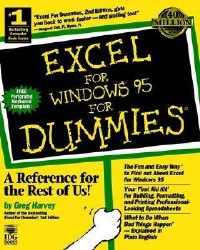
"Excel For Dummies, 2nd Edition, gets you back to work faster - and smiling too!" - Margaret Kish, Ft. Myers, FL "It lets me impress my coworkers because they think I Know this stuff." - Nancy Sherwood, Indianapolis, IN, on Excel For Dummies庐, 2nd Edition Free Perforated Keyboard Template and "Cheat Sheet" Inside! Spreadsheet guru Greg Harvey is back with friendly guidance and the most up-to-date information on Excel for Windows 95, the latest version of Microsoft's popular spreadsheet program. Excel For Windows庐 95 For Dummies庐 leads you through Excel's powerful features, so you can impress everyone with your professional-looking spreadsheets and reports. Ask for IDG Books' ...For Dummies庐 Books, the Fun and Easy Way to Find out About Computers. Also look for IDG Books' Microsoft庐 Office For Windows庐 95 For Dummies庐, the fun and easy way to find out about Microsoft Office, and Windows庐 95 For Dummies庐, 2nd Edition, to get all the information you need about Windows 95! Inside, find helpful advice on how to: Use the thorough, updated coverage of Excel for Windows 95, including the new features like Answer Wizard, AutoCalculate, AutoComplete, and much more! Build and format worksheets quickly Produce impressive and useful charts Take advantage of Excel's Toolbar and learn to select the right tool for the job Explore the new interface and create a spreadsheet from scratch Use AutoFilter to simplify the task of getting information out of your database Plus, Greg's Lists of Top Ten Excel Tips: Ten new features in Excel Ten ways to impress your boss Ten things to do with Excel on a network
目录
Introduction p. 1
About This Book p. 2
How to Use This Book p. 2
What You Can Safely Ignore p. 3
Foolish Assumptions p. 3
How This Book Is Organized p. 4
Conventions Used in This Book p. 6
Where to Go from Here p. 8
Getting In on the Ground Floor p. 9
What Is All This Stuff? p. 11
What the Hell Would I Do with Excel? p. 12
Getting the Darn Thing Started p. 18
Mousing Around p. 23
So What Do All These Buttons Do? p. 25
You Gotta Get Me out of This Cell! p. 35
Ordering Directly from the Menus p. 40
Digging Those Dialog Boxes p. 46
Ogling the Online Help p. 49
When It's Time to Make Your Exit p. 53
Creating a Spreadsheet from Scratch p. 55
So, What Ya Gonna Put in That New Workbook of Yours? p. 56
Doing the Data Entry Thing p. 57
It Takes All Types p. 60
Fixing Up Those Data Entry Flub-ups p. 73
Taking the Drudgery out of Data Entry p. 77
How to Make Your Formulas Function Even Better p. 85
Making Sure the Data's Safe and Sound p. 91
Editing without Tears p. 95
Making It All Look Pretty p. 97
Choosing a Select Group of Cells p. 98
Trimming Your Tables with AutoFormat p. 105
Festooning Your Cells with the Formatting Toolbar p. 108
Using the Format Cells Dialog Box p. 111
Calibrating Columns p. 122
Futzing with the Fonts p. 126
Altering the Alignment p. 128
Showing Off in Styles p. 136
Fooling Around with the Format Painter p. 137
Going through Changes p. 139
Opening the Darned Thing Up for Editing p. 140
Much Ado about Undo p. 149
Doing the Old Drag-and-Drop Thing p. 151
Formulas on AutoFill p. 156
Let's Be Clear about Deleting Stuff p. 164
Kindly Step Aside p. 166
Stamping Out Your Spelling Errors p. 167
Printing the Masterpiece p. 169
Starting the Show with Print Preview p. 170
"The Page Stops Here..." p. 173
My Page Was Setup! p. 176
When Ya Gonna Give Your Page a Break? p. 188
Letting Your Formulas All Hang Out p. 191
Getting Organized and Staying That Way p. 193
Oh What a Tangled Worksheet We Weave! p. 195
Zeroing In with Zoom p. 196
Splitting the Difference p. 198
Fixed Headings Courtesy of Freeze Panes p. 200
Electronic Sticky Notes p. 204
The Cell Name Game p. 206
"Seek and Ye Shall Find..." p. 210
You Can Be Replaced! p. 212
You Can Be So Calculating! p. 213
Putting On the Protection p. 214
Maintaining Multiple Worksheets p. 218
Juggling Worksheets p. 218
Don't Short-Sheet Me! p. 222
Opening Windows on Your Worksheets p. 227
Passing Sheets in the Night p. 231
To Sum Up p. 235
Life beyond the Spreadsheet p. 239
The Simple Art of Making Charts p. 241
Conjuring Up Charts with the ChartWizard p. 242
When a Chart's Just Not Your Type! p. 250
Picture This! p. 258
Map Madness p. 262
Printing Charts Only p. 266
How to Face a Database p. 267
Designing the Data Form p. 268
Sorting It All Out p. 277
You AutoFilter the Database to See the Records You Want p. 282
Doing a Custom Job p. 289
Tearing Up the Town with Templates p. 291
Templates at Your Fingertips p. 291
Customizing the Ready-Made Templates p. 295
Turning Workbooks into Templates p. 304
Conjuring Up Templates with the Template Wizard p. 308
Stating Your Preferences p. 315
Varying the View Options p. 315
Fooling Around with the General Options p. 318
Changing Those Crazy Color Palettes p. 320
Editing the Edit Options p. 323
The Very Model of a Module General p. 325
Macros Like Your Mom Used to Make p. 327
Recording Macros p. 328
Personally Speaking p. 329
A Macro a Day p. 334
Button Up That Toolbar! p. 339
Toolbars
Now You See 'em, Now You Don't p. 340
Designing Your Own Toolbars p. 344
From the Home Office in Foster City p. 353
Top Ten New Features in Excel for Windows 95 p. 355
Top Ten Beginner Basics p. 357
The Ten Commandments of Excel for Windows 95 p. 359
Top Ten Things in Excel That Can Trip You Up p. 361
Top Ten Ways to Impress the Boss p. 363
Top Ten Fun Things to Do with Excel for Windows 95 on a Network p. 365
Top Ten Thousand Keystroke Shortcuts p. 367
Glossary p. 373
Index p. 385
Reader Response Card
About This Book p. 2
How to Use This Book p. 2
What You Can Safely Ignore p. 3
Foolish Assumptions p. 3
How This Book Is Organized p. 4
Conventions Used in This Book p. 6
Where to Go from Here p. 8
Getting In on the Ground Floor p. 9
What Is All This Stuff? p. 11
What the Hell Would I Do with Excel? p. 12
Getting the Darn Thing Started p. 18
Mousing Around p. 23
So What Do All These Buttons Do? p. 25
You Gotta Get Me out of This Cell! p. 35
Ordering Directly from the Menus p. 40
Digging Those Dialog Boxes p. 46
Ogling the Online Help p. 49
When It's Time to Make Your Exit p. 53
Creating a Spreadsheet from Scratch p. 55
So, What Ya Gonna Put in That New Workbook of Yours? p. 56
Doing the Data Entry Thing p. 57
It Takes All Types p. 60
Fixing Up Those Data Entry Flub-ups p. 73
Taking the Drudgery out of Data Entry p. 77
How to Make Your Formulas Function Even Better p. 85
Making Sure the Data's Safe and Sound p. 91
Editing without Tears p. 95
Making It All Look Pretty p. 97
Choosing a Select Group of Cells p. 98
Trimming Your Tables with AutoFormat p. 105
Festooning Your Cells with the Formatting Toolbar p. 108
Using the Format Cells Dialog Box p. 111
Calibrating Columns p. 122
Futzing with the Fonts p. 126
Altering the Alignment p. 128
Showing Off in Styles p. 136
Fooling Around with the Format Painter p. 137
Going through Changes p. 139
Opening the Darned Thing Up for Editing p. 140
Much Ado about Undo p. 149
Doing the Old Drag-and-Drop Thing p. 151
Formulas on AutoFill p. 156
Let's Be Clear about Deleting Stuff p. 164
Kindly Step Aside p. 166
Stamping Out Your Spelling Errors p. 167
Printing the Masterpiece p. 169
Starting the Show with Print Preview p. 170
"The Page Stops Here..." p. 173
My Page Was Setup! p. 176
When Ya Gonna Give Your Page a Break? p. 188
Letting Your Formulas All Hang Out p. 191
Getting Organized and Staying That Way p. 193
Oh What a Tangled Worksheet We Weave! p. 195
Zeroing In with Zoom p. 196
Splitting the Difference p. 198
Fixed Headings Courtesy of Freeze Panes p. 200
Electronic Sticky Notes p. 204
The Cell Name Game p. 206
"Seek and Ye Shall Find..." p. 210
You Can Be Replaced! p. 212
You Can Be So Calculating! p. 213
Putting On the Protection p. 214
Maintaining Multiple Worksheets p. 218
Juggling Worksheets p. 218
Don't Short-Sheet Me! p. 222
Opening Windows on Your Worksheets p. 227
Passing Sheets in the Night p. 231
To Sum Up p. 235
Life beyond the Spreadsheet p. 239
The Simple Art of Making Charts p. 241
Conjuring Up Charts with the ChartWizard p. 242
When a Chart's Just Not Your Type! p. 250
Picture This! p. 258
Map Madness p. 262
Printing Charts Only p. 266
How to Face a Database p. 267
Designing the Data Form p. 268
Sorting It All Out p. 277
You AutoFilter the Database to See the Records You Want p. 282
Doing a Custom Job p. 289
Tearing Up the Town with Templates p. 291
Templates at Your Fingertips p. 291
Customizing the Ready-Made Templates p. 295
Turning Workbooks into Templates p. 304
Conjuring Up Templates with the Template Wizard p. 308
Stating Your Preferences p. 315
Varying the View Options p. 315
Fooling Around with the General Options p. 318
Changing Those Crazy Color Palettes p. 320
Editing the Edit Options p. 323
The Very Model of a Module General p. 325
Macros Like Your Mom Used to Make p. 327
Recording Macros p. 328
Personally Speaking p. 329
A Macro a Day p. 334
Button Up That Toolbar! p. 339
Toolbars
Now You See 'em, Now You Don't p. 340
Designing Your Own Toolbars p. 344
From the Home Office in Foster City p. 353
Top Ten New Features in Excel for Windows 95 p. 355
Top Ten Beginner Basics p. 357
The Ten Commandments of Excel for Windows 95 p. 359
Top Ten Things in Excel That Can Trip You Up p. 361
Top Ten Ways to Impress the Boss p. 363
Top Ten Fun Things to Do with Excel for Windows 95 on a Network p. 365
Top Ten Thousand Keystroke Shortcuts p. 367
Glossary p. 373
Index p. 385
Reader Response Card
- 名称
- 类型
- 大小
光盘服务联系方式: 020-38250260 客服QQ:4006604884
云图客服:
用户发送的提问,这种方式就需要有位在线客服来回答用户的问题,这种 就属于对话式的,问题是这种提问是否需要用户登录才能提问
Video Player
×
Audio Player
×
pdf Player
×
