

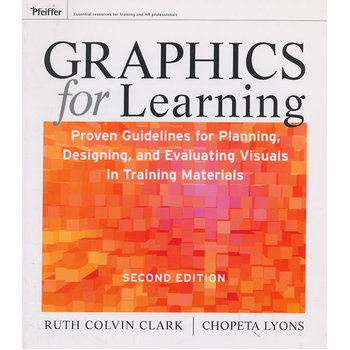
Graphics For Learning: Proven Guidelines For Planning, Designing, And Evaluating Visuals In Training Materials, Second Edition 9780470547441
副标题:无
作 者:Ruth C. Clark 等著
分类号:
ISBN:9780470547441
微信扫一扫,移动浏览光盘
简介
目录
On the Web.
Acknowledgments.
Foreword to the Second Edition.
Introduction: Getting the Most from This Resource.
Section One: The Foundation.
Chapter 1. The Power of Visuals.
The Unrealized Potential of Visuals.
What Is a Graphic?
Which Visuals Are Best? No Yellow Brick Road.
Graphics in the Instructional Landscape.
Chapter 2. Three Views of Instructional Visuals.
Three Views of Visuals.
Communication Functions of Graphics.
Graphics to Support Psychological Events of Learning.
Our Guiding Principles.
Chapter 3. A Visual Design Model for Planning GraphicsSystematically.
Three Facets of Graphics.
What Can Happen Without a Systematic Approach.
What Happens When Instructional Designers Follow a SystematicProcess.
A Visual Design Model.
Section Two. How to Use Visuals to Support Psychological LearningProcesses.
Chapter 4. Graphics and Learning.
Not All Graphics Are Equal.
Graphics and Learning.
A Tale of Two Memories.
Unique Brain Storage for Visual Information.
How Learning Happens.
How Graphics Promote Learning.
Chapter 5. Plan Graphics That Direct Attention.
Attention, Learning, and Graphics.
Guideline 1: Use Signals to Focus Attention.
Guideline 2: Use Color and Contrast to Focus Attention.
Guideline 3: Use Motion Cues in Animation.
Guideline 4: Use Color to Improve Job Performance.
Graphics and Divided Attention.
Guideline 5: Place Text Close to the Visuals It Describes.
Guideline 6: Avoid Distracting Visuals.
Chapter 6. Plan Visuals That Leverage Prior Knowledge.
Prior Knowledge, Learning, and Graphics.
Guideline 1: Use Comparative Advance Organizers.
Guideline 2: Use Expository Advance Organizers.
Guideline 3: Avoid Seductive Details in LessonIntroductions.
Chapter 7. Plan Graphics That Minimize Irrelevant MentalLoad.
What Is Mental Load?
Guideline 1: Use Graphics Rather Than Text for SpecialContent.
Guideline 2: Use Simpler Graphics for Deeper Learning.
Guideline 3: Use Animations to Teach Hands-On Skills.
Guideline 4: Explain Complex Graphics with Words in Audio.
Guideline 5: Use Words or Graphics Alone When Information IsSelf-Explanatory.
Guideline 6: Use Previews and Overlays with Complex Visuals.
Chapter 8. Plan Graphics to Help Learners Build MentalModels.
Mental Modeling, Learning, and Graphics.
Guideline 1: Use Organizational Graphics to Show QuantitativeRelationships.
Guideline 2: Use Charts and Graphs to Communicate QuantitativeRelationships.
Guideline 3: Use Transformational Visuals to Communicate Changesin Time or Space.
Guideline 4: Use Interpretive Visuals to Communicate AbstractCause-and-Effect. Relationships.
Use Animated Online Agents to Model Thinking Processes.
Chapter 9. Plan Graphics That Support Transfer of Learning.
Transfer and Work Performance.
Near- Versus Far-Transfer Tasks.
Context Is King for Near-Transfer Tasks.
Guideline 1: Use Dynamic Visuals That Reflect Workplace Contextfor Procedures.
Guideline 2: Incorporate Workplace Context in 3D Worlds.
Mental Models Are King in Far-Transfer Tasks.
Guideline 3: Use Static Visuals to Illustrate How ThingsWork.
Guideline 4: Use Dynamic Visuals for Interpersonal Skills.
Guideline 5: Use Varied Context Visual Examples for DeeperUnderstanding.
Guideline 6: Use Workplace Context Visuals for Immersive LearningEnvironments.
Chapter 10. Plan Graphics for Motivation and Learning.
Motivation and Learning.
Interest and Motivation.
Guideline 1: Use Dynamic Visuals That Display Work Concepts.
Guideline 2: Leverage Social Presence Through Learning Agents inAsynchronous Multimedia.
Guideline 3: Consider Using Relevant Trigger Visuals to CatchInitial Interest.
Guideline 4: Minimize Graphics Used Soley as Eye Candy.
Chapter 11. Plan Graphics to Leverage Learner Differences.
Different Strokes for Different Folks?
Guideline 1: Drop the Myth of Visual Learning Style.
Guideline 2: Emphasize Visuals for Beginners.
Guideline 3: Provide Just-in-Time Training to Help LearnersInterpret Complex Visuals.
Guideline 4: Encourage All Learners to Process VisualsEffectively.
Section Three. How to Visualize Lesson Content.
Chapter 12. How to Visualize Procedures.
What Are Procedures?
Teaching Procedures.
Guideline 1: Combine Representational and Transformational Visualsin Demonstrations.
Guideline 2: Demonstrate Procedures with Dynamic Visuals.
Guideline 3: Manage Mental Load.
Guideline 4: Use Visuals to Draw Attention to Warnings.
Guideline 5: Design Online Practice Exercises Effectively.
Chapter 13. How to Visualize Concepts.
What Are Concepts?
Teaching Concepts.
How to Visualize Concepts.
Guideline 1: Display Teaching Methods in a ContiguousManner.
Guideline 2: Create Visual Counterexamples.
Guideline 3: Use Visual Analogies.
Guideline 4: Display Related Concepts Together.
Guideline 5: Use organizational Visuals for RelatedConcepts.
Guideline 6: Promote Learner Engagement with ConceptVisuals.
Chapter 14. How to Visualize Facts.
What Are Facts?
Teaching Facts.
How to Help Learners to Visualize Facts.
Guideline 1: Use Representational Visuals Displayed in JobContext.
Guideline 2: Display Facts with Visual Contiguity.
Guideline 3: Use Organizational Visuals.
Guideline 4: Use Relational Visuals for Numeric Trends.
Guideline 5: Promote Engagement with Important FactualVisuals.
Chapter 15. How to Visualize Processes.
What Are Processes?
Who Needs Process Knowledge?
Teaching Processes.
How to Help Learners to Visualize Processes.
Guideline 1: Use Transformational Visuals That Show StateChanges.
Guideline 2: Use Simpler Visuals to Promote Understanding.
Guideline 3: Manage Load When Presenting Process Visuals.
Guideline 4: Use Interpretive Visuals to Represent AbstractProcesses.
Guideline 5: Promote Engagement with Process Visuals.
Chapter 16. How to Visualize Principles.
What Are Principles?
What Are Principles?
Problem-Centered Learning Environments.
Components of Problem-Centered Learning Environments.
When to Consider Problem-Centered Learning.
Inductive Learning from Case Examples.
Teaching Principles as Laws or Theories.
How to Visualize Principles.
Guideline 1: Use Representational Visuals for Problem-CenteredLearning Components.
Guideline 2: Use Multimedia Dynamic Visuals for CaseScenarios.
Guideline 3: Use Animated Agents to Model Critical ThinkingSkills.
Guideline 4: Use Graphic Design Devices to Manage Mental LoadDuring Problem-Centered Learning.
Guideline 5: Analyze Video or Audio Recorded Work Samples.
Guideline 6: Engage Learners with Explanatory Visuals, IncludingVirtual Simulations.
Section Four. How to Plan and Communicate Your Visuals.
Chapter 17. Determine the Context.
The Realities of the Workplace.
What to Decide and When.
Assess the Learning Landscape.
Consider Production.
Chapter 18. Design Your Visual Approach.
Getting the Right Artist.
Designing the Visual Approach.
Treatment Meeting.
What to Consider.
Rough It Out—Style and Available Real Estate.
A Semi-Fictional Case Study.
Chapter 19. Visualize Individual Graphics.
Creating Individual Visuals That Work.
A Case Study Continued: Sanji's Graphic.
Chapter 20. Communicate and Lay Out Graphic Plans.
Who Needs to Know.
Communicating the Visual Approach, the “Look and Feel”.
Communicating Ideas for the Development of IndividualGraphics.
Communicating Layout Plans.
Communicating Graphics to Production Staff.
Case Study: Sanji Talks to the Artist.
Chapter 21. Apply the Principles.
The End-User System Application Training.
The Investment Club's Financial Basics Training.
Glossary.
References.
About the Authors.
List of Figures and Tables.
Index.
光盘服务联系方式: 020-38250260 客服QQ:4006604884
云图客服:
用户发送的提问,这种方式就需要有位在线客服来回答用户的问题,这种 就属于对话式的,问题是这种提问是否需要用户登录才能提问
