

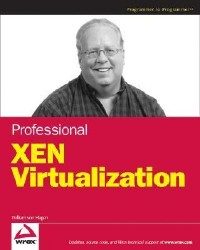
简介
This popular open-source technology allows multiple operating systems to run on a single physical computer system, thereby reducing costs and increasing efficiency. Von Hagen, a master operator of UNIX systems and a self-described LINUX fanatic, takes readers from fundamentals to advanced techniques that offer fast response times for new server and service requests, simple system administration for multiple systems, and availability of critical computing resources. After a brisk overview he describes how to obtain and install the software, boot and configure a host, configure and boot virtual machines and build their file systems, manage and monitor them, perform networking, use advanced critical machine configuration methods, and work in the data center. Includes a companion website for updates and supplementary material and references on commands and options and on virtual machine configuration files. This works well on every level, whether for reference or in the classroom. Annotation 漏2008 Book News, Inc., Portland, OR (booknews.com)
目录
About the Author 8
Credits 9
Acknowledgments 11
Contents 13
Introduction 21
Who Should Read This Book 22
What This Book Covers 22
How This Book Is Organized 23
What You Need To Use This Book 23
Source Code 24
Errata 24
p2p.wrox.com 25
Chapter 1: Overview of Virtualization 27
What Is Virtualization? 28
Why Virtualization Today? 36
Basic Approaches to Virtual Systems 37
Advantages of Virtualization 41
Virtualization Caveats 47
Identifying Candidates for Virtualization 50
Summary 52
Chapter 2: Introduction to Xen 53
History of Xen 53
Overview of Xen and x86 Virtualization 55
Xen Domains and the Hypervisor 58
Types of Virtual Machines Supported by Xen 61
Popular Xen and Virtualization Resources on the Internet 64
Other Popular Virtualization Software 65
Popular Emulation Software 79
Summary 82
Chapter 3: Obtaining and Installing Xen 83
Hardware Requirements for Xen 83
Software Packages Required for Running Xen 87
Downloading and Installing Xen from Binaries 91
Getting the Xen Source Code 95
Building Xen from Source Code 106
Installing Xen 111
Summary 112
Chapter 4: Booting and Configuring a Xen Host 113
Overview of Xen and Linux System Startup 113
Configuring GRUB for Xen 130
Hiding PCI Devices from domain0 135
Summary 141
Chapter 5: Configuring and Booting Virtual Machines 143
Virtual Machine Requirements 144
Obtaining Sample Xen Filesystem Images 146
Defining and Starting a Paravir tualized VM 150
Defining and Starting Xen Hardware Virtual Machines 157
Automatically Starting Xen Domains at Boot Time 160
Troubleshooting Configuration Files and Guest Domains 161
Summary 166
Chapter 6: Building Filesystems for Virtual Machines 167
Linux Storage and Filesystems 168
Filesystem Choices, Locations, and Flexibility 173
Building Virtual Machine Filesystems 175
Creating Swap Filesystems for Xen 192
Adding Applications to a Xen Root Filesystem 193
Creating and Using QEMU Disk Images 193
Summary 199
Chapter 7: Managing and Monitoring Virtual Machines 201
Overview of the Xen Daemon 202
Using the xm Command 206
XenStore and Related Utilities 212
Xen Tracing and Performance Monitoring 214
Reporting Bugs in Xen 221
Open Source Xen Management Utilities 222
Distribution-Specific Xen Management Software 223
Summary 226
Chapter 8: Xen Networking 227
Overview of Xen Networking 228
Specifying Parameters for Xen Network Startup 234
Using Multiple Ethernet Cards with Xen 238
Vir tual, Non-Routable Subnets for Xen Guests 239
Virtual LANs and Xen Guests 241
DHCP Tips for Xen Environments 244
Fine-Tuning Services on Xen Guests 246
Troubleshooting Xen Networking 251
Summary 256
Chapter 9: Advanced Virtual Machine Configuration 257
domain0 and domainU Memory Management in Xen 257
Accessing New and Removable Storage in domainU Guests 261
Using Dedicated Hardware in Guest Domains 265
Working with Sound on domainU Guests 273
Time Synchronization in domain0 and domainU 273
domain0 and domainU Kernel and Binary Considerations 274
The Many Moods of Graphics for domainU Guests 276
Xen Lifecycle Management 286
Xen Access Control and Security Policies 286
Xen and Trusted Computing 298
Summary 308
Chapter 10: Using Xen in the Data Center 309
Documenting Your Virtual Machines 310
Deploying Virtual Machines 313
Centralized Logging for Virtual Machines 327
Centralized Warning Systems for Virtual Machines 337
Backup Strategies for Xen Domains 341
Summary 364
Appendix A: xm Command and Option Reference 365
addlabel: Add a Security Label to a Domain or Resource 365
block-attach: Create a New Virtual Block Device 366
block-configure: Change Block Device Configuration 367
block-detach: Destroy a Domain\u2019s Virtual Block Device 368
block-list: List Virtual Block Devices for a Domain 368
cfgbootpolicy: Add Policy to Boot Configuration 370
console: Attach to\u2019s Console 370
create: Create a Domain Based on a Configuration File 371
debug-keys: Send Debug Keys to Xen 374
delete: Remove a Domain from xend Domain Management 374
destroy: Terminate a Domain Immediately 375
dmesg: Read and Optionally Clean the Xen Daemon Message Buffer 376
domid: Convert a Domain Name to a Domain ID 377
domname: Convert a Domain ID to a Domain Name 377
dry-run: Test If a Domain Can Access Its Resources 378
dump-core: Dump the Core for a Specific Domain 378
dumppolicy: Print Hypervisor ACM State Information 379
getlabel: Show the Security Label for a Domain or Resource 379
help: Display Information about xm Subcommands 380
info: Get Information about a Xen Host 380
labels: List Labels for an Active Policy 381
list: List Information about All or Some Domains 382
loadpolicy: Load a Binary Policy Into a Hypervisor 385
log: Print the xend Log 386
makepolicy: Build Policy and Create .bin and .map Files 387
mem-max: Set the Maximum Amount Reservation for a Domain 387
mem-set: Set the Current Memory Usage for a Domain 388
migrate: Migrate a Domain to Another Machine 388
network-attach: Create a New Virtual Network Device 389
network-detach: Destroy a Domain\u2019s Virtual Network Device 391
network-list: List Virtual Network Interfaces for a Domain 391
new: Add a Domain to xend Domain Management 393
pause: Pause the Execution of a Domain 393
reboot: Reboot a Domain 393
rename: Rename a Domain 394
resources: Show Information for Each Labeled Resource 394
restore: Restore a Domain From a Saved State 394
resume: Resume a xend Managed Domain 395
rmlabel: Remove a Security Label from a Domain 396
save: Save a Domain State to Restore Later 396
sched-credit: Get/Set Credit Scheduler Parameters 397
sched-sedf: Get/Set SEDF Scheduler Parameters 398
serve: Proxy xend XML-RPC over stdio 398
shell: Launch an Interactive Shell 399
shutdown: Shutdown a Domain 399
start: Start a xend-managed Domain 400
suspend: Suspend a xend-managed Domain 400
sysrq: Send a System Request to a Domain 401
top: Monitor a Host and the Domains in Real Time 402
trigger: Send a Trigger to a Domain 402
unpause: Unpause a Paused Domain 402
uptime: Print Uptime for a Domain 402
vcpu-list: List the VCPUs for a Domain or All Domains 403
vcpu-pin: Assign VCPUs to a CPU 404
vcpu-set: Set the Number of Active VCPUs Allowed for a Domain 405
vnet-create: Create a vnet from a Configuration File 405
vnet-delete: Delete a vnet 406
vnet-list: List vnets 406
vtpm-list: List Virtual TPM Devices 406
Appendix B: Xen Virtual Machine Configuration File Reference 409
Index 417
Credits 9
Acknowledgments 11
Contents 13
Introduction 21
Who Should Read This Book 22
What This Book Covers 22
How This Book Is Organized 23
What You Need To Use This Book 23
Source Code 24
Errata 24
p2p.wrox.com 25
Chapter 1: Overview of Virtualization 27
What Is Virtualization? 28
Why Virtualization Today? 36
Basic Approaches to Virtual Systems 37
Advantages of Virtualization 41
Virtualization Caveats 47
Identifying Candidates for Virtualization 50
Summary 52
Chapter 2: Introduction to Xen 53
History of Xen 53
Overview of Xen and x86 Virtualization 55
Xen Domains and the Hypervisor 58
Types of Virtual Machines Supported by Xen 61
Popular Xen and Virtualization Resources on the Internet 64
Other Popular Virtualization Software 65
Popular Emulation Software 79
Summary 82
Chapter 3: Obtaining and Installing Xen 83
Hardware Requirements for Xen 83
Software Packages Required for Running Xen 87
Downloading and Installing Xen from Binaries 91
Getting the Xen Source Code 95
Building Xen from Source Code 106
Installing Xen 111
Summary 112
Chapter 4: Booting and Configuring a Xen Host 113
Overview of Xen and Linux System Startup 113
Configuring GRUB for Xen 130
Hiding PCI Devices from domain0 135
Summary 141
Chapter 5: Configuring and Booting Virtual Machines 143
Virtual Machine Requirements 144
Obtaining Sample Xen Filesystem Images 146
Defining and Starting a Paravir tualized VM 150
Defining and Starting Xen Hardware Virtual Machines 157
Automatically Starting Xen Domains at Boot Time 160
Troubleshooting Configuration Files and Guest Domains 161
Summary 166
Chapter 6: Building Filesystems for Virtual Machines 167
Linux Storage and Filesystems 168
Filesystem Choices, Locations, and Flexibility 173
Building Virtual Machine Filesystems 175
Creating Swap Filesystems for Xen 192
Adding Applications to a Xen Root Filesystem 193
Creating and Using QEMU Disk Images 193
Summary 199
Chapter 7: Managing and Monitoring Virtual Machines 201
Overview of the Xen Daemon 202
Using the xm Command 206
XenStore and Related Utilities 212
Xen Tracing and Performance Monitoring 214
Reporting Bugs in Xen 221
Open Source Xen Management Utilities 222
Distribution-Specific Xen Management Software 223
Summary 226
Chapter 8: Xen Networking 227
Overview of Xen Networking 228
Specifying Parameters for Xen Network Startup 234
Using Multiple Ethernet Cards with Xen 238
Vir tual, Non-Routable Subnets for Xen Guests 239
Virtual LANs and Xen Guests 241
DHCP Tips for Xen Environments 244
Fine-Tuning Services on Xen Guests 246
Troubleshooting Xen Networking 251
Summary 256
Chapter 9: Advanced Virtual Machine Configuration 257
domain0 and domainU Memory Management in Xen 257
Accessing New and Removable Storage in domainU Guests 261
Using Dedicated Hardware in Guest Domains 265
Working with Sound on domainU Guests 273
Time Synchronization in domain0 and domainU 273
domain0 and domainU Kernel and Binary Considerations 274
The Many Moods of Graphics for domainU Guests 276
Xen Lifecycle Management 286
Xen Access Control and Security Policies 286
Xen and Trusted Computing 298
Summary 308
Chapter 10: Using Xen in the Data Center 309
Documenting Your Virtual Machines 310
Deploying Virtual Machines 313
Centralized Logging for Virtual Machines 327
Centralized Warning Systems for Virtual Machines 337
Backup Strategies for Xen Domains 341
Summary 364
Appendix A: xm Command and Option Reference 365
addlabel: Add a Security Label to a Domain or Resource 365
block-attach: Create a New Virtual Block Device 366
block-configure: Change Block Device Configuration 367
block-detach: Destroy a Domain\u2019s Virtual Block Device 368
block-list: List Virtual Block Devices for a Domain 368
cfgbootpolicy: Add Policy to Boot Configuration 370
console: Attach to
create: Create a Domain Based on a Configuration File 371
debug-keys: Send Debug Keys to Xen 374
delete: Remove a Domain from xend Domain Management 374
destroy: Terminate a Domain Immediately 375
dmesg: Read and Optionally Clean the Xen Daemon Message Buffer 376
domid: Convert a Domain Name to a Domain ID 377
domname: Convert a Domain ID to a Domain Name 377
dry-run: Test If a Domain Can Access Its Resources 378
dump-core: Dump the Core for a Specific Domain 378
dumppolicy: Print Hypervisor ACM State Information 379
getlabel: Show the Security Label for a Domain or Resource 379
help: Display Information about xm Subcommands 380
info: Get Information about a Xen Host 380
labels: List Labels for an Active Policy 381
list: List Information about All or Some Domains 382
loadpolicy: Load a Binary Policy Into a Hypervisor 385
log: Print the xend Log 386
makepolicy: Build Policy and Create .bin and .map Files 387
mem-max: Set the Maximum Amount Reservation for a Domain 387
mem-set: Set the Current Memory Usage for a Domain 388
migrate: Migrate a Domain to Another Machine 388
network-attach: Create a New Virtual Network Device 389
network-detach: Destroy a Domain\u2019s Virtual Network Device 391
network-list: List Virtual Network Interfaces for a Domain 391
new: Add a Domain to xend Domain Management 393
pause: Pause the Execution of a Domain 393
reboot: Reboot a Domain 393
rename: Rename a Domain 394
resources: Show Information for Each Labeled Resource 394
restore: Restore a Domain From a Saved State 394
resume: Resume a xend Managed Domain 395
rmlabel: Remove a Security Label from a Domain 396
save: Save a Domain State to Restore Later 396
sched-credit: Get/Set Credit Scheduler Parameters 397
sched-sedf: Get/Set SEDF Scheduler Parameters 398
serve: Proxy xend XML-RPC over stdio 398
shell: Launch an Interactive Shell 399
shutdown: Shutdown a Domain 399
start: Start a xend-managed Domain 400
suspend: Suspend a xend-managed Domain 400
sysrq: Send a System Request to a Domain 401
top: Monitor a Host and the Domains in Real Time 402
trigger: Send a Trigger to a Domain 402
unpause: Unpause a Paused Domain 402
uptime: Print Uptime for a Domain 402
vcpu-list: List the VCPUs for a Domain or All Domains 403
vcpu-pin: Assign VCPUs to a CPU 404
vcpu-set: Set the Number of Active VCPUs Allowed for a Domain 405
vnet-create: Create a vnet from a Configuration File 405
vnet-delete: Delete a vnet 406
vnet-list: List vnets 406
vtpm-list: List Virtual TPM Devices 406
Appendix B: Xen Virtual Machine Configuration File Reference 409
Index 417
- 名称
- 类型
- 大小
光盘服务联系方式: 020-38250260 客服QQ:4006604884
云图客服:
用户发送的提问,这种方式就需要有位在线客服来回答用户的问题,这种 就属于对话式的,问题是这种提问是否需要用户登录才能提问
Video Player
×
Audio Player
×
pdf Player
×
