

简介
Summary:
Publisher Summary 1
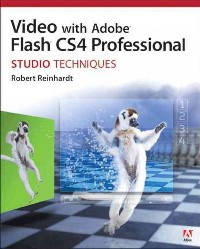
This guide to using video in Adobe's Flash CS4 Professional animation and graphics framework provides detailed instructions for accomplishing many common web video production tasks. Beginning with instructions for capturing video and basic post-production functions such as compression and encoding the work provides step-by-step instructions for placing videos in web pages and integrating video into most major Flash applications including video players and banner advertisements. The work includes color photographs and screen shot, tips, tricks, warnings and code examples. A companion DVD-ROM includes sample Flash code and videos. Reinhardt is a Flash Video expert and the author of several books on the subject. Annotation 漏2011 Book News, Inc., Portland, OR (booknews.com)
Publisher Summary 2
The definitive guide to creating video for the Web
In Video with Adobe Flash CS4 Professional Studio Techniques, Robert Reinhardt goes beyond the entry-level coverage found in other books to bring you a comprehensive look at what you really need to know to produce, host, and distribute Flash-compatible video on the Web, including FLV and AVC/H.264 content. Real world examples and hands-on projects with sample video files provide the expert training you need with tips and insights that everyone can benefit from.
You’ll learn:
Basic methods, from preproduction through delivery, includingcapturing, processing, and compressing your video.Production essentials for sharing your footage on the Web, including setting up your Web page and server for seamless video playback and how to create your own video player.Advanced techniques, including building an index and play list, adding captions and banner ads, and designing a comprehensive video experiencefor your audience.The DVD-ROM includes complete sample Flash files as shown throughout the book. More than 2 GB of source files are provided, including High Definition (HD) clips, which you can use to perfect your video compression skills. The source files for each chapter are found in the corresponding Lessons folder on the disc.
Robert Reinhardt is a highly respected authority on Flash and Flash video. He has authored or co-authored numerous books on Flash, including the Flash Bible and the Flash ActionScript Bible, and his blog and other online articles draw a wide audience. He has developed multimedia courses for educational facilities in Canada and the United States and is an Adobe Certified Instructor for Flash courses at Portland State University. He is a former Vice President of the Multimedia Platforms Group at Schematic and now works with a wide range of clients from his base in Portland, Oregon. A frequent presenter at conferences such as Flashforward, FITC, Flashbelt, and NAB, he is also a contributor at DesignProVideo.com. Forums and updates for this book can be found at FlashSupport.com, where you can share questions and answers with Robert and other readers.
目录
Copyright
About the Author
About the Technical Editor
Acknowledgments
Introduction
Part I:聽Working Foundations Download Chapter
1 Token Chapter 1.聽Pre-production Primer Designing the Video Experience
Planning Your Video Shoot
Selecting Equipment
Download Chapter
1 Token Chapter 2.聽Capturing and Processing Video Capturing Video
Processing Video with Adobe After Effects CS4
Download Chapter
1 Token Chapter 3.聽Compression and Encoding Primer Distinguishing Source Files and Their Differences
Understanding Video File Bit Rates
Learning About Player Versions and Codec Options
Determining Your Video Compression Profiles
Chapter 4.聽Delivery and Deployment Primer File Formats: SWF, FLV, H.264, and HTML
Protocols: HTTP vs. RTMP
Delivery: Web Server, Flash Media Server, or CDN?
Playback: Live Streaming vs. Prerecorded
Budgets: Bandwidth and Transfer Rates
Part II:聽Production Essentials Download Chapter
1 Token Chapter 5.聽Placing Video on a Web Page Integrating FLV Video with Dreamweaver
Playing Video with Flash CS4 Components
Gathering Files for Deployment
Download Chapter
1 Token Chapter 6.聽Exploring the FLVPlayback Components Overview of the Components
Configuring the Component
Enhancing Playback with Cue Points
Dynamically Placing Video on the Stage
Modifying Skins
Building a Player with Custom UI Components
Download Chapter
1 Token Chapter 7.聽Building Your Own Video Player Making a Connection
Building Basic Playback Controls
Reading Metadata from a Video
Enabling a Full-Screen Mode
Download Chapter
1 Token Chapter 8.聽Integrating Multiple Bit Rates Knowing When to Offer More Than One Bit Rate
Determining Which Bit Rates to Offer
Preparing SMIL Files
Calculating Available Bandwidth
Enabling Dynamic Buffering with a Real-Time Stream
Using Dynamic Streaming with Flash Media Server 3.5
Part III:聽Creative Explorations Download Chapter
1 Token Chapter 9.聽Building a Video Index and Playlist Making a Marker Index for Video
Building a Video Playlist
Playing Video Ads During a Video Feature
Download Chapter
1 Token Chapter 10.聽Constructing Banner Ads and Captioned Videos Coding a Video Banner Ad
Controlling Captions with Timed Text XML
Download Chapter
1 Token Chapter 11.聽Constructing an Interactive Video Host Planning the User Interface
Producing the Video Footage
Encoding a Flash-Ready Video
Developing the ActionScript 3.0 Code Base
Download Chapter
1 Token Chapter 12.聽Delivering a Reliable Video Experience Creating a Deployment Plan
Encoding the Flash-Ready Video
Developing the Video Player
Customizing the Video Experience with HTML and JavaScript
Appendixes Download Chapter
1 Token Appendix A.聽Software Installation Adobe Software
Video Encoders
Flash-Related Video Utilities
Public-Domain Video
Download Chapter
1 Token Appendix B.聽Web Video Project Checklist
Download Chapter
1 Token Appendix C.聽Encoding Video for the Flash Platform Overview of Common Features and Workflow
Comparing Video Encoders
Other Flash-related Video Utilities
Download Chapter
1 Token Appendix D.聽Troubleshooting Video for the Flash Platform
Index
About the Author
About the Technical Editor
Acknowledgments
Introduction
Part I:聽Working Foundations Download Chapter
1 Token Chapter 1.聽Pre-production Primer Designing the Video Experience
Planning Your Video Shoot
Selecting Equipment
Download Chapter
1 Token Chapter 2.聽Capturing and Processing Video Capturing Video
Processing Video with Adobe After Effects CS4
Download Chapter
1 Token Chapter 3.聽Compression and Encoding Primer Distinguishing Source Files and Their Differences
Understanding Video File Bit Rates
Learning About Player Versions and Codec Options
Determining Your Video Compression Profiles
Chapter 4.聽Delivery and Deployment Primer File Formats: SWF, FLV, H.264, and HTML
Protocols: HTTP vs. RTMP
Delivery: Web Server, Flash Media Server, or CDN?
Playback: Live Streaming vs. Prerecorded
Budgets: Bandwidth and Transfer Rates
Part II:聽Production Essentials Download Chapter
1 Token Chapter 5.聽Placing Video on a Web Page Integrating FLV Video with Dreamweaver
Playing Video with Flash CS4 Components
Gathering Files for Deployment
Download Chapter
1 Token Chapter 6.聽Exploring the FLVPlayback Components Overview of the Components
Configuring the Component
Enhancing Playback with Cue Points
Dynamically Placing Video on the Stage
Modifying Skins
Building a Player with Custom UI Components
Download Chapter
1 Token Chapter 7.聽Building Your Own Video Player Making a Connection
Building Basic Playback Controls
Reading Metadata from a Video
Enabling a Full-Screen Mode
Download Chapter
1 Token Chapter 8.聽Integrating Multiple Bit Rates Knowing When to Offer More Than One Bit Rate
Determining Which Bit Rates to Offer
Preparing SMIL Files
Calculating Available Bandwidth
Enabling Dynamic Buffering with a Real-Time Stream
Using Dynamic Streaming with Flash Media Server 3.5
Part III:聽Creative Explorations Download Chapter
1 Token Chapter 9.聽Building a Video Index and Playlist Making a Marker Index for Video
Building a Video Playlist
Playing Video Ads During a Video Feature
Download Chapter
1 Token Chapter 10.聽Constructing Banner Ads and Captioned Videos Coding a Video Banner Ad
Controlling Captions with Timed Text XML
Download Chapter
1 Token Chapter 11.聽Constructing an Interactive Video Host Planning the User Interface
Producing the Video Footage
Encoding a Flash-Ready Video
Developing the ActionScript 3.0 Code Base
Download Chapter
1 Token Chapter 12.聽Delivering a Reliable Video Experience Creating a Deployment Plan
Encoding the Flash-Ready Video
Developing the Video Player
Customizing the Video Experience with HTML and JavaScript
Appendixes Download Chapter
1 Token Appendix A.聽Software Installation Adobe Software
Video Encoders
Flash-Related Video Utilities
Public-Domain Video
Download Chapter
1 Token Appendix B.聽Web Video Project Checklist
Download Chapter
1 Token Appendix C.聽Encoding Video for the Flash Platform Overview of Common Features and Workflow
Comparing Video Encoders
Other Flash-related Video Utilities
Download Chapter
1 Token Appendix D.聽Troubleshooting Video for the Flash Platform
Index
- 名称
- 类型
- 大小
光盘服务联系方式: 020-38250260 客服QQ:4006604884
云图客服:
用户发送的提问,这种方式就需要有位在线客服来回答用户的问题,这种 就属于对话式的,问题是这种提问是否需要用户登录才能提问
Video Player
×
Audio Player
×
pdf Player
×
