

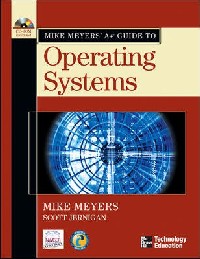
简介
Mike Meyers, one of the premier computer and network skills trainers, delivers a learning system designed to explain key IT principles in an easy-to-understand format. This terrific guide will not onl
目录
Preface p. xii
Introduction p. xv
Introduction to the Personal Computer p. 1
How the PC Works p. 1
Input p. 1
Processing p. 2
Output p. 2
Storage p. 2
The Art of the PC Technician p. 2
Microcomputers p. 3
Microcomputers Today p. 3
Microcomputer Hardware p. 4
Processor p. 5
Motherboard and Chipset p. 7
Memory p. 8
Display Adapter and Monitor p. 9
Keyboard p. 10
Pointing Device p. 10
Disk Drives p. 10
Peripheral Devices p. 10
Microcomputer Operating Systems p. 11
User Interface p. 11
Yesterday's Operating Systems p. 12
First the Machines p. 12
Then the Operating Systems p. 13
DOS, CP/M, Apple, and the Killer App p. 13
The Second Wave p. 14
OS/2 p. 14
Microsoft Windows p. 15
Windows for Workgroups p. 16
Today's Operating Systems p. 16
Macintosh OSs p. 23
UNIX/Linux p. 24
Chapter 1 Review p. 25
Introduction to Windows p. 30
Functions of the Operating System p. 31
Operating System Traits p. 31
Communicating with Hardware p. 32
Creating a User Interface p. 33
Accessing and Supporting Programs p. 33
Organizing and Manipulating Programs and Data p. 34
Operating System Implementations p. 34
The Standard Windows Feature Set p. 37
User Interface p. 37
Tech Utilities p. 46
OS Folders p. 54
Chapter 2 Review p. 63
Features and Characteristics of Windows p. 68
Features and Characteristics of Windows 9x/Me p. 69
DOS Protected Mode Interface p. 69
Legacy GUI Files p. 74
Windows 9x/Me GUI Files p. 76
Major Differences Among Windows 95, 98, 98 SE, and Me p. 77
Features and Characteristics of Windows NT/2000/XP p. 81
Windows NT p. 82
OS Organization p. 82
NT File System (NTFS) p. 83
Booting Up vs. Going Graphical p. 89
The Boot Process p. 90
System Partition Boot Files p. 91
Service Packs p. 93
Major Differences Among Windows NT, 2000, and XP p. 93
Chapter 3 Review p. 99
Working with the Command Line Interface p. 105
Deciphering the Command Line Interface p. 107
Accessing the Command Line p. 108
The Command Prompt p. 109
Filenames and File Formats p. 109
Drives and Folders p. 111
Mastering Fundamental Commands p. 112
Structure: Syntax and Switches p. 113
DIR Command p. 113
Directories: The CD Command p. 114
Moving Between Drives p. 115
Making Directories p. 116
Removing Directories p. 117
Running a Program p. 118
Working with Files p. 119
Attributes p. 120
Wildcards p. 121
Renaming Files p. 123
Deleting Files p. 123
Copying and Moving Files p. 124
Working with Batch Files p. 127
Using Function Keys p. 131
Compact and Cipher p. 131
Chapter 4 Review p. 135
Implementing Hard Drives p. 142
Installing IDE Hard Drives p. 143
Parallel ATA p. 143
Serial ATA p. 146
BIOS p. 148
Test Specific p. 149
Partitioning Hard Drives p. 150
Partitioning Basic Disks p. 150
Partitioning Dynamic Disks p. 167
Formatting Hard Drives p. 175
File Systems in Windows p. 175
FAT p. 176
FAT32 p. 182
NTFS 4 p. 183
NTFS 5 p. 184
Formatting a Partition p. 187
Maintaining and Troubleshooting Hard Drives p. 189
Maintenance p. 189
Troubleshooting p. 194
Beyond A+ p. 202
Third-Party Partition Tools p. 202
Chapter 5 Review p. 204
Installing and Upgrading Windows p. 214
Windows Installation/Upgrade Overview p. 215
Preparing for Installation or Upgrade p. 215
Performing the Installation/Upgrade p. 220
Post-Installation Tasks p. 221
Installing and Upgrading Windows 9x/Me p. 222
Preparing to Upgrade/Install p. 222
The Windows 98/Me Installation/UpgradeProcess p. 224
Installing Windows NT 4.0 Workstation p. 227
Installing and Upgrading to Windows 2000 Professional p. 228
Preinstallation Tasks p. 228
The Windows 2000 Installation/Upgrade Process p. 231
Installing and Upgrading to Windows XP Professional p. 232
Upgrade Paths p. 233
XP Hardware Requirements p. 233
Hardware and Software Compatibility p. 233
Booting into Windows XP Setup p. 235
Registration Versus Activation p. 235
The Windows XP Installation Process p. 236
Troubleshooting Installation Problems p. 239
Text Mode Errors p. 239
Graphical Mode Errors p. 240
Chapter 6 Review p. 243
Maintaining, Optimizing, and Troubleshooting Windows 9x and Windows Me p. 250
Maintaining and Optimizing Windows 9x/Me p. 251
Service Packs/Patches/Windows Update p. 251
Drive Maintenance p. 254
Task Scheduling p. 255
Virtual Memory p. 256
Disk Cache p. 258
Resource Tracking Tools p. 258
Auto-Starting Programs p. 261
Installing Software p. 261
Device Installation p. 262
Before You Buy p. 262
Procedure Check p. 264
Backup p. 265
Device Manager p. 267
Applications p. 268
Dealing with Plug and Play Problems p. 269
Device Manager Errors p. 273
IRQ Steering p. 277
Windows Memory p. 278
Legacy Devices in a Plug and Play World p. 279
Preparing to Install a Legacy Device p. 280
Installing the Legacy Device p. 282
Resource Conflicts p. 283
Troubleshooting Windows 9x/Me p. 284
Be Prepared p. 284
Backup p. 285
System Restore p. 286
ConfigSafe p. 289
Antivirus Protection p. 290
General System Sluggishness p. 293
Windows Boot Problems p. 294
Lockups/Reboots p. 296
General Protection Faults p. 296
Windows Protection Errors p. 297
Fatal Exception Errors p. 297
Dr. Watson Utility p. 297
Shutdown Problems p. 297
Tweak UI p. 298
Chapter 7 Review p. 299
Maintaining, Optimizing, and Troubleshooting Windows NT, 2000, and XP p. 306
Tools for Maintaining and Optimizing Windows p. 307
The Microsoft Management Console (MMC) p. 307
Task Manager p. 312
Maintaining and Optimizing Windows p. 312
Patches, Updates, and Service Packs p. 312
Removing Software p. 316
Adding or Removing Windows Components p. 317
Installing/Adding a Device p. 317
Managing User Accounts and Groups p. 323
Optimizing Windows 2000/XP p. 329
Resource Tracking p. 330
Disk Defragmentation and Error Checking p. 333
Temporary File Management with Disk Cleanup p. 333
Preparing for Problems p. 334
Creating an MS-DOS Startup Disk p. 338
Installing Recovery Console p. 338
Troubleshooting Windows p. 339
Troubleshooting Windows 2000/XP with the Recovery Console p. 339
Troubleshooting Windows XP Using System Restore p. 341
Troubleshooting Startup Failures with Advanced Startup Options p. 342
Troubleshooting Using the Emergency Repair Disk p. 346
Chapter 8 Review p. 348
Networking p. 356
Networking Technologies p. 357
Packets/Frames and NICs p. 358
Coaxial Ethernet p. 359
UTP Ethernet (10[superscript x] BaseT) p. 362
Fiber Optic Ethernet p. 365
Token Ring p. 365
Network Operating Systems p. 368
Network Organization p. 368
Protocols p. 373
Client Software p. 374
Server Software p. 375
Installing and Configuring a Wired Network p. 375
Installing a NIC p. 375
Configuring a Network Client p. 376
Configuring Simple Protocols p. 377
Configuring TCP/IP p. 378
Sharing and Security p. 387
Installing and Configuring a Wireless Network p. 391
Wireless Networking Components p. 392
Wireless Networking Software p. 392
Wireless Network Modes p. 394
Wireless Networking Security p. 394
Speed and Range Issues p. 396
Wireless Networking Standards p. 396
Configuring Wireless Networking p. 399
Troubleshooting Networks p. 404
Verify the Symptom p. 405
When Did It Happen? p. 405
What Has Changed? p. 406
Check the Environment p. 406
Reproducing the Problem p. 407
Isolating the Symptom p. 407
Separating Hardware from Software p. 407
Research p. 408
Make the Fix and Test p. 408
Mike's Four-Layer Model p. 408
Bluetooth p. 409
Chapter 9 Review p. 411
The Internet p. 419
Understanding the Internet p. 420
Root Servers and Backbones p. 420
TCP/IP--The Common Language of the Internet p. 421
Internet Service Providers p. 422
Connection Concepts p. 422
Connecting to the Internet p. 423
Dial-up p. 423
Digital Subscriber Line (DSL) p. 430
Cable p. 431
LAN p. 432
Wireless p. 432
Satellite p. 432
Internet Connection Sharing p. 433
The Windows XP Internet Connection Firewall p. 434
Internet Software Tools p. 434
The World Wide Web p. 434
E-mail p. 437
Newsgroups p. 438
File Transfer Protocol (FTP) p. 439
Telnet p. 440
Terminal Emulation p. 441
Browser Hassles: Pop-Ups and Spyware p. 443
Beyond Browsing--The Power of the Internet p. 447
Chapter 10 Review p. 450
Glossary p. 457
Index p. 471
Introduction p. xv
Introduction to the Personal Computer p. 1
How the PC Works p. 1
Input p. 1
Processing p. 2
Output p. 2
Storage p. 2
The Art of the PC Technician p. 2
Microcomputers p. 3
Microcomputers Today p. 3
Microcomputer Hardware p. 4
Processor p. 5
Motherboard and Chipset p. 7
Memory p. 8
Display Adapter and Monitor p. 9
Keyboard p. 10
Pointing Device p. 10
Disk Drives p. 10
Peripheral Devices p. 10
Microcomputer Operating Systems p. 11
User Interface p. 11
Yesterday's Operating Systems p. 12
First the Machines p. 12
Then the Operating Systems p. 13
DOS, CP/M, Apple, and the Killer App p. 13
The Second Wave p. 14
OS/2 p. 14
Microsoft Windows p. 15
Windows for Workgroups p. 16
Today's Operating Systems p. 16
Macintosh OSs p. 23
UNIX/Linux p. 24
Chapter 1 Review p. 25
Introduction to Windows p. 30
Functions of the Operating System p. 31
Operating System Traits p. 31
Communicating with Hardware p. 32
Creating a User Interface p. 33
Accessing and Supporting Programs p. 33
Organizing and Manipulating Programs and Data p. 34
Operating System Implementations p. 34
The Standard Windows Feature Set p. 37
User Interface p. 37
Tech Utilities p. 46
OS Folders p. 54
Chapter 2 Review p. 63
Features and Characteristics of Windows p. 68
Features and Characteristics of Windows 9x/Me p. 69
DOS Protected Mode Interface p. 69
Legacy GUI Files p. 74
Windows 9x/Me GUI Files p. 76
Major Differences Among Windows 95, 98, 98 SE, and Me p. 77
Features and Characteristics of Windows NT/2000/XP p. 81
Windows NT p. 82
OS Organization p. 82
NT File System (NTFS) p. 83
Booting Up vs. Going Graphical p. 89
The Boot Process p. 90
System Partition Boot Files p. 91
Service Packs p. 93
Major Differences Among Windows NT, 2000, and XP p. 93
Chapter 3 Review p. 99
Working with the Command Line Interface p. 105
Deciphering the Command Line Interface p. 107
Accessing the Command Line p. 108
The Command Prompt p. 109
Filenames and File Formats p. 109
Drives and Folders p. 111
Mastering Fundamental Commands p. 112
Structure: Syntax and Switches p. 113
DIR Command p. 113
Directories: The CD Command p. 114
Moving Between Drives p. 115
Making Directories p. 116
Removing Directories p. 117
Running a Program p. 118
Working with Files p. 119
Attributes p. 120
Wildcards p. 121
Renaming Files p. 123
Deleting Files p. 123
Copying and Moving Files p. 124
Working with Batch Files p. 127
Using Function Keys p. 131
Compact and Cipher p. 131
Chapter 4 Review p. 135
Implementing Hard Drives p. 142
Installing IDE Hard Drives p. 143
Parallel ATA p. 143
Serial ATA p. 146
BIOS p. 148
Test Specific p. 149
Partitioning Hard Drives p. 150
Partitioning Basic Disks p. 150
Partitioning Dynamic Disks p. 167
Formatting Hard Drives p. 175
File Systems in Windows p. 175
FAT p. 176
FAT32 p. 182
NTFS 4 p. 183
NTFS 5 p. 184
Formatting a Partition p. 187
Maintaining and Troubleshooting Hard Drives p. 189
Maintenance p. 189
Troubleshooting p. 194
Beyond A+ p. 202
Third-Party Partition Tools p. 202
Chapter 5 Review p. 204
Installing and Upgrading Windows p. 214
Windows Installation/Upgrade Overview p. 215
Preparing for Installation or Upgrade p. 215
Performing the Installation/Upgrade p. 220
Post-Installation Tasks p. 221
Installing and Upgrading Windows 9x/Me p. 222
Preparing to Upgrade/Install p. 222
The Windows 98/Me Installation/UpgradeProcess p. 224
Installing Windows NT 4.0 Workstation p. 227
Installing and Upgrading to Windows 2000 Professional p. 228
Preinstallation Tasks p. 228
The Windows 2000 Installation/Upgrade Process p. 231
Installing and Upgrading to Windows XP Professional p. 232
Upgrade Paths p. 233
XP Hardware Requirements p. 233
Hardware and Software Compatibility p. 233
Booting into Windows XP Setup p. 235
Registration Versus Activation p. 235
The Windows XP Installation Process p. 236
Troubleshooting Installation Problems p. 239
Text Mode Errors p. 239
Graphical Mode Errors p. 240
Chapter 6 Review p. 243
Maintaining, Optimizing, and Troubleshooting Windows 9x and Windows Me p. 250
Maintaining and Optimizing Windows 9x/Me p. 251
Service Packs/Patches/Windows Update p. 251
Drive Maintenance p. 254
Task Scheduling p. 255
Virtual Memory p. 256
Disk Cache p. 258
Resource Tracking Tools p. 258
Auto-Starting Programs p. 261
Installing Software p. 261
Device Installation p. 262
Before You Buy p. 262
Procedure Check p. 264
Backup p. 265
Device Manager p. 267
Applications p. 268
Dealing with Plug and Play Problems p. 269
Device Manager Errors p. 273
IRQ Steering p. 277
Windows Memory p. 278
Legacy Devices in a Plug and Play World p. 279
Preparing to Install a Legacy Device p. 280
Installing the Legacy Device p. 282
Resource Conflicts p. 283
Troubleshooting Windows 9x/Me p. 284
Be Prepared p. 284
Backup p. 285
System Restore p. 286
ConfigSafe p. 289
Antivirus Protection p. 290
General System Sluggishness p. 293
Windows Boot Problems p. 294
Lockups/Reboots p. 296
General Protection Faults p. 296
Windows Protection Errors p. 297
Fatal Exception Errors p. 297
Dr. Watson Utility p. 297
Shutdown Problems p. 297
Tweak UI p. 298
Chapter 7 Review p. 299
Maintaining, Optimizing, and Troubleshooting Windows NT, 2000, and XP p. 306
Tools for Maintaining and Optimizing Windows p. 307
The Microsoft Management Console (MMC) p. 307
Task Manager p. 312
Maintaining and Optimizing Windows p. 312
Patches, Updates, and Service Packs p. 312
Removing Software p. 316
Adding or Removing Windows Components p. 317
Installing/Adding a Device p. 317
Managing User Accounts and Groups p. 323
Optimizing Windows 2000/XP p. 329
Resource Tracking p. 330
Disk Defragmentation and Error Checking p. 333
Temporary File Management with Disk Cleanup p. 333
Preparing for Problems p. 334
Creating an MS-DOS Startup Disk p. 338
Installing Recovery Console p. 338
Troubleshooting Windows p. 339
Troubleshooting Windows 2000/XP with the Recovery Console p. 339
Troubleshooting Windows XP Using System Restore p. 341
Troubleshooting Startup Failures with Advanced Startup Options p. 342
Troubleshooting Using the Emergency Repair Disk p. 346
Chapter 8 Review p. 348
Networking p. 356
Networking Technologies p. 357
Packets/Frames and NICs p. 358
Coaxial Ethernet p. 359
UTP Ethernet (10[superscript x] BaseT) p. 362
Fiber Optic Ethernet p. 365
Token Ring p. 365
Network Operating Systems p. 368
Network Organization p. 368
Protocols p. 373
Client Software p. 374
Server Software p. 375
Installing and Configuring a Wired Network p. 375
Installing a NIC p. 375
Configuring a Network Client p. 376
Configuring Simple Protocols p. 377
Configuring TCP/IP p. 378
Sharing and Security p. 387
Installing and Configuring a Wireless Network p. 391
Wireless Networking Components p. 392
Wireless Networking Software p. 392
Wireless Network Modes p. 394
Wireless Networking Security p. 394
Speed and Range Issues p. 396
Wireless Networking Standards p. 396
Configuring Wireless Networking p. 399
Troubleshooting Networks p. 404
Verify the Symptom p. 405
When Did It Happen? p. 405
What Has Changed? p. 406
Check the Environment p. 406
Reproducing the Problem p. 407
Isolating the Symptom p. 407
Separating Hardware from Software p. 407
Research p. 408
Make the Fix and Test p. 408
Mike's Four-Layer Model p. 408
Bluetooth p. 409
Chapter 9 Review p. 411
The Internet p. 419
Understanding the Internet p. 420
Root Servers and Backbones p. 420
TCP/IP--The Common Language of the Internet p. 421
Internet Service Providers p. 422
Connection Concepts p. 422
Connecting to the Internet p. 423
Dial-up p. 423
Digital Subscriber Line (DSL) p. 430
Cable p. 431
LAN p. 432
Wireless p. 432
Satellite p. 432
Internet Connection Sharing p. 433
The Windows XP Internet Connection Firewall p. 434
Internet Software Tools p. 434
The World Wide Web p. 434
E-mail p. 437
Newsgroups p. 438
File Transfer Protocol (FTP) p. 439
Telnet p. 440
Terminal Emulation p. 441
Browser Hassles: Pop-Ups and Spyware p. 443
Beyond Browsing--The Power of the Internet p. 447
Chapter 10 Review p. 450
Glossary p. 457
Index p. 471
- 名称
- 类型
- 大小
光盘服务联系方式: 020-38250260 客服QQ:4006604884
云图客服:
用户发送的提问,这种方式就需要有位在线客服来回答用户的问题,这种 就属于对话式的,问题是这种提问是否需要用户登录才能提问
Video Player
×
Audio Player
×
pdf Player
×
