

简介
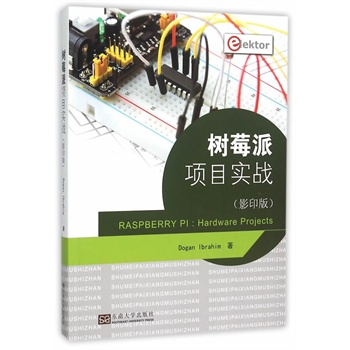
树莓派(Raspbe rry Pi)是一种价值35美元左右 、信用卡大小的计算机,它具备很多应用功能,如桌 面计算、音频和视频回放,并且在很多工业、商业和 家庭应用中作为控制器存在。 易卜拉欣编*的《树莓派项目实战(影印版)(英 文版)》主要讲述树莓派计算机和它在控制应用中的使 用。本书通过示例,使用浅显的语言讲解了如何配置 树莓派,如何安装和使用Linux操作系统,如何使用 Python编程语言编写程序和如何开发基于硬件的项目 。 本书开始部分介绍了树莓派计算机,包括购买必 要的设备和在命令行状态下安装、使用Linu×操作系 统。本书使用样例程序讲解了用户友好的图形桌面操 作环境的使用。本书通过几个简单步骤讲述了树莓派 的网络接口,并且演示了如何从台式机或者笔记本计 算机上访问树莓派计算机。本书接下来的部分涵盖 Python编程语言、硬件开发工具、硬件接口细节和基 于树莓派硬件的项目。
目录
Chapter 1 - Introducing the Raspberry Pi
1.1 What Can You Do With a Raspberry Pi ?
1.2 The Raspberry Pi Models
1.3 The Anatomy of the Raspberry Pi
1.4 Setting Up Your Raspberry Pi
1.4.1 Power Supply
1.4.2 Monitor
1.4.3 TV
1.4.4 USB Keyboard andMouse
1.4.5 PoweredUSB Hub
1.4.6 SD Card
1.4.7 Speakers
1.4.8 Case
1.4.9 USB Flash Memory Drive
1.4.10 USB Flash Hard Disk
1.4.11 USB Wi-FiAdapter
1.5 Connecting Everything Together
1.5.1 Option 1 - Standard Setup
1.5.2 Option 2 - Setup Using Powered Hub
1.6 Summary
Chapter 2 - Downloading and Installing the Operating System
2.1 Downloading the Operating System
2.1.1 Downloading the NOOBS Software
2.2 Installing the Operating System onto the SD Card
2.2.1 Expanding the Filesystem
2.2.2 Changing User Password
2.2.3 Enabling Boot to Desktop.
2.2.4 International Options
2.2.5 Enable Camera
2.2.6 Addto Rastract
2.2.7 Overclock
2.2.8 Advanced Options
2.2.9 Abort
2.3 Logging in to the Raspberry Pi
2.4 Summary
Chapter 3 - Using the Linux Command Line
3.1 The Command Prompt
3.2 Useful Linux Commands
3.2.1 Directory related commands
3.2.2 File related commands
3.2.3 Other commands
3.3 The Directory Structure
3.4 Command Examples
3.4.1 Current Directory
3.4.2 Directory Structure
3.4.3 Creating a Subdirectory
3.4.4 Displaying File Permissions
3.4.5 Changing File Permissions
3.4.6 To Change the Working Directory
3.4.7 Help
3.4.8 Date, Time, and Calendar
3.4.9 Copying a File
3.4.10 Wildcards
3.4.11 Renaming a File
3.4.12 Deleting a File
3.4.13 Removing aDirectory
3.4.14 Re-directing the Output
3.4.15 Writing to the Screen or to a File
3.4.16 Matching a String
3.4.17 Head and Tail Commands
3.4.18 Super User Commands
3.4.19 What Software is Installed on My Raspberry Pi
3.5 Resource Monitoring on Raspberry Pi
3.5.1 Killing a Process
3.5.2 Disk Usage
3.6 Shutting Down
3.7 Summary
Chapter 4 - Connecting the Raspberry Pi to Wired Network
4.1 Connecting to a Wired Network
4.2 Unable to Connect to a Wired Network
4.3 Connecting to your Raspberry Pi Remotely
4.3.1 The SSH Client
4.4 Summary
Chapter 5 - Using a Text Editor in Linux Command Mode
5.1 nano Text Editor
5.2 vi Text Editor
Chapter 6 - Using the Desktop
6.1 Installing the VNC Software
6.2 The Desktop Environment
6.3 The Task Bar
6.4 The Start Menu
6.4.1 Accessories Menu
6.4.2 Education Menu
6.4.3 Graphics Menu
6.4.4 Internet Menu
6.4.5 Other Menu
6.4.6 Programming Menu
6.4.7 Sound & Video Menu
6.4.8 System Tools Menu
6.4.9 Preferences Menu
6.5 Using External USB Flash Memory Drive
6.6 Summary
Chapter 7 - Some Useful Software Packages for the Raspberry Pi
7.1 LibreOffice
7.1.1 The Text Document Program
7.1.2 The Spreadsheet Program
7.1.3 The Drawing Program
7.1.4 The Presentation program
7.1.5 Formula
7.1.6 The Database Program
7.2 XInvaders 3D
7.3 LXMusic
7.4 Installing From the Pi Store
7.5 Summary
Chapter 8 - Python Programming
8.1 Starting Python
8.2 Variable Names
8.3 Reserved Words
8.4 Comments
8.5 Indentation
8.6 Life Continuation
8.7 Blank Lines
8.8 More Than One Statement on a Life
8.9 Python Data Types
8.9.1 Numeric Variables
8.9.2 String Variables.
8.9.3 List Variables
8.9.4 Tuple Variables .
8.9.5 Dictionary Variables
8.10 Python Operators
8.10.1 Arithmetic Operators
8.10.2 Comparison Operators
8.10.3 Logical Operators
8.10.4 Assignment Operators
8,10.5 Bitwise Operators
8.11 Control of Flow
8.11.1 if, if, else, and elif
8.11.2 'for' Statement
8.11.3 'while' Statement
8.11.4 'continue' Statement
8.11.5 'break' Statement
8.12 Number Type Conversion
8.13 Trigonometric Functions
8.14 Mathematical Functions
8.15 Integer Random Number Generation
8.16 Using Non-printable ASCII Characters
8.17 Print Statement
8.18 String Manipulation
8.19 String Functions
8.20 List Functions
8.21 Dictionary Functions
8.22 Date & Time Functions
8.23 User Defined Functions
8.24 Keyboard Input
8.25 Files
8.26 Exceptions
8.27 Example Programs
8.27.1 Using the Editor to Create Programs
8.28 Summary
Chapter 9 - Raspberry Pi Hardware Interfacing
9.1 GPIO Pin Definitions
9.2 Raspberry Pi Hardware Development Boards and Hardware Tools
9.2.1 Pi Cobbler
9.2.2 Pi Plate
9.2.3 Pi T-Cobbler
9.2.4 PiFace
9.2.5 RasPiComm - Piggyback Extension Board
9.2.6 PiBorg - TriBorg - GPIO Triple Header Extender
9.2.7 Gertboard
9.2.8 BerryClip - LED and Buzzer
9.2.9 MyPi - Push Your Pi -8 LED & 8 Button Breakout Board . .
9.2.10 Raspberry PiElectronic Starter Kit
9.2.11 Starter Kit-A for Raspberry Pi
9.3 Summary
Chapter 10 - Raspberry Pi GPIO Software
10.1 Installing the GPIO Library
10.2 GPIO Library Functions
10.2.1 Pin Numbering
10.2.2 Channel (I/O pin) Configuration
10.3 GPIO
10.4 Program Development
10.4.1 Using the Program Description Language and Flow Charts
10.4.2 CaIling Subprograms
10.4.3 Subprogram Structure
10.5 Examples
10.6 Representing 'for' Loops in Flow Charts
10.7 Summary
Chapter 11 - Raspberry Pi Hardware Projects
11.1 PROJECT 1 - Flashing an LED
11.2 PROJECT 2 - Lighthouse Flashing LED
11.3 PROJECT 3 - Flashing 8 LEDs
11.4 PROJECT 4 - Flashing 8 LEDs Using Functions
11.5 PROJECT 5 - Random Flashing LEDs
11.6 PROJECT 6 - Rotating LEDs
11.7 PROJECT 7 - LED With Push-button Switch
11.8 PROJECT 8 - Morse Code Exerciser
11.9 PROJECT 9 - Event Counter With Callback Code
11.10 PROJECT 10 - Electronic Dice (Output to the Monitor)
11.11 PROJECT 11 - Electronic Dice (Output to LEDs)
11.12 PROJECT 12 - LED with Graphical User Input
11.13 PROJECT 13 - PWM Wave Generator
11.14 PROJECT 14 - Using an LCD
11.14.1 HD44780 LCD Controller
11.15 PROJECT 15 - Counting Seconds on the LCD
11.16 PROJECT 16 - Temperature and Humidity Display on the LCD .
11.17 PROJECT 17 - Using External EEPROM Memory
11.18 PROJECT 18 - Using Digital to Analog Converter (DAC)
11.19 PROJECT 19 - Expanding the I/O Ports
11.20 PROJECT 20 - Using Analog Temperature Sensor
11.21 PROJECT 21 - Temperature Data Logger
11.22 PROJECT 22 - Using The PiFace I/O Board
11.23 PROJECT 23 - PiFace Motor Controller
Appendix A. Raspberry Pi To PC File Transfer
Appendix B. Using Wi-Fi with Raspberry Pi
Appendix C. Graphical User Interface
Appendix D. Raspberry Pi LCD Library
Appendix E. Hardware Projects - PDL and Program Listings
E.1 Project 3- Program Listing
E.2 Project 4- Program Listing
E.3 Project 5- Program Listing
E.4 Project 6 - Project PDL
E.5 Project 6 - Program Listing
E.6 Project 8- Project PDL
E.7 Project 8 - Program Listing
E.8 Project 9 - Program Listing
E.9 Project 11 - Project PDL
E.10 Project 11 - Program Listing
E.11 Project 12 - Program Listing
E.12 Project 16- PDL
E.13 Project 16- Program Listing
E.14 Project 17- PDL
E.15 Project 17- Program Listing
E.16 Project 18- PDL
E.17 Project 18- Program Listing
E.18 Project 19- Program Listing
E.19 Project 19 - Modified Program Listing
E.20 Project 20- Program Listing
E.21 Project 21 - Program Listing
E.22 Project 23 - Program Listing
E.23 Program Listing for LCD Library
1.1 What Can You Do With a Raspberry Pi ?
1.2 The Raspberry Pi Models
1.3 The Anatomy of the Raspberry Pi
1.4 Setting Up Your Raspberry Pi
1.4.1 Power Supply
1.4.2 Monitor
1.4.3 TV
1.4.4 USB Keyboard andMouse
1.4.5 PoweredUSB Hub
1.4.6 SD Card
1.4.7 Speakers
1.4.8 Case
1.4.9 USB Flash Memory Drive
1.4.10 USB Flash Hard Disk
1.4.11 USB Wi-FiAdapter
1.5 Connecting Everything Together
1.5.1 Option 1 - Standard Setup
1.5.2 Option 2 - Setup Using Powered Hub
1.6 Summary
Chapter 2 - Downloading and Installing the Operating System
2.1 Downloading the Operating System
2.1.1 Downloading the NOOBS Software
2.2 Installing the Operating System onto the SD Card
2.2.1 Expanding the Filesystem
2.2.2 Changing User Password
2.2.3 Enabling Boot to Desktop.
2.2.4 International Options
2.2.5 Enable Camera
2.2.6 Addto Rastract
2.2.7 Overclock
2.2.8 Advanced Options
2.2.9 Abort
2.3 Logging in to the Raspberry Pi
2.4 Summary
Chapter 3 - Using the Linux Command Line
3.1 The Command Prompt
3.2 Useful Linux Commands
3.2.1 Directory related commands
3.2.2 File related commands
3.2.3 Other commands
3.3 The Directory Structure
3.4 Command Examples
3.4.1 Current Directory
3.4.2 Directory Structure
3.4.3 Creating a Subdirectory
3.4.4 Displaying File Permissions
3.4.5 Changing File Permissions
3.4.6 To Change the Working Directory
3.4.7 Help
3.4.8 Date, Time, and Calendar
3.4.9 Copying a File
3.4.10 Wildcards
3.4.11 Renaming a File
3.4.12 Deleting a File
3.4.13 Removing aDirectory
3.4.14 Re-directing the Output
3.4.15 Writing to the Screen or to a File
3.4.16 Matching a String
3.4.17 Head and Tail Commands
3.4.18 Super User Commands
3.4.19 What Software is Installed on My Raspberry Pi
3.5 Resource Monitoring on Raspberry Pi
3.5.1 Killing a Process
3.5.2 Disk Usage
3.6 Shutting Down
3.7 Summary
Chapter 4 - Connecting the Raspberry Pi to Wired Network
4.1 Connecting to a Wired Network
4.2 Unable to Connect to a Wired Network
4.3 Connecting to your Raspberry Pi Remotely
4.3.1 The SSH Client
4.4 Summary
Chapter 5 - Using a Text Editor in Linux Command Mode
5.1 nano Text Editor
5.2 vi Text Editor
Chapter 6 - Using the Desktop
6.1 Installing the VNC Software
6.2 The Desktop Environment
6.3 The Task Bar
6.4 The Start Menu
6.4.1 Accessories Menu
6.4.2 Education Menu
6.4.3 Graphics Menu
6.4.4 Internet Menu
6.4.5 Other Menu
6.4.6 Programming Menu
6.4.7 Sound & Video Menu
6.4.8 System Tools Menu
6.4.9 Preferences Menu
6.5 Using External USB Flash Memory Drive
6.6 Summary
Chapter 7 - Some Useful Software Packages for the Raspberry Pi
7.1 LibreOffice
7.1.1 The Text Document Program
7.1.2 The Spreadsheet Program
7.1.3 The Drawing Program
7.1.4 The Presentation program
7.1.5 Formula
7.1.6 The Database Program
7.2 XInvaders 3D
7.3 LXMusic
7.4 Installing From the Pi Store
7.5 Summary
Chapter 8 - Python Programming
8.1 Starting Python
8.2 Variable Names
8.3 Reserved Words
8.4 Comments
8.5 Indentation
8.6 Life Continuation
8.7 Blank Lines
8.8 More Than One Statement on a Life
8.9 Python Data Types
8.9.1 Numeric Variables
8.9.2 String Variables.
8.9.3 List Variables
8.9.4 Tuple Variables .
8.9.5 Dictionary Variables
8.10 Python Operators
8.10.1 Arithmetic Operators
8.10.2 Comparison Operators
8.10.3 Logical Operators
8.10.4 Assignment Operators
8,10.5 Bitwise Operators
8.11 Control of Flow
8.11.1 if, if, else, and elif
8.11.2 'for' Statement
8.11.3 'while' Statement
8.11.4 'continue' Statement
8.11.5 'break' Statement
8.12 Number Type Conversion
8.13 Trigonometric Functions
8.14 Mathematical Functions
8.15 Integer Random Number Generation
8.16 Using Non-printable ASCII Characters
8.17 Print Statement
8.18 String Manipulation
8.19 String Functions
8.20 List Functions
8.21 Dictionary Functions
8.22 Date & Time Functions
8.23 User Defined Functions
8.24 Keyboard Input
8.25 Files
8.26 Exceptions
8.27 Example Programs
8.27.1 Using the Editor to Create Programs
8.28 Summary
Chapter 9 - Raspberry Pi Hardware Interfacing
9.1 GPIO Pin Definitions
9.2 Raspberry Pi Hardware Development Boards and Hardware Tools
9.2.1 Pi Cobbler
9.2.2 Pi Plate
9.2.3 Pi T-Cobbler
9.2.4 PiFace
9.2.5 RasPiComm - Piggyback Extension Board
9.2.6 PiBorg - TriBorg - GPIO Triple Header Extender
9.2.7 Gertboard
9.2.8 BerryClip - LED and Buzzer
9.2.9 MyPi - Push Your Pi -8 LED & 8 Button Breakout Board . .
9.2.10 Raspberry PiElectronic Starter Kit
9.2.11 Starter Kit-A for Raspberry Pi
9.3 Summary
Chapter 10 - Raspberry Pi GPIO Software
10.1 Installing the GPIO Library
10.2 GPIO Library Functions
10.2.1 Pin Numbering
10.2.2 Channel (I/O pin) Configuration
10.3 GPIO
10.4 Program Development
10.4.1 Using the Program Description Language and Flow Charts
10.4.2 CaIling Subprograms
10.4.3 Subprogram Structure
10.5 Examples
10.6 Representing 'for' Loops in Flow Charts
10.7 Summary
Chapter 11 - Raspberry Pi Hardware Projects
11.1 PROJECT 1 - Flashing an LED
11.2 PROJECT 2 - Lighthouse Flashing LED
11.3 PROJECT 3 - Flashing 8 LEDs
11.4 PROJECT 4 - Flashing 8 LEDs Using Functions
11.5 PROJECT 5 - Random Flashing LEDs
11.6 PROJECT 6 - Rotating LEDs
11.7 PROJECT 7 - LED With Push-button Switch
11.8 PROJECT 8 - Morse Code Exerciser
11.9 PROJECT 9 - Event Counter With Callback Code
11.10 PROJECT 10 - Electronic Dice (Output to the Monitor)
11.11 PROJECT 11 - Electronic Dice (Output to LEDs)
11.12 PROJECT 12 - LED with Graphical User Input
11.13 PROJECT 13 - PWM Wave Generator
11.14 PROJECT 14 - Using an LCD
11.14.1 HD44780 LCD Controller
11.15 PROJECT 15 - Counting Seconds on the LCD
11.16 PROJECT 16 - Temperature and Humidity Display on the LCD .
11.17 PROJECT 17 - Using External EEPROM Memory
11.18 PROJECT 18 - Using Digital to Analog Converter (DAC)
11.19 PROJECT 19 - Expanding the I/O Ports
11.20 PROJECT 20 - Using Analog Temperature Sensor
11.21 PROJECT 21 - Temperature Data Logger
11.22 PROJECT 22 - Using The PiFace I/O Board
11.23 PROJECT 23 - PiFace Motor Controller
Appendix A. Raspberry Pi To PC File Transfer
Appendix B. Using Wi-Fi with Raspberry Pi
Appendix C. Graphical User Interface
Appendix D. Raspberry Pi LCD Library
Appendix E. Hardware Projects - PDL and Program Listings
E.1 Project 3- Program Listing
E.2 Project 4- Program Listing
E.3 Project 5- Program Listing
E.4 Project 6 - Project PDL
E.5 Project 6 - Program Listing
E.6 Project 8- Project PDL
E.7 Project 8 - Program Listing
E.8 Project 9 - Program Listing
E.9 Project 11 - Project PDL
E.10 Project 11 - Program Listing
E.11 Project 12 - Program Listing
E.12 Project 16- PDL
E.13 Project 16- Program Listing
E.14 Project 17- PDL
E.15 Project 17- Program Listing
E.16 Project 18- PDL
E.17 Project 18- Program Listing
E.18 Project 19- Program Listing
E.19 Project 19 - Modified Program Listing
E.20 Project 20- Program Listing
E.21 Project 21 - Program Listing
E.22 Project 23 - Program Listing
E.23 Program Listing for LCD Library
光盘服务联系方式: 020-38250260 客服QQ:4006604884
云图客服:
用户发送的提问,这种方式就需要有位在线客服来回答用户的问题,这种 就属于对话式的,问题是这种提问是否需要用户登录才能提问
Video Player
×
Audio Player
×
pdf Player
×
