

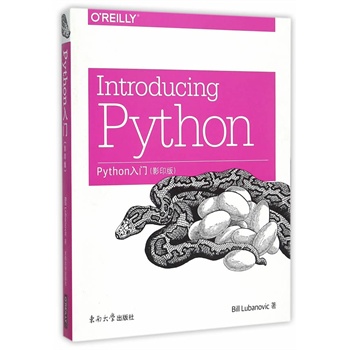
简介
《Python入门(影印版)(英文版)》容易理解而且 读起来幽默风趣,对于编程初学者和Python语言新手 而言是理想的书籍。作者卢布诺维克带你从基础知识 开始,到*加深入和多样的议题,用混合了教材以及 指南风格的代码片段来解释Python 3中的概念。章节 末尾还有练习题帮助你练习刚刚学过的内容。 你将为这门语言打下坚实的基础,包括测试、调 试、代码复用和其他开发技巧的*佳实践。本书将向 你展示如何通过各种工具和开源代码包,将Python应 用于商业、科学和艺术等领域中。
目录
Preface
1. ATaste of Py
Python in the Real World
Python versus Language X
So, Why Python*
When Not to Use Python
Python 2 versus Python 3
Installing Python
Running Python
Using the Interactive Interpreter
Use Python Files
Whats Next*
Your Moment of Zen
Things to Do
2. Py Ingredients: Numbers, Strings, and Variables
Variables, Names, and Objects
Numbers
Integers
Precedence
Bases
Type Conversions
How Big Is an int*
Floats
Math Functions
Strings
Create with Quotes
Convert Data Types by Using str()
Escape with \\
Combine with
Duplicate with *
Extract a Character with []
Slice with [ start : end : step ]
Get Length with len0
Split with split()
Combine with join()
Playing with Strings
Case and Alignment
Substitute with replace()
More String Things
Things to Do
3. Py Filling: Lists, Tuples, Dictionaries, and Sets
Lists and Tuples
Lists
Create with [] or list()
Convert Other Data Types to Lists with list()
Get an Item by Using [ offset ]
Lists of Lists
Change an Item by [ offset ]
Get a Slice to Extract Items by Offset Range
Add an Item to the End with append()
Combine Lists by Using extend() or =
Add an Item by Offset with insert()
Delete an Item by Offset with del
Delete an Item by Value with remove()
Get an Item by Offset and Delete It by Using pop()
Find an Items Offset by Value with index()
Test for a Value with in
Count Occurrences of a Value by Using count()
Convert to a String with join()
Reorder Items with sort()
Get Length by Using len()
Assign with =, Copy with copy()
Tuples
Create a Tuple by Using 0
Tuples versus Lists
Dictionaries
Create with {}
Convert by Using dict()
4. Py Crust: Code Structures
5. Py Boxes: Modules, Packages, and Programs
6. Oh Oh: Objects and Classes
7. Mangle Data Like a Pro
8. Data Has to Go Somewhere
9. The Web, Untangled
10. Systems
11. Concurrency and Networks
12. Be a Pythonista
A. PyArt
B. Pyat Work
C. PySci
D. Install Python 3
E. Answers to Exercises
F. Cheat Sheets
1. ATaste of Py
Python in the Real World
Python versus Language X
So, Why Python*
When Not to Use Python
Python 2 versus Python 3
Installing Python
Running Python
Using the Interactive Interpreter
Use Python Files
Whats Next*
Your Moment of Zen
Things to Do
2. Py Ingredients: Numbers, Strings, and Variables
Variables, Names, and Objects
Numbers
Integers
Precedence
Bases
Type Conversions
How Big Is an int*
Floats
Math Functions
Strings
Create with Quotes
Convert Data Types by Using str()
Escape with \\
Combine with
Duplicate with *
Extract a Character with []
Slice with [ start : end : step ]
Get Length with len0
Split with split()
Combine with join()
Playing with Strings
Case and Alignment
Substitute with replace()
More String Things
Things to Do
3. Py Filling: Lists, Tuples, Dictionaries, and Sets
Lists and Tuples
Lists
Create with [] or list()
Convert Other Data Types to Lists with list()
Get an Item by Using [ offset ]
Lists of Lists
Change an Item by [ offset ]
Get a Slice to Extract Items by Offset Range
Add an Item to the End with append()
Combine Lists by Using extend() or =
Add an Item by Offset with insert()
Delete an Item by Offset with del
Delete an Item by Value with remove()
Get an Item by Offset and Delete It by Using pop()
Find an Items Offset by Value with index()
Test for a Value with in
Count Occurrences of a Value by Using count()
Convert to a String with join()
Reorder Items with sort()
Get Length by Using len()
Assign with =, Copy with copy()
Tuples
Create a Tuple by Using 0
Tuples versus Lists
Dictionaries
Create with {}
Convert by Using dict()
4. Py Crust: Code Structures
5. Py Boxes: Modules, Packages, and Programs
6. Oh Oh: Objects and Classes
7. Mangle Data Like a Pro
8. Data Has to Go Somewhere
9. The Web, Untangled
10. Systems
11. Concurrency and Networks
12. Be a Pythonista
A. PyArt
B. Pyat Work
C. PySci
D. Install Python 3
E. Answers to Exercises
F. Cheat Sheets
光盘服务联系方式: 020-38250260 客服QQ:4006604884
云图客服:
用户发送的提问,这种方式就需要有位在线客服来回答用户的问题,这种 就属于对话式的,问题是这种提问是否需要用户登录才能提问
Video Player
×
Audio Player
×
pdf Player
×
