

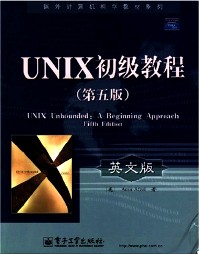
简介
UNIX是一类功能强大的主流操作系统。《国外计算机科学教材系列:UNIX初级教程(第五版)(英文版)》从初学者的角度介绍了UNIX的系统概念及其命令的使用,阐述的内容都是针对初学者完成日常工作所必需的各个方面,涉及UNIX系统的常用命令、UNIX文件系统、vi编辑器和Emacs编辑器、UNIX通信工具、shell命令和程序开发,以及一些更为深入的UNIX命令。书中还介绍了Linux操作系统以及Bourne Again Shell命令等。《国外计算机科学教材系列:UNIX初级教程(第五版)(英文版)》帮助读者由浅入深、循序渐进地学习UNIX,形成清晰的概念,并且避免了直接罗列复杂的命令格式。
《国外计算机科学教材系列:UNIX初级教程(第五版)(英文版)》可作为UNIX课程的教学用书或参考书,也可供使用UNIX的科技工作进阅读和参考
目录
1 First Things First
1.1 INTRODUCTION
1.2 COMPUTERS:AN OVERVIEW
1.3 COMPUTER HARDWARE
1.3.1 Input Devices
1.3.2 Processor Unit
1.3.3 Internal Memory
1.3.4 External Storage
1.3.5 Output Devices
1.4 PROCESS OPERATION
1.4.1 Performance Measurement
1.5 WHAT IS SOFIWARE?
1.5.1 System Software
1.5.2 Application Software
REVIEW EXERCISES
2 The UNIX Operating System
2.1 UNIX OPERATING SYSTEM: A BRIEF HISTORY
2.1.1 UNIX System V
2.1.2 Berkeley UNIX
2.1.3 UNIX Standards
2.2 OTHER UNIX SYSTEM5
2.2.1 Linux
2.2.2 Solaris
2.2.3 Unix Ware
2.2.4 Which UNIX to Learn?
2.2.5 X Window System
2.3 OVERVIEW OF THE UNIX OPERATING SYSTEM
2.4 UNIX FEATURES
2.4.1 Portability
2.4.2 Multiuser Capability
2.4.3 Multitasking Capability
2.4.4 Hierarchical File System
2.4.5 Device-Independent Input and Output Operations
2.4.6 User Interface: Shell
2.4.7 Utilities
2.4.8 System Services
REVIEW EXERCISES
3 Getting Started
3.1 ESTABLISHING CONTACT WITH UNIX
3.1.1 Logging In 31
3.1.2 Changing Your Password: The passwd Command
3.1.3 General Rules for Choosing Passwords
3.1.4 Logging Off
3.2 USING SOME SIMPLE COMMANDS
3.2.1 The Command Line
3.2.2 Basic Command Line Structure
3.2.3 Date and Time Display: The date Command
3.2.4 Information on Users: The who Command
3.2.5 Displaying a Calendar: The cal Command
3.3 GETTING HELP
3.3.1 Using the learn Command
3.3.2 Using the help Command
3.3.3 Getting More Information: The UNIX Manual
3.3.4 Using the Electronic Manual: The man Command
3.4 CORRECTING TYPING MISTAKES
3.5 USING SHELLS AND UTILITIES
3.5. I Kinds of Shells
3.5.2 Changing Your Shell
3.5.3 The Shells in This Book
3.6 MORE ABOUT THE LOGGING-IN PROCESS
COMMAND SUMMARY
REVIEW EXERCISES
Terminal Session
4 The vi Editor: First Look
4.1 WHAT IS AN EDITOR?
4.1.1 UNIX-Supported Editors
4.2 THE vi EDITOR
4.2.1 The vi Modes of Operation
4.3 BASIC vi EDITOR COMMANDS
4.3.1 Access to the vi Editor
4.3.2 Cursor Movement Keys: First Look
4.3.3 Text Input Mode
4.3.4 Command Mode
4.3.5 Linux: vi Online Help
4.4 THE MEMORY BUFFER
COMMAND SUMMARY
REVIEW EXERCISES
Terminal Session
5 Introduction to the UNIX File System
5.1 DISK ORGANIZATION
5.2 FILE TYPES UNDER UNIX85
5.3 ALL ABOUT DIRECTORIES
5.3.1 Important Directories
5.3.2 The Home Directory
5.3.3 The Working Directory
5.3.4 Understanding Paths and Pathnames
5.3.5 Using File and Directory Names
5.4 DIRECTORY COMMANDS
5.4.1 Displaying a Directory Pathname: The pwd Command
5.4.2 Changing Your Working Directory: The cd Command
5.4.3 Creating Directories
5.4.4 Directory Creation: The mkdir Command
5.4.5 Removing Directories: The rmdir Command
5.4.6 Listing Directories: The is Command
5.4.7 Invisible Files
S.S DISPLAYING FILE CONTENTS
5.5.1 Displaying Files: The cat Command
5.6 PRINTING FILE CONTENTS
5.6.1 Printing: The lp Command
5.6.2 Printing: The lpr Command in Linux
5.6.3 Canceling a Printing Request: The cancel Command
5.6.4 Getting the Printer Status: The ipstat Command
5.7 DELETING FILES
5.7.1 Before Removing Files
COMMAND SUMMARY
REVIEW EXERCISES
Terminal Session
6 The vi Editor: Last Look
6.1 MORE ABOUT THE vi EDITOR
6.1.1 Invoking the vi Editor
6.1.2 Using the vi Invocation Options
6.1.3 Editing Multiple Files
6.2 REARRANGING TEXT
6.2.1 Moving Lines: dd and p or P
6.2.2 Copying Lines: yy and p or P
6.3 SCOPE OF THE vi OPERATORS
6.3.1 Using the Delete Operator with Scope Keys
6.3.2 Using the Yank Operator with Scope Keys
6.3.3 Using the Change Operator with Scope Keys
6.4 USING BUFFERS IN vi
6.4.1 The Numbered Buffers
6.4.2 The Alphabetic Buffers
6.5 THE CURSOR POSITIONING KEYS
6.6 CUSTOMIZING THE vi EDITOR
6.6.1 The Options Formats
6.6.2 Setting The vi Environment
6.6.3 Line Length and Wraparound
6.6.4 Abbreviations and Macros
6.6.5 The.exrc File
6.7 THE LAST OF THE GREAT vi COMMANDS
6.7.1 Running Shell Commands
6.7.2 Joining Lines
6.7.3 Searching and Replacing
6.7.4 File Recovery Option
COMMAND SUMMARY
REVIEW EXERCISES
Terminal Session
7 The Emacs Editor
7.1 INTRODUCTION
7.2 STARTING Emacs
7.3 Ernacs SCREEN
7.3.1 Menu Bar
7.3.2 Text Mode Menu
7.3.3 Mode Line
7.3.4 Echo Line
……
8 The UNIX File System Continued
9 Exploring the Shell
10 UNIX Communication
11 Program Development
12 Shell Programming
13 Shell Scripts:Writing Applications
14 FAREWELL TO UNIX
Appendix A:Command Index
Appendix B:Command Index by Category
Appendix C:Command Summary
Appendix D:Summary of vi Editor Commands
Appendix E:Summary of Emacs Editor Commands
Appendix F:The ASCll Table
Index
1.1 INTRODUCTION
1.2 COMPUTERS:AN OVERVIEW
1.3 COMPUTER HARDWARE
1.3.1 Input Devices
1.3.2 Processor Unit
1.3.3 Internal Memory
1.3.4 External Storage
1.3.5 Output Devices
1.4 PROCESS OPERATION
1.4.1 Performance Measurement
1.5 WHAT IS SOFIWARE?
1.5.1 System Software
1.5.2 Application Software
REVIEW EXERCISES
2 The UNIX Operating System
2.1 UNIX OPERATING SYSTEM: A BRIEF HISTORY
2.1.1 UNIX System V
2.1.2 Berkeley UNIX
2.1.3 UNIX Standards
2.2 OTHER UNIX SYSTEM5
2.2.1 Linux
2.2.2 Solaris
2.2.3 Unix Ware
2.2.4 Which UNIX to Learn?
2.2.5 X Window System
2.3 OVERVIEW OF THE UNIX OPERATING SYSTEM
2.4 UNIX FEATURES
2.4.1 Portability
2.4.2 Multiuser Capability
2.4.3 Multitasking Capability
2.4.4 Hierarchical File System
2.4.5 Device-Independent Input and Output Operations
2.4.6 User Interface: Shell
2.4.7 Utilities
2.4.8 System Services
REVIEW EXERCISES
3 Getting Started
3.1 ESTABLISHING CONTACT WITH UNIX
3.1.1 Logging In 31
3.1.2 Changing Your Password: The passwd Command
3.1.3 General Rules for Choosing Passwords
3.1.4 Logging Off
3.2 USING SOME SIMPLE COMMANDS
3.2.1 The Command Line
3.2.2 Basic Command Line Structure
3.2.3 Date and Time Display: The date Command
3.2.4 Information on Users: The who Command
3.2.5 Displaying a Calendar: The cal Command
3.3 GETTING HELP
3.3.1 Using the learn Command
3.3.2 Using the help Command
3.3.3 Getting More Information: The UNIX Manual
3.3.4 Using the Electronic Manual: The man Command
3.4 CORRECTING TYPING MISTAKES
3.5 USING SHELLS AND UTILITIES
3.5. I Kinds of Shells
3.5.2 Changing Your Shell
3.5.3 The Shells in This Book
3.6 MORE ABOUT THE LOGGING-IN PROCESS
COMMAND SUMMARY
REVIEW EXERCISES
Terminal Session
4 The vi Editor: First Look
4.1 WHAT IS AN EDITOR?
4.1.1 UNIX-Supported Editors
4.2 THE vi EDITOR
4.2.1 The vi Modes of Operation
4.3 BASIC vi EDITOR COMMANDS
4.3.1 Access to the vi Editor
4.3.2 Cursor Movement Keys: First Look
4.3.3 Text Input Mode
4.3.4 Command Mode
4.3.5 Linux: vi Online Help
4.4 THE MEMORY BUFFER
COMMAND SUMMARY
REVIEW EXERCISES
Terminal Session
5 Introduction to the UNIX File System
5.1 DISK ORGANIZATION
5.2 FILE TYPES UNDER UNIX85
5.3 ALL ABOUT DIRECTORIES
5.3.1 Important Directories
5.3.2 The Home Directory
5.3.3 The Working Directory
5.3.4 Understanding Paths and Pathnames
5.3.5 Using File and Directory Names
5.4 DIRECTORY COMMANDS
5.4.1 Displaying a Directory Pathname: The pwd Command
5.4.2 Changing Your Working Directory: The cd Command
5.4.3 Creating Directories
5.4.4 Directory Creation: The mkdir Command
5.4.5 Removing Directories: The rmdir Command
5.4.6 Listing Directories: The is Command
5.4.7 Invisible Files
S.S DISPLAYING FILE CONTENTS
5.5.1 Displaying Files: The cat Command
5.6 PRINTING FILE CONTENTS
5.6.1 Printing: The lp Command
5.6.2 Printing: The lpr Command in Linux
5.6.3 Canceling a Printing Request: The cancel Command
5.6.4 Getting the Printer Status: The ipstat Command
5.7 DELETING FILES
5.7.1 Before Removing Files
COMMAND SUMMARY
REVIEW EXERCISES
Terminal Session
6 The vi Editor: Last Look
6.1 MORE ABOUT THE vi EDITOR
6.1.1 Invoking the vi Editor
6.1.2 Using the vi Invocation Options
6.1.3 Editing Multiple Files
6.2 REARRANGING TEXT
6.2.1 Moving Lines: dd and p or P
6.2.2 Copying Lines: yy and p or P
6.3 SCOPE OF THE vi OPERATORS
6.3.1 Using the Delete Operator with Scope Keys
6.3.2 Using the Yank Operator with Scope Keys
6.3.3 Using the Change Operator with Scope Keys
6.4 USING BUFFERS IN vi
6.4.1 The Numbered Buffers
6.4.2 The Alphabetic Buffers
6.5 THE CURSOR POSITIONING KEYS
6.6 CUSTOMIZING THE vi EDITOR
6.6.1 The Options Formats
6.6.2 Setting The vi Environment
6.6.3 Line Length and Wraparound
6.6.4 Abbreviations and Macros
6.6.5 The.exrc File
6.7 THE LAST OF THE GREAT vi COMMANDS
6.7.1 Running Shell Commands
6.7.2 Joining Lines
6.7.3 Searching and Replacing
6.7.4 File Recovery Option
COMMAND SUMMARY
REVIEW EXERCISES
Terminal Session
7 The Emacs Editor
7.1 INTRODUCTION
7.2 STARTING Emacs
7.3 Ernacs SCREEN
7.3.1 Menu Bar
7.3.2 Text Mode Menu
7.3.3 Mode Line
7.3.4 Echo Line
……
8 The UNIX File System Continued
9 Exploring the Shell
10 UNIX Communication
11 Program Development
12 Shell Programming
13 Shell Scripts:Writing Applications
14 FAREWELL TO UNIX
Appendix A:Command Index
Appendix B:Command Index by Category
Appendix C:Command Summary
Appendix D:Summary of vi Editor Commands
Appendix E:Summary of Emacs Editor Commands
Appendix F:The ASCll Table
Index
UNIX unbounded: a beginning approach
- 名称
- 类型
- 大小
光盘服务联系方式: 020-38250260 客服QQ:4006604884
云图客服:
用户发送的提问,这种方式就需要有位在线客服来回答用户的问题,这种 就属于对话式的,问题是这种提问是否需要用户登录才能提问
Video Player
×
Audio Player
×
pdf Player
×
