

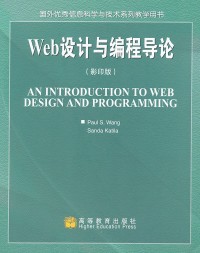
简介
本书从程序设计技术和视觉传达设计的角度向读者讲述了Web开发的知识。主要技术涉及XHTML、CSS、JavaScript、DOM、DHTML、HTTP、Perl、CGI,展示其在Web开发实践活动中起到的促进作用。
本书主要特征包括:介绍Web设计原理与方法,为设计功能性强、逻辑合理、易用、高效和吸引受众的网站提供各方面知识,如信息体系结构、视觉传达设计、色彩与图形、视觉层次、对称与平衡、统一与变化,还有设计工具,如编码、图像处理、模板生成、网站集成、测试与调试;讲解Web设计集成化方法;提供程序设计实例和练习。本书辅以网站www.sofpower.com/wdp,提供在线图表、可运行实例、实验包和团队项目指导等丰富的教学辅助资源。
本书适用于高等院校工科各专业本科Web开发类课程,对相关Web设计与编程人员也有很好的参考价值。
The Web is a new communication medium that is growing rapidly. The Web will soon affect, directly or indirectly, most people's daily lives. It is already beginning to revolutionize how business, commerce, government, and education are conducted. Perhaps most important, the Web is bridging the gaps between peoples and cultures, and increasing mutual understanding and goodwill. This can only support global peace and prosperity for the human race.
The need for well-trained Web developers, already great, is on the rise. To meet demand, colleges, universities, and companies are creating curricula and training courses in this new and rapidly advancing arena. Research, development, and education in Web- and Internet-related areas will continue to increase and expand.
The market offers many books about using the Web, but few are textbooks. This college text focuses on the art and science of Web site development. It is one of the very first texts to combine computer programming with artistic design in an integrated approach. The Web may be many things, but the two most basic elements of site development remain programming technologies and visual communication design. We present theory and practice of both so that students will gain a fundamental understanding and the applicable skills at the same time.
We have worked together since the mid-1990s to develop a Web Design and Programming (WDP) curriculum at the undergraduate level at Kent State University. Kent's Department of Computer Science and the School of Visual Communication Design has fostered the collaboration. We've developed a sequence of three courses and are establishing a minor in WDP.
The nature of the Web as a medium requires both programming and artistic design. We firmly believe it is best to study Web development by being introduced to both in an integrated manner. With an overall view and understanding, an individual can then decide to specialize in one or more aspects of the whole process, and it will take more than one course to become an expert in any sub-area.
Open Technologies
The spirit of the Web and the Internet is their openness. It is a critical factor for the popularity and success of the Web. The World Wide Web Consortium (W3C) is a nonprofit organization leading the way for developing open Web standards.
This text introduces a complete set of open technologies for Web development:
*XHTML-The up-and-coming HTML standard for Web page markup.
*CSS-The standard language for controlling the presentation style of Web pages.
*JavaScript-A standard language for client-side scripting.
*DOM-The W3C document object model for cross-platform access and manipulation of Web documents.
*DHTML-Combines JavaScript, CSS, and DOM for dynamic and interactive effects on the client side.
*HTTP-The Hypertext Transfer Protocol used by the Web.
*Perl-An open scripting language for server-side programming to support HTML forms and page generation.
*CGI-The Common Gateway Interface for Web servers to interact with external programs.
We provide sufficient and well-structured coverage of these technologies. More important, we show how they combine to enable serious Web development in practice. We give an abundance of realistic examples to illustrate techniques that are applicable in many situations.
Design Principles and Methodology
Simply applying technologies will not produce good Web sites. On the contrary, incorporating programming features without a good design will produce awful sites. We cover the complete Web site creation process, from requirements and initial concepts to the deployed site. To help make a site functional, logical, easy to use, efficient, and attractive, we present concepts and principles of information architecture, visual communication design, color and graphics, fonts, layout, visual hierarchy, symmetry, balance, unity, and variation. We also describe tools for design, coding, image processing, template generation, site integration, testing, and debugging. Chapter 11, Graphics and Site Production, ties the many aspects of Web site creation together.
An Integrated Approach
Our central topic is how to develop Web sites that are highly functional and attractive. The theme is the integration of programming with artistic design. We integrate information and artistic design aspects with technological and programming contents to show how ideas and designs can be implemented and what design space the available technologies provide. Design guides, implementation, and programming help realize the design, and that's the way we wrote Introduction to Web Design and programming.
Perhaps not everyone can master both artistic design and computer programming. But a broad exposure at first is important. True masters of the Web medium will necessarily be those who have a good command of both design and technology.
Histories and Summaries
We also include brief history sections in many chapters in an effort to show how the different subjects presented are interrelated, have evolved through time, and are embedded in the larger picture of Web development. Chapter-ending summaries help review the material we present in each chapter and highlight the most important ideas covered. We encourage readers to pay attention to these sections because they not only put Web design and programming in context but also show where they are headed in the future.
Examples and Exercises
The text offers many interesting and realistic examples to demonstrate programming techniques and design concepts. Programming examples show how XHTML, CSS, JavaScript, and Perl/CGI constructs work individually and in combination to achieve well-defined Web site goals. XHTML and CSS examples pass W3C validation. All programming examples are ready to run and are labeled with "Ex: ExampleName" so they correlate easily with the online versions.
Design examples use figures and screen shots to illustrate the main points. Implementation examples show how designs, graphics, and styles are realized in code. Many examples can be applied readily in Web site development projects.
Throughout the book, examples are drawn from Web sites, providing a common thread that demonstrates how the concepts and techniques covered are applied to actual Web sites. Review questions and assignments for application of knowledge for each chapter reinforce the material covered.
Web Site
The WDP Web site www.sofpower.com/wdp provides a wealth of supplemental materials for readers of this textbook. The Web site offers reference listings, useful resources, online versions of the diagrams (in full size and color, of course), ready-to-run examples cross-referenced with in-text descriptions, hands-on experiments, and an example package ready to download. The site also offers a complete guide for conducting team projects. Information includes team organization and operation, project milestones, report preparation, and project evaluation.
ACM Curriculum Recommendations
According to the ACM Computing Curricula 2001 Computer Science Report (December 15, 2001):
Today, networking and the Web have become the underpinning for much of our economy. They have become critical foundations of computer science, and it is impossible to imagine that undergraduate programs would not devote significantly more time to this topic. At the same time, the existence of the Web has changed the nature of the educational process itself. Modern networking technology enhances everyone's ability to communicate and gives people throughout the world unprecedented access to information.
We hope this textbook will make it easier to introduce a course in the Net-centric area that is fulfilling both to teach and learn. And the WDP Web site will provide the Web-enhanced education that we all hope will be more widely available.
Flexible Usage
The text is designed for a one-semester course to introduce Web design and programming. It is ideal at the undergraduate level for computer science, computer engineering, and computer technology students. Instructors of Web development are modern pioneers. It takes hard work and dedication to tackle a topic that is wide ranging and rapidly advancing. Most CS curricula lag behind despite the clear curriculum recommendation from ACM and IEEE to include Net-centric courses.
This text can be used at the undergraduate or beginning graduate level. It is also suitable for custom training courses for industry or for independent study by IT professionals. A shorter course may omit chapters 10 to 13, as appropriate. A CS instructor may elect to focus more on programming chapters and cover the art materials together with students. In an advanced course, the instructor may proceed at a faster pace, assigning Chapter 1 and parts of Chapter 2 for reading, and selecting more substantial programming projects from the exercises.
Instructors of a two-semester sequence on Web development may use this text and add some other server-side topics in the second semester.
Acknowledgments
The textbook is the result of many years of joint course development work by the authors, supported by our departments. We are grateful for the institutional support and the students who took the Web Design and Programming (WDP) courses. Special thanks goes to Jim Byrd, who read over many chapters of the initial manuscript and made corrections and suggestions; to the Spring 2003 WDP class in which the draft manuscript went through classroom trial; to Misty Tackett, secretary at the Institute for Computational Mathematics, who helped tremendously, contacting sources and obtaining necessary permissions for screen shots and other images; and to a long list of organizations who granted us permission to use their Web images. The detailed permission list can be found on the Web site. Appreciation also goes to reviewers of the manuscript: Russ Abbott of California State University-Los Angeles, Anselm Blumer of Tufts University, Mary Ann May-Pumphrey of De Anza College, Derek Oyen of Digiknow, and Al Wasco of Cuyahoga Community College-Western Campus, who provided valuable comments and suggestions.
To the entire staff of Brooks/Cole, especially Kallie Swanson, thanks for your support and able management of this project. Special thanks goes to Sue Howard for her great help in dealing with copyright and permission issues with the many figures contained in this text. We also want to thank Kelsey McGee (Brooks/Cole) and Merrill Peterson (Matrix Productions) for their able management of the production process, and Arthur Ogawa at TEX Consultants for an excellent job typesetting the manuscript and recreating the figures. We'd like to acknowledge the help and dedication of Aaron Downey at Matrix Productions for bringing everything together on schedule ready for the printer.
From Sanda
To my friend, Paul Wang for your continued inspiration and focus. Thanks for trusting me to partner with you on this exciting effort. You're amazing.
To John Buchanan, Professor, School of Visual Communication Design, Kent State University, for introducing me to Paul Wang. Thanks for playing tennis, John!
To J. Charles Walker, Director, School of Visual Communication Design, Kent State University, for giving me my favorite year. Without your support I couldn't have done this!
To my best friend, Chris Somosi, for editing the long and tedious first drafts of this book, and for the continuous encouragement and support in all ways. Thanks for taking good care of Emily and Maxim while I was staring at my computer screen. You're the best.
To my husband, John Katila, daughter, Emily, and son, Maxim. Thanks for putting up with me through the long days and nights. You're my joy, strength, and hope.
From Paul
To Sanda, it is indeed my good fortune to work together with you in this cross-disciplinary adventure. I learned so much from you.
Finally and most of all, my deep appreciation to my wife, Jennifer, and my children, Laura, Deborah, and David for their support and encouragement.
Paul S. Wang
Sanda Katila
Kent, Ohio
目录
chapter 1 web basics and overview.
1.1 about networking
1.2 the internet
1.3 the domain name system
1.4 the web
1.5 content types
1.6 putting information on the web
1.7 what is html?
1.8 web hosting
1.9 domain registration
1.10 what are name servers?
1.11 looking up host information
1.12 the web development process
1.13 dynamic generation of web pages
1.14 http briefly
1.15 summary
exercises
chapter 2 creating web pages: xhtml
2.1 html basics
2.2 creating your first web page
.2.3 elements and entities
2.4 a brief history of html
2.5 xhtml syntax
2.6 core attributes
2.7 headings and paragraphs
2.8 whitespace and line wrapping
2.9 inline elements
2.10 controlling presentation styles
2.11 length units
2.12 colors
2.13 text fonts
2.14 lists
2.15 list styles
2.16 hyperlinks
2.17 images
2.18 positioning inline images
2.19 image maps
2.20 editing html
2.21 summary
exercises
chapter 3 advanced xhtml
3.1 character encoding
3.2 special symbols and html entities
3.3 tables
3.4 cell content alignment
3.5 displaying tables
3.6 formatting tables
3.7 positioning tables
3.8 table width and height
3.9 grouping rows and columns
3.10 nesting tables
3.11 using tables for page layout
3.12 page-wide style with body
3.13 head elements
3.14 search engine ready pages
3.15 forwarding pages
3.16 portable pages
3.17 website icons
3.18 frames
3.19 server-side includes
3.20 internationalization
3.21 common page errors
3.22 page checking and validation
3.23 for more information
3.24 summary
exercises
chapter 4 design basics
4.1 what is design?
4.2 design and perception
4.3 brief history of design on the web
4.4 elements of design
4.5 unity and variety
4.6 emphasis, focal point and hierarchy
4.7 contrast
4.8 visual balance
4.9 summary
exercises
chapter 5 information architecture, page layout, and typography
5.1 layout overview
5.2 website architectures
5.3 information architecture
5.4 ia case study: cvb
5.5 client identity
5.6 organizational framework
5.7 typography basics
5.8 type families
5.9 choosing type
5.10 spacing type
5.11 reading type on the web
5.12 layout grids
5.13 web page layout grids
5.14 designing layout grid systems
5.15 grids on the web: a critique
5.16 summary
exercises
chapter 6 controlling page style: cascading style sheets
6.1 what is css?
6.2 overall styling of a page
6.3 centering and indenting
6.4 selectors
6.5 hyperlink styles
6.6 conflicting rules
6.7 style properties
6.8 a navigation bar
6.9 page formatting model
6.10 setting margin, border, and padding
6.11 navbar using borders
6.12 border properties
6.13 styled buttons
6.14 formatting text
6.15 elastic banners
6.16 rollover navigation bars
6.17 piecing images together
6.18 background images
6.19 list and other style properties
6.20 positioning
6.21 printer-friendly pages
6.22 css and page layout
6.23 the cascade
6.24 for more information
6.25 summary
exercises
chapter 7 color and graphics
7.1 a historical note on color theory
7.2 the color wheel
7.3 color harmony
7.4 color contrast
7.5 color for the web
7.6 the meaning of color
7.7 color and readability
7.8 color on computers
7.9 what is gamma?
7.10 color models and color encoding
7.11 color palettes
7.12 image encoding formats
7.13 web samples color critique
7.14 color application
7.15 summary
exercises
chapter 8 forms and form processing..
8.1 what is a form?
8.2 a historical note
8.3 form basics
8.4 text input
8.5 user selections
8.6 submit buttons
8.7 file uploading
8.8 other input elements
8.9 tabbing order
8.10 form layout
8.11 http basics
8.12 http message format
8.13 cgi overview
8.14 outline of a cgi program
8.15 getting started with cgi programming
8.16 deploying cgi programs
8.17 cgi example: club membership
8.18 cgi environment variables
8.19 data received on the server-side
8.20 content length
8.21 summary
exercises
chapter 9 client-side scripting: javascript
9.1 getting started
9.2 embedding javascript in a web page
9.3 a brief history of javascript
9.4 rollovers
9.5 preloading images
9.6 active navigation bars
9.7 making comparisons
9.8 built-in functions
9.9 matching patterns
9.10 patterns
9.11 javascript objects
9.12 windows
9.13 creating user interactions
9.14 a conversion calculator
9.15 form checking
9.16 menu actions
9.17 events and event objects
9.18 scrolling text
9.19 testing and debugging
9.20 for more information
9.21 summary
exercises
chapter 10 document object model and dynamic html
10.1 what is dom?
10.2 a demonstration
10.3 dom history and architecture
10.4 browser support of dom
10.5 dom api overview
10.6 getting started with dom
10.7 the dom node interface
10.8 dom tree depth-first traversal
10.9 the dom htmlelement interface
10.10 htmlelement fields and methods
10.11 a guided form
10.12 fade-in headlines
10.13 mouse tracking
10.14 the dom htmldocument interface
10.15 generating new content
10.16 a smart form
10.17 reordering rows in tables
10.18 a tic-tac-toe game
10.19 windows and frames
10.20 a code experimenter
10.21 dhtml access to web services
10.22 for more information
10.23 summary
exercises
chapter 11 graphics and site production
11.1 graphics for the web: using photoshop
11.2 cropping and scanning
11.3 types of artwork
11.4 tools for web graphics: a brief overview
11.5 color adjustments
11.6 typical image processing tasks
11.7 designer-programmer cooperation
11.8 from layout design to html code
11.9 guide on rules and layout table
11.10 rollover navigation bars
11.11 creating css in dreamweaver
11.12 page template production
11.13 saving original files and working graphics
11.14 site deployment
11.15 summary
exercises
chapter 12 audio and video
12.1 a brief history of audio and video on the web
12.2 designing multimedia
12.3 audio on the web
12.4 sampling and quantization
12.5 audio compression and file formats
12.6 what is mp3?
12.7 sound in web pages
12.8 serving up mp3
12.9 how to obtain, produce, and edit audio
12.10 video on the web
12.11 digital video compression
12.12 video in web pages
12.13 video streaming
12.14 how to obtain, produce, and edit video
12.15 introduction to flash
12.16 flash overview
12.17 publishing flash movies
12.18 flash movie example
12.19 summary
exercises
chapter 13 perl and common gateway interface programming
13.1 what is perl
13.2 a brief history of perl
13.3 perl programming abc
13.4 perl varibles
13.5 arithmetic and string operators
13.6 true or false
13.7 automatic data context
13.8 conditional statements
13.9 perl i/o
13.10 perl iterations
13.11 defining functions
13.12 a form-to-email program
13.13 pattern matching in perl
13.14 substitutions
13.15 simple page search
13.16 perl built-in functions
13.17 handling passwords
13.18 taint mode
13.19 the perl cgi module
13.20 handling file uploading
13.21 testing and debugging cgi.pm scripts
13.22 session control
13.23 sessions under http
13.24 what is a cookie?
13.25 cookies in cgi programs
13.26 cgi.pm cookie example
13.27 summary
exercises
piotos
index...
1.1 about networking
1.2 the internet
1.3 the domain name system
1.4 the web
1.5 content types
1.6 putting information on the web
1.7 what is html?
1.8 web hosting
1.9 domain registration
1.10 what are name servers?
1.11 looking up host information
1.12 the web development process
1.13 dynamic generation of web pages
1.14 http briefly
1.15 summary
exercises
chapter 2 creating web pages: xhtml
2.1 html basics
2.2 creating your first web page
.2.3 elements and entities
2.4 a brief history of html
2.5 xhtml syntax
2.6 core attributes
2.7 headings and paragraphs
2.8 whitespace and line wrapping
2.9 inline elements
2.10 controlling presentation styles
2.11 length units
2.12 colors
2.13 text fonts
2.14 lists
2.15 list styles
2.16 hyperlinks
2.17 images
2.18 positioning inline images
2.19 image maps
2.20 editing html
2.21 summary
exercises
chapter 3 advanced xhtml
3.1 character encoding
3.2 special symbols and html entities
3.3 tables
3.4 cell content alignment
3.5 displaying tables
3.6 formatting tables
3.7 positioning tables
3.8 table width and height
3.9 grouping rows and columns
3.10 nesting tables
3.11 using tables for page layout
3.12 page-wide style with body
3.13 head elements
3.14 search engine ready pages
3.15 forwarding pages
3.16 portable pages
3.17 website icons
3.18 frames
3.19 server-side includes
3.20 internationalization
3.21 common page errors
3.22 page checking and validation
3.23 for more information
3.24 summary
exercises
chapter 4 design basics
4.1 what is design?
4.2 design and perception
4.3 brief history of design on the web
4.4 elements of design
4.5 unity and variety
4.6 emphasis, focal point and hierarchy
4.7 contrast
4.8 visual balance
4.9 summary
exercises
chapter 5 information architecture, page layout, and typography
5.1 layout overview
5.2 website architectures
5.3 information architecture
5.4 ia case study: cvb
5.5 client identity
5.6 organizational framework
5.7 typography basics
5.8 type families
5.9 choosing type
5.10 spacing type
5.11 reading type on the web
5.12 layout grids
5.13 web page layout grids
5.14 designing layout grid systems
5.15 grids on the web: a critique
5.16 summary
exercises
chapter 6 controlling page style: cascading style sheets
6.1 what is css?
6.2 overall styling of a page
6.3 centering and indenting
6.4 selectors
6.5 hyperlink styles
6.6 conflicting rules
6.7 style properties
6.8 a navigation bar
6.9 page formatting model
6.10 setting margin, border, and padding
6.11 navbar using borders
6.12 border properties
6.13 styled buttons
6.14 formatting text
6.15 elastic banners
6.16 rollover navigation bars
6.17 piecing images together
6.18 background images
6.19 list and other style properties
6.20 positioning
6.21 printer-friendly pages
6.22 css and page layout
6.23 the cascade
6.24 for more information
6.25 summary
exercises
chapter 7 color and graphics
7.1 a historical note on color theory
7.2 the color wheel
7.3 color harmony
7.4 color contrast
7.5 color for the web
7.6 the meaning of color
7.7 color and readability
7.8 color on computers
7.9 what is gamma?
7.10 color models and color encoding
7.11 color palettes
7.12 image encoding formats
7.13 web samples color critique
7.14 color application
7.15 summary
exercises
chapter 8 forms and form processing..
8.1 what is a form?
8.2 a historical note
8.3 form basics
8.4 text input
8.5 user selections
8.6 submit buttons
8.7 file uploading
8.8 other input elements
8.9 tabbing order
8.10 form layout
8.11 http basics
8.12 http message format
8.13 cgi overview
8.14 outline of a cgi program
8.15 getting started with cgi programming
8.16 deploying cgi programs
8.17 cgi example: club membership
8.18 cgi environment variables
8.19 data received on the server-side
8.20 content length
8.21 summary
exercises
chapter 9 client-side scripting: javascript
9.1 getting started
9.2 embedding javascript in a web page
9.3 a brief history of javascript
9.4 rollovers
9.5 preloading images
9.6 active navigation bars
9.7 making comparisons
9.8 built-in functions
9.9 matching patterns
9.10 patterns
9.11 javascript objects
9.12 windows
9.13 creating user interactions
9.14 a conversion calculator
9.15 form checking
9.16 menu actions
9.17 events and event objects
9.18 scrolling text
9.19 testing and debugging
9.20 for more information
9.21 summary
exercises
chapter 10 document object model and dynamic html
10.1 what is dom?
10.2 a demonstration
10.3 dom history and architecture
10.4 browser support of dom
10.5 dom api overview
10.6 getting started with dom
10.7 the dom node interface
10.8 dom tree depth-first traversal
10.9 the dom htmlelement interface
10.10 htmlelement fields and methods
10.11 a guided form
10.12 fade-in headlines
10.13 mouse tracking
10.14 the dom htmldocument interface
10.15 generating new content
10.16 a smart form
10.17 reordering rows in tables
10.18 a tic-tac-toe game
10.19 windows and frames
10.20 a code experimenter
10.21 dhtml access to web services
10.22 for more information
10.23 summary
exercises
chapter 11 graphics and site production
11.1 graphics for the web: using photoshop
11.2 cropping and scanning
11.3 types of artwork
11.4 tools for web graphics: a brief overview
11.5 color adjustments
11.6 typical image processing tasks
11.7 designer-programmer cooperation
11.8 from layout design to html code
11.9 guide on rules and layout table
11.10 rollover navigation bars
11.11 creating css in dreamweaver
11.12 page template production
11.13 saving original files and working graphics
11.14 site deployment
11.15 summary
exercises
chapter 12 audio and video
12.1 a brief history of audio and video on the web
12.2 designing multimedia
12.3 audio on the web
12.4 sampling and quantization
12.5 audio compression and file formats
12.6 what is mp3?
12.7 sound in web pages
12.8 serving up mp3
12.9 how to obtain, produce, and edit audio
12.10 video on the web
12.11 digital video compression
12.12 video in web pages
12.13 video streaming
12.14 how to obtain, produce, and edit video
12.15 introduction to flash
12.16 flash overview
12.17 publishing flash movies
12.18 flash movie example
12.19 summary
exercises
chapter 13 perl and common gateway interface programming
13.1 what is perl
13.2 a brief history of perl
13.3 perl programming abc
13.4 perl varibles
13.5 arithmetic and string operators
13.6 true or false
13.7 automatic data context
13.8 conditional statements
13.9 perl i/o
13.10 perl iterations
13.11 defining functions
13.12 a form-to-email program
13.13 pattern matching in perl
13.14 substitutions
13.15 simple page search
13.16 perl built-in functions
13.17 handling passwords
13.18 taint mode
13.19 the perl cgi module
13.20 handling file uploading
13.21 testing and debugging cgi.pm scripts
13.22 session control
13.23 sessions under http
13.24 what is a cookie?
13.25 cookies in cgi programs
13.26 cgi.pm cookie example
13.27 summary
exercises
piotos
index...
- 名称
- 类型
- 大小
光盘服务联系方式: 020-38250260 客服QQ:4006604884
云图客服:
用户发送的提问,这种方式就需要有位在线客服来回答用户的问题,这种 就属于对话式的,问题是这种提问是否需要用户登录才能提问
Video Player
×
Audio Player
×
pdf Player
×
