

微信扫一扫,移动浏览光盘
简介
SECTION ONE: BASIC ADMINISTRATION
CHAPTER 1 WHERE TO START
Suggested background
Linux''s relationship to UNIX
Linux in historical context
Linux distributions
So what''s the best distribution?
Distribution-specific administration tools
Notation and typographical conventions
Svstem-specific information
Where to go for information
Organization of the man pages
man: read manual pages
Other sources of Linux information
How to fmd and install software
Essential tasks of the system administrator
Adding, removing, and managing user accounts
Adding and removing hardware
Performing backups
Installing and upgrading software
Monitoring the system
Troubleshooting
Maintaining local documentation
Vigilantly monitoring security
Helping users
System administration under duress
System Administration Personality Syndrome
Recommended reading
Exercises
CHAPTER 2 BOOTING AND SHU''ITING DOWN
Bootstrapping
Automatic and manual booting
Steps in the boot process
Kernel initialization
Hardware configuration
Kernel threads
Operator intervention (manual boot only)
Execution ofstartup scripts
Multiuser operation
Booting PCs
Using boot loaders: LILO and GRUB
GRUB: The GRand Unified Boot loader
LILO: The traditional Linux boot loader
Kernel options
Multibooting on PCs
GRUB multiboot configuration
LILO multiboot configuration
Booting single-user mode
Single-user mode with GRUB
Single-user mode with LILO
Working with startup scripts
init and run levels
Red Hat and Fedora startup scripts
SUSE startup scripts
Debian and Ubuntu startup scripts
……
目录
SECTION ONE: BASIC ADMINISRATION
CHAPTER 1 WHERE TO START 3
Suggested background 4
Linux’s relationship to UNIX 4
Linux in historical context 5
Linux distributions 6
So what’s the best distribution? 8
Distribution-specific administration tools 9
Notation and typographical conventions 9
System-specific information 10
Where to go for information 11
Organization of the man pages 12
man: read manual pages 13
Other sources of Linux information 13
How to find and install software 14
Essential tasks of the system administrator 16
Adding, removing, and managing user accounts 16
Adding and removing hardware 16
Performing backups 17
Installing and upgrading software 17
Monitoring the system 17
Troubleshooting 17
Maintaining local documentation 17
Vigilantly monitoring security 17
Helping users 18 System administration under duress 18
System Administration Personality Syndrome 18
Recommended reading 19
Exercises 20
CHAPTER 2 BOOTING AND SHUTTING DOWN 21
Bootstrapping 21
Automatic and manual booting 22
Steps in the boot process 22
Kernel initialization 23
Hardware configuration 23
Kernel threads 23
Operator intervention (manual boot only) 24
Execution of startup scripts 25
Multiuser operation 25
Booting PCs 25
Using boot loaders: LILO and GRUB 26
GRUB: The GRand Unified Boot loader 26
LILO: The traditional Linux boot loader 28
Kernel options 29
Multibooting on PCs 30
GRUB multiboot configuration 30
LILO multiboot configuration 31
Booting single-user mode 31
Single-user mode with GRUB 32
Single-user mode with LILO 32
Working with startup scripts 32
init and run levels 33
Red Hat and Fedora startup scripts 36
SUSE startup scripts 38
Debian and Ubuntu startup scripts 40
Rebooting and shutting down 40
Turning off the power 41
shutdown: the genteel way to halt the system 41
halt: a simpler way to shut down 42
reboot: qu……
CHAPTER 1 WHERE TO START 3
Suggested background 4
Linux’s relationship to UNIX 4
Linux in historical context 5
Linux distributions 6
So what’s the best distribution? 8
Distribution-specific administration tools 9
Notation and typographical conventions 9
System-specific information 10
Where to go for information 11
Organization of the man pages 12
man: read manual pages 13
Other sources of Linux information 13
How to find and install software 14
Essential tasks of the system administrator 16
Adding, removing, and managing user accounts 16
Adding and removing hardware 16
Performing backups 17
Installing and upgrading software 17
Monitoring the system 17
Troubleshooting 17
Maintaining local documentation 17
Vigilantly monitoring security 17
Helping users 18 System administration under duress 18
System Administration Personality Syndrome 18
Recommended reading 19
Exercises 20
CHAPTER 2 BOOTING AND SHUTTING DOWN 21
Bootstrapping 21
Automatic and manual booting 22
Steps in the boot process 22
Kernel initialization 23
Hardware configuration 23
Kernel threads 23
Operator intervention (manual boot only) 24
Execution of startup scripts 25
Multiuser operation 25
Booting PCs 25
Using boot loaders: LILO and GRUB 26
GRUB: The GRand Unified Boot loader 26
LILO: The traditional Linux boot loader 28
Kernel options 29
Multibooting on PCs 30
GRUB multiboot configuration 30
LILO multiboot configuration 31
Booting single-user mode 31
Single-user mode with GRUB 32
Single-user mode with LILO 32
Working with startup scripts 32
init and run levels 33
Red Hat and Fedora startup scripts 36
SUSE startup scripts 38
Debian and Ubuntu startup scripts 40
Rebooting and shutting down 40
Turning off the power 41
shutdown: the genteel way to halt the system 41
halt: a simpler way to shut down 42
reboot: qu……
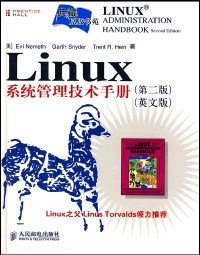
Linux系统管理技术手册 / 第2版.
- 名称
- 类型
- 大小
光盘服务联系方式: 020-38250260 客服QQ:4006604884
云图客服:
用户发送的提问,这种方式就需要有位在线客服来回答用户的问题,这种 就属于对话式的,问题是这种提问是否需要用户登录才能提问
Video Player
×
Audio Player
×
pdf Player
×
