

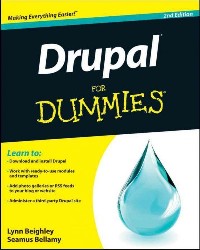
简介
Learn to set up, manage, and administer a Drupal web site
Drupal offers unparalleled flexibility for content-managed web sites, and Drupal 7 is the easiest version to use yet. This new edition teaches you the fast, fun, and easy way to get started with Drupal. Even if you have no Drupal experience, you'll quickly learn how to download and install Drupal, set up your first content-managed site, apply templates, use modules, and more.
Drupal gurus Lynn Beighley and Seamus Bellamy show you how to take advantage of what Drupal has to offer, make the most of the new features in Drupal 7, and demystify perplexing Drupal issues.Drupal is a free, open source modular framework and content management system designed for content-managed web sitesShows you how to download Drupal; no programming experience requiredLooks at Drupal 7 and explains new features that make it is easier to use than previous iterations of Drupal for a creating a blog, content site, or eBusiness siteExplains how to organize and create your site's content, apply templates, and get your first site up and runningDetails the ways to use modules and third-party templates
Whether you're looking to implement a flexible content management system, turbocharge a blog with photo galleries, or administer a third-party Drupal site, this book gets you off to a running start!
目录
Table Of Contents:
Introduction 1(6)
About This Book 1(1)
Conventions Used in This Book 2(1)
What You Don't Need to Read 3(1)
Foolish Assumptions 3(1)
How This Book Is Organized 3(1)
Part I Getting Started with Drupal 3(1)
Part II Your First Drupal Site 4(1)
Part III Bending Drupal to Your Will 4(1)
Part IV Taking Drupal to the Next Level 4(1)
Part V The Part of Tens 4(1)
Icons Used in This Book 4(1)
Whereto Go from Here 5(2)
Part I Getting Started With Drupal 7(74)
Chapter 1 The Big Picture 9(12)
What Drupal Is 10(2)
Free 10(1)
Flexible 10(1)
Customizable 11(1)
A Content Management System 11(1)
What Drupal Isn't 12(1)
What Drupal Can Do for Your Site 13(5)
Polls 13(2)
Blogs 15(1)
Contact forms 16(1)
Forums 17(1)
Examples of Drupal Sites 18(3)
Drupal.org 19(1)
Zappos.com 19(1)
Drupalmuseum.com and Drupalsites.net 19(2)
Chapter 2 Getting and Installing Drupal 21(26)
Deciding Where Your Site Will Live 22(7)
Getting on the web 22(1)
Web hosting companies 23(1)
Installing on a web host with Softaculous 24(5)
Obtaining Drupal 29(6)
Downloading the package 29(1)
Uploading the package 29(3)
Extracting Drupal 32(3)
Setting Up a Database 35(2)
What a database is and why you need one 35(1)
Creating a database for Drupal 35(2)
Installing Drupal on a Web Host 37(5)
Browsing to your Drupal site 37(1)
Running the setup 37(5)
Installing Drupal on a Local Machine 42(5)
What you need 42(1)
Getting Apache, MySQL, and PHP 42(2)
Finishing installation on a local machine 44(1)
Running the installation 45(2)
Chapter 3 Essential Administration 47(14)
Setting a Strategy for Your Drupal Site 47(1)
Working With Your Account 48(4)
Logging in and logging out 49(1)
Editing your account 50(2)
Embracing Drupal Terminology 52(1)
Creating Content for Your Site 53(4)
Creating an article 53(3)
Changing the default theme 56(1)
Configuring Your Site 57(4)
Perusing the Configuration menu 57(1)
Setting your site information 58(3)
Chapter 4 Tackling User Management 61(20)
Managing Your Administrator Account 61(3)
Editing administrator settings 61(2)
Maintaining security 63(1)
Allowing Public Registrations 64(9)
Sensible registration guidelines 66(2)
User e-mail settings 68(2)
Assigning user permissions 70(3)
Adding, Editing, and Deleting Users 73(4)
Adding users 74(1)
Editing user information 74(3)
Canceling user accounts 77(1)
Understanding User Roles 77(4)
Creating roles 77(2)
Assigning roles to users 79(2)
Part II Your First Drupal Site 81(92)
Chapter 5 Creating Content: Basic Pages and Articles 83(16)
Understanding Drupal Nodes 83(8)
Making basic pages 84(1)
Accessing content creation 84(1)
Adding a page 85(3)
Editing a basic page 88(1)
Deleting a basic page 89(1)
Accessing your basic page 90(1)
Writing an Article 91(5)
Editing and deleting articles 92(1)
Ordering your content 92(1)
Managing article length 93(3)
Setting Menu Options for a Basic Page 96(3)
Giving your node a menu link title 96(1)
Choosing a parent item 97(1)
Setting the link weight 97(2)
Chapter 6 Managing Your Content 99(18)
Finding the Settings 99(1)
Handling HTML Content 100(3)
Choosing a Text format 102(1)
Using filtered HTML 102(1)
Using full HTML 103(1)
Adding Menu Settings 103(1)
Controlling Revision Information 104(1)
Managing Comment Settings 105(3)
Considerations of allowing comments 106(1)
Closing comments 107(1)
Hiding comments 107(1)
Changing Authoring Information 108(2)
Publishing Options 110(4)
Publishing 110(1)
Promoting to front page 111(1)
Making content sticky in lists 112(1)
Previewing your content 112(2)
Adding Images 114(3)
Chapter 7 Changing Themes 117(8)
Changing Themes 117(3)
Enabling a theme 117(2)
Setting an administration theme 119(1)
Configuring Themes 120(5)
Global theme settings 120(1)
Toggle display settings 121(1)
Logo image settings 122(1)
Shortcut icon settings 122(1)
Specific theme settings 123(2)
Chapter 8 Building Blocks and Managing Menus 125(22)
Understanding Blocks, Regions, and Menus 125(1)
Using Regions 126(7)
Understanding how themes work with regions 127(2)
Exploring the regions 129(1)
Configuring regions 130(3)
Administering Blocks 133(9)
Using the built-in blocks 133(4)
Creating custom blocks 137(2)
Editing and deleting custom blocks 139(1)
Changing block visibility settings 139(1)
Editing pre-built blocks 140(2)
Managing Menus 142(5)
Adding an item to a menu 143(2)
Editing and deleting links 145(1)
Adding a menu 145(2)
Chapter 9 Using Modules to Create a Site with a Blog and Forum 147(26)
Understanding Modules 147(6)
Understanding the required modules 148(4)
Looking at the optional modules 152(1)
Setting Up Your Blog 153(8)
Enabling the Blog module 154(1)
Creating your first blog entry 155(1)
Changing blog-entry settings 156(1)
Configuring your blog 157(3)
Adding more blog entries 160(1)
Editing and deleting blog entries 161(1)
Creating multiple blogs 161(1)
Setting Up a Forum 161(10)
Enabling the Forum module 162(1)
Organizing the Forum module 163(1)
Configuring your Forum module 164(3)
Viewing your forums 167(2)
Changing forum topics settings 169(1)
Managing forum permissions 170(1)
Managing the Comments Module 171(2)
Moderating comments 171(1)
Approving or deleting comments 172(1)
Part III Bending Drupal to Your Will 173(44)
Chapter 10 Advanced Administration 175(24)
Adding New Themes and Modules 175(8)
Locating themes and modules 176(1)
Copying module or theme URLs 177(1)
Automatically installing modules and themes 178(1)
Enabling themes and modules 179(1)
Manually installing themes and modules 180(3)
Disabling themes and modules 183(1)
Keeping Drupal, Modules, and Themes Up to Date 183(11)
Knowing when you need to update 183(1)
Finding available updates 184(1)
Protecting your database 184(4)
Updating themes and modules 188(1)
Running update.php 189(2)
Updating your Drupal software 191(3)
Configuring Your Site 194(5)
Triggering actions 194(2)
Setting an administration theme 196(1)
Creating clean URLs 196(1)
Controlling Page Not Found errors 197(2)
Chapter 11 Customizing Themes 199(18)
Adding New Themes 199(3)
Finding new themes 200(1)
Installing themes 201(1)
Dissecting a Theme 202(4)
Theme file types 203(1)
Theme code files 204(1)
Theme image files 205(1)
Customizing Themes by Hand 206(2)
Installing Modified Themes 208(9)
Changing your theme's appearance 209(1)
Changing colors 210(1)
Understanding the style.css file 211(4)
Using graphics 215(2)
Part IV Taking Drupal to the Next Level 217(82)
Chapter 12 Creating a Robust Website 219(20)
Planning Your Drupal Site 219(6)
Getting a clear picture of your site 219(1)
Knowing your audience 220(2)
Choosing your features 222(3)
Additional Modules to Install 225(5)
OpenID module 225(1)
Poll module 226(2)
Search module 228(2)
Adding a Contact Form 230(3)
Enhancing User Profiles 233(6)
Creating a personal information form 234(2)
Enabling registered users to view profiles 236(1)
Enhancing profiles with user images and signatures 237(2)
Chapter 13 Using Drupal Gardens 239(20)
Getting a Drupal Gardens Account 239(8)
Creating a free site 240(6)
Upgrading your account 246(1)
Getting your own domain name 246(1)
Using Theme Builder 247(9)
Understanding features 251(2)
Using pages and block 253(2)
Controlling the site structure 255(1)
Managing Users 256(3)
Chapter 14 Interacting with Other Sites 259(16)
Working with Activity Stream 259(7)
Installing Activity Stream 260(1)
Installing additional modules 261(1)
Enabling Activity Stream modules 262(1)
Pulling in social media 262(4)
Posting YouTube Videos 266(2)
Sharing Content with RSS 268(7)
Finding feeds with Google Reader 268(2)
Using the Aggregator module 270(2)
Creating a feed for your site 272(3)
Chapter 15 Building a Storefront 275(24)
Understanding Storefronts 275(2)
Getting Started with Ubercart 277(2)
Getting Ubercart and additional modules 277(1)
Installing Ubercart and additional modules 278(1)
Enabling the basic Ubercart installation 279(1)
Creating Your First Storefront 279(7)
Creating product listings 279(3)
Testing the ordering process 282(2)
Managing orders 284(2)
Configuring Your Storefront 286(3)
Adding a shopping cart block 286(1)
Using the Configuration settings 286(3)
Enhancing Product Listings 289(3)
Using images 289(1)
Adding a catalog 290(2)
Getting Paid 292(4)
Choosing a credit card service 293(1)
Setting up Ubercart to accept credit card payments 293(1)
Turning on payment 294(1)
Setting up a Google Checkout account 295(1)
Enhancing Your Store 296(3)
Using the fulfillment modules 296(1)
Taxing your customers 297(2)
Part V The Part of Tens 299(22)
Chapter 16 Ten Must-Have Drupal Modules and Themes 301(12)
CAPTCHA Module 301(2)
TinyMCE-WYSIWYG HTML Editor Module 303(1)
Mollom Module 304(2)
Printer, E-mail, and PDF Versions Module 306(1)
Site Map Module 307(1)
BlogBuzz II Theme 308(1)
Jackson Theme 309(1)
BlueMasters Theme 310(1)
Zen Theme 310(1)
Marinelli Theme 311(2)
Chapter 17 Ten Places to Help You Do More with Drupal 313(8)
Drupal.org Forum 313(1)
Twitter 313(2)
Facebook 315(1)
Learn By The Drop 315(1)
GotDrupal.com 316(1)
Drupal.org Mailing Lists 316(2)
Drupal.org Themes 318(1)
Drupal2U.com 318(1)
Drupal.org User Groups 318(2)
Meetup.com 320(1)
Index 321
Introduction 1(6)
About This Book 1(1)
Conventions Used in This Book 2(1)
What You Don't Need to Read 3(1)
Foolish Assumptions 3(1)
How This Book Is Organized 3(1)
Part I Getting Started with Drupal 3(1)
Part II Your First Drupal Site 4(1)
Part III Bending Drupal to Your Will 4(1)
Part IV Taking Drupal to the Next Level 4(1)
Part V The Part of Tens 4(1)
Icons Used in This Book 4(1)
Whereto Go from Here 5(2)
Part I Getting Started With Drupal 7(74)
Chapter 1 The Big Picture 9(12)
What Drupal Is 10(2)
Free 10(1)
Flexible 10(1)
Customizable 11(1)
A Content Management System 11(1)
What Drupal Isn't 12(1)
What Drupal Can Do for Your Site 13(5)
Polls 13(2)
Blogs 15(1)
Contact forms 16(1)
Forums 17(1)
Examples of Drupal Sites 18(3)
Drupal.org 19(1)
Zappos.com 19(1)
Drupalmuseum.com and Drupalsites.net 19(2)
Chapter 2 Getting and Installing Drupal 21(26)
Deciding Where Your Site Will Live 22(7)
Getting on the web 22(1)
Web hosting companies 23(1)
Installing on a web host with Softaculous 24(5)
Obtaining Drupal 29(6)
Downloading the package 29(1)
Uploading the package 29(3)
Extracting Drupal 32(3)
Setting Up a Database 35(2)
What a database is and why you need one 35(1)
Creating a database for Drupal 35(2)
Installing Drupal on a Web Host 37(5)
Browsing to your Drupal site 37(1)
Running the setup 37(5)
Installing Drupal on a Local Machine 42(5)
What you need 42(1)
Getting Apache, MySQL, and PHP 42(2)
Finishing installation on a local machine 44(1)
Running the installation 45(2)
Chapter 3 Essential Administration 47(14)
Setting a Strategy for Your Drupal Site 47(1)
Working With Your Account 48(4)
Logging in and logging out 49(1)
Editing your account 50(2)
Embracing Drupal Terminology 52(1)
Creating Content for Your Site 53(4)
Creating an article 53(3)
Changing the default theme 56(1)
Configuring Your Site 57(4)
Perusing the Configuration menu 57(1)
Setting your site information 58(3)
Chapter 4 Tackling User Management 61(20)
Managing Your Administrator Account 61(3)
Editing administrator settings 61(2)
Maintaining security 63(1)
Allowing Public Registrations 64(9)
Sensible registration guidelines 66(2)
User e-mail settings 68(2)
Assigning user permissions 70(3)
Adding, Editing, and Deleting Users 73(4)
Adding users 74(1)
Editing user information 74(3)
Canceling user accounts 77(1)
Understanding User Roles 77(4)
Creating roles 77(2)
Assigning roles to users 79(2)
Part II Your First Drupal Site 81(92)
Chapter 5 Creating Content: Basic Pages and Articles 83(16)
Understanding Drupal Nodes 83(8)
Making basic pages 84(1)
Accessing content creation 84(1)
Adding a page 85(3)
Editing a basic page 88(1)
Deleting a basic page 89(1)
Accessing your basic page 90(1)
Writing an Article 91(5)
Editing and deleting articles 92(1)
Ordering your content 92(1)
Managing article length 93(3)
Setting Menu Options for a Basic Page 96(3)
Giving your node a menu link title 96(1)
Choosing a parent item 97(1)
Setting the link weight 97(2)
Chapter 6 Managing Your Content 99(18)
Finding the Settings 99(1)
Handling HTML Content 100(3)
Choosing a Text format 102(1)
Using filtered HTML 102(1)
Using full HTML 103(1)
Adding Menu Settings 103(1)
Controlling Revision Information 104(1)
Managing Comment Settings 105(3)
Considerations of allowing comments 106(1)
Closing comments 107(1)
Hiding comments 107(1)
Changing Authoring Information 108(2)
Publishing Options 110(4)
Publishing 110(1)
Promoting to front page 111(1)
Making content sticky in lists 112(1)
Previewing your content 112(2)
Adding Images 114(3)
Chapter 7 Changing Themes 117(8)
Changing Themes 117(3)
Enabling a theme 117(2)
Setting an administration theme 119(1)
Configuring Themes 120(5)
Global theme settings 120(1)
Toggle display settings 121(1)
Logo image settings 122(1)
Shortcut icon settings 122(1)
Specific theme settings 123(2)
Chapter 8 Building Blocks and Managing Menus 125(22)
Understanding Blocks, Regions, and Menus 125(1)
Using Regions 126(7)
Understanding how themes work with regions 127(2)
Exploring the regions 129(1)
Configuring regions 130(3)
Administering Blocks 133(9)
Using the built-in blocks 133(4)
Creating custom blocks 137(2)
Editing and deleting custom blocks 139(1)
Changing block visibility settings 139(1)
Editing pre-built blocks 140(2)
Managing Menus 142(5)
Adding an item to a menu 143(2)
Editing and deleting links 145(1)
Adding a menu 145(2)
Chapter 9 Using Modules to Create a Site with a Blog and Forum 147(26)
Understanding Modules 147(6)
Understanding the required modules 148(4)
Looking at the optional modules 152(1)
Setting Up Your Blog 153(8)
Enabling the Blog module 154(1)
Creating your first blog entry 155(1)
Changing blog-entry settings 156(1)
Configuring your blog 157(3)
Adding more blog entries 160(1)
Editing and deleting blog entries 161(1)
Creating multiple blogs 161(1)
Setting Up a Forum 161(10)
Enabling the Forum module 162(1)
Organizing the Forum module 163(1)
Configuring your Forum module 164(3)
Viewing your forums 167(2)
Changing forum topics settings 169(1)
Managing forum permissions 170(1)
Managing the Comments Module 171(2)
Moderating comments 171(1)
Approving or deleting comments 172(1)
Part III Bending Drupal to Your Will 173(44)
Chapter 10 Advanced Administration 175(24)
Adding New Themes and Modules 175(8)
Locating themes and modules 176(1)
Copying module or theme URLs 177(1)
Automatically installing modules and themes 178(1)
Enabling themes and modules 179(1)
Manually installing themes and modules 180(3)
Disabling themes and modules 183(1)
Keeping Drupal, Modules, and Themes Up to Date 183(11)
Knowing when you need to update 183(1)
Finding available updates 184(1)
Protecting your database 184(4)
Updating themes and modules 188(1)
Running update.php 189(2)
Updating your Drupal software 191(3)
Configuring Your Site 194(5)
Triggering actions 194(2)
Setting an administration theme 196(1)
Creating clean URLs 196(1)
Controlling Page Not Found errors 197(2)
Chapter 11 Customizing Themes 199(18)
Adding New Themes 199(3)
Finding new themes 200(1)
Installing themes 201(1)
Dissecting a Theme 202(4)
Theme file types 203(1)
Theme code files 204(1)
Theme image files 205(1)
Customizing Themes by Hand 206(2)
Installing Modified Themes 208(9)
Changing your theme's appearance 209(1)
Changing colors 210(1)
Understanding the style.css file 211(4)
Using graphics 215(2)
Part IV Taking Drupal to the Next Level 217(82)
Chapter 12 Creating a Robust Website 219(20)
Planning Your Drupal Site 219(6)
Getting a clear picture of your site 219(1)
Knowing your audience 220(2)
Choosing your features 222(3)
Additional Modules to Install 225(5)
OpenID module 225(1)
Poll module 226(2)
Search module 228(2)
Adding a Contact Form 230(3)
Enhancing User Profiles 233(6)
Creating a personal information form 234(2)
Enabling registered users to view profiles 236(1)
Enhancing profiles with user images and signatures 237(2)
Chapter 13 Using Drupal Gardens 239(20)
Getting a Drupal Gardens Account 239(8)
Creating a free site 240(6)
Upgrading your account 246(1)
Getting your own domain name 246(1)
Using Theme Builder 247(9)
Understanding features 251(2)
Using pages and block 253(2)
Controlling the site structure 255(1)
Managing Users 256(3)
Chapter 14 Interacting with Other Sites 259(16)
Working with Activity Stream 259(7)
Installing Activity Stream 260(1)
Installing additional modules 261(1)
Enabling Activity Stream modules 262(1)
Pulling in social media 262(4)
Posting YouTube Videos 266(2)
Sharing Content with RSS 268(7)
Finding feeds with Google Reader 268(2)
Using the Aggregator module 270(2)
Creating a feed for your site 272(3)
Chapter 15 Building a Storefront 275(24)
Understanding Storefronts 275(2)
Getting Started with Ubercart 277(2)
Getting Ubercart and additional modules 277(1)
Installing Ubercart and additional modules 278(1)
Enabling the basic Ubercart installation 279(1)
Creating Your First Storefront 279(7)
Creating product listings 279(3)
Testing the ordering process 282(2)
Managing orders 284(2)
Configuring Your Storefront 286(3)
Adding a shopping cart block 286(1)
Using the Configuration settings 286(3)
Enhancing Product Listings 289(3)
Using images 289(1)
Adding a catalog 290(2)
Getting Paid 292(4)
Choosing a credit card service 293(1)
Setting up Ubercart to accept credit card payments 293(1)
Turning on payment 294(1)
Setting up a Google Checkout account 295(1)
Enhancing Your Store 296(3)
Using the fulfillment modules 296(1)
Taxing your customers 297(2)
Part V The Part of Tens 299(22)
Chapter 16 Ten Must-Have Drupal Modules and Themes 301(12)
CAPTCHA Module 301(2)
TinyMCE-WYSIWYG HTML Editor Module 303(1)
Mollom Module 304(2)
Printer, E-mail, and PDF Versions Module 306(1)
Site Map Module 307(1)
BlogBuzz II Theme 308(1)
Jackson Theme 309(1)
BlueMasters Theme 310(1)
Zen Theme 310(1)
Marinelli Theme 311(2)
Chapter 17 Ten Places to Help You Do More with Drupal 313(8)
Drupal.org Forum 313(1)
Twitter 313(2)
Facebook 315(1)
Learn By The Drop 315(1)
GotDrupal.com 316(1)
Drupal.org Mailing Lists 316(2)
Drupal.org Themes 318(1)
Drupal2U.com 318(1)
Drupal.org User Groups 318(2)
Meetup.com 320(1)
Index 321
- 名称
- 类型
- 大小
光盘服务联系方式: 020-38250260 客服QQ:4006604884
云图客服:
用户发送的提问,这种方式就需要有位在线客服来回答用户的问题,这种 就属于对话式的,问题是这种提问是否需要用户登录才能提问
Video Player
×
Audio Player
×
pdf Player
×
