

微信扫一扫,移动浏览光盘
简介
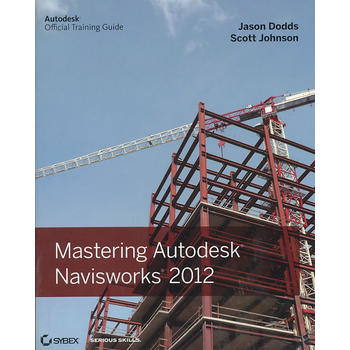
Mastering Autodesk Navisworks shows you how to best use theamazing Navisworks software. This collaboration tool enables theconsolidation of all files connected to a constructionproject?including file formats such as Revit, SketchUp, ArchiCAD,and others?into one 3D model that all participants can view, share,navigate, and use for visualization and simulation. With theability to support 60-plus file formats, Naviworks has an eager fanbase seeking more information. Using step-by-step tutorials,real-world examples, and hands-on exercises, this thorough guideprovides the complete guidance you need to master Navisworks.
Introduces you to Navisworks using a workflow approach thatmirrors how it is used on real projects from start to finishExplains how to import the 60+ supported file formats, navigatearound the merged 3D model, document and annotate it, andcoordinate schedules with TimeLinerDelves into the powerful clash detection tool, which warns youif a design will not work in the real worldCovers advanced functions such as creating visualizations andusing *ing toolsFeatures step-by-step instruction, real-world examples, anddownloadable before-and-after tutorial filesMastering Autodesk Navisworks is the ultimate referenceon this exciting collaboration and design review software.
目录
Chapter 1: Getting to know Navisworks.
Chapter 2: Bringing it all together: Files and File Types.
Chapter 3: Moving around the Model.
Chapter 4: Climbing the Selection Tree.
Chapter 5: Model Snap Shots: Sections, Viewpoints andAnimations.
Chapter 6: Documenting Projects.
Chapter 7: 4D Sequencing with TimeLiner.
Chapter 8: Clash Detection.
Chapter 9: Creating Visualizations with Navisworks.
Chapter 10: Animating Objects.
Chapter 11: Give Objects Life and Action with Scripter.
Chapter 12: Collaborating Outside of Navisworks.
Chapter 13: Other Useful Navisworks Tools.
- 名称
- 类型
- 大小
光盘服务联系方式: 020-38250260 客服QQ:4006604884
云图客服:
用户发送的提问,这种方式就需要有位在线客服来回答用户的问题,这种 就属于对话式的,问题是这种提问是否需要用户登录才能提问
