

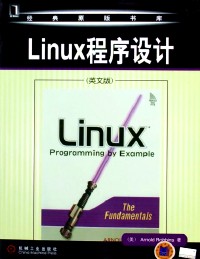
Linux programming by example : the fundamentals = Linux程序设计 /
副标题:无
作 者:Arnold Robbins著.
分类号:
ISBN:9787111168645
微信扫一扫,移动浏览光盘
简介
“这是一本优秀的linux编程入门书,选材合理,讲解透彻。我喜欢自学,特别是有关国际化的知识,很久以来我都在关注这些。” ――chet ramey, bash shell的维护者和创作者之一
“这是一本很好的linux编程入门书。作者向大家表明,对有经验的程序员来说,使用linux编程接口是一个很好的方法,这比大多数书中介绍的千篇一律的编程示例有用得多。” ――ulrich drepper, gnu c库项目负责人
“全面而循序渐进地介绍了unix系统编程技术。书中使用的代码来源广泛,且都选自大家熟悉的程序,并通过这些代码来说明每一个要讲解的概念。对api的深入描述及移植方针的综合介绍,将使读者受益良多,并为将来阅读和编写系统程序做好充分准备。真诚地向大家推荐本书。” ――jim meyering, gnu核心实用程序的维护者和创作者之一
你正在学习编程吗?打算从windows转向linux吗?已进行linux开发但希望进一步探索系统调用接口吗?无论你属于哪种情况,本书都将帮你快速、直接地掌握构建正规linux软件所必需的基本知识。
本书通过编写得很好的程序示例讲授linux编程。书中采用非常有效的方式,循序渐进地讲授了许多高层原理和深层技术,解决了性能、可移植性、健壮性等现实问题。基于unix版本7和gnu源代码,作者着重介绍了基本的系统调用api――这是所有重要程序的核心,并向读者展示了许多示例――这些示例都源自linux/unix用户日常使用的程序。
本书的主要内容
●内存管理 ●用户和组 ●信号
●文件i/o ●排序和查找 ●国际化
●文件元数据 ●参数分析 ●调试
●进程 ●扩展接口
本书的支持网站 (authors.phptr.com/robbins和www.linux-by-example.com) 包含书中所有代码示例。
目录
preface
part i files and users
chapter 1 introduction
1.1 the linux/unix file model
1.1.1 files and permissions
1.1.2 directories and filenames
1.1.3 executable files
1.1.4 devices
1.2 the linux/unix process model
1.2.1 pipes: hooking processes together
1.3 standard c vs. original c
1.4 why gnu programs are better
1.4.1 program design
1.4.2 program behavior
1.4.3 c code programming
1.4.4 things that make a gnu program better
1.4.5 parting thoughts about the "gnu coding standards"
1.5 portability revisited
1.6 suggested reading
1.7 summary
.exercises
chapter 2 arguments, options, and the environment
2.1 option and argument conventions
2.1.1 posix conventions
2.1.2 gnu long options
2.2 basic command-line processing
2.2.1 the v7 echo program
2.3 option parsing: getopt ( ) and getope long ( )
2.3.1 single-letter options
2.3.2 gnu getopt ( ) and option ordering
2.3.3 long options
2.3.3.1 long options table
2.3.3.2 long options, posix style
2.3.3.3 getopt_long ( ) return value summary
2.3.3.4 gnu getopt ( ) or getopt long ( ) in user programs
2.4 the environment
2.4.1 environment management functions
2.4.2 the entire environment: environ
2.4.3 gnu env
2.5 summary
exercises
chapter 3 user-level memory management
3.1 linux/unix address space
3.2 memory allocation
3.2.1 library calls: malloe (), calloc ( ), realloc ( ), free ( )
3.2.1.1 examining c language details
3.2.1.2 initially allocating memory: malloc ( )
3.2.1.3 releasing memory: free ( )
3.2.1.4 changing size: realloc ( )
3.2.1.5 allocating and zero-filling: calloc ( )
3.2.1.6 summarizing from the gnu coding standards
3.2.1.7 using private allocators
3.2.1.8 example: reading arbitrarily long lines
3.2.1.9 glibc only: reading entire lines: getline ( ) and getdelim ( )
3.2.2 string copying: strdup ( )
3.2.3 system calls: brk ( ) and sbrk ( )
3.2.4 lazy programmer calls: alloea ( )
3.2.5 address space examination
3.3 summary
exercises
chapter 4 files and file i/o
4.1 introducing the linux/unix ilo model
4.2 presenting a basic program structure
4.3 determining what went wrong
4.3.1 values for errno
4.3.2 error message style
4.4 doing input and output
4.4.1 understanding file descriptors
4.4.2 opening and closing files
4.4.2.1 mapping file * variables to file descriptors
4.4.2.2 closing all open files
4.4.3 reading and writing
4.4.4 example: unix cat
4.5 random access: moving around within a file
4.6 creating files
4.6.1 specifying initial file permissions
4.6.2 creating files with creat ( )
4.6.3 revisiting open ( )
4.7 forcing data to disk
4.8 setting file length
4.9 summary
exercises
chapter s directories and file metadata
5.1 considering directory contents
5.1.1 definitions
5.1.2 directory contents
5.1.3 hard links
5.1.3.1 the gnu link program
5.1.3.2 dot and dot-dot
5.1.4 file renaming
5.1.5 file removal
5.1.5.1 removing open files
5.1.5.2 using iso c: remove ( )
5.1.6 symbolic links
5.2 creating and removing directories
5.3 reading directories
5.3.1 basic directory reading
5.3.1.1 portability considerations
5.3.1.2 linux and bsd directory entries
5.3.2 bsd directory positioning functions
5.4 obtaining information about files
5.4.1 linux file types
5.4.2 retrieving file information
5.4.3 linux only: specifying higher-precision file times
5.4.4 determining file type
5.4.4.1 device information
5.4.4.2 the v7 cat revisited
5.4.5 working with symbolic links
5.5 changing ownership, permission, and modification times
5.5.1 changing file ownership: chown (), fchown (), and lchown ( )
5.5.2 changing permissions: cb. mod ( ) and fchmod { )
5.5.3 changing timestamps: ut ime ( )
5.5.3.1 faking utime (file, null)
5.5.4 using fchown ( ) and fchmod ( ) for security
5.6 summary
exercises
chapter 6 general library interfaces -- part 1
6.1 times and dates
6.1.1 retrieving the current time: time ( ) and d i f f time ( )
6.1.2 breaking down times: gmtime ( ) and localtime ( )
6.1.3 formatting dates and times
6.1.3.1 simple time formatting: asctirae ( ) and crime ( )
6.1.3.2 complex time formatting: strftime ( )
6.1.4 converting a broken-down time to a time_t
6.1.5 getting time-zone information
6.1.5.1 bsd systems gotcha: timezone (), not timezone
6.2 sorting and searching functions
6.2.1 sorting: qsort ( ) .
6.2.1.1 example: sorting employees
6.2.1.2 example: sorting directory contents
6.2.2 binary searching: bsearch ( )
6.3 user and group names
6.3.1 user database
6.3.2 group database
6.4 terminals: isatty ( )
6.5 suggested reading
6.6 summary
exercises
chapter 7 putting it all together:. ls
7.1 v7 ls options
7.2 v7 ls code
7.3 summary
exercises
chapter 8 filesystems and directory walks
8. 1 mounting and unmounting filesystems
8.1.1 reviewing the background
8.1.2 looking at different filesystem types
8.1.3 mounting filesystems: mount
8.1.4 unmounting filesystems: umount
8.2 files for filesystem administration
8.2.1 using mount options
8.2.2 working with mounted filesystems: getrontent ( )
8.3 retrieving per-filesystem information
8.3.1 posix style: statvfs() and fstatvfs()
8.3.2 linux style: statfs( ) and fstatfs ( )
8.4 moving around in the file hierarchy
8.4.1 changing directory: chdir ( ) and fchdir ( )
8.4.2 getting the current directory: getcwd ( )
8.4.3 walking a hierarchy: nftw ( )
8.4.3.1 the nftw( ) interface
8.4.3.2 the nftw ( ) callback function
8.5 walking a file tree: gnu du
8.6 changing the root directory: ehroot ( )
8.7 summary
exercises
part ii processes, ipc, and internationalization
chapter 9 process management and pipes
9.1 process creation and management
9. 1. 1 creating a process: fork( )
9.1.1.1 after the fork( ): shared and distinct attributes
9.1.1.2 file descriptor sharing
9.1.1.3 file descriptor sharing and close ( )
9.1.2 identifying a process: getpid ( ) and getppid ( )
9.1.3 setting process priority: nice ( )
9.1.3.1 posix vs. reality
9.1.4 starting new programs: the exec ( ) family
9.1.4.1 the execve ( ) system call
9.1.4.2 wrapper functions: execl ( ) et al
9.1.4.3 program names and argv [0]
9.1.4.4 attributes inherited across exec ( )
9.1.5 terminating a process
9.1.5.1 defining process exit status
9.1.5.2 returning from main( )
9.1.5.3 exiting functions
9.1.6 recovering a child's exit status
9.1.6.1 using posix functions: wait ( ) and waitpid ( )
9.1.6.2 using bsd functions: wait3 ( ) and wait4 ( }
9.2 process groups
9.2.1 job control overview
9.2.2 process group identification: getpgrp ( ) and getpgid ( )
9.2.3 process group setting: setpgid ( ) and setpgrp ( )
9.3 basic interprocess communication: pipes and fifos
9.3.1 pipes
9.3.1.1 creating pipes
9.3.1.2 pipe buffering
9.3.2 fifos
9.4 file descriptor management
9.4.1 duplicating open files: dup ( ) and dup2 ( )
9.4.2 creating nonlinear pipelines: /der/fd/xx
9.4.3 managing file attributes: fentl ( )
9.4.3.1 the close-on-exec flag
9.4.3.2 file descriptor duplication
9.4.3.3 manipulation of file status flags and access modes
9.4.3.4 nonblocking i/o for pipes and fifos
9.4.3.5 fentl () summary
9.5 example: two-way pipes in gawk
9.6 suggested reading
9.7 summary
exercises
chapter 10 signals
10.1 introduction
10.2 signal actions
10.3 standard c signals: signal ( ) and raise ( )
10.3.1 the signal() function
10.3.2 sending signals programmatically: raise ( )
10.4 signal handlers in action
10.4.1 traditional systems
10.4.2 bsd and gnu/linux
10.4.3 ignoring signals
10.4.4 restartable system calls
10.4.4.1 example: gnu coreutils safe_read ( ) and safe_write ( )
10.4.4.2 glibc only: temp_failure_retry ( )
10.4.5 race conditions and sig_atomic_t (iso c)
10.4.6 additional caveats
10.4.7 our story so far, episode i
10.5 the system v release 3 signal apis: sigset ( ) et al
10.6 posix signals
10.6.1 uncovering the problem
10.6.2 signal sets: sigset_t and related functions
10.6.3 managing the signal mask: sigprocmask ( ) et al
10.6.4 catching signals: sigaction ( )
10.6.5 retrieving pending signals: sigpending ( )
10.6.6 making functions interruptible: siginterrupt ( )
10.6.7 sending signals: kill ( ) and killpg ( )
10.6.8 our story so far, episode ii
10.7 signals for interprocess communication
10.8 important special-purpose signals
10.8.1 alarm clocks: sleep ( ), alarm ( ), and sigalrm
10.8.1.1 harder but with more control: alarm ( ) and sigalrm
10.8.1.2 simple and easy: sleep ( )
10.8.2 job control signals
10.8.3 parental supervision: three different strategies
10.8.3.1 poor parenting: ignoring children completely
10.8.3.2 permissive parenting: supervising minimally
10.8.3.3 strict parental control
10.9 signals across fork ( ) and exec ( )
10.10 summary ~
exercises
chapter 11 permissions and user and group id numbers
11.1 checking permissions
11.1.1 real and effective ids
11.1.2 setuid and setgid bits
11.2 retrieving user and group ids
11.3 checking as the real user: access ( )
11.4 checking as the effective user: euidaccess ( ) (glibc)
! 1.5 setting extra permission bits for directories
11.5.1 default group for new files and directories
11.5.2 directories and the sticky bit
11.6 setting real and effective ids
11.6.1 changing the group set
11.6.2 changing the real and effective ids
11.6.3 using the setuid and setgid bits
11.7 working with all three ids: getresuid ( ) and setresuid ( ) (linux)
11.8 crossing a security minefield: setuid root
11.9 suggested reading
11.10 summary
exercises
chapter 12 general library interfaces -- part 2
12.1 assertion statements: assert ( )
12.2 low-level memory: the memxxx ( ) functions
12.2.1 setting memory: memset ( )
12.2.2 copying memory: memcpy (), memmove (), and memccpy ( }
12.2.3 comparing memory blocks: memcmp ( )
12.2.4 searching for a byte value: memehr ( )
12.3 temporary files
12.3.1 generating temporary filenames (bad)
12.3.2 creating and opening temporary files (good)
12.3.3 using the tmpdir environment variable
12.4 committing suicide: abort ( )
12.5 nonlocal gotos
12.5.1 using standard functions: setjmp ( ) and longjmp ( )
12.5.2 handling signal masks: sigsetjmp ( ) and siglongjmp ( )
12.5.3 observing important caveats
12.6 pseudorandom numbers
12.6.1 standard c: rand ( ) and srand ( )
12.6.2 posix functions: random ( ) and srandom ( )
12.6.3 the/dev/random and/dev/urandom special files
12.7 metacharacter expansions
12.7.1 simple pattern matching: fnmatch( )
12.7.2 filename expansion: glob ( ) and globfree ( )
12.7.3 shell word expansion: wordexp ( ) and wordfree ( )
12.8 regular expressions
12.9 suggested reading
12.10 summary
exercises
chapter 13 internationalization and localization
13.1 introduction
13.2 locales and the c library
13.2.1 locale categories and environment variables
13.2.2 setting the locale: setlocale()
13.2.3 string collation: strcoll ( ) and strxfrm()
13.2.4 low-level numeric and monetary formatting: localeconv ( )
13.2.5 high-level numeric and monetary formatting: strfmon ( )and print f ( )
13.2.6 example: formatting numeric values in gawk
13.2.7 formatting date and time values: ctime ( ) and strftime ( )
13.2.8 other locale information: nl_langinfo ( )
13.3 dynamic translation of program messages
13.3.1 setting the text domain: textdomain ( )
13.3.2 translating messages: gettext ( )
13.3.3 working with plurals: ngettext ( )
13.3.4 making gettext ( ) easy to use
13.3.4.1 portable programs: "gettext.h"
13.3.4.2 glibc only: [libintl.h]
13.3.5 rearranging word order with printf ( )
13.3.6 testing translations in a private directory
13.3.7 preparing internationalized programs
13.3.8 creating translations
13.4 can you spell that for me, please?
13.4.1 wide characters
13.4.2 multibyte character encodings
13.4.3 languages
13.4.4 conclusion
13.5 suggested reading
13.6 summary
exercises
chapter 14 extended interfaces
14.1 allocating aligned memory: posix memalign ( ) and memalign ( )
14.2 locking files
14.2.1 file locking concepts
14.2.2 posix locking: fcntl ( ) and locke ( )
14.2.2.1 describing a lock
14.2.2.2 obtaining and releasing locks
14.2.2.3 observing locking caveats
14.2.3 bsd locking: flock ()
14.2.4 mandatory locking
14.3 more precise times
14.3.1 microsecond times: gettimeofday( )
14.3.2 microsecond file times: utiraes ( )
14.3.3 interval timers: setitimer ( ) and getitimer ( )
14.3.4 more exact pauses: nanosleep ( )
14.4 advanced searching with binary trees
14.4.1 introduction to binary trees
14.4.2 tree management functions
14.4.3 tree insertion: tsearch()
14.4.4 tree lookup and use of a returned pointer: tfind ( ) andtsearch ( )
14.4.5 tree traversal: twalk( )
14.4.6 tree node removal and tree deletion: tdelete ( ) and tdestroy ( )
14.5 summary
exercises
part iii debugging and final project
chapter 15 debugging
15.1 first things first
15.2 compilation for debugging
15.3 gdb basics ~
15.3.1 running gdb
15.3.2 setting breakpoints, single-stepping, and setting watchpoints
15.4 programming for debugging
15.4.1 compile-time debugging code
15.4.1.1 use debugging macros
15.4.1.2 avoid expression macros if possible
15.4.1.3 reorder code if necessary
15.4.1.4 use debugging helper functions
15.4.1.5 avoid unions when possible
15.4.2 runtime debugging code
15.4.2.1 add debugging options and variables
15.4.2.2 use special environment variables
15.4.2.3 add logging code
15.4.2.4 runtime debugging files
15.4.2.5 add special hooks for breakpoints
15.5 debugging tools
15.5.1 the 0bug library—a sophisticated printf ( )
15.5.2 memory allocation debuggers
15.5.2.1 gnu/linux retrace
15.5.2.2 electric fence
15.5.2.3 debugging malloc: dmalloc
15.5.2.4 valgrind: a versatile tool
15.5.2.5 other malloc debuggers
15.5.3 a modern lint
15.6 software testing
15.7 debugging rules
15.8 suggested reading
15.9 summary
exercises
chapter 16 a project that ties everything together
16.1 project description
16.2 suggested reading
part iv appendixes
appendix a teach yourself programming in ten years
appendix b caldera ancient unix license
appendix c gnu general public license
index
part i files and users
chapter 1 introduction
1.1 the linux/unix file model
1.1.1 files and permissions
1.1.2 directories and filenames
1.1.3 executable files
1.1.4 devices
1.2 the linux/unix process model
1.2.1 pipes: hooking processes together
1.3 standard c vs. original c
1.4 why gnu programs are better
1.4.1 program design
1.4.2 program behavior
1.4.3 c code programming
1.4.4 things that make a gnu program better
1.4.5 parting thoughts about the "gnu coding standards"
1.5 portability revisited
1.6 suggested reading
1.7 summary
.exercises
chapter 2 arguments, options, and the environment
2.1 option and argument conventions
2.1.1 posix conventions
2.1.2 gnu long options
2.2 basic command-line processing
2.2.1 the v7 echo program
2.3 option parsing: getopt ( ) and getope long ( )
2.3.1 single-letter options
2.3.2 gnu getopt ( ) and option ordering
2.3.3 long options
2.3.3.1 long options table
2.3.3.2 long options, posix style
2.3.3.3 getopt_long ( ) return value summary
2.3.3.4 gnu getopt ( ) or getopt long ( ) in user programs
2.4 the environment
2.4.1 environment management functions
2.4.2 the entire environment: environ
2.4.3 gnu env
2.5 summary
exercises
chapter 3 user-level memory management
3.1 linux/unix address space
3.2 memory allocation
3.2.1 library calls: malloe (), calloc ( ), realloc ( ), free ( )
3.2.1.1 examining c language details
3.2.1.2 initially allocating memory: malloc ( )
3.2.1.3 releasing memory: free ( )
3.2.1.4 changing size: realloc ( )
3.2.1.5 allocating and zero-filling: calloc ( )
3.2.1.6 summarizing from the gnu coding standards
3.2.1.7 using private allocators
3.2.1.8 example: reading arbitrarily long lines
3.2.1.9 glibc only: reading entire lines: getline ( ) and getdelim ( )
3.2.2 string copying: strdup ( )
3.2.3 system calls: brk ( ) and sbrk ( )
3.2.4 lazy programmer calls: alloea ( )
3.2.5 address space examination
3.3 summary
exercises
chapter 4 files and file i/o
4.1 introducing the linux/unix ilo model
4.2 presenting a basic program structure
4.3 determining what went wrong
4.3.1 values for errno
4.3.2 error message style
4.4 doing input and output
4.4.1 understanding file descriptors
4.4.2 opening and closing files
4.4.2.1 mapping file * variables to file descriptors
4.4.2.2 closing all open files
4.4.3 reading and writing
4.4.4 example: unix cat
4.5 random access: moving around within a file
4.6 creating files
4.6.1 specifying initial file permissions
4.6.2 creating files with creat ( )
4.6.3 revisiting open ( )
4.7 forcing data to disk
4.8 setting file length
4.9 summary
exercises
chapter s directories and file metadata
5.1 considering directory contents
5.1.1 definitions
5.1.2 directory contents
5.1.3 hard links
5.1.3.1 the gnu link program
5.1.3.2 dot and dot-dot
5.1.4 file renaming
5.1.5 file removal
5.1.5.1 removing open files
5.1.5.2 using iso c: remove ( )
5.1.6 symbolic links
5.2 creating and removing directories
5.3 reading directories
5.3.1 basic directory reading
5.3.1.1 portability considerations
5.3.1.2 linux and bsd directory entries
5.3.2 bsd directory positioning functions
5.4 obtaining information about files
5.4.1 linux file types
5.4.2 retrieving file information
5.4.3 linux only: specifying higher-precision file times
5.4.4 determining file type
5.4.4.1 device information
5.4.4.2 the v7 cat revisited
5.4.5 working with symbolic links
5.5 changing ownership, permission, and modification times
5.5.1 changing file ownership: chown (), fchown (), and lchown ( )
5.5.2 changing permissions: cb. mod ( ) and fchmod { )
5.5.3 changing timestamps: ut ime ( )
5.5.3.1 faking utime (file, null)
5.5.4 using fchown ( ) and fchmod ( ) for security
5.6 summary
exercises
chapter 6 general library interfaces -- part 1
6.1 times and dates
6.1.1 retrieving the current time: time ( ) and d i f f time ( )
6.1.2 breaking down times: gmtime ( ) and localtime ( )
6.1.3 formatting dates and times
6.1.3.1 simple time formatting: asctirae ( ) and crime ( )
6.1.3.2 complex time formatting: strftime ( )
6.1.4 converting a broken-down time to a time_t
6.1.5 getting time-zone information
6.1.5.1 bsd systems gotcha: timezone (), not timezone
6.2 sorting and searching functions
6.2.1 sorting: qsort ( ) .
6.2.1.1 example: sorting employees
6.2.1.2 example: sorting directory contents
6.2.2 binary searching: bsearch ( )
6.3 user and group names
6.3.1 user database
6.3.2 group database
6.4 terminals: isatty ( )
6.5 suggested reading
6.6 summary
exercises
chapter 7 putting it all together:. ls
7.1 v7 ls options
7.2 v7 ls code
7.3 summary
exercises
chapter 8 filesystems and directory walks
8. 1 mounting and unmounting filesystems
8.1.1 reviewing the background
8.1.2 looking at different filesystem types
8.1.3 mounting filesystems: mount
8.1.4 unmounting filesystems: umount
8.2 files for filesystem administration
8.2.1 using mount options
8.2.2 working with mounted filesystems: getrontent ( )
8.3 retrieving per-filesystem information
8.3.1 posix style: statvfs() and fstatvfs()
8.3.2 linux style: statfs( ) and fstatfs ( )
8.4 moving around in the file hierarchy
8.4.1 changing directory: chdir ( ) and fchdir ( )
8.4.2 getting the current directory: getcwd ( )
8.4.3 walking a hierarchy: nftw ( )
8.4.3.1 the nftw( ) interface
8.4.3.2 the nftw ( ) callback function
8.5 walking a file tree: gnu du
8.6 changing the root directory: ehroot ( )
8.7 summary
exercises
part ii processes, ipc, and internationalization
chapter 9 process management and pipes
9.1 process creation and management
9. 1. 1 creating a process: fork( )
9.1.1.1 after the fork( ): shared and distinct attributes
9.1.1.2 file descriptor sharing
9.1.1.3 file descriptor sharing and close ( )
9.1.2 identifying a process: getpid ( ) and getppid ( )
9.1.3 setting process priority: nice ( )
9.1.3.1 posix vs. reality
9.1.4 starting new programs: the exec ( ) family
9.1.4.1 the execve ( ) system call
9.1.4.2 wrapper functions: execl ( ) et al
9.1.4.3 program names and argv [0]
9.1.4.4 attributes inherited across exec ( )
9.1.5 terminating a process
9.1.5.1 defining process exit status
9.1.5.2 returning from main( )
9.1.5.3 exiting functions
9.1.6 recovering a child's exit status
9.1.6.1 using posix functions: wait ( ) and waitpid ( )
9.1.6.2 using bsd functions: wait3 ( ) and wait4 ( }
9.2 process groups
9.2.1 job control overview
9.2.2 process group identification: getpgrp ( ) and getpgid ( )
9.2.3 process group setting: setpgid ( ) and setpgrp ( )
9.3 basic interprocess communication: pipes and fifos
9.3.1 pipes
9.3.1.1 creating pipes
9.3.1.2 pipe buffering
9.3.2 fifos
9.4 file descriptor management
9.4.1 duplicating open files: dup ( ) and dup2 ( )
9.4.2 creating nonlinear pipelines: /der/fd/xx
9.4.3 managing file attributes: fentl ( )
9.4.3.1 the close-on-exec flag
9.4.3.2 file descriptor duplication
9.4.3.3 manipulation of file status flags and access modes
9.4.3.4 nonblocking i/o for pipes and fifos
9.4.3.5 fentl () summary
9.5 example: two-way pipes in gawk
9.6 suggested reading
9.7 summary
exercises
chapter 10 signals
10.1 introduction
10.2 signal actions
10.3 standard c signals: signal ( ) and raise ( )
10.3.1 the signal() function
10.3.2 sending signals programmatically: raise ( )
10.4 signal handlers in action
10.4.1 traditional systems
10.4.2 bsd and gnu/linux
10.4.3 ignoring signals
10.4.4 restartable system calls
10.4.4.1 example: gnu coreutils safe_read ( ) and safe_write ( )
10.4.4.2 glibc only: temp_failure_retry ( )
10.4.5 race conditions and sig_atomic_t (iso c)
10.4.6 additional caveats
10.4.7 our story so far, episode i
10.5 the system v release 3 signal apis: sigset ( ) et al
10.6 posix signals
10.6.1 uncovering the problem
10.6.2 signal sets: sigset_t and related functions
10.6.3 managing the signal mask: sigprocmask ( ) et al
10.6.4 catching signals: sigaction ( )
10.6.5 retrieving pending signals: sigpending ( )
10.6.6 making functions interruptible: siginterrupt ( )
10.6.7 sending signals: kill ( ) and killpg ( )
10.6.8 our story so far, episode ii
10.7 signals for interprocess communication
10.8 important special-purpose signals
10.8.1 alarm clocks: sleep ( ), alarm ( ), and sigalrm
10.8.1.1 harder but with more control: alarm ( ) and sigalrm
10.8.1.2 simple and easy: sleep ( )
10.8.2 job control signals
10.8.3 parental supervision: three different strategies
10.8.3.1 poor parenting: ignoring children completely
10.8.3.2 permissive parenting: supervising minimally
10.8.3.3 strict parental control
10.9 signals across fork ( ) and exec ( )
10.10 summary ~
exercises
chapter 11 permissions and user and group id numbers
11.1 checking permissions
11.1.1 real and effective ids
11.1.2 setuid and setgid bits
11.2 retrieving user and group ids
11.3 checking as the real user: access ( )
11.4 checking as the effective user: euidaccess ( ) (glibc)
! 1.5 setting extra permission bits for directories
11.5.1 default group for new files and directories
11.5.2 directories and the sticky bit
11.6 setting real and effective ids
11.6.1 changing the group set
11.6.2 changing the real and effective ids
11.6.3 using the setuid and setgid bits
11.7 working with all three ids: getresuid ( ) and setresuid ( ) (linux)
11.8 crossing a security minefield: setuid root
11.9 suggested reading
11.10 summary
exercises
chapter 12 general library interfaces -- part 2
12.1 assertion statements: assert ( )
12.2 low-level memory: the memxxx ( ) functions
12.2.1 setting memory: memset ( )
12.2.2 copying memory: memcpy (), memmove (), and memccpy ( }
12.2.3 comparing memory blocks: memcmp ( )
12.2.4 searching for a byte value: memehr ( )
12.3 temporary files
12.3.1 generating temporary filenames (bad)
12.3.2 creating and opening temporary files (good)
12.3.3 using the tmpdir environment variable
12.4 committing suicide: abort ( )
12.5 nonlocal gotos
12.5.1 using standard functions: setjmp ( ) and longjmp ( )
12.5.2 handling signal masks: sigsetjmp ( ) and siglongjmp ( )
12.5.3 observing important caveats
12.6 pseudorandom numbers
12.6.1 standard c: rand ( ) and srand ( )
12.6.2 posix functions: random ( ) and srandom ( )
12.6.3 the/dev/random and/dev/urandom special files
12.7 metacharacter expansions
12.7.1 simple pattern matching: fnmatch( )
12.7.2 filename expansion: glob ( ) and globfree ( )
12.7.3 shell word expansion: wordexp ( ) and wordfree ( )
12.8 regular expressions
12.9 suggested reading
12.10 summary
exercises
chapter 13 internationalization and localization
13.1 introduction
13.2 locales and the c library
13.2.1 locale categories and environment variables
13.2.2 setting the locale: setlocale()
13.2.3 string collation: strcoll ( ) and strxfrm()
13.2.4 low-level numeric and monetary formatting: localeconv ( )
13.2.5 high-level numeric and monetary formatting: strfmon ( )and print f ( )
13.2.6 example: formatting numeric values in gawk
13.2.7 formatting date and time values: ctime ( ) and strftime ( )
13.2.8 other locale information: nl_langinfo ( )
13.3 dynamic translation of program messages
13.3.1 setting the text domain: textdomain ( )
13.3.2 translating messages: gettext ( )
13.3.3 working with plurals: ngettext ( )
13.3.4 making gettext ( ) easy to use
13.3.4.1 portable programs: "gettext.h"
13.3.4.2 glibc only: [libintl.h]
13.3.5 rearranging word order with printf ( )
13.3.6 testing translations in a private directory
13.3.7 preparing internationalized programs
13.3.8 creating translations
13.4 can you spell that for me, please?
13.4.1 wide characters
13.4.2 multibyte character encodings
13.4.3 languages
13.4.4 conclusion
13.5 suggested reading
13.6 summary
exercises
chapter 14 extended interfaces
14.1 allocating aligned memory: posix memalign ( ) and memalign ( )
14.2 locking files
14.2.1 file locking concepts
14.2.2 posix locking: fcntl ( ) and locke ( )
14.2.2.1 describing a lock
14.2.2.2 obtaining and releasing locks
14.2.2.3 observing locking caveats
14.2.3 bsd locking: flock ()
14.2.4 mandatory locking
14.3 more precise times
14.3.1 microsecond times: gettimeofday( )
14.3.2 microsecond file times: utiraes ( )
14.3.3 interval timers: setitimer ( ) and getitimer ( )
14.3.4 more exact pauses: nanosleep ( )
14.4 advanced searching with binary trees
14.4.1 introduction to binary trees
14.4.2 tree management functions
14.4.3 tree insertion: tsearch()
14.4.4 tree lookup and use of a returned pointer: tfind ( ) andtsearch ( )
14.4.5 tree traversal: twalk( )
14.4.6 tree node removal and tree deletion: tdelete ( ) and tdestroy ( )
14.5 summary
exercises
part iii debugging and final project
chapter 15 debugging
15.1 first things first
15.2 compilation for debugging
15.3 gdb basics ~
15.3.1 running gdb
15.3.2 setting breakpoints, single-stepping, and setting watchpoints
15.4 programming for debugging
15.4.1 compile-time debugging code
15.4.1.1 use debugging macros
15.4.1.2 avoid expression macros if possible
15.4.1.3 reorder code if necessary
15.4.1.4 use debugging helper functions
15.4.1.5 avoid unions when possible
15.4.2 runtime debugging code
15.4.2.1 add debugging options and variables
15.4.2.2 use special environment variables
15.4.2.3 add logging code
15.4.2.4 runtime debugging files
15.4.2.5 add special hooks for breakpoints
15.5 debugging tools
15.5.1 the 0bug library—a sophisticated printf ( )
15.5.2 memory allocation debuggers
15.5.2.1 gnu/linux retrace
15.5.2.2 electric fence
15.5.2.3 debugging malloc: dmalloc
15.5.2.4 valgrind: a versatile tool
15.5.2.5 other malloc debuggers
15.5.3 a modern lint
15.6 software testing
15.7 debugging rules
15.8 suggested reading
15.9 summary
exercises
chapter 16 a project that ties everything together
16.1 project description
16.2 suggested reading
part iv appendixes
appendix a teach yourself programming in ten years
appendix b caldera ancient unix license
appendix c gnu general public license
index
Linux programming by example : the fundamentals = Linux程序设计 /
- 名称
- 类型
- 大小
光盘服务联系方式: 020-38250260 客服QQ:4006604884
云图客服:
用户发送的提问,这种方式就需要有位在线客服来回答用户的问题,这种 就属于对话式的,问题是这种提问是否需要用户登录才能提问
Video Player
×
Audio Player
×
pdf Player
×
