

简介
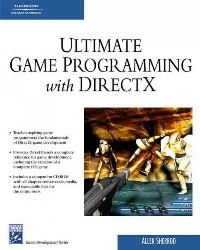
Creating computer games is challenging. It requires plenty of technical skill, dedication, and creativity. Ultimate Game Programming with DirectX teaches you how to combine your existing skills and dedication for playing games with some basic C++ programming skills to create your own games. Written for game development students, beginning game programmers, and C++ programmers wanting to learn game development, this book covers every part of the process. Throughout the book, youll be creating a first-person shooter game called Stranded. Beginning with an introduction to Direct X and Direct3D graphics, youll build the game engine and complete game chapter by chapter. Youll learn the fundamental graphical techniques, essential mathematics, collision detection, input device detection and response, sound playback, scene management, animation, and model/character loading and drawing.
Once youve built this game, you can easily expand upon it and customize it to add your own unique features. Youll also have the foundational knowledge and skills you need to build your own games and take on new programming challenges.
If you have basic C++ programming skills, a love for games, and a desire to create your own, youll find what you need here.
WHAT YOULL LEARN
·The fundamentals of DirectX game development and Direct3D graphics
·Foundational programming techniques that you can use for any game project
·Essential mathematics and physics techniques
·Basic graphics and animation techniques, including basic techniques include drawing basic shapes and objects, displaying images on top of surfaces, creating and displaying text to the screen, and learning how to work in 3D space.
·Coverage of scene management topics rarely covered in books for C++ programmers and aspiring game programmers
·A complete DirectX reference for game development, including the creation of a complete FPS game
目录
Introduction p. xiii
DirectX Introduction p. 1
Overview of This Book p. 2
Game Plan p. 4
DirectX Background p. 10
Setting Up a Window Manually p. 14
Demo Applications p. 28
Summary p. 53
The Game Stranded p. 55
Introduction to the Game Plan p. 56
Game Planning p. 57
Engine Planning p. 61
Game Project Overview p. 63
Game Project Part 1: Starting the Project p. 66
Summary p. 85
Direct3D Lighting and Objects p. 87
Introduction to Direct3D Lighting p. 89
Creating Objects with Direct3D Functions p. 97
Creating Lights in Direct3D p. 102
Game Project Part 2: Adding Support for Hardware Lighting p. 108
Summary p. 112
Textures p. 115
Introduction to Textures in Direct3D p. 118
Creating and Applying Textures p. 119
Sprites p. 138
Bump Maps p. 143
Saving Textures p. 147
Off-screen Rendering p. 150
Game Project Part 3: Adding Texture Support p. 156
Summary p. 167
Direct3D Text and GUI p. 169
Displaying Text to the Screen p. 171
Calculating the Frames-Per-Second p. 177
Creating and Displaying a GUI p. 178
Game Project Part 4: Adding Text and GUI Support p. 202
Summary p. 222
Special Effects p. 223
Multisampling p. 224
Fog p. 228
Detail Mapping p. 232
Particle Systems p. 236
Game Project Part 5: Adding Special Effects p. 248
Summary p. 255
Basic Scripting Systems p. 257
Introduction to Scripting p. 258
Property Scripting Systems p. 259
Command Scripting Systems p. 276
Token Streams p. 292
Additional Types of Scripting Systems p. 299
Game Project Part 6: Adding Scripting Support p. 300
Summary p. 301
Game Math Review p. 303
Introduction to Game Math p. 304
Vector Math and Review p. 305
Matrix Math p. 309
Quaternion Math p. 315
Ray Math p. 317
Plane Math p. 318
Triangles and Polygons p. 325
Physics p. 326
Game Project Part 7: Creating the Math Library p. 326
Summary p. 356
Collision Detection p. 359
Collision Introduction p. 360
Bounding Boxes p. 361
Bounding Spheres p. 364
Plane Collisions p. 367
Demo Applications p. 368
Game Project Part 8: Adding Collision Detection p. 387
Summary p. 396
Input Detection and Response p. 397
Using DirectInput p. 398
DirectInput Demo Application p. 401
Game Project Part 9: Adding an Input System p. 415
Summary p. 431
Sound p. 433
Introduction to Sound p. 434
Using DirectSound and DirectMusic p. 436
Sound Demo Application p. 442
Game Project Part 10: Adding Sound p. 452
Summary p. 460
Model Loading p. 463
Introduction to Model Loading p. 464
Working with .X Files p. 465
Working with .OBJ Files p. 476
Working with .UMF Files p. 492
Game Project Part 11: Loading Models p. 506
Summary p. 532
Model Animation p. 533
Introduction to Animation p. 534
Animation Paths p. 534
Bone Animation p. 563
X Model Animation p. 571
Game Project Part 12: Adding Support for Animations p. 592
Summary p. 594
Scene Management p. 597
Introduction to Scene Management p. 597
Scene-Management Techniques p. 598
Summary p. 604
Finishing the Game Engine p. 607
Logging System p. 608
3D Camera System p. 612
Frustum Culling p. 619
Game Project Part 13: Finishing the Engine p. 629
Summary p. 634
Making the Game: Stranded p. 637
Overview of This Chapter p. 638
Organizing the Game Source p. 639
Loading and Displaying the Final Level p. 651
Camera Movements and Collision Detection p. 659
Game Elements p. 667
Agent Characters p. 678
Wrap Up p. 688
Summary p. 689
Conclusions p. 691
Final Thoughts p. 691
The Next Step p. 692
Recommended Books and Web Sites p. 693
Recommended Books p. 693
Recommended Web Sites p. 696
C++ Primer p. 699
Basics of C++ p. 699
Dynamic Memory and File Input/Output p. 708
Structures and Classes p. 711
Summary p. 714
About the CD-ROM p. 715
System Requirements p. 715
Folders p. 715
Software p. 716
Index p. 717
DirectX Introduction p. 1
Overview of This Book p. 2
Game Plan p. 4
DirectX Background p. 10
Setting Up a Window Manually p. 14
Demo Applications p. 28
Summary p. 53
The Game Stranded p. 55
Introduction to the Game Plan p. 56
Game Planning p. 57
Engine Planning p. 61
Game Project Overview p. 63
Game Project Part 1: Starting the Project p. 66
Summary p. 85
Direct3D Lighting and Objects p. 87
Introduction to Direct3D Lighting p. 89
Creating Objects with Direct3D Functions p. 97
Creating Lights in Direct3D p. 102
Game Project Part 2: Adding Support for Hardware Lighting p. 108
Summary p. 112
Textures p. 115
Introduction to Textures in Direct3D p. 118
Creating and Applying Textures p. 119
Sprites p. 138
Bump Maps p. 143
Saving Textures p. 147
Off-screen Rendering p. 150
Game Project Part 3: Adding Texture Support p. 156
Summary p. 167
Direct3D Text and GUI p. 169
Displaying Text to the Screen p. 171
Calculating the Frames-Per-Second p. 177
Creating and Displaying a GUI p. 178
Game Project Part 4: Adding Text and GUI Support p. 202
Summary p. 222
Special Effects p. 223
Multisampling p. 224
Fog p. 228
Detail Mapping p. 232
Particle Systems p. 236
Game Project Part 5: Adding Special Effects p. 248
Summary p. 255
Basic Scripting Systems p. 257
Introduction to Scripting p. 258
Property Scripting Systems p. 259
Command Scripting Systems p. 276
Token Streams p. 292
Additional Types of Scripting Systems p. 299
Game Project Part 6: Adding Scripting Support p. 300
Summary p. 301
Game Math Review p. 303
Introduction to Game Math p. 304
Vector Math and Review p. 305
Matrix Math p. 309
Quaternion Math p. 315
Ray Math p. 317
Plane Math p. 318
Triangles and Polygons p. 325
Physics p. 326
Game Project Part 7: Creating the Math Library p. 326
Summary p. 356
Collision Detection p. 359
Collision Introduction p. 360
Bounding Boxes p. 361
Bounding Spheres p. 364
Plane Collisions p. 367
Demo Applications p. 368
Game Project Part 8: Adding Collision Detection p. 387
Summary p. 396
Input Detection and Response p. 397
Using DirectInput p. 398
DirectInput Demo Application p. 401
Game Project Part 9: Adding an Input System p. 415
Summary p. 431
Sound p. 433
Introduction to Sound p. 434
Using DirectSound and DirectMusic p. 436
Sound Demo Application p. 442
Game Project Part 10: Adding Sound p. 452
Summary p. 460
Model Loading p. 463
Introduction to Model Loading p. 464
Working with .X Files p. 465
Working with .OBJ Files p. 476
Working with .UMF Files p. 492
Game Project Part 11: Loading Models p. 506
Summary p. 532
Model Animation p. 533
Introduction to Animation p. 534
Animation Paths p. 534
Bone Animation p. 563
X Model Animation p. 571
Game Project Part 12: Adding Support for Animations p. 592
Summary p. 594
Scene Management p. 597
Introduction to Scene Management p. 597
Scene-Management Techniques p. 598
Summary p. 604
Finishing the Game Engine p. 607
Logging System p. 608
3D Camera System p. 612
Frustum Culling p. 619
Game Project Part 13: Finishing the Engine p. 629
Summary p. 634
Making the Game: Stranded p. 637
Overview of This Chapter p. 638
Organizing the Game Source p. 639
Loading and Displaying the Final Level p. 651
Camera Movements and Collision Detection p. 659
Game Elements p. 667
Agent Characters p. 678
Wrap Up p. 688
Summary p. 689
Conclusions p. 691
Final Thoughts p. 691
The Next Step p. 692
Recommended Books and Web Sites p. 693
Recommended Books p. 693
Recommended Web Sites p. 696
C++ Primer p. 699
Basics of C++ p. 699
Dynamic Memory and File Input/Output p. 708
Structures and Classes p. 711
Summary p. 714
About the CD-ROM p. 715
System Requirements p. 715
Folders p. 715
Software p. 716
Index p. 717
- 名称
- 类型
- 大小
光盘服务联系方式: 020-38250260 客服QQ:4006604884
云图客服:
用户发送的提问,这种方式就需要有位在线客服来回答用户的问题,这种 就属于对话式的,问题是这种提问是否需要用户登录才能提问
Video Player
×
Audio Player
×
pdf Player
×
