

简介
Summary:
Publisher Summary 1
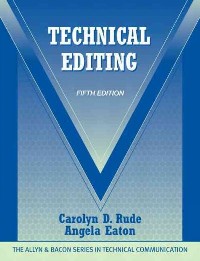
This market-leading text, which reflects recent changes in technology, workplace practices and the global marketplace, progresses from concepts and basic copyediting to comprehensive editing, management and production issues. The addition of Angela Eaton of Texas Tech University brings a fresh tone to her updates of content and pedagogy while retaining the authoritative voice of Carolyn Rude. Some of the text's changes include an update ot Chapter 6, "Electronic Editing," and examples about editing Web sites are found throughout the text to support the increased role of online resources in every aspect of communication.
目录
Table Of Contents:
Foreword By the Series Editor xvii
Preface xix
PART 1 PEOPLE AND PURPOSES 1(41)
1 Editing: The Big Picture 2(14)
Scenario One A Full-Time, In-House Editor 2(4)
Scenario Two A Freelance Editor 6(1)
Comment: Editing In-House and Freelance 7(1)
The Editing Process 7(3)
Document Development and Production: A Summary of the Process 10(1)
The Technical Part of Technical Editing 10(2)
What Skills Does a Technical Editor Need? 12(2)
Using Your Knowledge 14(1)
Discussion and Application 14(2)
2 Readers, Users, Browsers, Problem Solvers 16(14)
Texts and Situations 17(4)
How Readers Use Documents 21(1)
Reading to Comprehend: Content, Signals, Noise 22(3)
Researching Readers, Usability Testing 25(1)
Using Your Knowledge 26(1)
Discussion and Application 26(4)
3 Collaborating with Writers 30(12)
Who Are the Writers of Technical Documents? 30(1)
The Editor-Writer Relationship 31(1)
Strategies for Working with Writers 32(4)
Correspondence with Writers 36(2)
Corresponding with international Writers 38(2)
Using Your Knowledge 40(1)
Discussion and Application 40(2)
PART 2 METHODS AND TOOLS 42(50)
4 Marking Paper Copy 43(16)
The Symbols of Editorial Markup 44(5)
Special Problems of Markup 49(3)
Marks for Graphic Design 52(2)
Queries to Writers 54(2)
Using Your Knowledge 56(1)
Discussion and Application 56(3)
5 Marking Digital Copy 59(16)
Carlos Evia
Procedural Markup versus Structural Markup 60(1)
Styles and Templates 61(3)
Markup Languages for Online Documents 64(6)
Cascading Style Sheets 70(1)
Editing and information Management 71(1)
Using Your Knowledge 72(1)
Acknowledgments 73(1)
Discussion and Application 73(2)
6 Electronic Editing 75(17)
David Dayton
How Do Technical Communicators Edit Online? 76(2)
An Overview of On-Screen Markup and Query Methods 78(4)
Benefits of Electronic Editing 82(1)
Tradeoffs of Electronic Editing 83(3)
Change Tracking In Word: Tips and Techniques 86(3)
Using Your Knowledge 89(1)
Acknowledgments 90(1)
Websites for Products Mentioned 90(1)
Discussion and Application 90(2)
PART 3 BASIC COPYEDITING 92(110)
7 Basic Copyediting: An Introduction 93(15)
Making a Document Correct and Consistent 94(1)
Making a Document Accurate 94(2)
Making a Document Complete 96(3)
Copyediting Illustrations 99(4)
Copyediting Online Documents 103(1)
Steps in Copyediting 104(1)
Using Your Knowledge 105(1)
Discussion and Application 106(2)
8 Copyediting for Consistency 108(15)
Document Consistency 109(6)
Style Manuals 115(6)
Using Your Knowledge 121(1)
Discussion and Application 121(2)
9 Spelling, Capitalization, and Abbreviations 123(11)
Spelling 123(6)
Capitalization 129(1)
Abbreviations 130(2)
Using Your Knowledge 132(1)
Discussion and Application 132(2)
10 Grammar and Usage 134(18)
Parts of Speech 135(1)
Sentence Structure 135(4)
Relationships of Words in Sentences 139(4)
Modifiers 143(3)
Conventions of Usage 146(1)
Using Your Knowledge 147(1)
Discussion and Application 148(4)
11 Punctuation 152(22)
Clauses, Conjunctions, and Relative Pronouns 152(2)
Sentence Types and Punctuation 154(6)
Punctuating Phrases 160(3)
Punctuation within Words 163(3)
Marks of Punctuation 166(2)
Using Your Knowledge 168(1)
Discussion and Application 169(5)
12 Quantitative and Technical Material 174(15)
Using Numbers 174(1)
Measurement 175(1)
Marking Mathematical Material 176(4)
Statistics 180(1)
Tables 181(5)
Standards and Specifications 186(1)
Using Your Knowledge 187(1)
Discussion and Application 187(2)
13 Proofreading 189(13)
Distinguishing Proofreading from Copyediting 189(1)
The Value and Goals of Proofreading 190(1)
Proofreading Marks and Placement on the Page 191(7)
Using Your Knowledge 198(1)
Discussion and Application 199(3)
PART 4 COMPREHENSIVE EDITING 202(116)
14 Comprehensive Editing: Definition and Process 203(15)
Example: Copyediting Versus Comprehensive Editing 204(5)
The Process of Comprehensive Editing 209(3)
Application: The Service Call Memo 212(4)
Determining Whether Comprehensive Editing Is Warranted 216(1)
Using Your Knowledge 216(1)
Discussion and Application 217(1)
15 Style: Definition and Sentence Structures 218(14)
Definition of Style 219(1)
Example: Analysis of Style 219(2)
Guidelines for Editing for Style 221(5)
Sentence Length and Energy 226(3)
Using Your Knowledge 229(1)
Discussion and Application 229(3)
16 Style: Verbs and Other Words 232(16)
Verbs: Convey the Action in the Sentence Accurately 232(4)
Use Concrete, Accurate Nouns 236(3)
Application: Editing for Style 239(2)
The Language of Discrimination 241(4)
Using Your Knowledge 245(1)
Discussion and Application 246(2)
17 Organization: The Architecture of Information 248(18)
Organization for Performance: Task-Based Order 249(1)
Organization for Comprehension: Content-Based Order 250(1)
Principles of Content Organization 250(6)
Paragraph Organization 256(1)
Application: The Problem Statement for a Research Proposal 256(6)
Organizing for Reuse 262(1)
Using Your Knowledge 262(1)
Discussion and Application 263(3)
18 Visual Design 266(16)
Definitions of Terms Related to Visual Design 266(2)
Visual Design Options 268(2)
Functions of Visual Design 270(3)
Headings 273(1)
Application: Radar Target Classification Program 274(5)
Using Your Knowledge 279(1)
Discussion and Application 280(2)
19 Editing Illustrations 282(18)
What Illustrations Do 282(1)
Types of Illustrations 283(3)
Editing Illustrations for Accuracy and Clarity: Content, Organization, and Style 286(2)
Editing for Graphic Elements 288(3)
Integrating Text and Illustrations 291(2)
Application: Chandelier Assembly Instructions 293(3)
Preparing Illustrations for Print or Online Display 296(1)
Using Your Knowledge 296(2)
Discussion and Application 298(2)
20 Editing for Global Contexts 300(18)
Bruce Maylath
Preparing Documents for a Global Workplace 300(1)
International Rhetorical Expectations 301(1)
Globalization Versus Localization 301(1)
Globalization 302(5)
Localization 307(1)
Translation 307(6)
Machine Translation 313(3)
Researching Social and Cultural Information 316(1)
Using Your Knowledge 316(1)
Discussion and Application 316(2)
PART 5 MANAGEMENT AND PRODUCTION 318(63)
21 Legal and Ethical Issues in Editing 319(13)
Legal Issues in Editing 319(5)
Ethical Issues in Editing 324(5)
Establishing Policies For Legal And Ethical Conduct 329(1)
Using Your Knowledge 329(1)
Discussion and Application 330(2)
22 Type and Production 332(19)
Working with Type 332(7)
Working with Illustrations 339(2)
Choosing Paper 341(2)
Understanding the Production Process for Print Documents 343(5)
Working with Commercial Printers 348(2)
Using Your Knowledge 350(1)
Acknowledgment 350(1)
Discussion and Application 350(1)
23 Project Management 351(17)
Heather Eisenbraun
The Case for Managing the Document Development Process 352(1)
The Life-Cycle Model of Publications Development 352(1)
Planning and Content Specifications 353(1)
Estimating Time and Developing Budgets 353(7)
Document Scheduling and Tracking 360(5)
Evaluation 365(1)
Setting Policy 365(1)
Using Your Knowledge 366(1)
Acknowledgment 366(1)
Discussion and Application 366(2)
24 Client Projects 368(13)
Selecting a Good Project 368(1)
Project Plans and Proposals 369(2)
Establishing a Contract 371(1)
Conferencing with the Writer or Client 372(4)
Presenting the Project Orally 376(3)
Professionalism 379(1)
Using Your Knowledge 379(1)
Discussion and Application 379(2)
Glossary 381(10)
Index 391
Foreword By the Series Editor xvii
Preface xix
PART 1 PEOPLE AND PURPOSES 1(41)
1 Editing: The Big Picture 2(14)
Scenario One A Full-Time, In-House Editor 2(4)
Scenario Two A Freelance Editor 6(1)
Comment: Editing In-House and Freelance 7(1)
The Editing Process 7(3)
Document Development and Production: A Summary of the Process 10(1)
The Technical Part of Technical Editing 10(2)
What Skills Does a Technical Editor Need? 12(2)
Using Your Knowledge 14(1)
Discussion and Application 14(2)
2 Readers, Users, Browsers, Problem Solvers 16(14)
Texts and Situations 17(4)
How Readers Use Documents 21(1)
Reading to Comprehend: Content, Signals, Noise 22(3)
Researching Readers, Usability Testing 25(1)
Using Your Knowledge 26(1)
Discussion and Application 26(4)
3 Collaborating with Writers 30(12)
Who Are the Writers of Technical Documents? 30(1)
The Editor-Writer Relationship 31(1)
Strategies for Working with Writers 32(4)
Correspondence with Writers 36(2)
Corresponding with international Writers 38(2)
Using Your Knowledge 40(1)
Discussion and Application 40(2)
PART 2 METHODS AND TOOLS 42(50)
4 Marking Paper Copy 43(16)
The Symbols of Editorial Markup 44(5)
Special Problems of Markup 49(3)
Marks for Graphic Design 52(2)
Queries to Writers 54(2)
Using Your Knowledge 56(1)
Discussion and Application 56(3)
5 Marking Digital Copy 59(16)
Carlos Evia
Procedural Markup versus Structural Markup 60(1)
Styles and Templates 61(3)
Markup Languages for Online Documents 64(6)
Cascading Style Sheets 70(1)
Editing and information Management 71(1)
Using Your Knowledge 72(1)
Acknowledgments 73(1)
Discussion and Application 73(2)
6 Electronic Editing 75(17)
David Dayton
How Do Technical Communicators Edit Online? 76(2)
An Overview of On-Screen Markup and Query Methods 78(4)
Benefits of Electronic Editing 82(1)
Tradeoffs of Electronic Editing 83(3)
Change Tracking In Word: Tips and Techniques 86(3)
Using Your Knowledge 89(1)
Acknowledgments 90(1)
Websites for Products Mentioned 90(1)
Discussion and Application 90(2)
PART 3 BASIC COPYEDITING 92(110)
7 Basic Copyediting: An Introduction 93(15)
Making a Document Correct and Consistent 94(1)
Making a Document Accurate 94(2)
Making a Document Complete 96(3)
Copyediting Illustrations 99(4)
Copyediting Online Documents 103(1)
Steps in Copyediting 104(1)
Using Your Knowledge 105(1)
Discussion and Application 106(2)
8 Copyediting for Consistency 108(15)
Document Consistency 109(6)
Style Manuals 115(6)
Using Your Knowledge 121(1)
Discussion and Application 121(2)
9 Spelling, Capitalization, and Abbreviations 123(11)
Spelling 123(6)
Capitalization 129(1)
Abbreviations 130(2)
Using Your Knowledge 132(1)
Discussion and Application 132(2)
10 Grammar and Usage 134(18)
Parts of Speech 135(1)
Sentence Structure 135(4)
Relationships of Words in Sentences 139(4)
Modifiers 143(3)
Conventions of Usage 146(1)
Using Your Knowledge 147(1)
Discussion and Application 148(4)
11 Punctuation 152(22)
Clauses, Conjunctions, and Relative Pronouns 152(2)
Sentence Types and Punctuation 154(6)
Punctuating Phrases 160(3)
Punctuation within Words 163(3)
Marks of Punctuation 166(2)
Using Your Knowledge 168(1)
Discussion and Application 169(5)
12 Quantitative and Technical Material 174(15)
Using Numbers 174(1)
Measurement 175(1)
Marking Mathematical Material 176(4)
Statistics 180(1)
Tables 181(5)
Standards and Specifications 186(1)
Using Your Knowledge 187(1)
Discussion and Application 187(2)
13 Proofreading 189(13)
Distinguishing Proofreading from Copyediting 189(1)
The Value and Goals of Proofreading 190(1)
Proofreading Marks and Placement on the Page 191(7)
Using Your Knowledge 198(1)
Discussion and Application 199(3)
PART 4 COMPREHENSIVE EDITING 202(116)
14 Comprehensive Editing: Definition and Process 203(15)
Example: Copyediting Versus Comprehensive Editing 204(5)
The Process of Comprehensive Editing 209(3)
Application: The Service Call Memo 212(4)
Determining Whether Comprehensive Editing Is Warranted 216(1)
Using Your Knowledge 216(1)
Discussion and Application 217(1)
15 Style: Definition and Sentence Structures 218(14)
Definition of Style 219(1)
Example: Analysis of Style 219(2)
Guidelines for Editing for Style 221(5)
Sentence Length and Energy 226(3)
Using Your Knowledge 229(1)
Discussion and Application 229(3)
16 Style: Verbs and Other Words 232(16)
Verbs: Convey the Action in the Sentence Accurately 232(4)
Use Concrete, Accurate Nouns 236(3)
Application: Editing for Style 239(2)
The Language of Discrimination 241(4)
Using Your Knowledge 245(1)
Discussion and Application 246(2)
17 Organization: The Architecture of Information 248(18)
Organization for Performance: Task-Based Order 249(1)
Organization for Comprehension: Content-Based Order 250(1)
Principles of Content Organization 250(6)
Paragraph Organization 256(1)
Application: The Problem Statement for a Research Proposal 256(6)
Organizing for Reuse 262(1)
Using Your Knowledge 262(1)
Discussion and Application 263(3)
18 Visual Design 266(16)
Definitions of Terms Related to Visual Design 266(2)
Visual Design Options 268(2)
Functions of Visual Design 270(3)
Headings 273(1)
Application: Radar Target Classification Program 274(5)
Using Your Knowledge 279(1)
Discussion and Application 280(2)
19 Editing Illustrations 282(18)
What Illustrations Do 282(1)
Types of Illustrations 283(3)
Editing Illustrations for Accuracy and Clarity: Content, Organization, and Style 286(2)
Editing for Graphic Elements 288(3)
Integrating Text and Illustrations 291(2)
Application: Chandelier Assembly Instructions 293(3)
Preparing Illustrations for Print or Online Display 296(1)
Using Your Knowledge 296(2)
Discussion and Application 298(2)
20 Editing for Global Contexts 300(18)
Bruce Maylath
Preparing Documents for a Global Workplace 300(1)
International Rhetorical Expectations 301(1)
Globalization Versus Localization 301(1)
Globalization 302(5)
Localization 307(1)
Translation 307(6)
Machine Translation 313(3)
Researching Social and Cultural Information 316(1)
Using Your Knowledge 316(1)
Discussion and Application 316(2)
PART 5 MANAGEMENT AND PRODUCTION 318(63)
21 Legal and Ethical Issues in Editing 319(13)
Legal Issues in Editing 319(5)
Ethical Issues in Editing 324(5)
Establishing Policies For Legal And Ethical Conduct 329(1)
Using Your Knowledge 329(1)
Discussion and Application 330(2)
22 Type and Production 332(19)
Working with Type 332(7)
Working with Illustrations 339(2)
Choosing Paper 341(2)
Understanding the Production Process for Print Documents 343(5)
Working with Commercial Printers 348(2)
Using Your Knowledge 350(1)
Acknowledgment 350(1)
Discussion and Application 350(1)
23 Project Management 351(17)
Heather Eisenbraun
The Case for Managing the Document Development Process 352(1)
The Life-Cycle Model of Publications Development 352(1)
Planning and Content Specifications 353(1)
Estimating Time and Developing Budgets 353(7)
Document Scheduling and Tracking 360(5)
Evaluation 365(1)
Setting Policy 365(1)
Using Your Knowledge 366(1)
Acknowledgment 366(1)
Discussion and Application 366(2)
24 Client Projects 368(13)
Selecting a Good Project 368(1)
Project Plans and Proposals 369(2)
Establishing a Contract 371(1)
Conferencing with the Writer or Client 372(4)
Presenting the Project Orally 376(3)
Professionalism 379(1)
Using Your Knowledge 379(1)
Discussion and Application 379(2)
Glossary 381(10)
Index 391
- 名称
- 类型
- 大小
光盘服务联系方式: 020-38250260 客服QQ:4006604884
云图客服:
用户发送的提问,这种方式就需要有位在线客服来回答用户的问题,这种 就属于对话式的,问题是这种提问是否需要用户登录才能提问
Video Player
×
Audio Player
×
pdf Player
×
