

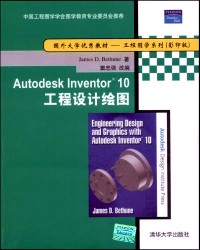
Engineering design and graphics with Autodesk Inventor 10 = Autodesk Inventor 10工程设计绘图 /
副标题:无
作 者:James D. Bethune著 ; 窦忠强改编.
分类号:
ISBN:9787302192404
微信扫一扫,移动浏览光盘
简介
《Autodesk Inventor 10工程设计绘图》的特点:(1)《Autodesk Inventor 10工程设计绘图》适用面广,适合Inventor初学者及机械设计人员;(2)各章给出设计习题,便于读者练习;(3)结合设计的实例很有指导意义和实用价值。
《Autodesk Inventor 10工程设计绘图》的价值:
《Autodesk Inventor 10工程设计绘图》是一本学习Autodesk Inventor10的教材,是使用该设计软件的工程技术人员和各类学校的学生、教师极好的学习和参考用书。
目录
chapter 1--getting started .
1-1 introduction
1-2 creating a first sketch
1-3 creating a solid model
1-4 exercise problems
chapter 2--two-dimensional sketching
2-1 introduction
2-2 line
2-3 spline
2-4 circle
2-5 ellipse
2-6 arc
2-7 rectangle
2-8 fillet
2-9 chamfer
2-10 polygon
2-11 mirror
2-12 rectangular pattern
2-13 offset
2-14 extend
.2-15 trim
2-16 move
2-17 rotate
2-18 constraints
2-19 show constraints
2-20 to edit a sketch
2-21 insert autocad file
2-22 text
2-23 exercise problems
chapter 3--three-dimensional models
3-1 introduction
3-2 extrude
3-3 revolve
3-4 holes
3-5 shell
3-6 fillet
3-7 chamfer
3-8 face draft
3-9 split
3-10 mirror
3-11 rectangular pattern
3-12 circular pattern
3-13 sketch planes
3-14 to edit a 3d model
3-15 default planes and axes
3-16 work planes
3-17 angled work planes
3-18 offset work planes
3-19 work points
3-20 work axes
3-21 ribs (webs)
3-22 loft
3-23 sweep
3-24 coil
3-25 model material
3-26 exercise problems
chapter 4--orthographic views
4-1 introduction
4-2 fundamentals of orthographic views
4-3 orthographic views with inventor
4-4 isometric views
4-5 section views
4-6 offset section views
4-7 aligned section views
4-8 detail views
4-9 broken views
4-10 auxiliary views
4-11 exercise problems
chapter 5--assembly drawings
5-1 introduction
5-2 bottom-up and top-down assemblies
5-3 to start an assembly drawing
5-4 degrees of freedom
5-5 move and rotate
5-6 constraint
5-7 sample assembly problem sp5-1
5-8 presentation drawings
5-9 animation
5-10 isometric drawings
5-11 assembly numbers
5-12 parts list
5-13 title block
5-14 drawing sheets
5-15 other types of drawing blocks
5-16 sample problem sp5-2
5-17 top-down assemblies
5-18 editing a part within an assembly drawing
5-19 pattern component
5-20 mirror components
5-21 copy components
5-22 exercise problems
chapter 6--threads and fasteners
6-1 introduction
6-2 thread terminology
6-3 thread callouts- metric units
6-4 thread callouts ansi unified screw threads
6-5 thread representations
6-6 internal threads
6-7 threaded blind holes
6-8 creating threaded holes using the hole command
6-9 standard fasteners
6-10 sizing a threaded hole to accept a screw
6-11 screws and nuts
6-12 types of threaded fasteners
6-13 flat head screws- countersunk holes
6-14 counterbores
6-15 to draw fasteners not inciuded in the content center
6-16 fasteners from the web
6-17 sample problem sp6-1
6-18 washers
6-19 set screws
6-20 rivets
6-21 exercise problems
chapter 7--dimensioning
7-1 introduction
7-2 terminology and conventions- ansi
7-3 creating drawing dimensions
7-4 drawing scale
7-5 units
7-6 aligned dimensions
7-7 radius and diameter dimensions
7-8 dimensioning holes
7-9 dimensioning counterbored, countersunk holes
7-10 angular dimensions
7-11 ordinate dimensions
7-12 baseline dimensions
7-13 hole tables
7-14 locating dimensions
7-15 fillets and rounds
7-16 rounded shapes--internal
7-17 rounded shapes--external
7-18 irregular surfaces
7-19 polar dimensions
7-20 chamfers
7-21 knurling
7-22 keys and keyseats
7-23 symbols and abbreviations
7-24 symmetry and centerline
7-25 dimensioning to a point
7-26 sectional views
7-27 orthographic views
7-28 exercise problems
chapter 8--tolerancing
8-1 introduction
8-2 direct tolerance methods ..
8-3 tolerance expressions
8-4 understanding plus and minus tolerances
8-5 creating plus and minus tolerances
8-6 limit tolerances
8-7 angular tolerances
8-8 standard tolerances
8-9 double dimensioning
8-10 chain dimensions and baseline dimensions
8-11 tolerance studies
8-12 rectangular dimensions
8-13 hole locations
8-14 choosing a shaft for a toleranced hole
8-15 sample problem sp8-1
8-16 sample problem sp8-2
8-17 nominal sizes 302
8-18 standard fits (metric values)
8-19 hole and shaft basis
8-20 calculated hole and shaft sizes
8-21 standard fits (inch values)
8-22 sample problem sp8-3
8-23 preferred and standard sizes
8-24 surface finishes
8-25 surface control symbols
8-26 design problems
8-27 geometric tolerances
8-28 tolerances of form
8-29 flatness
8-30 straightness
8-31 straightness (rfs and mmc)
8-32 circularity
8-33 cylindricity
8-34 geometric tolerances using inventor
8-35 tolerances of orientation
8-36 datums
8-37 perpendicularity
8-38 parallelism
8-39 angularity
8-40 profiles
8-41 runouts
8-42 positional tolerances
8-43 virtual condition
8-44 floating fasteners
8-45 sample problem sp8-4
8-46 sample problem sp8-5
8-47 fixed fasteners
8-48 sample problem sp8-6
8-49 design problems
8-50 exercise problems
chapter 9--bearings and shafts
9-1 introduction
9-2 sleeve bearings
9-3 sample problem sp9-1
9-4 sample problem sp9-2
9-5 ball bearings
9-6 shafts
9-7 shear and moment diagrams
9-8 minimum shaft diameters
9-9 shock factors
9-10 shaft deflection
9-11 sample problem sp9-3
9-12 sample problem sp9-4
9-13 critical speed
9-14 sample problem sp9-5
9-15 exercise problems
chapter 10--gears
10-1 introduction
10-2 gear terminology
10-3 gear formulas
10-4 drawing a gear using inventor
10-5 gear ratios
10-6 gear trains
10-7 designing gear speed ratios
10-8 forces in gears
10-9 sample problem sp10-1
10-10 sample problem sp10-2
10-11 design accelerator--spur gears
10-12 forces in gear trains
10-13 sample problem sp10-3
10-14 sample problem sp10-4
10-15 safety factors
10-16 service factors
10-17 lubrication factors
10-18 sample problem sp10-5
10-19 manufacturers' catalogs
10-20 web sites
10-21 forces in nonmetallic gears
10-22 sample problem sp10-6
10-23 metric spur gears
10-24 bevel gears
10-25 worm gears
10-26 matching gears and shafts
10-27 center distance and backlash
10-28 sample problem sp10-7
10-29 gear assembly animation
10-30 exercise problems
chapter 11--cams, springs, and keys
11-1 introduction
11-2 displacement diagrams
11-3 drawing a cam using inventor
11-4 sample problem sp 11-1
11-5 animating cams and followers
11-6 springs
11-7 forces in springs
11-8 keys and keyways
11-9 metric keys
11-10 key and keyway tolerances
11-11 exercise problems
chapter 12--sheet metal and weldments
12-1 introduction
12-2 sheet metal drawings
12-3 weldments--fillet welds
12-4 weldments--groove welds
12-5 sample problem sp12-1
12-6 exercise problems
chapter 13--the design process
13-1 introduction
13-2 selecting a design group
13-3 the design project
13-4 understanding the design problem
13-5 creating a solution
13-6 managing the design process
13-7 procurement
13-8 the motor--the first unexpected problem
13-9 string climber concept sketch
13-10 drawing layout
13-11 modified parts
13-12 electrical schematic
13-13 estimated speed
13-14 final drawings
13-15 test and modification
13-16 exercise problem
chapter 14--design projects
14-1 introduction
14-2 head bangers--rating 2
14-3 the string climber--rating 7
14-4 rope bomber--rating 3
14-5 tug of war--rating 5
14-6 footbag drop madness--rating 3
14-7 peak performance--rating 5
14-8 s-car--rating 8
14-9 cam car--rating 9
14-10 cam project--rating 7
14-11 gondola project--rating 7
index ...
1-1 introduction
1-2 creating a first sketch
1-3 creating a solid model
1-4 exercise problems
chapter 2--two-dimensional sketching
2-1 introduction
2-2 line
2-3 spline
2-4 circle
2-5 ellipse
2-6 arc
2-7 rectangle
2-8 fillet
2-9 chamfer
2-10 polygon
2-11 mirror
2-12 rectangular pattern
2-13 offset
2-14 extend
.2-15 trim
2-16 move
2-17 rotate
2-18 constraints
2-19 show constraints
2-20 to edit a sketch
2-21 insert autocad file
2-22 text
2-23 exercise problems
chapter 3--three-dimensional models
3-1 introduction
3-2 extrude
3-3 revolve
3-4 holes
3-5 shell
3-6 fillet
3-7 chamfer
3-8 face draft
3-9 split
3-10 mirror
3-11 rectangular pattern
3-12 circular pattern
3-13 sketch planes
3-14 to edit a 3d model
3-15 default planes and axes
3-16 work planes
3-17 angled work planes
3-18 offset work planes
3-19 work points
3-20 work axes
3-21 ribs (webs)
3-22 loft
3-23 sweep
3-24 coil
3-25 model material
3-26 exercise problems
chapter 4--orthographic views
4-1 introduction
4-2 fundamentals of orthographic views
4-3 orthographic views with inventor
4-4 isometric views
4-5 section views
4-6 offset section views
4-7 aligned section views
4-8 detail views
4-9 broken views
4-10 auxiliary views
4-11 exercise problems
chapter 5--assembly drawings
5-1 introduction
5-2 bottom-up and top-down assemblies
5-3 to start an assembly drawing
5-4 degrees of freedom
5-5 move and rotate
5-6 constraint
5-7 sample assembly problem sp5-1
5-8 presentation drawings
5-9 animation
5-10 isometric drawings
5-11 assembly numbers
5-12 parts list
5-13 title block
5-14 drawing sheets
5-15 other types of drawing blocks
5-16 sample problem sp5-2
5-17 top-down assemblies
5-18 editing a part within an assembly drawing
5-19 pattern component
5-20 mirror components
5-21 copy components
5-22 exercise problems
chapter 6--threads and fasteners
6-1 introduction
6-2 thread terminology
6-3 thread callouts- metric units
6-4 thread callouts ansi unified screw threads
6-5 thread representations
6-6 internal threads
6-7 threaded blind holes
6-8 creating threaded holes using the hole command
6-9 standard fasteners
6-10 sizing a threaded hole to accept a screw
6-11 screws and nuts
6-12 types of threaded fasteners
6-13 flat head screws- countersunk holes
6-14 counterbores
6-15 to draw fasteners not inciuded in the content center
6-16 fasteners from the web
6-17 sample problem sp6-1
6-18 washers
6-19 set screws
6-20 rivets
6-21 exercise problems
chapter 7--dimensioning
7-1 introduction
7-2 terminology and conventions- ansi
7-3 creating drawing dimensions
7-4 drawing scale
7-5 units
7-6 aligned dimensions
7-7 radius and diameter dimensions
7-8 dimensioning holes
7-9 dimensioning counterbored, countersunk holes
7-10 angular dimensions
7-11 ordinate dimensions
7-12 baseline dimensions
7-13 hole tables
7-14 locating dimensions
7-15 fillets and rounds
7-16 rounded shapes--internal
7-17 rounded shapes--external
7-18 irregular surfaces
7-19 polar dimensions
7-20 chamfers
7-21 knurling
7-22 keys and keyseats
7-23 symbols and abbreviations
7-24 symmetry and centerline
7-25 dimensioning to a point
7-26 sectional views
7-27 orthographic views
7-28 exercise problems
chapter 8--tolerancing
8-1 introduction
8-2 direct tolerance methods ..
8-3 tolerance expressions
8-4 understanding plus and minus tolerances
8-5 creating plus and minus tolerances
8-6 limit tolerances
8-7 angular tolerances
8-8 standard tolerances
8-9 double dimensioning
8-10 chain dimensions and baseline dimensions
8-11 tolerance studies
8-12 rectangular dimensions
8-13 hole locations
8-14 choosing a shaft for a toleranced hole
8-15 sample problem sp8-1
8-16 sample problem sp8-2
8-17 nominal sizes 302
8-18 standard fits (metric values)
8-19 hole and shaft basis
8-20 calculated hole and shaft sizes
8-21 standard fits (inch values)
8-22 sample problem sp8-3
8-23 preferred and standard sizes
8-24 surface finishes
8-25 surface control symbols
8-26 design problems
8-27 geometric tolerances
8-28 tolerances of form
8-29 flatness
8-30 straightness
8-31 straightness (rfs and mmc)
8-32 circularity
8-33 cylindricity
8-34 geometric tolerances using inventor
8-35 tolerances of orientation
8-36 datums
8-37 perpendicularity
8-38 parallelism
8-39 angularity
8-40 profiles
8-41 runouts
8-42 positional tolerances
8-43 virtual condition
8-44 floating fasteners
8-45 sample problem sp8-4
8-46 sample problem sp8-5
8-47 fixed fasteners
8-48 sample problem sp8-6
8-49 design problems
8-50 exercise problems
chapter 9--bearings and shafts
9-1 introduction
9-2 sleeve bearings
9-3 sample problem sp9-1
9-4 sample problem sp9-2
9-5 ball bearings
9-6 shafts
9-7 shear and moment diagrams
9-8 minimum shaft diameters
9-9 shock factors
9-10 shaft deflection
9-11 sample problem sp9-3
9-12 sample problem sp9-4
9-13 critical speed
9-14 sample problem sp9-5
9-15 exercise problems
chapter 10--gears
10-1 introduction
10-2 gear terminology
10-3 gear formulas
10-4 drawing a gear using inventor
10-5 gear ratios
10-6 gear trains
10-7 designing gear speed ratios
10-8 forces in gears
10-9 sample problem sp10-1
10-10 sample problem sp10-2
10-11 design accelerator--spur gears
10-12 forces in gear trains
10-13 sample problem sp10-3
10-14 sample problem sp10-4
10-15 safety factors
10-16 service factors
10-17 lubrication factors
10-18 sample problem sp10-5
10-19 manufacturers' catalogs
10-20 web sites
10-21 forces in nonmetallic gears
10-22 sample problem sp10-6
10-23 metric spur gears
10-24 bevel gears
10-25 worm gears
10-26 matching gears and shafts
10-27 center distance and backlash
10-28 sample problem sp10-7
10-29 gear assembly animation
10-30 exercise problems
chapter 11--cams, springs, and keys
11-1 introduction
11-2 displacement diagrams
11-3 drawing a cam using inventor
11-4 sample problem sp 11-1
11-5 animating cams and followers
11-6 springs
11-7 forces in springs
11-8 keys and keyways
11-9 metric keys
11-10 key and keyway tolerances
11-11 exercise problems
chapter 12--sheet metal and weldments
12-1 introduction
12-2 sheet metal drawings
12-3 weldments--fillet welds
12-4 weldments--groove welds
12-5 sample problem sp12-1
12-6 exercise problems
chapter 13--the design process
13-1 introduction
13-2 selecting a design group
13-3 the design project
13-4 understanding the design problem
13-5 creating a solution
13-6 managing the design process
13-7 procurement
13-8 the motor--the first unexpected problem
13-9 string climber concept sketch
13-10 drawing layout
13-11 modified parts
13-12 electrical schematic
13-13 estimated speed
13-14 final drawings
13-15 test and modification
13-16 exercise problem
chapter 14--design projects
14-1 introduction
14-2 head bangers--rating 2
14-3 the string climber--rating 7
14-4 rope bomber--rating 3
14-5 tug of war--rating 5
14-6 footbag drop madness--rating 3
14-7 peak performance--rating 5
14-8 s-car--rating 8
14-9 cam car--rating 9
14-10 cam project--rating 7
14-11 gondola project--rating 7
index ...
Engineering design and graphics with Autodesk Inventor 10 = Autodesk Inventor 10工程设计绘图 /
- 名称
- 类型
- 大小
光盘服务联系方式: 020-38250260 客服QQ:4006604884
云图客服:
用户发送的提问,这种方式就需要有位在线客服来回答用户的问题,这种 就属于对话式的,问题是这种提问是否需要用户登录才能提问
Video Player
×
Audio Player
×
pdf Player
×
