

简介
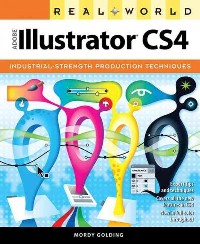
"Adobe illustrator is the industry-standard design and production tool for a broad range of professionals and hobbyists. In today's world of narrow budgets and impossible deadlines, the ability to take advantage of more efficient and productive workflows--without sacrificing cretivity--is essential. Now, with Adobe Illustrator CS4, features such as multiple artboards, an expressive Blob Brush tool, enhanced clipping masks, and more have taken productivity to a whole new level. Here to help you navigate through all of the features--old and new--is one of the graphics industry's most recognized illustrator experts, Mordy Golding. Using real-world examples and techniques, he takes a thorough yet accessible approach to everything illustrator has to offer, including typography, web graphics, creative drawing, color, 3D, and vector tracing, to name but a few. Now in full color throughout, [this book] provides the in-depth instruction and practical insight you need for this amazing design application. Filled with tips, sidebars, and expert commentary, this book shows you how to: Build efficient files and cut down your production time; Set type like a pro, using optical kerning and OpenType features; Make the most of the new multiple artboards feature; Easily draw expressive art with the new Blob Brush tool; Quickly create advanced vector graphics with Live Paint; Take control of every aspect of color with Live Color; Produce beautiful web graphics and Flash animations, and create fantastic 3D illustrations and effects; Print complex files with transparency effects [and] Use Live Trace to turn ordinary photographs into stylized art." -- Back cover.
目录
Table Of Contents:
Introduction xv
Creating and Managing Documents 1(26)
Exploring the Welcome Screen 2(1)
Creating New Documents 3(7)
Creating Your Own New Document Profiles 7(1)
Setting Up Your Document 8(2)
Using Multiple Artboards 10(8)
Navigating Within a Document 12(1)
Modifying Artboards 13(4)
Handling Artboards and Legacy Workflows 17(1)
Using Multiple Artboard Strategies 18(1)
Viewing Documents 18(6)
Using Overprint Preview 19(1)
Using Pixel Preview 20(1)
Using Rulers and Guides 20(1)
Using Smart Guides 21(2)
Defining Custom Views 23(1)
Working with Templates 24(1)
Creating Meaningful Metadata 25(2)
Selecting and Editing Artwork 27(40)
Selecting Objects 28(7)
Making Selections 28(2)
Setting Your Selection and Anchor Display Preferences 30(1)
Using the Direct Selection Tool 31(1)
Using the Group Selection Tool 32(1)
Using Alternative Selection Techniques 33(2)
Making Transformations 35(6)
Using the Bounding Box 36(1)
Living by the Numbers with the Transform Panel 37(1)
Working with the Transformation Tools 38(2)
Transforming Multiple Objects at Once 40(1)
Exploring the Power of the Transform Again Feature 41(1)
Exploring the Pathfinder Panel 41(4)
Combining Shapes with Shape Modes 42(2)
Changing Paths with Pathfinders 44(1)
Aligning Objects 45(2)
Distributing Objects 47(2)
Distribute Objects 48(1)
Distribute Spacing 48(1)
Working with Tools of Mass Distortion 49(11)
Painting with Distortion: The Liquify Tools 49(3)
Getting Into Shape: Envelope Distortion 52(8)
Creating Transitions with Blends 60(7)
Creating a Blend 62(1)
Editing a Blend 63(2)
Releasing and Expanding Blends 65(2)
Technical Drawing 67(26)
Drawing Primitive Vector Shapes 68(4)
Using Closed-Path Shape Tools 68(2)
Using Open-Path Shape Tools 70(1)
Drawing by Numbers 71(1)
Drawing and Editing Free-Form Vectors 72(13)
Mastering the Pen Tool 72(11)
Adding and Deleting Anchor Points 83(1)
Using the Reshape Tool 84(1)
Cutting Paths with the Scissors and Knife Tools 85(1)
Creating Compound Paths 85(3)
Performing Advanced Path Editing 88(5)
Working with the Join and Average Commands 88(1)
Using the Outline Stroke Command 89(1)
Exploring the Offset Path Function 89(1)
Simplifying Vector Paths 90(2)
Using the Split Into Grid Feature 92(1)
Removing Unnecessary Elements with the Clean Up Feature 92(1)
Creative Drawing 93(40)
Drawing with Live Paint 94(8)
Using Live Paint to Color Paths 94(6)
Releasing and Expanding Live Paint Groups 100(1)
Merging Live Paint Groups 100(1)
Using Live Paint to Edit Paths 100(2)
Drawing with the Pencil Tool 102(4)
Unleashing the Power of Brushes 106(14)
Exploring the Illustrator Brush Quartet 106(3)
Applying Brush Strokes 109(1)
Defining a Calligraphic Brush 110(1)
Defining a Scatter Brush 111(2)
Defining an Art Brush 113(1)
Defining a Pattern Brush 114(5)
Modifying Brush Strokes 119(1)
Expanding Brush Art 120(1)
Drawing and Erasing with Ease 120(7)
Using the Blob Brush Tool 122(2)
Using the Eraser Tool 124(3)
Using Gradient Mesh 127(2)
Adding Pizzazz with the Flare Tool 129(4)
Drawing a Vector Lens Flare 129(3)
Editing a Vector Lens Flare 132(1)
Organizing Your Drawing 133(32)
Understanding Appearances 134(8)
Understanding Attributes and Stacking Order 135(3)
Targeting Attributes 138(1)
Applying Multiple Attributes 139(3)
Expanding Appearances 142(1)
Enhancing Appearances with Live Effects 142(5)
Applying a Live Effect 143(3)
Editing a Live Effect 146(1)
Working with Groups 147(6)
Adding a Soft Drop Shadow to a Group 148(2)
Adding a Stroke to a Group 150(3)
Using Isolation Mode 153(1)
Working with Layers 154(9)
Using the Layers Panel 156(3)
Understanding Object Hierarchy 159(1)
Using Layers and Appearances 160(3)
Putting It All Together 163(2)
Coloring Artwork 165(54)
Creating and Using Color in Illustrator 166(11)
Using the Color Panel 166(1)
Using the Swatches Panel 167(8)
Working with Libraries 175(2)
Adding Color with Fills and Strokes 177(12)
Applying Fills 178(8)
Applying Strokes 186(3)
Getting Inspired with Color 189(9)
Using the Color Guide Panel 189(5)
Limiting the Color Guide Panel 194(1)
Tapping In to a Community Around Color with Kuler 195(3)
Modifying Color 198(15)
Recoloring Artwork 198(10)
Converting Art to Grayscale 208(5)
Performing One-Click Color Fixes 213(1)
Viewing Color on the Screen 213(6)
Controlling Color Management Settings 214(1)
Proofing Colors 214(2)
Previewing Contrast for Color Blindness 216(1)
Understanding Book Color 217(2)
Working with Live Effects 219(30)
Combining Features and Effects 220(1)
Deconstructing the Effect Menu 220(5)
Is It Vector, or Is It Raster? 221(1)
Massaging Pixels in Illustrator 222(3)
Convert to Shape: Changing for the Better 225(3)
Applying the Convert to Shape Effect 225(1)
What If...You Apply the Convert to Shape Effect to Text? 226(2)
Crop Marks: Cut Here, Please 228(1)
Distort & Transform: Transforming Your Design 229(3)
Distortion Effects 229(2)
Transform Effect 231(1)
Paths: Drawing Outside the Lines 232(1)
Pathfinder: Creating Complex Shapes 233(2)
What If...You Combine Offset Path and Pathfinder Effects on a Group? 233(2)
Rasterize: Creating Vectors That Act Like Pixels 235(1)
What If...You Apply the Rasterize Effect to a Raster Image? 236(1)
Stylize: Now You're Stylin'! 236(7)
The Add Arrowheads Effect 236(1)
The Feather Effect 237(1)
The Inner Glow and Outer Glow Effects 238(1)
The Round Corners Effect 238(1)
The Scribble Effect 239(3)
What If...You Apply the Scribble Effect to Multiple Fills? 242(1)
SVG Filters: Applying Technical Effects 243(1)
Warp: Choosing Your Distortion 244(1)
Applying Photoshop Effects 245(4)
A Gallery of Effects 248(1)
Working with Typography 249(34)
Working with Text Objects 250(3)
Working with Point Type 250(1)
Working with Area Type 251(1)
Converting Text to Editable Vectors 252(1)
Getting Global Text Support with Unicode 253(1)
Understanding the Way of the Font 254(7)
Introducing OpenType 255(4)
Finding Glyphs and Fonts 259(1)
Using the Find Font Dialog Box 260(1)
Specifying Character and Paragraph Options 261(5)
Using the Character Panel 261(3)
Using the Paragraph Panel 264(1)
Setting Tabs 264(2)
Defining Text Styles 266(1)
Working with Area Type 267(4)
Creating and Editing Text Threads 267(3)
Setting Area Type Options 270(1)
Achieving Perfect Alignment 270(1)
Putting Type on a Path 271(4)
Working with Path Type with Closed Paths 273(1)
Setting Path Text Options 273(2)
Wrapping Text Around Objects 275(1)
Editing Text 276(2)
Using Find and Replace 276(1)
Displaying Invisible Characters 277(1)
Checking Spelling 277(1)
Working with Legacy Text and Backward Compatibility 278(5)
Opening Legacy Illustrator Files in Illustrator CS4 279(1)
Updating Legacy Text in an Open Document 280(2)
Saving Illustrator CS4 Files to Illustrator Legacy Versions 282(1)
Drawing with Efficiency 283(32)
Saving Space and Time with Symbols 284(13)
Working with Symbols and Instances 284(5)
Having Fun with the Symbolism Tools 289(8)
Looking Behind the Mask 297(10)
Creating Clipping Masks 298(2)
Organizing Masking with Layer Clipping Masks 300(2)
Seeing Through Objects with Opacity Masks 302(5)
Using Graphic Styles 307(2)
Defining a Graphic Style 307(1)
Editing a Graphic Style 308(1)
Adding a Graphic Style to an Object 309(1)
Using Automation with Illustrator 309(3)
Recording and Playing Actions 310(2)
Scripting in Illustrator 312(1)
Using Automation When Releasing Final Files 312(3)
Cleaning Up Messy Files 312(1)
Generating a List of Used Items 313(1)
Collecting Necessary Support Files 313(2)
Drawing with Data 315(18)
Exploring the Anatomy of a Graph 316(1)
Creating a Graph in Illustrator 317(6)
Choosing a Graph Type 318(3)
Specifying Graph Data 321(1)
Formatting Data in the Graph Data Window 322(1)
Customizing Graphs 323(6)
Using Graph Designs 324(2)
Instantly Colorizing a Graph 326(3)
Ungrouping a Graph 329(1)
Raising the Bar with Graphs 329(1)
Combining Multiple Graph Types 330(3)
Exploring the World of 3D 333(42)
3D in Illustrator: What It Is and What It Isn't 334(2)
Looking Inside the 3D Effect 336(39)
Using Fills and Strokes and the 3D Effect 337(3)
Editing a 3D Effect 340(1)
Applying the 3D Extrude & Bevel Effect 341(16)
Applying the 3D Revolve Effect 357(8)
Applying the 3D Rotate Effect 365(1)
Mapping Artwork to 3D Surfaces 366(2)
Specifying Mapped Artwork 368(3)
What If...You Add Transparency to 3D? 371(2)
What If...You Blend 3D Objects? 373(1)
What If...You Apply a 3D Effect to a Graph? 374(1)
Working with Images 375(38)
Placing Raster-Based Files 376(7)
Placing an Image 376(3)
Placing Native Photoshop Files (PSD) 379(1)
Working with Placed Images 380(1)
Using Template Layers to Manually Trace 381(2)
Managing Placed Images 383(6)
Additional Links Panel Functionality 385(2)
Getting Faster Access to Image Settings with the Control Panel 387(2)
Converting Rasters to Vectors Using Live Trace 389(16)
Tracing an Image 393(1)
Exploring the Live Trace Preview Options 394(3)
Tweaking to Get the Perfect Trace 397(5)
Editing Live Trace Paths 402(3)
Exploring an Alternative to Trace: Object Mosaic 405(1)
Turning Vectors into Rasters 406(2)
Working with Adobe Photoshop 408(5)
Going from Illustrator to Photoshop 409(2)
Going from Photoshop to Illustrator 411(2)
Web and Mobile Design 413(40)
Two Approaches to Web Design 414(2)
Maximizing Image Quality on the Web 416(4)
Dithering 416(1)
Antialiasing 417(2)
Compression 419(1)
Creating Perfect Web Graphics 420(6)
Antialiasing and the Pixel Grid 420(6)
Slicing Up the Web 426(4)
Any Way You Slice It 427(3)
Editing Slice Attributes 430(1)
Exporting Pixel-Based Images with Save for Web & Devices 430(9)
Choosing the Right Image File Type 433(4)
Specifying Additional Image Settings 437(2)
Adding Interactivity and Creating Animations 439(2)
Creating Image Maps 439(1)
Animation: Making It Move 440(1)
Designing Specifically for Flash 441(4)
Working with Symbols 442(2)
Working with Text 444(1)
Bringing Your Artwork into Flash 444(1)
Exporting Vector-Based Images with Save for Web & Devices 445(2)
Choosing the SWF File Format 445(1)
Choosing the SVG File Format 446(1)
Using Adobe Device Central 447(3)
Future Web Workflows 450(3)
Saving and Exporting Files 453(46)
Saving Files from Illustrator 454(29)
The Native Illustrator (.ai) Format 454(4)
The Encapsulated PostScript (.eps) Format 458(4)
The Portable Document Format (.pdf) 462(16)
The Flex Exchange Graphic (.fxg) Format 478(2)
The Scalable Vector Graphics (.svg,.svgz) Format 480(3)
Exporting Files from Illustrator 483(12)
The Bitmap (.bmp) Format 485(1)
The Targa (.tga) Format 485(1)
The Portable Network Graphic (.png) Format 485(3)
The AutoCAD Drawing (.dwg) and AutoCAD Interchange File (.dxf) Formats 488(1)
The Windows Metafile (.wmf) and Enhanced Metafile (.emf) Formats 489(1)
The Flash (.swf) Format 489(3)
The Joint Photographic Experts Group (.jpg) Format 492(1)
The Macintosh PICT (.pct) Format 493(1)
The Adobe Photoshop (.psd) Format 494(1)
The Tagged Image File Format (.tif) 495(1)
The Text Format (.txt) 495(1)
Choosing File Formats Based on Workflow 495(4)
Print Workflows 495(2)
Web Workflows 497(1)
Other Workflows 497(2)
Prepress and Printing 499(36)
Printing from Adobe Illustrator CS4 500(13)
Exploring the General Print Panel 500(5)
Exploring the Marks and Bleed Print Panel 505(1)
Exploring the Output Print Panel 506(1)
Specifying Color Separations 507(3)
Exploring the Graphics Print Panel 510(1)
Exploring the Color Management Print Panel 511(1)
Exploring the Advanced Print Panel 512(1)
Defining Print Presets 513(1)
Learning the Truth About Transparency 513(15)
Understanding Transparency Flattening 514(9)
Does My File Contain Transparency? 523(3)
Printing with Confidence 526(2)
Understanding Overprints 528(7)
Why Overprint? 529(1)
Handling the Limitations of Overprints 530(1)
Previewing Overprints 530(1)
Handling Transparency Effects That Disappear or Print as White Boxes 531(4)
Appendix: Application Preferences 535(18)
The General Panel 536(4)
The Selection & Anchor Display Panel 540(1)
The Type Panel 541(2)
The Units & Display Performance Panel 543(1)
The Guides & Grid Panel 544(1)
The Smart Guides Panel 545(1)
The Slices Panel 546(1)
The Hyphenation Panel 547(1)
The Plug-ins & Scratch Disks Panel 548(1)
The User Interface Panel 548(2)
The File Handling & Clipboard Panel 550(1)
The Appearance of Black Panel 551(2)
Index 553
Introduction xv
Creating and Managing Documents 1(26)
Exploring the Welcome Screen 2(1)
Creating New Documents 3(7)
Creating Your Own New Document Profiles 7(1)
Setting Up Your Document 8(2)
Using Multiple Artboards 10(8)
Navigating Within a Document 12(1)
Modifying Artboards 13(4)
Handling Artboards and Legacy Workflows 17(1)
Using Multiple Artboard Strategies 18(1)
Viewing Documents 18(6)
Using Overprint Preview 19(1)
Using Pixel Preview 20(1)
Using Rulers and Guides 20(1)
Using Smart Guides 21(2)
Defining Custom Views 23(1)
Working with Templates 24(1)
Creating Meaningful Metadata 25(2)
Selecting and Editing Artwork 27(40)
Selecting Objects 28(7)
Making Selections 28(2)
Setting Your Selection and Anchor Display Preferences 30(1)
Using the Direct Selection Tool 31(1)
Using the Group Selection Tool 32(1)
Using Alternative Selection Techniques 33(2)
Making Transformations 35(6)
Using the Bounding Box 36(1)
Living by the Numbers with the Transform Panel 37(1)
Working with the Transformation Tools 38(2)
Transforming Multiple Objects at Once 40(1)
Exploring the Power of the Transform Again Feature 41(1)
Exploring the Pathfinder Panel 41(4)
Combining Shapes with Shape Modes 42(2)
Changing Paths with Pathfinders 44(1)
Aligning Objects 45(2)
Distributing Objects 47(2)
Distribute Objects 48(1)
Distribute Spacing 48(1)
Working with Tools of Mass Distortion 49(11)
Painting with Distortion: The Liquify Tools 49(3)
Getting Into Shape: Envelope Distortion 52(8)
Creating Transitions with Blends 60(7)
Creating a Blend 62(1)
Editing a Blend 63(2)
Releasing and Expanding Blends 65(2)
Technical Drawing 67(26)
Drawing Primitive Vector Shapes 68(4)
Using Closed-Path Shape Tools 68(2)
Using Open-Path Shape Tools 70(1)
Drawing by Numbers 71(1)
Drawing and Editing Free-Form Vectors 72(13)
Mastering the Pen Tool 72(11)
Adding and Deleting Anchor Points 83(1)
Using the Reshape Tool 84(1)
Cutting Paths with the Scissors and Knife Tools 85(1)
Creating Compound Paths 85(3)
Performing Advanced Path Editing 88(5)
Working with the Join and Average Commands 88(1)
Using the Outline Stroke Command 89(1)
Exploring the Offset Path Function 89(1)
Simplifying Vector Paths 90(2)
Using the Split Into Grid Feature 92(1)
Removing Unnecessary Elements with the Clean Up Feature 92(1)
Creative Drawing 93(40)
Drawing with Live Paint 94(8)
Using Live Paint to Color Paths 94(6)
Releasing and Expanding Live Paint Groups 100(1)
Merging Live Paint Groups 100(1)
Using Live Paint to Edit Paths 100(2)
Drawing with the Pencil Tool 102(4)
Unleashing the Power of Brushes 106(14)
Exploring the Illustrator Brush Quartet 106(3)
Applying Brush Strokes 109(1)
Defining a Calligraphic Brush 110(1)
Defining a Scatter Brush 111(2)
Defining an Art Brush 113(1)
Defining a Pattern Brush 114(5)
Modifying Brush Strokes 119(1)
Expanding Brush Art 120(1)
Drawing and Erasing with Ease 120(7)
Using the Blob Brush Tool 122(2)
Using the Eraser Tool 124(3)
Using Gradient Mesh 127(2)
Adding Pizzazz with the Flare Tool 129(4)
Drawing a Vector Lens Flare 129(3)
Editing a Vector Lens Flare 132(1)
Organizing Your Drawing 133(32)
Understanding Appearances 134(8)
Understanding Attributes and Stacking Order 135(3)
Targeting Attributes 138(1)
Applying Multiple Attributes 139(3)
Expanding Appearances 142(1)
Enhancing Appearances with Live Effects 142(5)
Applying a Live Effect 143(3)
Editing a Live Effect 146(1)
Working with Groups 147(6)
Adding a Soft Drop Shadow to a Group 148(2)
Adding a Stroke to a Group 150(3)
Using Isolation Mode 153(1)
Working with Layers 154(9)
Using the Layers Panel 156(3)
Understanding Object Hierarchy 159(1)
Using Layers and Appearances 160(3)
Putting It All Together 163(2)
Coloring Artwork 165(54)
Creating and Using Color in Illustrator 166(11)
Using the Color Panel 166(1)
Using the Swatches Panel 167(8)
Working with Libraries 175(2)
Adding Color with Fills and Strokes 177(12)
Applying Fills 178(8)
Applying Strokes 186(3)
Getting Inspired with Color 189(9)
Using the Color Guide Panel 189(5)
Limiting the Color Guide Panel 194(1)
Tapping In to a Community Around Color with Kuler 195(3)
Modifying Color 198(15)
Recoloring Artwork 198(10)
Converting Art to Grayscale 208(5)
Performing One-Click Color Fixes 213(1)
Viewing Color on the Screen 213(6)
Controlling Color Management Settings 214(1)
Proofing Colors 214(2)
Previewing Contrast for Color Blindness 216(1)
Understanding Book Color 217(2)
Working with Live Effects 219(30)
Combining Features and Effects 220(1)
Deconstructing the Effect Menu 220(5)
Is It Vector, or Is It Raster? 221(1)
Massaging Pixels in Illustrator 222(3)
Convert to Shape: Changing for the Better 225(3)
Applying the Convert to Shape Effect 225(1)
What If...You Apply the Convert to Shape Effect to Text? 226(2)
Crop Marks: Cut Here, Please 228(1)
Distort & Transform: Transforming Your Design 229(3)
Distortion Effects 229(2)
Transform Effect 231(1)
Paths: Drawing Outside the Lines 232(1)
Pathfinder: Creating Complex Shapes 233(2)
What If...You Combine Offset Path and Pathfinder Effects on a Group? 233(2)
Rasterize: Creating Vectors That Act Like Pixels 235(1)
What If...You Apply the Rasterize Effect to a Raster Image? 236(1)
Stylize: Now You're Stylin'! 236(7)
The Add Arrowheads Effect 236(1)
The Feather Effect 237(1)
The Inner Glow and Outer Glow Effects 238(1)
The Round Corners Effect 238(1)
The Scribble Effect 239(3)
What If...You Apply the Scribble Effect to Multiple Fills? 242(1)
SVG Filters: Applying Technical Effects 243(1)
Warp: Choosing Your Distortion 244(1)
Applying Photoshop Effects 245(4)
A Gallery of Effects 248(1)
Working with Typography 249(34)
Working with Text Objects 250(3)
Working with Point Type 250(1)
Working with Area Type 251(1)
Converting Text to Editable Vectors 252(1)
Getting Global Text Support with Unicode 253(1)
Understanding the Way of the Font 254(7)
Introducing OpenType 255(4)
Finding Glyphs and Fonts 259(1)
Using the Find Font Dialog Box 260(1)
Specifying Character and Paragraph Options 261(5)
Using the Character Panel 261(3)
Using the Paragraph Panel 264(1)
Setting Tabs 264(2)
Defining Text Styles 266(1)
Working with Area Type 267(4)
Creating and Editing Text Threads 267(3)
Setting Area Type Options 270(1)
Achieving Perfect Alignment 270(1)
Putting Type on a Path 271(4)
Working with Path Type with Closed Paths 273(1)
Setting Path Text Options 273(2)
Wrapping Text Around Objects 275(1)
Editing Text 276(2)
Using Find and Replace 276(1)
Displaying Invisible Characters 277(1)
Checking Spelling 277(1)
Working with Legacy Text and Backward Compatibility 278(5)
Opening Legacy Illustrator Files in Illustrator CS4 279(1)
Updating Legacy Text in an Open Document 280(2)
Saving Illustrator CS4 Files to Illustrator Legacy Versions 282(1)
Drawing with Efficiency 283(32)
Saving Space and Time with Symbols 284(13)
Working with Symbols and Instances 284(5)
Having Fun with the Symbolism Tools 289(8)
Looking Behind the Mask 297(10)
Creating Clipping Masks 298(2)
Organizing Masking with Layer Clipping Masks 300(2)
Seeing Through Objects with Opacity Masks 302(5)
Using Graphic Styles 307(2)
Defining a Graphic Style 307(1)
Editing a Graphic Style 308(1)
Adding a Graphic Style to an Object 309(1)
Using Automation with Illustrator 309(3)
Recording and Playing Actions 310(2)
Scripting in Illustrator 312(1)
Using Automation When Releasing Final Files 312(3)
Cleaning Up Messy Files 312(1)
Generating a List of Used Items 313(1)
Collecting Necessary Support Files 313(2)
Drawing with Data 315(18)
Exploring the Anatomy of a Graph 316(1)
Creating a Graph in Illustrator 317(6)
Choosing a Graph Type 318(3)
Specifying Graph Data 321(1)
Formatting Data in the Graph Data Window 322(1)
Customizing Graphs 323(6)
Using Graph Designs 324(2)
Instantly Colorizing a Graph 326(3)
Ungrouping a Graph 329(1)
Raising the Bar with Graphs 329(1)
Combining Multiple Graph Types 330(3)
Exploring the World of 3D 333(42)
3D in Illustrator: What It Is and What It Isn't 334(2)
Looking Inside the 3D Effect 336(39)
Using Fills and Strokes and the 3D Effect 337(3)
Editing a 3D Effect 340(1)
Applying the 3D Extrude & Bevel Effect 341(16)
Applying the 3D Revolve Effect 357(8)
Applying the 3D Rotate Effect 365(1)
Mapping Artwork to 3D Surfaces 366(2)
Specifying Mapped Artwork 368(3)
What If...You Add Transparency to 3D? 371(2)
What If...You Blend 3D Objects? 373(1)
What If...You Apply a 3D Effect to a Graph? 374(1)
Working with Images 375(38)
Placing Raster-Based Files 376(7)
Placing an Image 376(3)
Placing Native Photoshop Files (PSD) 379(1)
Working with Placed Images 380(1)
Using Template Layers to Manually Trace 381(2)
Managing Placed Images 383(6)
Additional Links Panel Functionality 385(2)
Getting Faster Access to Image Settings with the Control Panel 387(2)
Converting Rasters to Vectors Using Live Trace 389(16)
Tracing an Image 393(1)
Exploring the Live Trace Preview Options 394(3)
Tweaking to Get the Perfect Trace 397(5)
Editing Live Trace Paths 402(3)
Exploring an Alternative to Trace: Object Mosaic 405(1)
Turning Vectors into Rasters 406(2)
Working with Adobe Photoshop 408(5)
Going from Illustrator to Photoshop 409(2)
Going from Photoshop to Illustrator 411(2)
Web and Mobile Design 413(40)
Two Approaches to Web Design 414(2)
Maximizing Image Quality on the Web 416(4)
Dithering 416(1)
Antialiasing 417(2)
Compression 419(1)
Creating Perfect Web Graphics 420(6)
Antialiasing and the Pixel Grid 420(6)
Slicing Up the Web 426(4)
Any Way You Slice It 427(3)
Editing Slice Attributes 430(1)
Exporting Pixel-Based Images with Save for Web & Devices 430(9)
Choosing the Right Image File Type 433(4)
Specifying Additional Image Settings 437(2)
Adding Interactivity and Creating Animations 439(2)
Creating Image Maps 439(1)
Animation: Making It Move 440(1)
Designing Specifically for Flash 441(4)
Working with Symbols 442(2)
Working with Text 444(1)
Bringing Your Artwork into Flash 444(1)
Exporting Vector-Based Images with Save for Web & Devices 445(2)
Choosing the SWF File Format 445(1)
Choosing the SVG File Format 446(1)
Using Adobe Device Central 447(3)
Future Web Workflows 450(3)
Saving and Exporting Files 453(46)
Saving Files from Illustrator 454(29)
The Native Illustrator (.ai) Format 454(4)
The Encapsulated PostScript (.eps) Format 458(4)
The Portable Document Format (.pdf) 462(16)
The Flex Exchange Graphic (.fxg) Format 478(2)
The Scalable Vector Graphics (.svg,.svgz) Format 480(3)
Exporting Files from Illustrator 483(12)
The Bitmap (.bmp) Format 485(1)
The Targa (.tga) Format 485(1)
The Portable Network Graphic (.png) Format 485(3)
The AutoCAD Drawing (.dwg) and AutoCAD Interchange File (.dxf) Formats 488(1)
The Windows Metafile (.wmf) and Enhanced Metafile (.emf) Formats 489(1)
The Flash (.swf) Format 489(3)
The Joint Photographic Experts Group (.jpg) Format 492(1)
The Macintosh PICT (.pct) Format 493(1)
The Adobe Photoshop (.psd) Format 494(1)
The Tagged Image File Format (.tif) 495(1)
The Text Format (.txt) 495(1)
Choosing File Formats Based on Workflow 495(4)
Print Workflows 495(2)
Web Workflows 497(1)
Other Workflows 497(2)
Prepress and Printing 499(36)
Printing from Adobe Illustrator CS4 500(13)
Exploring the General Print Panel 500(5)
Exploring the Marks and Bleed Print Panel 505(1)
Exploring the Output Print Panel 506(1)
Specifying Color Separations 507(3)
Exploring the Graphics Print Panel 510(1)
Exploring the Color Management Print Panel 511(1)
Exploring the Advanced Print Panel 512(1)
Defining Print Presets 513(1)
Learning the Truth About Transparency 513(15)
Understanding Transparency Flattening 514(9)
Does My File Contain Transparency? 523(3)
Printing with Confidence 526(2)
Understanding Overprints 528(7)
Why Overprint? 529(1)
Handling the Limitations of Overprints 530(1)
Previewing Overprints 530(1)
Handling Transparency Effects That Disappear or Print as White Boxes 531(4)
Appendix: Application Preferences 535(18)
The General Panel 536(4)
The Selection & Anchor Display Panel 540(1)
The Type Panel 541(2)
The Units & Display Performance Panel 543(1)
The Guides & Grid Panel 544(1)
The Smart Guides Panel 545(1)
The Slices Panel 546(1)
The Hyphenation Panel 547(1)
The Plug-ins & Scratch Disks Panel 548(1)
The User Interface Panel 548(2)
The File Handling & Clipboard Panel 550(1)
The Appearance of Black Panel 551(2)
Index 553
- 名称
- 类型
- 大小
光盘服务联系方式: 020-38250260 客服QQ:4006604884
云图客服:
用户发送的提问,这种方式就需要有位在线客服来回答用户的问题,这种 就属于对话式的,问题是这种提问是否需要用户登录才能提问
Video Player
×
Audio Player
×
pdf Player
×
