

简介
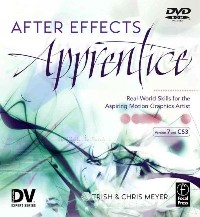
'After Effects Apprentice' provides a strong foundation for the aspiring motion graphics designer or visual effects artist. It is an excellent resource to help users get up to speed in After Effects quickly and to maximize their creative expression. Steve Kilisky, senior product manager, Adobe After Effects. The Meyers have once again shown their eloquence and expert knowledge of After Effects. It is my opinion that After Effects Apprentice will be the primer for all those who are learning After Effects in production work. R.Christopher Biggs, special digital effects animator, Walt Disney Imagineering I literally learned After Effects from Trish Meyer two weeks before starting work on "Star Wars: Episode 1". I wouldn't have survived without her training. I consider Trish and Chris Meyer my source for After Effects insights. Beyond their knowledge of the application... their commitment to quality, and more importantly clarity, makes all of their books a "Must-have." "After Effects Apprentice" is a great way to get started in After Effects...possibly the best way. Alex Lindsay, chief architect Pixel Corp Chris and Trish Meyer's clear and concise instructions make motion graphics accessible to everyone. Louise Ping, senior product marketing manager, Adobe After Effects This book provides a "missing link" for those who need to master essential After Effects techniques but also want to improve their overall grasp of broad motion graphics and VFX principles and methods. Dave Hurley, Instructor, San Francisco State University MSP The lessons are structured very well, the writing is easy to understand, and each step builds on the previous one. I will defiantly use this book in my Motion Graphics class at MiraCosta College. Thanks for making my job much easier!! Dan Wagner, Instructor - Motion Graphics, MiraCosta College
'After Effects Apprentice' provides a strong foundation for the aspiring motion graphics designer or visual effects artist. It is an excellent resource to help users get up to speed in After Effects quickly and to maximize their creative expression.
Steve Kilisky, senior product manager, Adobe After Effects.
The Meyers have once again shown their eloquence and expert knowledge of After Effects. It is my opinion that After Effects Apprentice will be the primer for all those who are learning After Effects in production work.
R.Christopher Biggs, special digital effects animator, Walt Disney Imagineering
I literally learned After Effects from Trish Meyer two weeks before starting work on "Star Wars: Episode 1". I wouldn't have survived without her training. I consider Trish and Chris Meyer my source for After Effects insights. Beyond their knowledge of the application... their commitment to quality, and more importantly clarity, makes all of their books a "Must-have." "After Effects Apprentice" is a great way to get started in After Effects...possibly the best way.
Alex Lindsay, chief architect Pixel Corp
...an essential primer for anyone exploring their creativity with Adobe After Effects. Trish and Chris Meyer set the standard for their knowledge and teaching ability.
Michael Coleman, product manager, Adobe After Effects
Chris and Trish Meyer's clear and concise instructions make motion graphics accessible to everyone.
Louise Ping, senior product marketing manager, Adobe After Effects
The text is a brilliant introduction to the world of motion design and visual effects. The Lessons move through fundamental concepts and workflows that are at the heart of professional compositing and motion graphic techniques
Eugene Pak, motionmonk studios
This book provides a "missing link" for those who need to master essential After Effects techniques but also want to improve their overall grasp of broad motion graphics and VFX principles and methods.
Dave Hurley, Instructor, San Francisco State University MSP
The lessons are structured very well, the writing is easy to understand, and each step builds on the previous one. I will defiantly use this book in my Motion Graphics class at MiraCosta College. Thanks for making my job much easier!!
Dan Wagner, Instructor - Motion Graphics, MiraCosta College
The Meyers are truly masters at teaching Adobe After Effects. A must-have for all those wanting to learn Adobe After Effects ? [with] tutorials designed to systematically improve the skills to cover even more advanced areas.
Roland Kahlenberg, broadcastGEMs.com --Steve Kilisky, senior product manager, Adobe After Effects. --This text refers to the Paperback edition.
"After Effects Apprentice" provides a strong foundation for the aspiring motion graphics designer or visual effects artist. It is an excellent resource to help users get up to speed in After Effects quickly and to maximize their creative expression.
Steve Kilisky, senior product manager, Adobe After Effects.
The Meyers have once again shown their eloquence and expert knowledge of After Effects. It is my opinion that After Effects Apprentice will be the primer for all those who are learning After Effects in production work.
R.Christopher Biggs, special digital effects animator, Walt Disney Imagineering
I literally learned After Effects from Trish Meyer two weeks before starting work on "Star Wars: Episode 1".... Their commitment to quality, and more importantly clarity, makes all of their books a "must-have." "After Effects Apprentice" is a great way to get started in After Effects...possibly the best way.
Alex Lindsay, chief architect Pixel Corp
.an essential primer for anyone exploring their creativity with Adobe After Effects. Trish and Chris Meyer set the standard for their knowledge and teaching ability.
Michael Coleman, product manager, Adobe After Effects
Chris and Trish Meyer's clear and concise instructions make motion graphics accessible to everyone.
Louise Ping, senior product marketing manager, Adobe After Effects
The text is a brilliant introduction to the world of motion design and visual effects. The Lessons move through fundamental concepts and workflows that are at the heart of professional compositing and motion graphic techniques
Eugene Pak, motionmonk studios
This book provides a "missing link" for those who need to master essential After Effects techniques but also want to improve their overall grasp of broad motion graphics and VFX principles and methods.
Dave Hurley, Instructor, San Francisco State University MSP
The lessons are structured very well, the writing is easy to understand, and each step builds on the previous one. I will defiantly use this book in my Motion Graphics class at MiraCosta College. Thanks for making my job much easier!!
Dan Wagner, Instructor - Motion Graphics, MiraCosta College
The Meyers are truly masters at teaching Adobe After Effects. A must-have for all those wanting to learn Adobe After Effects . [with] tutorials designed to systematically improve the skills to cover even more advanced areas.
Roland Kahlenberg, broadcastGEMs.com
Trish and Chris have done it again...I have always liked Trish and Chris' approach to teaching complex lessons...they talk to you, not at you...It is a great book even if your not new to AE.
Steve Whatley's After Effects Cookbook (blogs.adobe.com/aftereffectscookbook
目录
Table Of Contents:
Introduction ix
Getting Started x
Pre-Roll 1(11)
Exploring the After Effects landscape
project structure 1(1)
main application window 2(1)
Tools panel 3(1)
Project panel 3(1)
importing footage 4(1)
Composition panel 5(1)
Timeline panel 6(1)
Layer panel 7(1)
Info, Time Controls, Audio panels 8(1)
Effects & Presets, Effect Controls, and other panels 9(1)
Workspaces 10(2)
Lesson 1
Basic Animation 12(46)
Building your first animation while you learn a typical After Effects workflow
creating folders in the Project panel 14(1)
creating a new composition 15(1)
importing files and folders 15(1)
interpreting alpha channels 16(1)
adding layers to the Comp panel 17(1)
changing the Background Color 18(1)
scrubbing parameter values 18(1)
interactively transforming layers 18(1)
animating Position 19(1)
navigating between keyframes 20(1)
editing a keyframe's Bezier handles 20(1)
dragging footage to the Timeline panel 21(1)
animating Opacity, Scale, and Rotation 22(2)
aligning and distributing layers 24(2)
editing spatial keyframes, motion paths 26(1)
auto orientation 27(1)
adding solids 28(1)
adding effects 29(1)
copying and pasting effects 29(1)
importing layered Photoshop and Illustrator files 30(2)
rendering 32(4)
Lesson 2
Advanced Animation
Manipulating keyframes to create more refined animations
Adobe Bridge 36(2)
Template Projects 38(1)
viewing animated properties 38(1)
Graph Editor overview 39(1)
panning and zooming time 40(1)
editing graph curves 40(1)
easing animations 40(1)
editing multiple keyframes 41(1)
the Work Area 41(1)
Speed versus Value Graphs 42(2)
Motion Sketch 44(1)
The Smoother 45(1)
Auto-Orient 46(1)
Motion Blur 47(1)
Roving Keyframes 48(1)
Time-Reverse Keyframes 49(1)
Anchor Point overview 50(1)
Pan Behind Tool 51(1)
motion control moves 52(2)
Hold keyframes 54(1)
copying and pasting keyframes 55(1)
time display and timecode 56(2)
Lesson 3
Layer Control 58(24)
Learning how to trim layers and enhance them using Blending Modes and effects
layers and stacking order 58(1)
moving layers in time 59(1)
trimming layers 60(1)
trimming in the Layer and Footage panels 61(1)
slip editing 62(1)
Sequence Layers assistant 63(2)
looping footage 65(1)
image sequences 66(1)
changing the frame rate 67(1)
Time Stretch 67(1)
Blending Modes 68(2)
effects and solids 70(1)
effect motion path 71(2)
Effects & Presets panel 73(1)
searching for effects 73(1)
Animation Presets 74(3)
Behavior presets 77(1)
Adjustment Layers 78(1)
``Instant Sex'' 79(1)
non-square pixels 80(2)
Lesson 4
Creating Transparency 82(24)
Using masks, mattes, and stencils to cut out portions of a layer
Rectangular Mask tool 84(1)
Free Transform Points 84(1)
masking in the Layer panel 85(1)
Mask Feather 85(1)
animating a Mask Shape 86(1)
creating a vignette; Mask Expansion 87(1)
masking with the Pen tool 88(1)
creating and editing Bezier masks 88(1)
effecting a masked area 89(1)
controlling Mask Shape interpolation 90(1)
using effects with the mask path 91(1)
Mask Modes and multiple masks 92(1)
Mask Opacity 93(1)
creating and editing RotoBezier masks 94(1)
Audio Spectrum effect 95(1)
Alpha Track Matte 96(1)
nesting a track matte composite 97(2)
effects and track mattes 99(1)
Luma Track Matte 100(1)
animating matte layers 101(1)
Stencil Alpha and Stencil Luma 102(2)
mask shapes in CS3 104(2)
Lesson 5
Type and Music 106(28)
Animating text and working with music are essential to motion graphics design
creating basic text 107(2)
creating Text Animators, Range Selectors 109(2)
animating text properties 111(2)
randomizing the order of characters 113(1)
creating cascading text 113(1)
working with selection Shapes 114(1)
setting the text Anchor Point 115(1)
animating by words 116(1)
title safe areas 117(1)
animating text Blur and Tracking 118(1)
text on a path 119(1)
separating fields 120(1)
adding the Wiggly Selector 121(1)
rendering with an alpha channel 122(1)
field rendering 123(1)
adding sound to a comp 124(1)
add comp and layer markers 125(1)
applying Text Animation Presets 126(1)
customizing presets 127(1)
saving text animations as presets 128(1)
editing Photoshop Text layers 129(1)
Per-character 3D animators in CS3 130(4)
Lesson 6
Parenting and Nesting 134(24)
Grouping layers to make them easier to coordinate
Parenting, Nesting, and Expressions defined 134(2)
assigning a parent 136(1)
parenting, opacity, and effects 137(1)
parenting with Null Objects 138(2)
using guides 140(1)
nesting comps 141(1)
editing precomps 142(2)
nesting a common source 144(1)
sizing precomps 145(2)
locking panels 147(1)
precomposing a group of layers 148(2)
precomposing a single layer 150(2)
render order explained 152(1)
splitting work between comps 153(1)
using precomposing to re-order 154(2)
continuously rasterized layers 156(2)
Lesson 7
Expressions and Time Games 158(24)
Using expressions and playing with time
using the pick whip to create expressions 160(1)
altering expressions 161(1)
stabilizing shadows 162(2)
matching value ranges (the linear expression) 164(2)
looping keyframes 166(1)
expression tips 167(1)
the wiggle expression 168(1)
expression controllers 169(1)
keyframing the wiggle expression 169(1)
creating a master controller 170(1)
converting sound to keyframes 171(1)
frame blending 172(1)
Pixel Motion 173(1)
stop motion tricks 174(1)
Preserve Frame Rate 175(1)
creating freeze frames 176(1)
Time Remapping 177(4)
resources for learning more 181(1)
Lesson 8
3D Space 182(24)
Adding a new dimension to your animations
enabling layers for 3D 183(1)
moving layers in 3D space 184(1)
how layers stack in 3D 184(1)
3D rotation and orientation 185(1)
multiplaning effects 186(2)
3D motion paths 188(1)
multiple views 189(1)
camera settings 190(1)
customizing 3D views 191(1)
camera track and orbit tools 191(1)
moving and animating cameras 192(2)
layer and camera auto-orientation 194(2)
3D lights 196(1)
vignettes 197(1)
animating lights 197(1)
casting shadows 198(2)
OpenGL and Fast Previews 200(2)
adding dimension to stills 202(2)
editing stills for 3D 204(2)
Lesson 9
Track and Key 206(22)
Tackling several essential skills for creating special effects
creating track points 208(1)
important tracker options 209(1)
applying stabilization 210(1)
compensating for stabilized footage 211(1)
fixing bad tracks 211(1)
tracking interlaced footage 211(1)
motion tracking 212(1)
applying a motion track 213(1)
Radio Waves effect 214(2)
applying tracks to effect points 216(1)
perspective corner pin tracking 217(2)
Bezier Warp effect 219(1)
stabilizing position, rotation, and scale 220(2)
interpolating obscured tracks 222(1)
working with high-definition footage 223(1)
keying using the Keylight effect 224(1)
improving keyed composites 225(1)
creating garbage mattes 226(2)
Lesson 10
Paint and Clone 228(16)
Using Paint and Vector Paint to make your mark
basic painting 229(2)
erasing strokes 231(1)
Paint Channels 231(1)
Paint Blending Modes 232(1)
Brush duration bar 232(1)
animating strokes 233(1)
revealing a layer 234(1)
creating organic textures 235(1)
tablet settings 236(1)
cloning 237(1)
transforming strokes 238(2)
Vector Paint overview 240(1)
Wiggle Control 241(1)
Onion Skin mode 242(1)
Playback modes 243(1)
Lesson 11
New Features in CS3 244(22)
Exploring Brainstorm, the Puppet tool, and Shape layers
using Brainstorm 245(2)
Brainstorm with keyframes 247(1)
Puppet Pin tool 248(1)
animating Puppet pins 249(1)
Puppet Overlap tool 250(1)
Recording Puppet Animation 251(1)
Puppet Starch tool 251(1)
creating a Shape layer 252(1)
Shape Stroke and Fill settings 253(1)
editing shapes 253(1)
multiple shapes 254(1)
Even-Odd Fill 255(1)
Shape Effects 256(1)
Shape Repeater 257(1)
Compound Paths 258(2)
Shape Gradients 260(1)
Shape Pen paths 261(1)
advanced Strokes 262(2)
animating a Stroke 264(2)
Lesson 12
Final Project 266(28)
Putting your newfound skills to work in a fun project
importing layered Illustrator files 267(1)
setting Anchor Points 268(1)
Parenting 268(1)
coloring with Fill and Tint 269(1)
Ramp and CC Composite effects 270(1)
copying paths from Illustrator 271(1)
using Stroke to reveal lines 272(2)
Wiggle Behaviors 274(1)
wiggle expression 275(1)
Edit Original 276(4)
using Anchor Points to align 3D layers 280(1)
nesting comps 281(1)
creating a camera move 282(1)
extending seamless tiles 283(1)
4-Color Gradient effect 284(1)
Illustrator Crop Area 285(1)
lighting and shadows 286(2)
multiple 3D cameras 288(1)
Continuous Rasterization 289(1)
Accepts Lights toggle 290(1)
curing aliasing (shimmering) 291(1)
integrating with 3D programs 292(2)
Appendix
Rendering 294(7)
Unleashing your creations on the world
The Render Queue (Movie) 294(1)
Rendering: Under The Hood 294(1)
Render Settings Templates 295(1)
Output Module Templates 295(1)
Rendering Movies 296(1)
Rendering Sequences 296(1)
Rendering for the Web 297(1)
Flash Video 297(1)
Converting between D1 and DV 298(1)
3:2 Pulldown 299(1)
back matter
Resources, Production Credits 300(1)
Index 301
Introduction ix
Getting Started x
Pre-Roll 1(11)
Exploring the After Effects landscape
project structure 1(1)
main application window 2(1)
Tools panel 3(1)
Project panel 3(1)
importing footage 4(1)
Composition panel 5(1)
Timeline panel 6(1)
Layer panel 7(1)
Info, Time Controls, Audio panels 8(1)
Effects & Presets, Effect Controls, and other panels 9(1)
Workspaces 10(2)
Lesson 1
Basic Animation 12(46)
Building your first animation while you learn a typical After Effects workflow
creating folders in the Project panel 14(1)
creating a new composition 15(1)
importing files and folders 15(1)
interpreting alpha channels 16(1)
adding layers to the Comp panel 17(1)
changing the Background Color 18(1)
scrubbing parameter values 18(1)
interactively transforming layers 18(1)
animating Position 19(1)
navigating between keyframes 20(1)
editing a keyframe's Bezier handles 20(1)
dragging footage to the Timeline panel 21(1)
animating Opacity, Scale, and Rotation 22(2)
aligning and distributing layers 24(2)
editing spatial keyframes, motion paths 26(1)
auto orientation 27(1)
adding solids 28(1)
adding effects 29(1)
copying and pasting effects 29(1)
importing layered Photoshop and Illustrator files 30(2)
rendering 32(4)
Lesson 2
Advanced Animation
Manipulating keyframes to create more refined animations
Adobe Bridge 36(2)
Template Projects 38(1)
viewing animated properties 38(1)
Graph Editor overview 39(1)
panning and zooming time 40(1)
editing graph curves 40(1)
easing animations 40(1)
editing multiple keyframes 41(1)
the Work Area 41(1)
Speed versus Value Graphs 42(2)
Motion Sketch 44(1)
The Smoother 45(1)
Auto-Orient 46(1)
Motion Blur 47(1)
Roving Keyframes 48(1)
Time-Reverse Keyframes 49(1)
Anchor Point overview 50(1)
Pan Behind Tool 51(1)
motion control moves 52(2)
Hold keyframes 54(1)
copying and pasting keyframes 55(1)
time display and timecode 56(2)
Lesson 3
Layer Control 58(24)
Learning how to trim layers and enhance them using Blending Modes and effects
layers and stacking order 58(1)
moving layers in time 59(1)
trimming layers 60(1)
trimming in the Layer and Footage panels 61(1)
slip editing 62(1)
Sequence Layers assistant 63(2)
looping footage 65(1)
image sequences 66(1)
changing the frame rate 67(1)
Time Stretch 67(1)
Blending Modes 68(2)
effects and solids 70(1)
effect motion path 71(2)
Effects & Presets panel 73(1)
searching for effects 73(1)
Animation Presets 74(3)
Behavior presets 77(1)
Adjustment Layers 78(1)
``Instant Sex'' 79(1)
non-square pixels 80(2)
Lesson 4
Creating Transparency 82(24)
Using masks, mattes, and stencils to cut out portions of a layer
Rectangular Mask tool 84(1)
Free Transform Points 84(1)
masking in the Layer panel 85(1)
Mask Feather 85(1)
animating a Mask Shape 86(1)
creating a vignette; Mask Expansion 87(1)
masking with the Pen tool 88(1)
creating and editing Bezier masks 88(1)
effecting a masked area 89(1)
controlling Mask Shape interpolation 90(1)
using effects with the mask path 91(1)
Mask Modes and multiple masks 92(1)
Mask Opacity 93(1)
creating and editing RotoBezier masks 94(1)
Audio Spectrum effect 95(1)
Alpha Track Matte 96(1)
nesting a track matte composite 97(2)
effects and track mattes 99(1)
Luma Track Matte 100(1)
animating matte layers 101(1)
Stencil Alpha and Stencil Luma 102(2)
mask shapes in CS3 104(2)
Lesson 5
Type and Music 106(28)
Animating text and working with music are essential to motion graphics design
creating basic text 107(2)
creating Text Animators, Range Selectors 109(2)
animating text properties 111(2)
randomizing the order of characters 113(1)
creating cascading text 113(1)
working with selection Shapes 114(1)
setting the text Anchor Point 115(1)
animating by words 116(1)
title safe areas 117(1)
animating text Blur and Tracking 118(1)
text on a path 119(1)
separating fields 120(1)
adding the Wiggly Selector 121(1)
rendering with an alpha channel 122(1)
field rendering 123(1)
adding sound to a comp 124(1)
add comp and layer markers 125(1)
applying Text Animation Presets 126(1)
customizing presets 127(1)
saving text animations as presets 128(1)
editing Photoshop Text layers 129(1)
Per-character 3D animators in CS3 130(4)
Lesson 6
Parenting and Nesting 134(24)
Grouping layers to make them easier to coordinate
Parenting, Nesting, and Expressions defined 134(2)
assigning a parent 136(1)
parenting, opacity, and effects 137(1)
parenting with Null Objects 138(2)
using guides 140(1)
nesting comps 141(1)
editing precomps 142(2)
nesting a common source 144(1)
sizing precomps 145(2)
locking panels 147(1)
precomposing a group of layers 148(2)
precomposing a single layer 150(2)
render order explained 152(1)
splitting work between comps 153(1)
using precomposing to re-order 154(2)
continuously rasterized layers 156(2)
Lesson 7
Expressions and Time Games 158(24)
Using expressions and playing with time
using the pick whip to create expressions 160(1)
altering expressions 161(1)
stabilizing shadows 162(2)
matching value ranges (the linear expression) 164(2)
looping keyframes 166(1)
expression tips 167(1)
the wiggle expression 168(1)
expression controllers 169(1)
keyframing the wiggle expression 169(1)
creating a master controller 170(1)
converting sound to keyframes 171(1)
frame blending 172(1)
Pixel Motion 173(1)
stop motion tricks 174(1)
Preserve Frame Rate 175(1)
creating freeze frames 176(1)
Time Remapping 177(4)
resources for learning more 181(1)
Lesson 8
3D Space 182(24)
Adding a new dimension to your animations
enabling layers for 3D 183(1)
moving layers in 3D space 184(1)
how layers stack in 3D 184(1)
3D rotation and orientation 185(1)
multiplaning effects 186(2)
3D motion paths 188(1)
multiple views 189(1)
camera settings 190(1)
customizing 3D views 191(1)
camera track and orbit tools 191(1)
moving and animating cameras 192(2)
layer and camera auto-orientation 194(2)
3D lights 196(1)
vignettes 197(1)
animating lights 197(1)
casting shadows 198(2)
OpenGL and Fast Previews 200(2)
adding dimension to stills 202(2)
editing stills for 3D 204(2)
Lesson 9
Track and Key 206(22)
Tackling several essential skills for creating special effects
creating track points 208(1)
important tracker options 209(1)
applying stabilization 210(1)
compensating for stabilized footage 211(1)
fixing bad tracks 211(1)
tracking interlaced footage 211(1)
motion tracking 212(1)
applying a motion track 213(1)
Radio Waves effect 214(2)
applying tracks to effect points 216(1)
perspective corner pin tracking 217(2)
Bezier Warp effect 219(1)
stabilizing position, rotation, and scale 220(2)
interpolating obscured tracks 222(1)
working with high-definition footage 223(1)
keying using the Keylight effect 224(1)
improving keyed composites 225(1)
creating garbage mattes 226(2)
Lesson 10
Paint and Clone 228(16)
Using Paint and Vector Paint to make your mark
basic painting 229(2)
erasing strokes 231(1)
Paint Channels 231(1)
Paint Blending Modes 232(1)
Brush duration bar 232(1)
animating strokes 233(1)
revealing a layer 234(1)
creating organic textures 235(1)
tablet settings 236(1)
cloning 237(1)
transforming strokes 238(2)
Vector Paint overview 240(1)
Wiggle Control 241(1)
Onion Skin mode 242(1)
Playback modes 243(1)
Lesson 11
New Features in CS3 244(22)
Exploring Brainstorm, the Puppet tool, and Shape layers
using Brainstorm 245(2)
Brainstorm with keyframes 247(1)
Puppet Pin tool 248(1)
animating Puppet pins 249(1)
Puppet Overlap tool 250(1)
Recording Puppet Animation 251(1)
Puppet Starch tool 251(1)
creating a Shape layer 252(1)
Shape Stroke and Fill settings 253(1)
editing shapes 253(1)
multiple shapes 254(1)
Even-Odd Fill 255(1)
Shape Effects 256(1)
Shape Repeater 257(1)
Compound Paths 258(2)
Shape Gradients 260(1)
Shape Pen paths 261(1)
advanced Strokes 262(2)
animating a Stroke 264(2)
Lesson 12
Final Project 266(28)
Putting your newfound skills to work in a fun project
importing layered Illustrator files 267(1)
setting Anchor Points 268(1)
Parenting 268(1)
coloring with Fill and Tint 269(1)
Ramp and CC Composite effects 270(1)
copying paths from Illustrator 271(1)
using Stroke to reveal lines 272(2)
Wiggle Behaviors 274(1)
wiggle expression 275(1)
Edit Original 276(4)
using Anchor Points to align 3D layers 280(1)
nesting comps 281(1)
creating a camera move 282(1)
extending seamless tiles 283(1)
4-Color Gradient effect 284(1)
Illustrator Crop Area 285(1)
lighting and shadows 286(2)
multiple 3D cameras 288(1)
Continuous Rasterization 289(1)
Accepts Lights toggle 290(1)
curing aliasing (shimmering) 291(1)
integrating with 3D programs 292(2)
Appendix
Rendering 294(7)
Unleashing your creations on the world
The Render Queue (Movie) 294(1)
Rendering: Under The Hood 294(1)
Render Settings Templates 295(1)
Output Module Templates 295(1)
Rendering Movies 296(1)
Rendering Sequences 296(1)
Rendering for the Web 297(1)
Flash Video 297(1)
Converting between D1 and DV 298(1)
3:2 Pulldown 299(1)
back matter
Resources, Production Credits 300(1)
Index 301
- 名称
- 类型
- 大小
光盘服务联系方式: 020-38250260 客服QQ:4006604884
云图客服:
用户发送的提问,这种方式就需要有位在线客服来回答用户的问题,这种 就属于对话式的,问题是这种提问是否需要用户登录才能提问
Video Player
×
Audio Player
×
pdf Player
×
