

简介
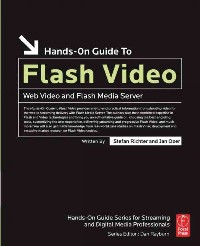
The Hands-On Guide to Flash Video is a professional reference book written by industry experts that are currently helping professionals produce Web video and implement Flash Media Server. This book covers Flash Video production from soup to nuts, beginning with how to configure your camcorder and ending to advanced server techniques like bandwidth detection and FMS logging and reporting. Real word lessons from case studies of successful Flash Video deployments are also included.
目录
Front Cover 1
Hands-On Guide to Flash Video: Web Video and Flash Media Server 4
Copyright Page 5
Table of Contents 8
Acknowledgments 14
Introduction 16
About the Authors 21
Chapter 1: Quick Start 22
Creating the FLV File 22
Importing the FLV File into Flash 24
Exporting the Application 28
Deploying the Application 29
Conclusion 29
Chapter 2: The Streaming Media Landscape 30
Bandwidth and Data Rate 30
Interframe Compression and Video Quality 32
The Importance of Knowing Your Target 34
Limit Extraneous Motion 34
Conclusion 35
Chapter 3: Designing Your Set 36
Background Choice Is Critical 36
Choosing and Using Synthetic Backgrounds 37
Creating Compression-Friendly Real-World Sets 41
Dressing for Streaming Success 46
Theory Is Great, but Test Anyway 47
Conclusion 47
Chapter 4: Lighting the Set 48
Use at Least Three Lights 48
Use Soft Lights 50
Use Flat Rather than Three-Point Lighting 51
Checking Exposure on the Set 56
Lighting for Chroma Key 59
Conclusion 59
Chapter 5: Streaming-Related Shooting Skills 60
Minimize Motion during Shooting 61
Ignore the Safe Zone 62
Framing Your Shots 63
Using Rule-of-Thirds Positioning 67
Camera Settings for Optimum Quality 68
Producing a Soft Background 71
Conclusion 72
Chapter 6: Correcting Video and Audio Problems 74
Introducing the Waveform Monitor 75
Color Correcting Your Footage 79
Fixing Backlit Video 83
Fixing Audio-Related Problems 85
Noise Reduction 88
Understanding Compression and Normalization 91
Perfecting Normalization 95
Conclusion 97
Chapter 7: Preparing for Compression 98
What We Know about Flash Output Parameters 99
That Whole Square-Pixel Thing 107
Summary and Recommendations 112
Scaling to Your Target Resolution\u2014Where and When? 114
Producing the Correct Output Resolution in Premiere Pro 114
Producing the Correct Output Resolution in Final Cut Pro 118
Producing the Correct Output Resolution in After Effects 123
Preprocessing Your Video 127
Conclusion 129
Chapter 8: Producing Alpha Channel Video 130
Perfecting the Chroma Key 131
Creating QuickTime Movies with an Alpha Channel 135
Creating the FLV File with Alpha Channel 136
Application-Specific Details 137
Deploying FLV Files with an Alpha Channel 145
Conclusion 145
Chapter 9: Encoding Your Video 146
High-Level Editing Workflow 147
Which Codec, Spark or VP6? 148
VBR or CBR? 148
Advanced Encoding Controls 151
Output and Encoding Workfl ows 153
My Decisions and Targets 155
Application-Specific Details 157
Encoding with On2 Flix Pro 171
Encoding with Sorenson Squeeze 175
Encoding with the Flash Video Encoder 179
Conclusion 181
Chapter 10: Flash Video Concepts 182
A Brief History of Flash 182
What Exactly Is Flash? 183
The Evolution of Flash Video Codecs 189
Delivery Options for Flash Video 189
Flash Player Compatibilities 191
Conclusion 193
Chapter 11: Deploying Progressive Flash Video 194
Deploying Flash Video\u2014An Overview 195
Player Components 196
Deploying Progressively Loaded FLV Video Files Using the FLV Playback Component 198
Dreamweaver 8 Insert Flash Video Dialogue 204
Playing an FLV File Using ActionScript 207
Deploying a SWF File 212
The Eolas Patent 213
Introducing SWFObject 214
Conclusion 217
Chapter 12: Customizing the FLV Playback Component 218
Introduction to Skinning and Customization 218
Modifying an Existing FLV Playback Skin 220
Adding Custom Designs to the FLV Playback Component 226
Using the FLV Playback Custom UI Controls 229
Conclusion 233
Chapter 13: Using Cue Points 234
Introduction to Cue Points 235
Cue Point Types 237
Adding and Processing Cue Points 239
Conclusion 246
Chapter 14: Controlling Your Content 248
Introduction 248
Using FlashVars for Configuration 249
Summary 253
Using the LoadVars Object for Configuration 253
Using an XML File for Configuration 257
Reliably Detecting the End of an FLV Video 261
Looping Playback 267
Playing Videos Back to Back 268
Conclusion 271
Chapter 15: Advanced Effects and Playback Options 272
Creating a Glow Effect in Flash 273
Using Alpha Channel Video 277
Video Snapshots Using BitmapData 280
Playing Full-Screen Flash Video 283
Processing FLV Metadata 287
Statistics and Reporting on Progressive FLV Delivery 290
Conclusion 291
Chapter 16: Introduction to Flash Media Server 292
Overview of Flash Media Server 293
Installing Flash Media Server 297
Examining the Server's Folder Structure 303
RTMP Connection Routines 309
Connection Tips and Examples 312
Conclusion 317
Chapter 17: Streaming Video with Flash Media Server 318
On-Demand Streaming Using the FLV Playback Component 324
Using SMIL and the FLV Playback Component for Bandwidth Detection 328
Streaming Flash Video Using a Flash Streaming Service Provider (FVSS) 333
Live Flash Video 335
Conclusion 340
Chapter 18: Advanced Flash Media Server Techniques 342
Using Virtual Directories to Organize FLV Files 343
Serving Streams According to Flash Player Version Using Virtual Keys 347
Using Bandwidth Detection 352
Logging and Reporting 356
The Power of SharedObjects 361
Conclusion 363
Chapter 19: Case Studies 364
The Roanoke Times 364
CNET UK 366
ESPN 368
Digital Life TV 369
Blip.TV 371
Conclusion 373
Index 374
Hands-On Guide to Flash Video: Web Video and Flash Media Server 4
Copyright Page 5
Table of Contents 8
Acknowledgments 14
Introduction 16
About the Authors 21
Chapter 1: Quick Start 22
Creating the FLV File 22
Importing the FLV File into Flash 24
Exporting the Application 28
Deploying the Application 29
Conclusion 29
Chapter 2: The Streaming Media Landscape 30
Bandwidth and Data Rate 30
Interframe Compression and Video Quality 32
The Importance of Knowing Your Target 34
Limit Extraneous Motion 34
Conclusion 35
Chapter 3: Designing Your Set 36
Background Choice Is Critical 36
Choosing and Using Synthetic Backgrounds 37
Creating Compression-Friendly Real-World Sets 41
Dressing for Streaming Success 46
Theory Is Great, but Test Anyway 47
Conclusion 47
Chapter 4: Lighting the Set 48
Use at Least Three Lights 48
Use Soft Lights 50
Use Flat Rather than Three-Point Lighting 51
Checking Exposure on the Set 56
Lighting for Chroma Key 59
Conclusion 59
Chapter 5: Streaming-Related Shooting Skills 60
Minimize Motion during Shooting 61
Ignore the Safe Zone 62
Framing Your Shots 63
Using Rule-of-Thirds Positioning 67
Camera Settings for Optimum Quality 68
Producing a Soft Background 71
Conclusion 72
Chapter 6: Correcting Video and Audio Problems 74
Introducing the Waveform Monitor 75
Color Correcting Your Footage 79
Fixing Backlit Video 83
Fixing Audio-Related Problems 85
Noise Reduction 88
Understanding Compression and Normalization 91
Perfecting Normalization 95
Conclusion 97
Chapter 7: Preparing for Compression 98
What We Know about Flash Output Parameters 99
That Whole Square-Pixel Thing 107
Summary and Recommendations 112
Scaling to Your Target Resolution\u2014Where and When? 114
Producing the Correct Output Resolution in Premiere Pro 114
Producing the Correct Output Resolution in Final Cut Pro 118
Producing the Correct Output Resolution in After Effects 123
Preprocessing Your Video 127
Conclusion 129
Chapter 8: Producing Alpha Channel Video 130
Perfecting the Chroma Key 131
Creating QuickTime Movies with an Alpha Channel 135
Creating the FLV File with Alpha Channel 136
Application-Specific Details 137
Deploying FLV Files with an Alpha Channel 145
Conclusion 145
Chapter 9: Encoding Your Video 146
High-Level Editing Workflow 147
Which Codec, Spark or VP6? 148
VBR or CBR? 148
Advanced Encoding Controls 151
Output and Encoding Workfl ows 153
My Decisions and Targets 155
Application-Specific Details 157
Encoding with On2 Flix Pro 171
Encoding with Sorenson Squeeze 175
Encoding with the Flash Video Encoder 179
Conclusion 181
Chapter 10: Flash Video Concepts 182
A Brief History of Flash 182
What Exactly Is Flash? 183
The Evolution of Flash Video Codecs 189
Delivery Options for Flash Video 189
Flash Player Compatibilities 191
Conclusion 193
Chapter 11: Deploying Progressive Flash Video 194
Deploying Flash Video\u2014An Overview 195
Player Components 196
Deploying Progressively Loaded FLV Video Files Using the FLV Playback Component 198
Dreamweaver 8 Insert Flash Video Dialogue 204
Playing an FLV File Using ActionScript 207
Deploying a SWF File 212
The Eolas Patent 213
Introducing SWFObject 214
Conclusion 217
Chapter 12: Customizing the FLV Playback Component 218
Introduction to Skinning and Customization 218
Modifying an Existing FLV Playback Skin 220
Adding Custom Designs to the FLV Playback Component 226
Using the FLV Playback Custom UI Controls 229
Conclusion 233
Chapter 13: Using Cue Points 234
Introduction to Cue Points 235
Cue Point Types 237
Adding and Processing Cue Points 239
Conclusion 246
Chapter 14: Controlling Your Content 248
Introduction 248
Using FlashVars for Configuration 249
Summary 253
Using the LoadVars Object for Configuration 253
Using an XML File for Configuration 257
Reliably Detecting the End of an FLV Video 261
Looping Playback 267
Playing Videos Back to Back 268
Conclusion 271
Chapter 15: Advanced Effects and Playback Options 272
Creating a Glow Effect in Flash 273
Using Alpha Channel Video 277
Video Snapshots Using BitmapData 280
Playing Full-Screen Flash Video 283
Processing FLV Metadata 287
Statistics and Reporting on Progressive FLV Delivery 290
Conclusion 291
Chapter 16: Introduction to Flash Media Server 292
Overview of Flash Media Server 293
Installing Flash Media Server 297
Examining the Server's Folder Structure 303
RTMP Connection Routines 309
Connection Tips and Examples 312
Conclusion 317
Chapter 17: Streaming Video with Flash Media Server 318
On-Demand Streaming Using the FLV Playback Component 324
Using SMIL and the FLV Playback Component for Bandwidth Detection 328
Streaming Flash Video Using a Flash Streaming Service Provider (FVSS) 333
Live Flash Video 335
Conclusion 340
Chapter 18: Advanced Flash Media Server Techniques 342
Using Virtual Directories to Organize FLV Files 343
Serving Streams According to Flash Player Version Using Virtual Keys 347
Using Bandwidth Detection 352
Logging and Reporting 356
The Power of SharedObjects 361
Conclusion 363
Chapter 19: Case Studies 364
The Roanoke Times 364
CNET UK 366
ESPN 368
Digital Life TV 369
Blip.TV 371
Conclusion 373
Index 374
- 名称
- 类型
- 大小
光盘服务联系方式: 020-38250260 客服QQ:4006604884
云图客服:
用户发送的提问,这种方式就需要有位在线客服来回答用户的问题,这种 就属于对话式的,问题是这种提问是否需要用户登录才能提问
Video Player
×
Audio Player
×
pdf Player
×
