

简介
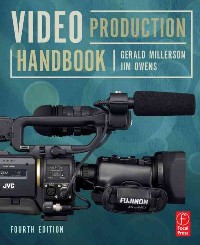
"Techniques matter! Great ideas don't automatically translate into great programs. It's not enough simply to show what is going on. The way you present your subject will influence how your audience responds. You need to choose your picture and sound carefully, to convey your ideas in an interesting, persuasive way. This book will show you how. Video Production Handbook shows the full production process, from inception of idea to final distribution. The book focuses especially on why each step occurs as it does and provides guidance in choosing the simplest methods of creating the shots you want in your video project. Concentrating on the techniques and concepts behind the latest equipment, this book demonstrates the fundamental principles needed to create good video content on any kind of budget."--Cover
目录
FRONT COVER 1
VIDEO PRODUCTION HANDBOOK 4
COPYRIGHT PAGE 5
CONTENTS 6
ACKNOWLEDGMENTS 16
INTRODUCTION 18
CHAPTER 1 Overview of video production 22
1.1 What is video production? 22
FIRST STEP IN VIDEO PRODUCTION 24
1.2 The need for \ 24
1.3 It's designed for you 24
1.4 Learning basics 24
1.5 Remember the purpose 25
1.6 Equipment 25
1.7 What equipment is needed? 27
1.8 Is there a right way? 28
1.9 The production approach 29
TECHNICALITIES 30
1.10 Equipment performance 30
CHAPTER 2 Production crew 32
2.1 Production crew size 32
VIDEO PRODUCTION CREW JOB DESCRIPTIONS 32
2.2 Producer 33
2.3 Assistant producer or associate producer (AP) 33
2.4 Director 33
2.5 Assistant director or associate director (AD) 34
2.6 Floor manager (FM) or stage manager (SM) 34
2.7 Production assistant (PA) 35
2.8 Technical director (TD) or vision mixer 35
2.9 Makeup artist 35
2.10 Graphic designer/operator 35
2.11 Lighting director/vision supervisor 36
2.12 Camera operator 36
2.13 Camera assistant 37
2.14 Audio mixer/sound mixer/sound supervisor 38
2.15 Boom operator or audio assistant 38
2.16 Engineer 39
2.17 Writer 39
2.18 Editor 39
2.19 Set designer 39
PROFESSIONAL CREW 40
2.20 Freelance crew 40
2.21 Below-the-line/above-the-line 40
2.22 The structure of a video production crew 40
CHAPTER 3 Organizing the production 42
3.1 Art conceals craft 43
3.2 Shot selection 43
3.3 The problem of familiarity 44
3.4 The problem of quality 47
3.5 The problem of \ 47
3.6 Communication can be elusive 47
3.7 Start with an idea (concept) 48
3.8 Goals and objectives 48
3.9 Target audience 49
3.10 Research 51
3.11 Covering the subject 52
3.12 Production methods 53
3.13 The empirical approach 53
3.14 The planned approach 53
3.15 Storyboards 55
3.16 Why plan? 58
3.17 The three stages of production 58
3.18 Coverage 59
3.19 Building an outline 59
3.20 Broad treatment 59
3.21 Production research 60
3.22 Remote surveys (recce) 62
3.23 Freedom to plan 64
3.24 Single camera shooting 66
3.25 Multicamera shooting 67
3.26 Copyright 68
3.27 Contracts 68
CHAPTER 4 Production techniques 70
4.1 Single- and multicamera production 71
4.2 Multicamera ISO 77
4.3 Multicamera production without a switcher 77
4.4 The illusion of reality 78
4.5 The camera's role 81
4.6 The camera as an observer 81
4.7 The persuasive camera 82
4.8 Beginning and ending 83
4.9 Production methods 83
4.10 How do you visualize something that does not exist? 83
CHAPTER 5 Writing for video 86
5.1 The script's purpose 87
5.2 Is a script needed? 87
5.3 Basic script formats 88
5.4 The full script 89
5.5 The drama script 92
5.6 Suggestions on scriptwriting 92
5.7 Be visual 92
5.8 Assimilation 93
5.9 Relative pace 93
5.10 Style 94
CHAPTER 6 The camera 100
6.1 A range of models 101
6.2 Cameracraft 102
CAMERA FEATURES 105
6.3 Main features 105
6.4 The lens system 108
6.5 Focal length and lens angle 108
6.6 The prime lens 109
6.7 The zoom lens 110
6.8 Zoom lens control 112
6.9 The aperture of the camera 112
6.10 Lens accessories 114
6.11 The image sensor 115
6.12 Sensitivity 116
6.13 The viewfinder 116
6.14 Indicators 117
6.15 Audio 118
6.16 Power 120
CONTROLLING THE CAMERA 120
6.17 Handling the camera 120
6.18 Supporting the camera 122
6.19 Handheld cameras 122
6.20 The monopod 123
6.21 The pan head (panning head or tripod head) 123
6.22 Using a tripod 124
6.23 The rolling tripod/tripod dolly 126
6.24 The pedestal 126
6.25 Jib arms 127
6.26 Specialty camera mounts 128
6.27 Handling care 129
CHAPTER 7 Using the camera 132
7.1 Just point and shoot 133
7.2 What gets on the screen? 133
7.3 How close should you get? 134
7.4 How much can we see? 136
7.5 Lens angles 137
7.6 So why move around? 139
7.7 The zooming process 142
CONTROLLING THE ZOOM 142
7.8 Focusing 144
7.9 Auto-focus 145
7.10 Depth of field 146
7.11 Maximum sharpness? 148
7.12 Difficult to focus? 148
7.13 Prefocusing the zoom lens 149
EXPOSURE 150
7.14 What is \ 150
7.15 Underexposure and overexposure 153
7.16 Automatic exposure 153
7.17 Camera adjustments 155
7.18 Practical solutions 156
HANDLING THE CAMERA 158
7.19 Panning and tilting 158
7.20 Following moving subjects 159
7.21 Framing movement 160
7.22 Walking 160
7.23 Shooting from vehicles 162
THE BASICS OF SHOOTING 162
7.24 Practical conditions 162
7.25 Selecting the right shots 163
7.26 Persuasive shots 163
7.27 Guiding the viewer through the scene 164
7.28 Clutter 165
7.29 I can't see it properly 166
COMPOSING PICTURES 166
7.30 Composition rules and guidelines 166
7.31 The brief shot 167
7.32 \ 167
7.33 Shots that are different 168
7.34 Fitting the frame 168
7.35 Dividing the image into thirds 170
7.36 Shooting from different angles 171
7.37 Showing scale 171
7.38 Framing the subject 172
7.39 Leading lines 173
7.40 Headroom 173
7.41 Good balance 174
7.42 Juggling proportions 175
7.43 Grouping (unity) 175
7.44 Camera viewpoint 175
7.45 Distortions 176
ANTICIPATING EDITING 176
7.46 Continuity 176
7.47 Improving editing flexibility 177
7.48 What does a filter do? 178
7.49 Crossing the line 179
CHAPTER 8 Shooting people and objects 182
SHOOTING PEOPLE 182
8.1 The single person 182
8.2 Arranging people shots 184
8.3 Effective shots 184
8.4 Selecting the right shot 187
8.5 Single-camera interviews 188
8.6 Editing continuous interviews 190
8.7 Shooting groups 191
8.8 Car interviews 193
8.9 Walking interviews 194
SHOOTING INSTRUCTIONAL PRODUCTIONS 197
8.10 Typical instructional productions 197
8.11 Approaches to instruction 197
8.12 Advance planning 198
8.13 Creating the instructional program 199
8.14 Shooting objects 200
CHAPTER 9 Working with the talent 202
9.1 Talent 202
9.2 Talent and production styles 204
9.3 The interview: go beyond the obvious 207
9.4 Selecting talent 207
9.5 Inexperienced talent 208
9.6 The host 209
9.7 When there are problems 209
9.8 Presenting the information 210
9.9 Importance of people in the scene 211
CHAPTER 10 Audio for video 214
10.1 The essential component 215
10.2 The nature of sound 216
10.3 Acoustics 217
10.4 Mono sound 219
10.5 Stereo sound 220
10.6 Surround sound 220
10.7 Microphone care 221
10.8 Directional features 221
10.9 Popular types of microphone 222
SUPPORTING THE MICROPHONE 223
10.10 Camera microphones 223
10.11 The handheld microphone 224
10.12 The shotgun microphone 225
10.13 Using the shotgun microphone 226
10.14 The shotgun and the boom pole (fishpole) 228
10.15 Lavalier (lapel or clip-on mic) microphones 228
10.16 Boundary or PZM microphone 231
10.17 Hanging microphone 231
10.18 Surround sound microphone 231
10.19 Microphone stands and mounts 233
10.20 Wireless microphone 233
10.21 Hidden mics 235
CONTROLLING DYNAMICS 235
10.22 Dynamic range 235
10.23 Automatic control for audio 235
10.24 Manual control 236
10.25 Monitoring the audio 237
10.26 The audio mixer 238
10.27 Using the audio mixer 239
10.28 Natural sound 240
10.29 Anticipation 241
10.30 Anticipating sound editing 242
10.31 Filtered sound 242
10.32 Reverberation 243
10.33 Program music 244
10.34 Sound effects 244
CHAPTER 11 Lighting for video 246
11.1 Lighting for everyone 247
11.2 The camera does not compensate 248
11.3 The key factors 248
11.4 The light's intensity 249
11.5 If there is not enough light 249
11.6 If there is too much light 249
11.7 Hard light quality 250
11.8 Soft light quality 252
11.9 Lighting contrast 253
11.10 Three-point lighting 254
11.11 Color temperature compensation 256
11.12 Using colored light 256
11.13 Shooting in daylight 257
11.14 Using reflectors 259
11.15 Bounce light 260
11.16 Do we really need to light it? 260
11.17 Lighting options 261
11.18 Existing light 261
LIGHTWEIGHT LIGHT SUPPORTS 262
11.19 Grip clamps 262
11.20 Light stands 262
LIGHTING INSTRUMENTS 264
11.21 Camera light 264
11.22 Scoop 265
11.23 Broad 266
11.24 The portable soft light 266
11.25 Multilamp sources 267
11.26 Open face adjustable light 268
11.27 Fresnel spotlights 268
PRACTICAL LIGHTING 269
11.28 The general approach to lighting 269
11.29 Using one light 270
11.30 Using multiple lights 271
CHAPTER 12 The background 274
12.1 The importance of the background 275
12.2 The impact of the background 275
12.3 Real and unreal backgrounds 276
12.4 Set design for 16:9 277
12.5 The neutral background 277
12.6 Economical sets 279
12.7 Semipermanent sets 280
12.8 Chroma-key/matting 281
12.9 Virtual sets 283
12.10 Outside/back-lot sets 284
12.11 The location as a background 285
12.12 Watch the background 285
12.13 Camera height 287
12.14 Foreground pieces 287
12.15 Creating depth 288
12.16 Versions of \ 288
12.17 What can we do about the background? 289
12.18 Rearranging the background 290
12.19 Altering the background 291
12.20 Partial settings 291
12.21 Typical examples of partial settings 292
12.22 Facing reality 293
CHAPTER 13 Television graphics 296
13.1 The goals of television graphics 297
13.2 Types of graphics 297
13.3 Designing graphics 297
13.4 Backgrounds for graphics 299
13.5 Graphics equipment 299
CHAPTER 14 Recording and viewing the video 302
RECORDING THE VIDEO 302
14.1 High-definition television (HDTV or HD) 303
14.2 Videotape 304
14.3 Analog and digital 305
14.4 Tape formats 306
14.5 Flash memory 308
14.6 Hard disk drive (HDD) (internal hard drive) 309
14.7 External camera hard drives 309
14.8 Hard drive server recorders 310
14.9 Recordable DVD 310
14.10 XD cam disk 311
14.11 Recording media care 311
14.12 Video recording suggestions 312
VIEWING THE VIDEO 312
14.13 How we see color 313
14.14 How the camera sees color 313
14.15 Monitors and receivers 314
CHAPTER 15 Editing 316
15.1 Editing goals 317
15.2 Shooting order versus running order 318
15.3 Editing video and audio 318
15.4 Logging 319
15.5 An overview of the nonlinear process 322
15.6 Editing equipment 323
15.7 Organization 325
15.8 Editing begins 325
15.9 Selecting required sections 325
15.10 The order of shots 326
15.11 Where should the edits be made? 326
15.12 Transitions 327
15.13 Good continuity 328
15.14 Editing priorities 329
15.15 Good editing techniques 329
15.16 Anticipating editing 331
GLOSSARY 334
A 334
B 334
C 335
D 336
E 337
F 337
G 338
H 339
I 339
J 339
L 339
M 340
N 340
O 341
P 341
Q 342
R 342
S 343
T 344
U 344
V 345
W 345
Z 345
INDEX 346
A 346
B 346
C 346
D 347
E 347
F 347
G 347
H 347
I 348
J 348
K 348
L 348
M 348
N 348
O 348
P 348
Q 349
R 349
S 349
T 349
U 349
V 349
W 350
X 350
Z 350
VIDEO PRODUCTION HANDBOOK 4
COPYRIGHT PAGE 5
CONTENTS 6
ACKNOWLEDGMENTS 16
INTRODUCTION 18
CHAPTER 1 Overview of video production 22
1.1 What is video production? 22
FIRST STEP IN VIDEO PRODUCTION 24
1.2 The need for \ 24
1.3 It's designed for you 24
1.4 Learning basics 24
1.5 Remember the purpose 25
1.6 Equipment 25
1.7 What equipment is needed? 27
1.8 Is there a right way? 28
1.9 The production approach 29
TECHNICALITIES 30
1.10 Equipment performance 30
CHAPTER 2 Production crew 32
2.1 Production crew size 32
VIDEO PRODUCTION CREW JOB DESCRIPTIONS 32
2.2 Producer 33
2.3 Assistant producer or associate producer (AP) 33
2.4 Director 33
2.5 Assistant director or associate director (AD) 34
2.6 Floor manager (FM) or stage manager (SM) 34
2.7 Production assistant (PA) 35
2.8 Technical director (TD) or vision mixer 35
2.9 Makeup artist 35
2.10 Graphic designer/operator 35
2.11 Lighting director/vision supervisor 36
2.12 Camera operator 36
2.13 Camera assistant 37
2.14 Audio mixer/sound mixer/sound supervisor 38
2.15 Boom operator or audio assistant 38
2.16 Engineer 39
2.17 Writer 39
2.18 Editor 39
2.19 Set designer 39
PROFESSIONAL CREW 40
2.20 Freelance crew 40
2.21 Below-the-line/above-the-line 40
2.22 The structure of a video production crew 40
CHAPTER 3 Organizing the production 42
3.1 Art conceals craft 43
3.2 Shot selection 43
3.3 The problem of familiarity 44
3.4 The problem of quality 47
3.5 The problem of \ 47
3.6 Communication can be elusive 47
3.7 Start with an idea (concept) 48
3.8 Goals and objectives 48
3.9 Target audience 49
3.10 Research 51
3.11 Covering the subject 52
3.12 Production methods 53
3.13 The empirical approach 53
3.14 The planned approach 53
3.15 Storyboards 55
3.16 Why plan? 58
3.17 The three stages of production 58
3.18 Coverage 59
3.19 Building an outline 59
3.20 Broad treatment 59
3.21 Production research 60
3.22 Remote surveys (recce) 62
3.23 Freedom to plan 64
3.24 Single camera shooting 66
3.25 Multicamera shooting 67
3.26 Copyright 68
3.27 Contracts 68
CHAPTER 4 Production techniques 70
4.1 Single- and multicamera production 71
4.2 Multicamera ISO 77
4.3 Multicamera production without a switcher 77
4.4 The illusion of reality 78
4.5 The camera's role 81
4.6 The camera as an observer 81
4.7 The persuasive camera 82
4.8 Beginning and ending 83
4.9 Production methods 83
4.10 How do you visualize something that does not exist? 83
CHAPTER 5 Writing for video 86
5.1 The script's purpose 87
5.2 Is a script needed? 87
5.3 Basic script formats 88
5.4 The full script 89
5.5 The drama script 92
5.6 Suggestions on scriptwriting 92
5.7 Be visual 92
5.8 Assimilation 93
5.9 Relative pace 93
5.10 Style 94
CHAPTER 6 The camera 100
6.1 A range of models 101
6.2 Cameracraft 102
CAMERA FEATURES 105
6.3 Main features 105
6.4 The lens system 108
6.5 Focal length and lens angle 108
6.6 The prime lens 109
6.7 The zoom lens 110
6.8 Zoom lens control 112
6.9 The aperture of the camera 112
6.10 Lens accessories 114
6.11 The image sensor 115
6.12 Sensitivity 116
6.13 The viewfinder 116
6.14 Indicators 117
6.15 Audio 118
6.16 Power 120
CONTROLLING THE CAMERA 120
6.17 Handling the camera 120
6.18 Supporting the camera 122
6.19 Handheld cameras 122
6.20 The monopod 123
6.21 The pan head (panning head or tripod head) 123
6.22 Using a tripod 124
6.23 The rolling tripod/tripod dolly 126
6.24 The pedestal 126
6.25 Jib arms 127
6.26 Specialty camera mounts 128
6.27 Handling care 129
CHAPTER 7 Using the camera 132
7.1 Just point and shoot 133
7.2 What gets on the screen? 133
7.3 How close should you get? 134
7.4 How much can we see? 136
7.5 Lens angles 137
7.6 So why move around? 139
7.7 The zooming process 142
CONTROLLING THE ZOOM 142
7.8 Focusing 144
7.9 Auto-focus 145
7.10 Depth of field 146
7.11 Maximum sharpness? 148
7.12 Difficult to focus? 148
7.13 Prefocusing the zoom lens 149
EXPOSURE 150
7.14 What is \ 150
7.15 Underexposure and overexposure 153
7.16 Automatic exposure 153
7.17 Camera adjustments 155
7.18 Practical solutions 156
HANDLING THE CAMERA 158
7.19 Panning and tilting 158
7.20 Following moving subjects 159
7.21 Framing movement 160
7.22 Walking 160
7.23 Shooting from vehicles 162
THE BASICS OF SHOOTING 162
7.24 Practical conditions 162
7.25 Selecting the right shots 163
7.26 Persuasive shots 163
7.27 Guiding the viewer through the scene 164
7.28 Clutter 165
7.29 I can't see it properly 166
COMPOSING PICTURES 166
7.30 Composition rules and guidelines 166
7.31 The brief shot 167
7.32 \ 167
7.33 Shots that are different 168
7.34 Fitting the frame 168
7.35 Dividing the image into thirds 170
7.36 Shooting from different angles 171
7.37 Showing scale 171
7.38 Framing the subject 172
7.39 Leading lines 173
7.40 Headroom 173
7.41 Good balance 174
7.42 Juggling proportions 175
7.43 Grouping (unity) 175
7.44 Camera viewpoint 175
7.45 Distortions 176
ANTICIPATING EDITING 176
7.46 Continuity 176
7.47 Improving editing flexibility 177
7.48 What does a filter do? 178
7.49 Crossing the line 179
CHAPTER 8 Shooting people and objects 182
SHOOTING PEOPLE 182
8.1 The single person 182
8.2 Arranging people shots 184
8.3 Effective shots 184
8.4 Selecting the right shot 187
8.5 Single-camera interviews 188
8.6 Editing continuous interviews 190
8.7 Shooting groups 191
8.8 Car interviews 193
8.9 Walking interviews 194
SHOOTING INSTRUCTIONAL PRODUCTIONS 197
8.10 Typical instructional productions 197
8.11 Approaches to instruction 197
8.12 Advance planning 198
8.13 Creating the instructional program 199
8.14 Shooting objects 200
CHAPTER 9 Working with the talent 202
9.1 Talent 202
9.2 Talent and production styles 204
9.3 The interview: go beyond the obvious 207
9.4 Selecting talent 207
9.5 Inexperienced talent 208
9.6 The host 209
9.7 When there are problems 209
9.8 Presenting the information 210
9.9 Importance of people in the scene 211
CHAPTER 10 Audio for video 214
10.1 The essential component 215
10.2 The nature of sound 216
10.3 Acoustics 217
10.4 Mono sound 219
10.5 Stereo sound 220
10.6 Surround sound 220
10.7 Microphone care 221
10.8 Directional features 221
10.9 Popular types of microphone 222
SUPPORTING THE MICROPHONE 223
10.10 Camera microphones 223
10.11 The handheld microphone 224
10.12 The shotgun microphone 225
10.13 Using the shotgun microphone 226
10.14 The shotgun and the boom pole (fishpole) 228
10.15 Lavalier (lapel or clip-on mic) microphones 228
10.16 Boundary or PZM microphone 231
10.17 Hanging microphone 231
10.18 Surround sound microphone 231
10.19 Microphone stands and mounts 233
10.20 Wireless microphone 233
10.21 Hidden mics 235
CONTROLLING DYNAMICS 235
10.22 Dynamic range 235
10.23 Automatic control for audio 235
10.24 Manual control 236
10.25 Monitoring the audio 237
10.26 The audio mixer 238
10.27 Using the audio mixer 239
10.28 Natural sound 240
10.29 Anticipation 241
10.30 Anticipating sound editing 242
10.31 Filtered sound 242
10.32 Reverberation 243
10.33 Program music 244
10.34 Sound effects 244
CHAPTER 11 Lighting for video 246
11.1 Lighting for everyone 247
11.2 The camera does not compensate 248
11.3 The key factors 248
11.4 The light's intensity 249
11.5 If there is not enough light 249
11.6 If there is too much light 249
11.7 Hard light quality 250
11.8 Soft light quality 252
11.9 Lighting contrast 253
11.10 Three-point lighting 254
11.11 Color temperature compensation 256
11.12 Using colored light 256
11.13 Shooting in daylight 257
11.14 Using reflectors 259
11.15 Bounce light 260
11.16 Do we really need to light it? 260
11.17 Lighting options 261
11.18 Existing light 261
LIGHTWEIGHT LIGHT SUPPORTS 262
11.19 Grip clamps 262
11.20 Light stands 262
LIGHTING INSTRUMENTS 264
11.21 Camera light 264
11.22 Scoop 265
11.23 Broad 266
11.24 The portable soft light 266
11.25 Multilamp sources 267
11.26 Open face adjustable light 268
11.27 Fresnel spotlights 268
PRACTICAL LIGHTING 269
11.28 The general approach to lighting 269
11.29 Using one light 270
11.30 Using multiple lights 271
CHAPTER 12 The background 274
12.1 The importance of the background 275
12.2 The impact of the background 275
12.3 Real and unreal backgrounds 276
12.4 Set design for 16:9 277
12.5 The neutral background 277
12.6 Economical sets 279
12.7 Semipermanent sets 280
12.8 Chroma-key/matting 281
12.9 Virtual sets 283
12.10 Outside/back-lot sets 284
12.11 The location as a background 285
12.12 Watch the background 285
12.13 Camera height 287
12.14 Foreground pieces 287
12.15 Creating depth 288
12.16 Versions of \ 288
12.17 What can we do about the background? 289
12.18 Rearranging the background 290
12.19 Altering the background 291
12.20 Partial settings 291
12.21 Typical examples of partial settings 292
12.22 Facing reality 293
CHAPTER 13 Television graphics 296
13.1 The goals of television graphics 297
13.2 Types of graphics 297
13.3 Designing graphics 297
13.4 Backgrounds for graphics 299
13.5 Graphics equipment 299
CHAPTER 14 Recording and viewing the video 302
RECORDING THE VIDEO 302
14.1 High-definition television (HDTV or HD) 303
14.2 Videotape 304
14.3 Analog and digital 305
14.4 Tape formats 306
14.5 Flash memory 308
14.6 Hard disk drive (HDD) (internal hard drive) 309
14.7 External camera hard drives 309
14.8 Hard drive server recorders 310
14.9 Recordable DVD 310
14.10 XD cam disk 311
14.11 Recording media care 311
14.12 Video recording suggestions 312
VIEWING THE VIDEO 312
14.13 How we see color 313
14.14 How the camera sees color 313
14.15 Monitors and receivers 314
CHAPTER 15 Editing 316
15.1 Editing goals 317
15.2 Shooting order versus running order 318
15.3 Editing video and audio 318
15.4 Logging 319
15.5 An overview of the nonlinear process 322
15.6 Editing equipment 323
15.7 Organization 325
15.8 Editing begins 325
15.9 Selecting required sections 325
15.10 The order of shots 326
15.11 Where should the edits be made? 326
15.12 Transitions 327
15.13 Good continuity 328
15.14 Editing priorities 329
15.15 Good editing techniques 329
15.16 Anticipating editing 331
GLOSSARY 334
A 334
B 334
C 335
D 336
E 337
F 337
G 338
H 339
I 339
J 339
L 339
M 340
N 340
O 341
P 341
Q 342
R 342
S 343
T 344
U 344
V 345
W 345
Z 345
INDEX 346
A 346
B 346
C 346
D 347
E 347
F 347
G 347
H 347
I 348
J 348
K 348
L 348
M 348
N 348
O 348
P 348
Q 349
R 349
S 349
T 349
U 349
V 349
W 350
X 350
Z 350
- 名称
- 类型
- 大小
光盘服务联系方式: 020-38250260 客服QQ:4006604884
云图客服:
用户发送的提问,这种方式就需要有位在线客服来回答用户的问题,这种 就属于对话式的,问题是这种提问是否需要用户登录才能提问
Video Player
×
Audio Player
×
pdf Player
×
