

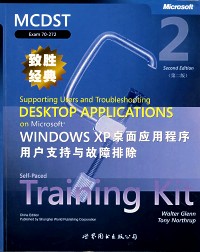
简介
作者简介:Walter Glenn, Microsoft Certified System Engineer (MCSE), Microsoft Certified Desktop Support Technician (MCDST), and Microsoft Certified Trainer (MCT), has been a part of the com-puter industry for more than 17 years and currently works in Huntsville, Alabama, as a consultant, trainer, and writer. Walter is a regular columnist in Microsoft's TechNet Zone and is the author or coauthor of nearly 20 computer titles, including Microsoft Exchange Server 2003 Administrator's Companion (Microsoft Press, 2003), Mike Meyers' MCSA Managing a Microsoft Windows Server 2003 Network Environment Certifica- tion Passport (Exam 70-291) (Osborne, 2003), and MCSE Self-Paced Training Kit (Exam 70-297): Designing a Microsoft Windows Server 2003 Active Directory and Net- work Infrastructure (Microsoft Press, 2003). He has also written a number of Web- based courses that are geared toward Microsoft certification training.
目录
acknowledgments
about this book
intended audience
prerequisites
about the cd-rom
features of this book
part 1: learn at your own pace
part 2: prepare for the exam
informational notes
notational conventions
keyboard conventions
getting started
software requirements
hardware requirements
setup instructions
the microsoft certified professional program
certifications
requirements for becoming a microsoft certified professional
technical support
evaluation edition software support
.part 1 learn at your own pace
1 introduction to desktop support
why this chapter matters
before you begin
lesson 1: introduction to supporting users
the end user's level of expertise
traits of a good desktop support technician
lesson review
lesson summary
lesson 2: overview of corporate environments
types of networks
tier structure
job titles and requirements
practice: identifying tasks in a corporate environment
lesson review
lesson summary
lesson 3: overview of noncorporate environments
telephone call centers
repair shops and private businesses
internet service providers
lesson review
lesson summary
case scenario exercises
scenario 1.1
scenario 1.2
chapter summary
exam highlights
key points
key terms
questions and answers
resolving a service call
why this chapter matters
before you begin
lesson 1: knowing what to ask
asking who, when, what, why, and how
reproducing the problem
lesson review
lesson summary
lesson 2: determining a solution
understanding general troubleshooting procedures
locating the answers
working through possible solutions
practice: determining a solution
lesson review
lesson summary
lesson 3: informing and teaching the end user
explaining the problem and solution to the end user
helping the user solve problems with online help and support
teaching common maintenance tasks
practice: exploring the windows troubleshooters
lesson review
lesson summary
3 troubleshooting the operating system
4 microsoft outlook and outlook express
5 supporting microsoft internet explorer
6 installing and configuring offlications
7 troubleshooting office applications
8 common connectivity problems
9 security and security permissions
10 protecting the computer
11 troubleshooting application access on multiuser,multiple boot,and networked computers
12 resolving issues with locally attached devices
part 2 prepare for the exam
13 configuring and troubleshooting applications
14 resolving issues related to usability
15 resolving issues related to application customization
16 configuring and troubleshooting connectivity for applications
17 configuring application security
glossary
index
system requirements
about this book
intended audience
prerequisites
about the cd-rom
features of this book
part 1: learn at your own pace
part 2: prepare for the exam
informational notes
notational conventions
keyboard conventions
getting started
software requirements
hardware requirements
setup instructions
the microsoft certified professional program
certifications
requirements for becoming a microsoft certified professional
technical support
evaluation edition software support
.part 1 learn at your own pace
1 introduction to desktop support
why this chapter matters
before you begin
lesson 1: introduction to supporting users
the end user's level of expertise
traits of a good desktop support technician
lesson review
lesson summary
lesson 2: overview of corporate environments
types of networks
tier structure
job titles and requirements
practice: identifying tasks in a corporate environment
lesson review
lesson summary
lesson 3: overview of noncorporate environments
telephone call centers
repair shops and private businesses
internet service providers
lesson review
lesson summary
case scenario exercises
scenario 1.1
scenario 1.2
chapter summary
exam highlights
key points
key terms
questions and answers
resolving a service call
why this chapter matters
before you begin
lesson 1: knowing what to ask
asking who, when, what, why, and how
reproducing the problem
lesson review
lesson summary
lesson 2: determining a solution
understanding general troubleshooting procedures
locating the answers
working through possible solutions
practice: determining a solution
lesson review
lesson summary
lesson 3: informing and teaching the end user
explaining the problem and solution to the end user
helping the user solve problems with online help and support
teaching common maintenance tasks
practice: exploring the windows troubleshooters
lesson review
lesson summary
3 troubleshooting the operating system
4 microsoft outlook and outlook express
5 supporting microsoft internet explorer
6 installing and configuring offlications
7 troubleshooting office applications
8 common connectivity problems
9 security and security permissions
10 protecting the computer
11 troubleshooting application access on multiuser,multiple boot,and networked computers
12 resolving issues with locally attached devices
part 2 prepare for the exam
13 configuring and troubleshooting applications
14 resolving issues related to usability
15 resolving issues related to application customization
16 configuring and troubleshooting connectivity for applications
17 configuring application security
glossary
index
system requirements
- 名称
- 类型
- 大小
光盘服务联系方式: 020-38250260 客服QQ:4006604884
云图客服:
用户发送的提问,这种方式就需要有位在线客服来回答用户的问题,这种 就属于对话式的,问题是这种提问是否需要用户登录才能提问
Video Player
×
Audio Player
×
pdf Player
×
