

简介
Summary:
Publisher Summary 1
Essential skills for the Visual Basic programmer to create high-powered business applications.
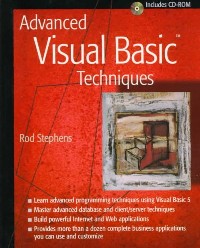
This book shows professional Visual Basic programmers how to master high-level techniques for developing applications with Visual Basic 5. Teaching by example, author Rod Stephens demonstrates advanced methods for object, database, client/server, and Internet programming. He provides fifteen fully functioning applications that each teach a different set of programming skills. CD-ROM contains all fully functioning applications included in the book.
目录
Table Of Contents:
Introduction xiii
Part One Application Basics 1(136)
Chapter 1 ExpenseReporter from a User's Point of View 3(50)
Using ExpenseReporter 3(4)
Field Validations 3(2)
Managing Controls 5(1)
Print Preview and Printing 5(1)
Managing Files 6(1)
Help 7(1)
Key Techniques 7(2)
Creating Scrolling Areas 9(4)
Arranging Controls 13(1)
Creating Controls Dynamically 14(2)
Enhancing Field Navigation 16(2)
Selecting a Document Interface 18(2)
Managing SDI Documents 20(6)
Setting DataModified 21(1)
IgnoreModify 21(3)
Using DataModified 24(2)
Loading and Saving Files 26(10)
SaveDataAs 30(2)
SaveData 32(1)
Open 33(2)
Files Specified in the Command Line 35(1)
New 35(1)
Designing Menus 36(11)
Mnemonics and Accelerators 36(1)
Menus That Present Dialogs 37(1)
Separators 37(1)
Standard Menus 38(9)
Providing Recent File Lists 47(5)
File List Menu Items 47(1)
UpdateRecentFileMenu 48(2)
SaveRecentFiles 50(1)
LoadRecentFiles 50(1)
AddRecentFile 51(1)
RemoveRecentFile 52(1)
Summary 52(1)
Chapter 2 Building the ExpenseReporter 53(40)
Key Techniques 53(1)
Providing Feedback 54(2)
Validating Data 56(4)
Validating Forms 60(4)
Output-Only Text Boxes 63(1)
Formatting Text 64(1)
Printing 64(5)
The Printer Object 65(4)
Print Previewing 69(4)
Managing Two Scroll Bars 73(1)
Printing with a Dialog 73(3)
Providing Printer Setup 76(1)
Providing Help 77(8)
Types of Help Systems 78(1)
Building a Help File 78(6)
Using a Help File in Visual Basic 84(1)
Providing Context-Sensitive Help 85(3)
Windows 3.x Style Help 85(1)
Windows 95 Style Help 86(2)
Displaying About Dialogs and Splash Screens 88(4)
Summary 92(1)
Chapter 3 AppointmentBook 93(44)
Using AppointmentBook 93(7)
Selecting Dates 94(1)
Viewing Appointments 95(1)
Creating Appointments 95(1)
Modifying or Deleting Appointments 95(1)
Loading and Saving Data 96(1)
Purging Old Data 97(1)
Displaying Help 97(1)
Displaying Context-Sensitive Help 97(1)
Viewing the About Dialog 98(1)
Keeping Pieces Synchronized 98(2)
Key Techniques 100(1)
Using Bit Masks 101(6)
Defining Bit Masks 102(1)
Combining Bit Masks 103(3)
Bit Masks in AppointmentBook 106(1)
Using the MVC Paradigm 107(8)
Models 108(2)
Views 110(1)
Controllers 111(1)
View/Controllers 111(2)
MVC in AppointmentBook 113(2)
Creating Fonts 115(4)
Using CreateFont 118(1)
Scrolling Large Amounts of Data 119(1)
Setting Alarms 120(1)
Creating Nonrectangular Forms 121(3)
Presenting Help 124(11)
Building a Help Browser 125(4)
Building Help Documents 129(6)
Summary 135(2)
Part Two Add-Ins 137(60)
Chapter 4 PropertySetter 139(22)
Installing PropertySetter 139(1)
Using PropertySetter 140(1)
Key Techniques 141(1)
Understanding OLE 142(1)
Creating Add-Ins 143(14)
Setting Project Options 143(2)
Creating the Add-In Class 145(7)
Creating Sub Main 152(2)
Creating the Server DLL 154(2)
Summarizing Add-In Creation 156(1)
Testing Add-Ins 157(2)
Summary 159(2)
Chapter 5 Aligner 161(12)
Using Aligner 161(1)
Key Techniques 161(2)
Providing AfterClick 163(1)
Aligning Controls in Columns 164(2)
Aligning Controls in Rows and Columns 166(6)
Summary 172(1)
Chapter 6 Scroller 173(12)
Using Scroller 173(2)
Key Techniques 175(1)
Creating Add-In Submenus 175(3)
Creating the Scrolling Area 178(4)
Creating Controls 178(1)
Setting Control Containment 178(4)
Arranging Scrolling Area Controls 182(2)
Summary 184(1)
Chapter 7 AddInMaker 185(12)
Using AddInMaker 185(2)
Key Techniques 187(1)
Managing AddInMaker's Dialog 187(1)
Building Sub Main 188(2)
Building ConnectAddIn and DisconnectAddIn 190(4)
CreateConnectAddIn 192(1)
CreateDisconnectAddIn 193(1)
Creating Command Classes 194(1)
Summary 195(2)
Part Three Databasics 197(68)
Chapter 8 PeopleWatcher 199(36)
Using PeopleWatcher 199(4)
Key Techniques 203(1)
Understanding Databases 203(2)
Database Engines 204(1)
The Data Manager 204(1)
Using the Data Control 205(3)
The Data Control 205(1)
Binding Other Controls 206(1)
Selecting Records 206(2)
Coding for the Data Control 208(1)
Using Data Access Objects 208(5)
Creating Recordsets 209(4)
Understanding PeopleWatcher 213(21)
Managing the Outline Control 214(4)
Displaying Appropriate Commands 218(1)
Editing Records 219(1)
Editing Images 219(2)
Accepting and Canceling Changes 221(1)
Validating Data 221(2)
Customizing the Interface for Users 223(5)
The DBUser Class 228(4)
Field Validation 232(2)
Testing Database Applications 234(1)
Summary 234(1)
Chapter 9 Query 235(22)
Using Query 235(2)
Key Techniques 237(1)
Creating Databases 237(2)
Composing SQL Commands 239(9)
CREATE 239(2)
DROP 241(1)
ALTER 241(1)
SELECT 242(4)
INSERT 246(1)
UPDATE 247(1)
DELETE 247(1)
Processing SQL Statements 248(6)
ProcessAllCommands 248(1)
StripCommands 249(1)
ProcessCommand 250(2)
ProcessSelect 252(2)
Privileges 254(1)
Summary 255(2)
Chapter 10 PeopleWatcher Remote 257(8)
Key Techniques 257(1)
Accessing Remote Databases Directly 258(1)
Using Remote Databases with Data Controls 258(1)
Attaching Remote Tables 259(5)
Attaching Programmatically 259(3)
Using Data Managers 262(2)
Improving Network Performance 264(1)
Summary 264(1)
Part Four Client/Server Applications 265(50)
Chapter 11 TimeSync 267(16)
Using TimeSync 267(1)
Key Techniques 268(1)
Step 1: Testing within the Client 269(2)
TimeSync Step 1 269(2)
Step 2: Testing Locally 271(4)
Building the Server 271(3)
Building the Client 274(1)
Testing 274(1)
Step 2 Summary 274(1)
Step 3: Testing Remotely 275(4)
Compile the Server 276(1)
Install the Server 276(1)
Register the Server 277(1)
Grant Server Access 277(1)
Start the Automation Manager 278(1)
Register the Server 278(1)
Run the Client 279(1)
Trouble Shooting 279(1)
Using RegClass 280(2)
Summary 282(1)
Chapter 12 QueryServer 283(18)
Using QueryServer 285(2)
Key Techniques 287(1)
Building ReportList 288(7)
QueryServerForm 289(1)
ReportListForm 289(3)
ParameterForm 292(2)
ReportForm 294(1)
Building Librarian 295(2)
Building SQLServer 297(2)
A Typical SQLServer 298(1)
Free-Format SQL 299(1)
Summary 299(2)
Chapter 13 AsyncServer 301(14)
Using AsyncServer 302(1)
Key Techniques 303(1)
Building Asynchronous Servers in Visual Basic 304(1)
Requesting Reports 305(3)
Getting Report Parameters 305(1)
Imitating Modality 306(1)
Requesting Reports 307(1)
Generating Reports 308(3)
Scheduling the Report 308(1)
Starting the Report Object 309(1)
Building the Report 309(2)
Displaying Results 311(2)
Displaying the ReportForm 311(1)
Displaying the Report 312(1)
Displaying Messages 312(1)
Summary 313(2)
Part Five ActiveX 315(52)
Chapter 14 The Alarm Control 317(14)
Using the Alarm Control 317(1)
Key Techniques 318(1)
Working with Control Projects 319(3)
The Test Application 319(1)
The ActiveX Control 320(2)
Running the Test Application 322(1)
Managing Control Display 322(1)
Implementing Property Procedures 323(1)
Setting Default Property Values 324(1)
Using Ambient Properties 324(1)
Deferring Execution during Initialization 325(1)
Reading and Writing Property Values 325(1)
Delegating Standard Properties 326(2)
Property IDs 327(1)
The Enabled Property 328(1)
Raising Events 328(1)
Summary 329(2)
Chapter 15 Bar Gauge 331(26)
Interacting with Bar Gauge 331(1)
Programming Bar Gauge 332(1)
Key Techniques 333(1)
Managing Bar Gauge Properties 334(6)
Min, Max, KeyChangeAmount, and Value 334(1)
BackColor and ForeColor 335(1)
Style 336(2)
Appearance 338(2)
Drawing Bar Gauge 340(2)
Managing the Mouse 342(3)
MouseDown 342(1)
ComputeValue 343(1)
MouseMove 344(1)
MouseUp 344(1)
Handling Keyboard Events 345(1)
Modifying Bar Gauge 346(10)
TicGauge 347(1)
WidGauge 348(1)
PicGauge 349(2)
Dial 351(4)
A Combined Gauge 355(1)
Summary 356(1)
Chapter 16 Histogram 357(10)
Using Histogram 357(1)
Programming Histogram 357(2)
Key Techniques 359(1)
Managing Control Arrays 360(3)
Scrolling Data 363(1)
Delegating to a Control Array 363(1)
Supporting Indexed Properties 364(1)
Raising Indexed Events 365(1)
Summary 365(2)
Part Six ActiveX on the Web 367(58)
Chapter 17 ActiveX Controls on the Web 369(18)
Using ActiveX Controls on Web Pages 369(1)
Key Techniques 370(2)
Ensuring Safe Use 372(2)
Certificate Authorities 374(1)
Displaying ActiveX Controls 374(1)
The OBJECT Statement 374(1)
Learning Class IDs 375(3)
An Example Page 375(3)
Updating Labels 378(2)
Selecting Colors 380(3)
Loading Data Asynchronously 383(2)
Loading Asynchronous Data 383(1)
Loading Pictures on the Web 384(1)
Summary 385(2)
Chapter 18 WebSurvey 387(20)
Using WebSurvey 387(2)
Key Techniques 389(1)
Building the Web page 390(6)
Radio Buttons 390(2)
Tables 392(1)
Select Controls 393(1)
Text Areas 394(1)
Text Boxes 395(1)
Check Boxes 395(1)
Sending Data across the Web 396(3)
InetXfer 397(2)
Receiving Data across the Web 399(1)
Packing and Unpacking Data 400(5)
AppendSegment 400(2)
RemoveSegment 402(3)
Summary 405(2)
Chapter 19 SiteMapper 407(18)
Using SiteMapper 407(1)
Key Techniques 408(1)
Retrieving Web Documents 409(1)
Parsing URLs 410(4)
Understanding URLs 410(1)
ParseURL 411(3)
Expanding URLs 414(2)
Mapping Web Sites 416(6)
Modifying SiteMapper 422(1)
Summary 423(2)
Appendix What's on the CD-ROM 425(4)
Index 429
Introduction xiii
Part One Application Basics 1(136)
Chapter 1 ExpenseReporter from a User's Point of View 3(50)
Using ExpenseReporter 3(4)
Field Validations 3(2)
Managing Controls 5(1)
Print Preview and Printing 5(1)
Managing Files 6(1)
Help 7(1)
Key Techniques 7(2)
Creating Scrolling Areas 9(4)
Arranging Controls 13(1)
Creating Controls Dynamically 14(2)
Enhancing Field Navigation 16(2)
Selecting a Document Interface 18(2)
Managing SDI Documents 20(6)
Setting DataModified 21(1)
IgnoreModify 21(3)
Using DataModified 24(2)
Loading and Saving Files 26(10)
SaveDataAs 30(2)
SaveData 32(1)
Open 33(2)
Files Specified in the Command Line 35(1)
New 35(1)
Designing Menus 36(11)
Mnemonics and Accelerators 36(1)
Menus That Present Dialogs 37(1)
Separators 37(1)
Standard Menus 38(9)
Providing Recent File Lists 47(5)
File List Menu Items 47(1)
UpdateRecentFileMenu 48(2)
SaveRecentFiles 50(1)
LoadRecentFiles 50(1)
AddRecentFile 51(1)
RemoveRecentFile 52(1)
Summary 52(1)
Chapter 2 Building the ExpenseReporter 53(40)
Key Techniques 53(1)
Providing Feedback 54(2)
Validating Data 56(4)
Validating Forms 60(4)
Output-Only Text Boxes 63(1)
Formatting Text 64(1)
Printing 64(5)
The Printer Object 65(4)
Print Previewing 69(4)
Managing Two Scroll Bars 73(1)
Printing with a Dialog 73(3)
Providing Printer Setup 76(1)
Providing Help 77(8)
Types of Help Systems 78(1)
Building a Help File 78(6)
Using a Help File in Visual Basic 84(1)
Providing Context-Sensitive Help 85(3)
Windows 3.x Style Help 85(1)
Windows 95 Style Help 86(2)
Displaying About Dialogs and Splash Screens 88(4)
Summary 92(1)
Chapter 3 AppointmentBook 93(44)
Using AppointmentBook 93(7)
Selecting Dates 94(1)
Viewing Appointments 95(1)
Creating Appointments 95(1)
Modifying or Deleting Appointments 95(1)
Loading and Saving Data 96(1)
Purging Old Data 97(1)
Displaying Help 97(1)
Displaying Context-Sensitive Help 97(1)
Viewing the About Dialog 98(1)
Keeping Pieces Synchronized 98(2)
Key Techniques 100(1)
Using Bit Masks 101(6)
Defining Bit Masks 102(1)
Combining Bit Masks 103(3)
Bit Masks in AppointmentBook 106(1)
Using the MVC Paradigm 107(8)
Models 108(2)
Views 110(1)
Controllers 111(1)
View/Controllers 111(2)
MVC in AppointmentBook 113(2)
Creating Fonts 115(4)
Using CreateFont 118(1)
Scrolling Large Amounts of Data 119(1)
Setting Alarms 120(1)
Creating Nonrectangular Forms 121(3)
Presenting Help 124(11)
Building a Help Browser 125(4)
Building Help Documents 129(6)
Summary 135(2)
Part Two Add-Ins 137(60)
Chapter 4 PropertySetter 139(22)
Installing PropertySetter 139(1)
Using PropertySetter 140(1)
Key Techniques 141(1)
Understanding OLE 142(1)
Creating Add-Ins 143(14)
Setting Project Options 143(2)
Creating the Add-In Class 145(7)
Creating Sub Main 152(2)
Creating the Server DLL 154(2)
Summarizing Add-In Creation 156(1)
Testing Add-Ins 157(2)
Summary 159(2)
Chapter 5 Aligner 161(12)
Using Aligner 161(1)
Key Techniques 161(2)
Providing AfterClick 163(1)
Aligning Controls in Columns 164(2)
Aligning Controls in Rows and Columns 166(6)
Summary 172(1)
Chapter 6 Scroller 173(12)
Using Scroller 173(2)
Key Techniques 175(1)
Creating Add-In Submenus 175(3)
Creating the Scrolling Area 178(4)
Creating Controls 178(1)
Setting Control Containment 178(4)
Arranging Scrolling Area Controls 182(2)
Summary 184(1)
Chapter 7 AddInMaker 185(12)
Using AddInMaker 185(2)
Key Techniques 187(1)
Managing AddInMaker's Dialog 187(1)
Building Sub Main 188(2)
Building ConnectAddIn and DisconnectAddIn 190(4)
CreateConnectAddIn 192(1)
CreateDisconnectAddIn 193(1)
Creating Command Classes 194(1)
Summary 195(2)
Part Three Databasics 197(68)
Chapter 8 PeopleWatcher 199(36)
Using PeopleWatcher 199(4)
Key Techniques 203(1)
Understanding Databases 203(2)
Database Engines 204(1)
The Data Manager 204(1)
Using the Data Control 205(3)
The Data Control 205(1)
Binding Other Controls 206(1)
Selecting Records 206(2)
Coding for the Data Control 208(1)
Using Data Access Objects 208(5)
Creating Recordsets 209(4)
Understanding PeopleWatcher 213(21)
Managing the Outline Control 214(4)
Displaying Appropriate Commands 218(1)
Editing Records 219(1)
Editing Images 219(2)
Accepting and Canceling Changes 221(1)
Validating Data 221(2)
Customizing the Interface for Users 223(5)
The DBUser Class 228(4)
Field Validation 232(2)
Testing Database Applications 234(1)
Summary 234(1)
Chapter 9 Query 235(22)
Using Query 235(2)
Key Techniques 237(1)
Creating Databases 237(2)
Composing SQL Commands 239(9)
CREATE 239(2)
DROP 241(1)
ALTER 241(1)
SELECT 242(4)
INSERT 246(1)
UPDATE 247(1)
DELETE 247(1)
Processing SQL Statements 248(6)
ProcessAllCommands 248(1)
StripCommands 249(1)
ProcessCommand 250(2)
ProcessSelect 252(2)
Privileges 254(1)
Summary 255(2)
Chapter 10 PeopleWatcher Remote 257(8)
Key Techniques 257(1)
Accessing Remote Databases Directly 258(1)
Using Remote Databases with Data Controls 258(1)
Attaching Remote Tables 259(5)
Attaching Programmatically 259(3)
Using Data Managers 262(2)
Improving Network Performance 264(1)
Summary 264(1)
Part Four Client/Server Applications 265(50)
Chapter 11 TimeSync 267(16)
Using TimeSync 267(1)
Key Techniques 268(1)
Step 1: Testing within the Client 269(2)
TimeSync Step 1 269(2)
Step 2: Testing Locally 271(4)
Building the Server 271(3)
Building the Client 274(1)
Testing 274(1)
Step 2 Summary 274(1)
Step 3: Testing Remotely 275(4)
Compile the Server 276(1)
Install the Server 276(1)
Register the Server 277(1)
Grant Server Access 277(1)
Start the Automation Manager 278(1)
Register the Server 278(1)
Run the Client 279(1)
Trouble Shooting 279(1)
Using RegClass 280(2)
Summary 282(1)
Chapter 12 QueryServer 283(18)
Using QueryServer 285(2)
Key Techniques 287(1)
Building ReportList 288(7)
QueryServerForm 289(1)
ReportListForm 289(3)
ParameterForm 292(2)
ReportForm 294(1)
Building Librarian 295(2)
Building SQLServer 297(2)
A Typical SQLServer 298(1)
Free-Format SQL 299(1)
Summary 299(2)
Chapter 13 AsyncServer 301(14)
Using AsyncServer 302(1)
Key Techniques 303(1)
Building Asynchronous Servers in Visual Basic 304(1)
Requesting Reports 305(3)
Getting Report Parameters 305(1)
Imitating Modality 306(1)
Requesting Reports 307(1)
Generating Reports 308(3)
Scheduling the Report 308(1)
Starting the Report Object 309(1)
Building the Report 309(2)
Displaying Results 311(2)
Displaying the ReportForm 311(1)
Displaying the Report 312(1)
Displaying Messages 312(1)
Summary 313(2)
Part Five ActiveX 315(52)
Chapter 14 The Alarm Control 317(14)
Using the Alarm Control 317(1)
Key Techniques 318(1)
Working with Control Projects 319(3)
The Test Application 319(1)
The ActiveX Control 320(2)
Running the Test Application 322(1)
Managing Control Display 322(1)
Implementing Property Procedures 323(1)
Setting Default Property Values 324(1)
Using Ambient Properties 324(1)
Deferring Execution during Initialization 325(1)
Reading and Writing Property Values 325(1)
Delegating Standard Properties 326(2)
Property IDs 327(1)
The Enabled Property 328(1)
Raising Events 328(1)
Summary 329(2)
Chapter 15 Bar Gauge 331(26)
Interacting with Bar Gauge 331(1)
Programming Bar Gauge 332(1)
Key Techniques 333(1)
Managing Bar Gauge Properties 334(6)
Min, Max, KeyChangeAmount, and Value 334(1)
BackColor and ForeColor 335(1)
Style 336(2)
Appearance 338(2)
Drawing Bar Gauge 340(2)
Managing the Mouse 342(3)
MouseDown 342(1)
ComputeValue 343(1)
MouseMove 344(1)
MouseUp 344(1)
Handling Keyboard Events 345(1)
Modifying Bar Gauge 346(10)
TicGauge 347(1)
WidGauge 348(1)
PicGauge 349(2)
Dial 351(4)
A Combined Gauge 355(1)
Summary 356(1)
Chapter 16 Histogram 357(10)
Using Histogram 357(1)
Programming Histogram 357(2)
Key Techniques 359(1)
Managing Control Arrays 360(3)
Scrolling Data 363(1)
Delegating to a Control Array 363(1)
Supporting Indexed Properties 364(1)
Raising Indexed Events 365(1)
Summary 365(2)
Part Six ActiveX on the Web 367(58)
Chapter 17 ActiveX Controls on the Web 369(18)
Using ActiveX Controls on Web Pages 369(1)
Key Techniques 370(2)
Ensuring Safe Use 372(2)
Certificate Authorities 374(1)
Displaying ActiveX Controls 374(1)
The OBJECT Statement 374(1)
Learning Class IDs 375(3)
An Example Page 375(3)
Updating Labels 378(2)
Selecting Colors 380(3)
Loading Data Asynchronously 383(2)
Loading Asynchronous Data 383(1)
Loading Pictures on the Web 384(1)
Summary 385(2)
Chapter 18 WebSurvey 387(20)
Using WebSurvey 387(2)
Key Techniques 389(1)
Building the Web page 390(6)
Radio Buttons 390(2)
Tables 392(1)
Select Controls 393(1)
Text Areas 394(1)
Text Boxes 395(1)
Check Boxes 395(1)
Sending Data across the Web 396(3)
InetXfer 397(2)
Receiving Data across the Web 399(1)
Packing and Unpacking Data 400(5)
AppendSegment 400(2)
RemoveSegment 402(3)
Summary 405(2)
Chapter 19 SiteMapper 407(18)
Using SiteMapper 407(1)
Key Techniques 408(1)
Retrieving Web Documents 409(1)
Parsing URLs 410(4)
Understanding URLs 410(1)
ParseURL 411(3)
Expanding URLs 414(2)
Mapping Web Sites 416(6)
Modifying SiteMapper 422(1)
Summary 423(2)
Appendix What's on the CD-ROM 425(4)
Index 429
- 名称
- 类型
- 大小
光盘服务联系方式: 020-38250260 客服QQ:4006604884
云图客服:
用户发送的提问,这种方式就需要有位在线客服来回答用户的问题,这种 就属于对话式的,问题是这种提问是否需要用户登录才能提问
Video Player
×
Audio Player
×
pdf Player
×
