

简介
Summary:
Publisher Summary 1
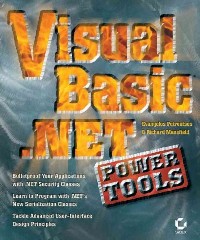
A useful manual for experienced Visual Basic .NET and Visual Baisc 6 programmers presents a wide variety of Visual Basic .NET solutions to real-world problems, furnishing detailed reusable code examples and high-level tips and tricks for such topics as Regular Expressions, .NET Security Classes including encryption, Printing, and ADO.NET. Original. (Advanced)
Publisher Summary 2
The term avant garde is surely rare in a book for computer programmers. Widely-published authors on Visual Basic regard programming as more art than science, so they explore the aesthetic side of programming in the new VB.NET language as well as other sophisticated topics not often treated in other books on the subject. While they cover advanced levels of such standard topics as debugging, security, and Windows applications, Petroutsos and Mansfield also discuss the implications of VB.NET having been designed by C programmers and encryption (a hobby of one of the authors). Annotation 漏2005 Book News, Inc., Portland, OR (booknews.com)
Publisher Summary 3
Step-by-Step Instruction on Complex Topics Leads You to the Expert LevelDo you scour VB.NET books seeking solutions for esoteric database programming, debugging, security, or printing challenges, but can't ever find them? Are you wrestling with VB.NET's newer topics, such as asynchronous programming, Web services, employing Office objects, using reflection, and the .NET Compact Framework? Could you use some assistance making the transition from VB6 to VB.NET? If so, peer inside.Visual Basic .NET Power Toolsis intended for professional programmers geared up to tackle the complex, cutting-edge, and sophisticated aspects of VB.NET. In this rare book, two world-renowned VB authors thoroughly describe a broad range of fascinating and important aspects of VB that aren't addressed elsewhere.This solutions-oriented guide teaches you how to:Get under the hood of the .NET Framework, and find out why it works the way it doesEmploy serialization techniquesLeverage Microsoft Office in your applicationsMaster encryption, hashing, and creating keysLearn advanced printing techniquesUse the new reflection technology to look inside executing assembliesBuild data-driven Web applicationsDesign data-driven Windows applicationsWork with regular expressionsEmploy advanced graphics techniquesCreate professional-looking formsDesign effective User InterfacesUse the .NET Compact Framework and its emerging technologies
目录
Introduction p. xix
Understanding the .NET Framework p. 1
Why Read This Chapter p. 2
Help! p. 3
Grappling with Framework Class Descriptions p. 5
The Hunt for a Grammar p. 6
Why Two Ways? p. 10
About Constructors p. 10
Assemblies Three Ways p. 11
Understanding Data Types p. 11
About System.Object p. 12
Member WiseClone p. 12
Equals p. 12
ReferenceEquals p. 13
The Main Point about Equality p. 14
GetHashCode p. 16
GetType p. 16
ToString p. 16
Strong Typing Weakens p. 17
Is Color a Data Type? p. 17
Exploiting the Framework p. 18
A Useful Class View Utility p. 20
A Brief Lexicon p. 21
Summary p. 22
New Ways of Doing Traditional Jobs p. 23
Clipboard Access p. 23
Working with "Control Arrays" p. 24
Multiple Handles p. 27
Using Arrays p. 28
Zero-Based Collections (Sometimes) p. 28
Initialization p. 30
Arrays of Objects p. 30
Array Search and Sort Methods p. 31
Customized Sorting p. 33
Many Properties and Methods p. 34
The Flexible ArrayList p. 35
Mass Manipulation p. 36
Data Binding p. 36
Enumerators p. 37
Using HashTables p. 37
New Date/Time Techniques p. 38
Adding Time p. 39
Using the Old-Style Double DateTime Data Type p. 39
Finding Days in a Month p. 39
File I/O (Streaming) p. 39
Reading a File p. 40
How Do You Know You're at the End? p. 41
Writing to a File p. 42
Form References: Communication Between Forms p. 45
Using Handles p. 46
Runtime Handles p. 47
Detecting Key Presses p. 47
Loading Graphics with LoadPicture p. 48
Managing the Registry p. 48
Writing to the Registry p. 49
Random Numbers p. 49
Filling an Array p. 52
SendKeys p. 53
Serializing p. 53
Mixing Types into the Same Stream p. 55
Reading Back Mixed Data p. 56
Summary p. 57
Serialization Techniques p. 59
How Serialization Works p. 60
Serialization Types p. 60
Basic Serialization p. 61
Creating Serializable Objects p. 65
The ClassSerializer Project p. 66
XML Serialization p. 72
The NETConfigFiles Project p. 76
Custom Serialization p. 79
The SerializationContext Parameter p. 80
Serializing SQL Server Data p. 81
The NWOrders Project p. 86
Summary p. 91
Leveraging Microsoft Office in Your Applications p. 93
Using Word's Features p. 94
Spell-Checking p. 94
Sending a Fax p. 98
Loading Documents p. 99
Finding Files p. 100
Feeding Individual Strings and Specialized Formatting p. 102
Text Manipulation and Insertion p. 104
Replacing Text p. 106
Borrowing Word's Printing Features p. 107
Using Outlook Objects p. 109
Accessing Excel p. 111
Evaluating Math Expressions p. 111
Pretty Printing p. 113
Sending Data to Excel, Formatting, Calculating, and Saving p. 113
Retrieving Data from Excel p. 115
Summary p. 117
Understanding .NET Security p. 119
Security: An Overview p. 120
.NET's Strong Features p. 121
Users and Groups p. 122
The Principal p. 122
Code-Access Security p. 124
Everyone Must Agree p. 124
Understanding Code-Access Security p. 125
CAS Config Files p. 127
Descriptors p. 127
Software Restriction Policy p. 127
Managing .NET Security Policy p. 128
Using the Framework Configuration Tool p. 129
Programming for Security p. 133
Summary p. 136
Encryption, Hashing, and Creating Keys p. 139
The Main Problem p. 139
Hashing a Password p. 140
Hashing a File p. 142
Encrypting p. 143
Understanding Initialization Vectors p. 146
Discovering Key Sizes p. 147
Hashing while Encrypting p. 147
Asymmetrical Encryption p. 151
How RSA Works p. 153
Encrypting and Decrypting Using RSA p. 156
Summary p. 158
Advanced Printing p. 159
Printing in .NET p. 159
Printer and Page Properties p. 162
The PageSettings Object p. 162
The PrinterSettings Object p. 163
The Printing Dialog Boxes p. 164
Page Layout and Printing p. 168
The DrawString and MeasureString Methods p. 168
Printing Plain Text p. 174
Printing Tabular Data p. 179
A PrintScreen Utility p. 186
Summary p. 189
Upon Reflection p. 191
What Use Is It? p. 191
Understanding Types p. 191
Getting a Grip on Assemblies p. 192
Containers within Containers p. 193
Security Issues p. 193
Seeing Reflections p. 194
Accessing a Type p. 194
Accessing the Current Project's Assembly p. 198
Accessing a Loaded Assembly p. 199
Loading a File from an Assembly p. 200
Loading an Assembly from a File p. 201
Getting the Methods in a Class p. 203
More about Types p. 205
Accessing Specific Members p. 206
Searching for Members or Data p. 207
Executing Discovered Code with CreateInstance and Invoke p. 208
Emission p. 213
Summary p. 214
Building Bug-Free and Robust Applications p. 215
Structured Exception Handling p. 216
The Finally Clause p. 219
The ReadWriteFile Project p. 219
Resuming Statements That Failed p. 224
The Exception Class p. 225
Throwing Custom Exceptions p. 228
Bypassing Error Handlers p. 230
Debugging Techniques p. 231
Types of Programming Errors p. 232
Dealing with Logic Errors p. 237
Summary p. 241
Deploying Windows Applications p. 243
Installing the .NET Framework Runtime p. 244
XCopy Deployment p. 245
Internet Deployment p. 246
Preparing for Internet-Based Deployment p. 247
Deploying a Windows Application on a Web Server p. 249
Code Access Permissions p. 251
Running the Application p. 257
Downloading Assemblies on Demand p. 258
Deploying with Windows Installer p. 259
Creating a Windows Installer Package p. 261
Using the File System Editor p. 263
Creating Shortcuts p. 266
The Registry Editor p. 267
Using the User Interface Editor p. 267
Summary p. 270
Building Data-Driven Web Applications p. 271
New Features in ASP.NET p. 271
Sending Entire Files p. 272
Using Server Controls p. 272
Displaying Data on a WebForm p. 273
The DataList, Repeater, and Templates p. 275
Using the DataGrid p. 276
Detecting Postback p. 281
Validation p. 282
Programmatic Validation p. 282
Validation Controls p. 283
Sending Graphics p. 286
Using HTML Controls p. 287
Summary p. 288
Peer-to-Peer Programming p. 289
Internet Addressing p. 289
Using Sockets p. 292
Using UDP Sockets p. 295
Using TCP Sockets p. 297
The TCPChat Application p. 300
The TCPChatServer Application p. 301
The TCPChatClient Application p. 305
Interacting with Web Resources p. 308
Downloading Documents with WebClient p. 311
Uploading Documents with WebClient p. 312
The WebRequest and WebResponse Classes p. 314
Summary p. 317
Advanced Web Services p. 319
What Are Web Services? p. 319
Creating a Web Service p. 320
Caching Web Service Data p. 322
Consuming a Web Service p. 323
Preserving State p. 325
Using Session State p. 326
Making a Database Connection p. 326
Using the Pubs Sample Database p. 327
Getting an XML Dataset p. 327
Potential Problems with MSDE p. 329
Looking at the Results p. 329
Implementing WSDL p. 330
Viewing WSDL p. 331
SOAP Too p. 333
Complex Types p. 333
PortType p. 335
Seeing SOAP, WSDL, and the Reference Map p. 336
UDDI: The Registry p. 336
Testing a Published Web Service p. 337
Security Considerations p. 339
Summary p. 339
Building Asynchronous Applications with Message Queues p. 341
Queues and Messages p. 342
Types of Queues p. 343
Creating New Queues p. 344
Administering Queues p. 345
The MessageQueue Class p. 347
Exploring a Computer's Queues p. 348
The Message Class p. 349
Message Properties p. 350
Creating and Sending Messages p. 352
Acknowledgments and Time-Outs p. 358
Requesting Message Acknowledgment p. 358
Processing Acknowledgment Messages p. 361
Fault Tolerance and Load Balancing p. 366
Transactional Messages p. 371
Processing Orders with Messages p. 373
Preparing Orders p. 375
Processing Orders p. 377
Message Queuing Triggers p. 382
Defining Rules p. 382
Defining Triggers p. 384
The ProcessOrders Console Application p. 385
Summary p. 388
Practical ADO.NET p. 391
Accessing Databases p. 391
The Visual Database Tools p. 392
The Connection Class p. 402
The DataAdapter Class p. 404
The Command Class p. 409
Working with DataSets p. 415
Accessing the DataSet's Tables p. 416
Working with Rows p. 417
Handling Null Values p. 418
Adding and Deleting Rows p. 419
Locating Rows p. 420
Navigating through a DataSet p. 421
Using DataViews p. 426
Insert and Update Operations p. 428
Updating the Database with the DataAdapter p. 428
Handling Identity Columns p. 430
Performing Transactions with the DataAdapter p. 436
Summary p. 440
Building Middle-Tier Components p. 441
From Client/Server to Multiple Tiers p. 441
What Exactly Is a Business Rule? p. 443
Designing with Middle-Tier Components p. 445
Remoting the Business Logic p. 449
Converting the BusinessLayer Class to a Web Service p. 450
Converting the BusinessLayer to a Remote Service p. 458
Using COM Components with .NET Clients p. 461
Using ActiveX Controls in .NET p. 462
Using COM+ Applications in .NET p. 465
The COMPlus Component p. 466
Exporting a Proxy and Testing It p. 467
Building Serviced Components with .NET p. 468
Summary p. 473
Exploring XML Techniques p. 475
Choosing SAX p. 476
Copying the Sample File p. 476
Using SAX p. 476
Deeper into DOM p. 478
Using Namespaces in XML p. 480
Explicit Declaration p. 480
Implicit Declaration p. 480
The Explosion of Schemes p. 481
Understanding XSD p. 481
Using XML Data Types p. 483
Programmatic XML p. 487
Edit and Save p. 488
A Recursive Walk through the Nodes p. 491
XML and DataSets p. 493
Persisting with SOAP p. 495
Mixing and Matching Types p. 497
Deserialization Trapping p. 501
More Interchangeability p. 503
Summary p. 504
Designing Data-Driven Windows Applications p. 505
Data Binding p. 505
The NWProducts Application p. 506
The Application's Interface p. 507
The Application's Architecture p. 508
The Application's Code p. 510
An Invoicing Application p. 516
The Application's Interface p. 516
The Application's Architecture p. 518
The Application's Code p. 525
Adding a Business Rule p. 532
The Relations Application p. 535
The Application's Architecture p. 535
The Application's Code p. 536
The Relations 1 Project p. 539
Summary p. 542
Working with Regular Expressions p. 543
Writing Regular Expressions p. 544
The RegularExpressions Class p. 547
Using the Matches Method p. 550
Using the Match and NextMatch Methods p. 551
The Split Method p. 552
The Replace Method p. 552
The Elements of a Regular Expression p. 558
Characters and Metacharacters p. 558
Single Character Metacharacters p. 558
Ranges of Characters p. 559
White Space and Metacharacters p. 560
Quantifiers p. 560
Anchors p. 562
Escaping Metacharacters p. 563
Alternation p. 563
The RegExEditor Project p. 564
Advanced Topics in Regular Expressions p. 567
Grouping and Back-References p. 568
Regular Expressions with Multiple Captures p. 573
Lookahead and Lookbehind Assertions p. 575
Advanced Replacement Operations p. 578
The RegularExpressions Project p. 579
The Visual grep Project p. 582
Summary p. 588
Advanced Graphics p. 589
The PlotControl p. 590
The GraphicsPath Object p. 591
The Control's Members p. 591
Drawing the Grid p. 598
A Fractal Generator p. 602
What Is a Fractal? p. 602
The Mandelbrot Set p. 607
The Julia Set p. 612
The Real Magic of Fractals p. 616
Complex Number Operations p. 620
The Transformation z = z[superscript 2] + c p. 621
Summary p. 622
Designing the User Interface p. 623
Making Applications Look Reliable p. 623
Windows Conventions p. 626
The Metallic Look p. 626
FontBold Off p. 627
Using a Sans-serif Typeface for Headlines p. 627
Choosing a Type Size p. 627
Layering p. 627
Adding Depth p. 627
Light from the Upper Left p. 628
Creating Zones p. 629
Framing p. 630
Metallic Shading p. 635
Sliding and Fading Transitions p. 636
Fade In, Fade Out p. 637
Sliding p. 640
Summary p. 641
Using the .NET Compact Framework and Its Emerging Technologies p. 643
What's Eliminated? p. 644
Output Lite p. 644
Solving the Connectivity Problem p. 644
Using the Simulator p. 645
Understanding the Mobile Form p. 646
Navigating to a Second Form p. 646
More New Features p. 647
New Technology, New Behaviors p. 648
The List Controls p. 650
Mobile Security p. 652
Debugging via Tracing p. 654
Custom Tracing p. 655
Trace Information Sections p. 656
Providing Friendly Error Messages p. 656
Device Specificity p. 658
Using Emulators p. 660
Custom Device Emulators p. 660
The Visual Studio 2003 Pocket PC Emulator p. 661
New Technology, New Problems p. 662
Summary p. 663
Index p. 665
Understanding the .NET Framework p. 1
Why Read This Chapter p. 2
Help! p. 3
Grappling with Framework Class Descriptions p. 5
The Hunt for a Grammar p. 6
Why Two Ways? p. 10
About Constructors p. 10
Assemblies Three Ways p. 11
Understanding Data Types p. 11
About System.Object p. 12
Member WiseClone p. 12
Equals p. 12
ReferenceEquals p. 13
The Main Point about Equality p. 14
GetHashCode p. 16
GetType p. 16
ToString p. 16
Strong Typing Weakens p. 17
Is Color a Data Type? p. 17
Exploiting the Framework p. 18
A Useful Class View Utility p. 20
A Brief Lexicon p. 21
Summary p. 22
New Ways of Doing Traditional Jobs p. 23
Clipboard Access p. 23
Working with "Control Arrays" p. 24
Multiple Handles p. 27
Using Arrays p. 28
Zero-Based Collections (Sometimes) p. 28
Initialization p. 30
Arrays of Objects p. 30
Array Search and Sort Methods p. 31
Customized Sorting p. 33
Many Properties and Methods p. 34
The Flexible ArrayList p. 35
Mass Manipulation p. 36
Data Binding p. 36
Enumerators p. 37
Using HashTables p. 37
New Date/Time Techniques p. 38
Adding Time p. 39
Using the Old-Style Double DateTime Data Type p. 39
Finding Days in a Month p. 39
File I/O (Streaming) p. 39
Reading a File p. 40
How Do You Know You're at the End? p. 41
Writing to a File p. 42
Form References: Communication Between Forms p. 45
Using Handles p. 46
Runtime Handles p. 47
Detecting Key Presses p. 47
Loading Graphics with LoadPicture p. 48
Managing the Registry p. 48
Writing to the Registry p. 49
Random Numbers p. 49
Filling an Array p. 52
SendKeys p. 53
Serializing p. 53
Mixing Types into the Same Stream p. 55
Reading Back Mixed Data p. 56
Summary p. 57
Serialization Techniques p. 59
How Serialization Works p. 60
Serialization Types p. 60
Basic Serialization p. 61
Creating Serializable Objects p. 65
The ClassSerializer Project p. 66
XML Serialization p. 72
The NETConfigFiles Project p. 76
Custom Serialization p. 79
The SerializationContext Parameter p. 80
Serializing SQL Server Data p. 81
The NWOrders Project p. 86
Summary p. 91
Leveraging Microsoft Office in Your Applications p. 93
Using Word's Features p. 94
Spell-Checking p. 94
Sending a Fax p. 98
Loading Documents p. 99
Finding Files p. 100
Feeding Individual Strings and Specialized Formatting p. 102
Text Manipulation and Insertion p. 104
Replacing Text p. 106
Borrowing Word's Printing Features p. 107
Using Outlook Objects p. 109
Accessing Excel p. 111
Evaluating Math Expressions p. 111
Pretty Printing p. 113
Sending Data to Excel, Formatting, Calculating, and Saving p. 113
Retrieving Data from Excel p. 115
Summary p. 117
Understanding .NET Security p. 119
Security: An Overview p. 120
.NET's Strong Features p. 121
Users and Groups p. 122
The Principal p. 122
Code-Access Security p. 124
Everyone Must Agree p. 124
Understanding Code-Access Security p. 125
CAS Config Files p. 127
Descriptors p. 127
Software Restriction Policy p. 127
Managing .NET Security Policy p. 128
Using the Framework Configuration Tool p. 129
Programming for Security p. 133
Summary p. 136
Encryption, Hashing, and Creating Keys p. 139
The Main Problem p. 139
Hashing a Password p. 140
Hashing a File p. 142
Encrypting p. 143
Understanding Initialization Vectors p. 146
Discovering Key Sizes p. 147
Hashing while Encrypting p. 147
Asymmetrical Encryption p. 151
How RSA Works p. 153
Encrypting and Decrypting Using RSA p. 156
Summary p. 158
Advanced Printing p. 159
Printing in .NET p. 159
Printer and Page Properties p. 162
The PageSettings Object p. 162
The PrinterSettings Object p. 163
The Printing Dialog Boxes p. 164
Page Layout and Printing p. 168
The DrawString and MeasureString Methods p. 168
Printing Plain Text p. 174
Printing Tabular Data p. 179
A PrintScreen Utility p. 186
Summary p. 189
Upon Reflection p. 191
What Use Is It? p. 191
Understanding Types p. 191
Getting a Grip on Assemblies p. 192
Containers within Containers p. 193
Security Issues p. 193
Seeing Reflections p. 194
Accessing a Type p. 194
Accessing the Current Project's Assembly p. 198
Accessing a Loaded Assembly p. 199
Loading a File from an Assembly p. 200
Loading an Assembly from a File p. 201
Getting the Methods in a Class p. 203
More about Types p. 205
Accessing Specific Members p. 206
Searching for Members or Data p. 207
Executing Discovered Code with CreateInstance and Invoke p. 208
Emission p. 213
Summary p. 214
Building Bug-Free and Robust Applications p. 215
Structured Exception Handling p. 216
The Finally Clause p. 219
The ReadWriteFile Project p. 219
Resuming Statements That Failed p. 224
The Exception Class p. 225
Throwing Custom Exceptions p. 228
Bypassing Error Handlers p. 230
Debugging Techniques p. 231
Types of Programming Errors p. 232
Dealing with Logic Errors p. 237
Summary p. 241
Deploying Windows Applications p. 243
Installing the .NET Framework Runtime p. 244
XCopy Deployment p. 245
Internet Deployment p. 246
Preparing for Internet-Based Deployment p. 247
Deploying a Windows Application on a Web Server p. 249
Code Access Permissions p. 251
Running the Application p. 257
Downloading Assemblies on Demand p. 258
Deploying with Windows Installer p. 259
Creating a Windows Installer Package p. 261
Using the File System Editor p. 263
Creating Shortcuts p. 266
The Registry Editor p. 267
Using the User Interface Editor p. 267
Summary p. 270
Building Data-Driven Web Applications p. 271
New Features in ASP.NET p. 271
Sending Entire Files p. 272
Using Server Controls p. 272
Displaying Data on a WebForm p. 273
The DataList, Repeater, and Templates p. 275
Using the DataGrid p. 276
Detecting Postback p. 281
Validation p. 282
Programmatic Validation p. 282
Validation Controls p. 283
Sending Graphics p. 286
Using HTML Controls p. 287
Summary p. 288
Peer-to-Peer Programming p. 289
Internet Addressing p. 289
Using Sockets p. 292
Using UDP Sockets p. 295
Using TCP Sockets p. 297
The TCPChat Application p. 300
The TCPChatServer Application p. 301
The TCPChatClient Application p. 305
Interacting with Web Resources p. 308
Downloading Documents with WebClient p. 311
Uploading Documents with WebClient p. 312
The WebRequest and WebResponse Classes p. 314
Summary p. 317
Advanced Web Services p. 319
What Are Web Services? p. 319
Creating a Web Service p. 320
Caching Web Service Data p. 322
Consuming a Web Service p. 323
Preserving State p. 325
Using Session State p. 326
Making a Database Connection p. 326
Using the Pubs Sample Database p. 327
Getting an XML Dataset p. 327
Potential Problems with MSDE p. 329
Looking at the Results p. 329
Implementing WSDL p. 330
Viewing WSDL p. 331
SOAP Too p. 333
Complex Types p. 333
PortType p. 335
Seeing SOAP, WSDL, and the Reference Map p. 336
UDDI: The Registry p. 336
Testing a Published Web Service p. 337
Security Considerations p. 339
Summary p. 339
Building Asynchronous Applications with Message Queues p. 341
Queues and Messages p. 342
Types of Queues p. 343
Creating New Queues p. 344
Administering Queues p. 345
The MessageQueue Class p. 347
Exploring a Computer's Queues p. 348
The Message Class p. 349
Message Properties p. 350
Creating and Sending Messages p. 352
Acknowledgments and Time-Outs p. 358
Requesting Message Acknowledgment p. 358
Processing Acknowledgment Messages p. 361
Fault Tolerance and Load Balancing p. 366
Transactional Messages p. 371
Processing Orders with Messages p. 373
Preparing Orders p. 375
Processing Orders p. 377
Message Queuing Triggers p. 382
Defining Rules p. 382
Defining Triggers p. 384
The ProcessOrders Console Application p. 385
Summary p. 388
Practical ADO.NET p. 391
Accessing Databases p. 391
The Visual Database Tools p. 392
The Connection Class p. 402
The DataAdapter Class p. 404
The Command Class p. 409
Working with DataSets p. 415
Accessing the DataSet's Tables p. 416
Working with Rows p. 417
Handling Null Values p. 418
Adding and Deleting Rows p. 419
Locating Rows p. 420
Navigating through a DataSet p. 421
Using DataViews p. 426
Insert and Update Operations p. 428
Updating the Database with the DataAdapter p. 428
Handling Identity Columns p. 430
Performing Transactions with the DataAdapter p. 436
Summary p. 440
Building Middle-Tier Components p. 441
From Client/Server to Multiple Tiers p. 441
What Exactly Is a Business Rule? p. 443
Designing with Middle-Tier Components p. 445
Remoting the Business Logic p. 449
Converting the BusinessLayer Class to a Web Service p. 450
Converting the BusinessLayer to a Remote Service p. 458
Using COM Components with .NET Clients p. 461
Using ActiveX Controls in .NET p. 462
Using COM+ Applications in .NET p. 465
The COMPlus Component p. 466
Exporting a Proxy and Testing It p. 467
Building Serviced Components with .NET p. 468
Summary p. 473
Exploring XML Techniques p. 475
Choosing SAX p. 476
Copying the Sample File p. 476
Using SAX p. 476
Deeper into DOM p. 478
Using Namespaces in XML p. 480
Explicit Declaration p. 480
Implicit Declaration p. 480
The Explosion of Schemes p. 481
Understanding XSD p. 481
Using XML Data Types p. 483
Programmatic XML p. 487
Edit and Save p. 488
A Recursive Walk through the Nodes p. 491
XML and DataSets p. 493
Persisting with SOAP p. 495
Mixing and Matching Types p. 497
Deserialization Trapping p. 501
More Interchangeability p. 503
Summary p. 504
Designing Data-Driven Windows Applications p. 505
Data Binding p. 505
The NWProducts Application p. 506
The Application's Interface p. 507
The Application's Architecture p. 508
The Application's Code p. 510
An Invoicing Application p. 516
The Application's Interface p. 516
The Application's Architecture p. 518
The Application's Code p. 525
Adding a Business Rule p. 532
The Relations Application p. 535
The Application's Architecture p. 535
The Application's Code p. 536
The Relations 1 Project p. 539
Summary p. 542
Working with Regular Expressions p. 543
Writing Regular Expressions p. 544
The RegularExpressions Class p. 547
Using the Matches Method p. 550
Using the Match and NextMatch Methods p. 551
The Split Method p. 552
The Replace Method p. 552
The Elements of a Regular Expression p. 558
Characters and Metacharacters p. 558
Single Character Metacharacters p. 558
Ranges of Characters p. 559
White Space and Metacharacters p. 560
Quantifiers p. 560
Anchors p. 562
Escaping Metacharacters p. 563
Alternation p. 563
The RegExEditor Project p. 564
Advanced Topics in Regular Expressions p. 567
Grouping and Back-References p. 568
Regular Expressions with Multiple Captures p. 573
Lookahead and Lookbehind Assertions p. 575
Advanced Replacement Operations p. 578
The RegularExpressions Project p. 579
The Visual grep Project p. 582
Summary p. 588
Advanced Graphics p. 589
The PlotControl p. 590
The GraphicsPath Object p. 591
The Control's Members p. 591
Drawing the Grid p. 598
A Fractal Generator p. 602
What Is a Fractal? p. 602
The Mandelbrot Set p. 607
The Julia Set p. 612
The Real Magic of Fractals p. 616
Complex Number Operations p. 620
The Transformation z = z[superscript 2] + c p. 621
Summary p. 622
Designing the User Interface p. 623
Making Applications Look Reliable p. 623
Windows Conventions p. 626
The Metallic Look p. 626
FontBold Off p. 627
Using a Sans-serif Typeface for Headlines p. 627
Choosing a Type Size p. 627
Layering p. 627
Adding Depth p. 627
Light from the Upper Left p. 628
Creating Zones p. 629
Framing p. 630
Metallic Shading p. 635
Sliding and Fading Transitions p. 636
Fade In, Fade Out p. 637
Sliding p. 640
Summary p. 641
Using the .NET Compact Framework and Its Emerging Technologies p. 643
What's Eliminated? p. 644
Output Lite p. 644
Solving the Connectivity Problem p. 644
Using the Simulator p. 645
Understanding the Mobile Form p. 646
Navigating to a Second Form p. 646
More New Features p. 647
New Technology, New Behaviors p. 648
The List Controls p. 650
Mobile Security p. 652
Debugging via Tracing p. 654
Custom Tracing p. 655
Trace Information Sections p. 656
Providing Friendly Error Messages p. 656
Device Specificity p. 658
Using Emulators p. 660
Custom Device Emulators p. 660
The Visual Studio 2003 Pocket PC Emulator p. 661
New Technology, New Problems p. 662
Summary p. 663
Index p. 665
- 名称
- 类型
- 大小
光盘服务联系方式: 020-38250260 客服QQ:4006604884
云图客服:
用户发送的提问,这种方式就需要有位在线客服来回答用户的问题,这种 就属于对话式的,问题是这种提问是否需要用户登录才能提问
Video Player
×
Audio Player
×
pdf Player
×
