

简介
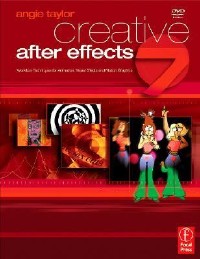
Realize your creative potential with a working knowledge of After Effects 7. Renowned artist and designer Angie Taylor demonstrates professional workflows and inspires with practical tutorial lessons that help put the theory (and you!) to work. You'll learn from a comprehensive survey of the new interface and features, with illustrated techniques for animation, visual effects and motion graphics. Practice exercises to reinforce essential techniques, and continuous projects challenge you with fantastically creative uses of the application. The companion DVD includes everything you'll need to complete the tutorials as well as an array of bonus plug-ins and demo software. A comprehensive survey of the new After Effects 7 interface and toolset Illustrated techniques for animation, visual effects and motion graphics Practical tutorial lessons that demonstrate professional workflows A companion DVD with tutorial media and valuable plug-ins.
目录
Front Cover 1
Creative After Effects 7 4
Copyright Page 5
Contents 6
Acknowledgements 15
Introduction 18
How I learned 19
My teaching methods 20
How to use the book 21
Before you start 22
Operating system 22
OpenGL 22
Copying tutorial files 23
Installing software 23
Keyboard shortcuts and modifiers 24
Re-setting the preferences 25
Your mission 25
Chapter 01: Interface 28
Synopsis 28
Before you start 28
Understanding the interface 28
Tip of the day 29
Templates 29
Adobe Bridge 30
The Project panel 30
The Composition viewer 31
The Timeline 31
The Time Controls panel 32
Importing files 33
Importing movies 33
Importing Photoshop files 35
Importing Illustrator files 37
Importing audio files 37
Customizing the workspace 38
Working with panels and frames 39
Recap 46
Inspiration \u2013 Jerry Ibbotosn 46
Chapter 02: Basics 48
Synopsis 48
Basic compositing 48
Composition settings 49
Project settings 50
Adding footage to your comp 51
Working with layers 55
Importing files as comps 56
Basic animation 57
Keyframes 58
Navigating through time 59
Layer switches 60
RAM Previewing 63
Animating multiple properties 64
Editing keyframes 66
Fine tuning animation 71
Basic keyframe interpolation 72
Copying/pasting keyframes 74
Continuous rasterization 75
Keyframe assistants 76
Replacing layers 78
Applying effects 79
Rendering movies 83
Archiving projects 88
Recap 88
Workflow 89
Inspiration \u2013 Steve Caplin 89
Chapter 03: Import 92
Synopsis 92
Importing Photoshop compositions 92
Layers 92
Channels 94
Ready-made comps 96
Blending modes 97
Adjustment layers 97
Layer styles and layer effects 98
Editable text 98
Layer sets 99
Importing illustrator compositions 100
Importing paths and masks 100
Converting merged footage to a layered comp 100
Importing image sequences 101
Importing audio files 103
Sequencing layers 104
Importing folders 104
Importing from editing applications 108
Mac Only \u2013 importing from Final Cut Pro 108
PC only \u2013 importing Adobe Premiere Pro compositions 108
Fixing broken links 109
Replacing Footage in the Timeline 110
Adobe Bridge 114
The bridge interface 114
Technical considerations 116
Video formats 116
Frame rates 117
Time display styles 117
3:2 Pulldown 123
Resolution issues 123
Frame aspect ratio 124
Pixel aspect ratio 124
Working in widescreen 127
Fields and interlacing 127
Recap 133
Inspiration \u2013 Bill Byrne 133
Chapter 04: Animation 136
Synopsis 136
Animation rules \u2013 part 1 136
Animation types 137
Adjusting motion paths 139
Spatial keyframes 139
Linear 141
Auto Bezier 142
Continuous Bezier 143
Temporal keyframes 145
The Graph Editor 146
Roving keyframes 147
Continuous Bezier 149
Retiming animations 153
Animation rules \u2013 part 2 157
Panning and zooming 160
Basic image panning 160
Copying and pasting paths 165
2D zooming 168
Exponential Scale 170
The Smoother 172
Animation rules \u2013 part 3 173
Time-stretching footage 175
Frame Blending 1 \u2013 frame mix 177
Slowing things down 178
Time remapping 178
Freeze-frames 179
Auto-editing 180
Using layer markers 180
Frame Blending 2 \u2013 pixel motion 190
Time effects 190
Recap 195
Inspiration \u2013 Joan Armatrading 195
Chapter 05: Compositing 198
Synopsis 198
Channels 198
Channel effects 201
Mattes 203
Minimax 203
Alpha channels 203
Masks 208
Solids 210
Drawing masks 211
Mask modes 215
Nesting 218
Collapsing transformations 219
Editing nested comps 220
The Pen tool 223
Drawing straight lines 223
Drawing curves 225
Adjusting Bezier curves 226
Adjusting mask properties 228
RotoBezier masks 230
Auto-Trace 233
Smart Mask Interpolation \u2013 pro only 236
Interpolating complex shapes 240
Blending modes 241
Basic keying 252
Preparation 253
Standard version keying 254
Recap 258
Inspiration 258
Chapter 06: Grouping 262
Synopsis 262
Nesting 262
Pre-composing 266
The flowchart panel 273
Changing render order 275
Collapsing transformations 277
Parental hierarchy 279
Basic parenting 279
Hierarchies 280
Uses for parental hierarchy 287
Grouping layers 287
Hierarchal motion 289
Animation 294
Working with null objects 296
Using nulls as control layers 296
Advanced parenting 300
Non-uniform scale problem 301
Controlling 3D rotation 304
Character animation 307
Recap 310
Inspiration \u2013 Kate Isles 310
Chapter 07: Effects 312
Synopsis 312
Color effects 312
Speeding up workflow 314
RAM Preview Options 314
Pre-rendering 315
Using proxies 316
Saving effect settings 324
Time effects 325
Combining filters 328
Animation Presets 332
Preset basics 333
Not so simple 337
Looking further 339
Applying individual properties from presets 341
Effects as well as presets\u2026 342
Sort it out 342
Conclusion 343
Recap 343
Inspiration \u2013 Joost van der Hoeven 344
Chapter 08: Text 348
Synopsis 349
Fonts 349
Serif 350
Sans serif 350
Basic text 350
The Character panel 352
Text animators 355
Range selectors 355
Adding multiple properties 360
Working with multiple animators 362
Other types of selector 364
Applying effects to text 369
Animating effects 371
Animating animator properties 373
Text presets 374
Saving text presets 375
Applying text presets 377
Bonus trick 377
Browsing presets with Adobe Bridge 380
Customizing presets 383
Messing around with fonts 390
Creating outlines 392
Fun effects for text 393
Track Mattes 396
Recap 399
Inspiration \u2013 Birigitta Hosea 399
Studio venus 400
Chapter 09: 3D 402
Synopsis 402
3D in After Effects 402
3D layers 403
3D effects \u2013 Pro only 403
3D workspace 403
3D views 407
Custom views 408
Camera tools 409
Orthogonal views 410
Multiple views 410
2D and 3D layer order 413
Adjusting 3D rotation 416
Orientation 417
Rotation 418
3D render plug-ins 420
Axis modes 423
Local axis mode 424
World axis mode 424
View axis mode 425
Camera basics 427
Camera settings 429
The POI 430
3D Assistants 434
Animating cameras 435
Auto-Orienting cameras 438
Orbital camera move 439
Pre-comping 3D layers 440
Lighting basics 442
Light types 442
Lighting a scene 443
Light options panel 443
Lighting scheme one \u2013 basic 443
Casting shadows 446
Material attributes 446
Lighting scheme two \u2013 stained glass 447
Lighting scheme three \u2013 disco lights 450
Depth of field 456
Recap 458
Inspiration \u2013 Rachel Max 458
Chapter 10: Paint 462
Synopsis 462
Paint basics 462
Input devices 462
The Brush tool 463
The Eraser tool 470
Animating paint 471
Stop-frame look 472
Scribble and Auto-Trace 481
Matte painting 484
The Clone Stamp tool 485
Scratch removal 485
Extending existing footage 488
Clone Presets 490
More erasing 495
Time offset 496
Advanced cloning 496
Motion tracking \u2013 pro only 501
Recap 506
Inspiration \u2013 John Williams 507
Chapter 11: Expressions 512
Synopsis 512
What are Expressions? 512
When should I use them? 513
How to learn? 513
Adding Expressions 513
Expressions switches 515
Language and syntax 515
Operators 515
Words 516
Math symbols 516
Disabling Expressions 517
Enable Expression switch 518
Deleting an Expressions 519
Linking properties 519
Expressions shortcut 519
Using the Pickwhip 520
Basic arithmetic 521
Taking values from other layers 522
More arithmetic 524
Properties and dimensions 526
Using 2D properties to control 1D properties 526
Using 1D properties to control 2D properties 528
Variables 530
Test your knowledge 532
Character animation 533
Convert Audio to Keyframes Assistant 536
Linear & Ease Expressions 537
Expressions Language Menu 539
Lip synching 540
Basic motion capture 547
Recap 554
Inspiration \u2013 Treehouse: Lucy Scott and Tom Ellis 555
Treehouse 555
Lucy 555
Tom 558
Chapter 12: Output 562
Synopsis 562
Rendering your movie 562
Third-party codecs 563
Render Settings 563
Making templates 564
Output modules 566
Naming files 567
Rendering multiple items 568
Compression and codecs 569
Exporting alpha channels 572
Other output options 572
Image sequences 573
Filmstrip files 573
Adobe media encoder 574
The export menu 574
Export to Premiere Pro \u2013 Windows only 575
Export to flash video 575
Export to SWF 577
Network rendering 578
Open GL rendering 579
Recap 579
Inspiration \u2013 Madeleine Duba 580
Index 584
Symbol 584
A 584
B 585
C 586
D 587
E 588
F 589
G 589
H 589
I 590
J 590
K 590
L 591
M 591
N 592
O 592
P 593
Q 594
R 594
S 594
T 595
U 596
V 596
W 597
X 597
Y 597
Z 597
Creative After Effects 7 4
Copyright Page 5
Contents 6
Acknowledgements 15
Introduction 18
How I learned 19
My teaching methods 20
How to use the book 21
Before you start 22
Operating system 22
OpenGL 22
Copying tutorial files 23
Installing software 23
Keyboard shortcuts and modifiers 24
Re-setting the preferences 25
Your mission 25
Chapter 01: Interface 28
Synopsis 28
Before you start 28
Understanding the interface 28
Tip of the day 29
Templates 29
Adobe Bridge 30
The Project panel 30
The Composition viewer 31
The Timeline 31
The Time Controls panel 32
Importing files 33
Importing movies 33
Importing Photoshop files 35
Importing Illustrator files 37
Importing audio files 37
Customizing the workspace 38
Working with panels and frames 39
Recap 46
Inspiration \u2013 Jerry Ibbotosn 46
Chapter 02: Basics 48
Synopsis 48
Basic compositing 48
Composition settings 49
Project settings 50
Adding footage to your comp 51
Working with layers 55
Importing files as comps 56
Basic animation 57
Keyframes 58
Navigating through time 59
Layer switches 60
RAM Previewing 63
Animating multiple properties 64
Editing keyframes 66
Fine tuning animation 71
Basic keyframe interpolation 72
Copying/pasting keyframes 74
Continuous rasterization 75
Keyframe assistants 76
Replacing layers 78
Applying effects 79
Rendering movies 83
Archiving projects 88
Recap 88
Workflow 89
Inspiration \u2013 Steve Caplin 89
Chapter 03: Import 92
Synopsis 92
Importing Photoshop compositions 92
Layers 92
Channels 94
Ready-made comps 96
Blending modes 97
Adjustment layers 97
Layer styles and layer effects 98
Editable text 98
Layer sets 99
Importing illustrator compositions 100
Importing paths and masks 100
Converting merged footage to a layered comp 100
Importing image sequences 101
Importing audio files 103
Sequencing layers 104
Importing folders 104
Importing from editing applications 108
Mac Only \u2013 importing from Final Cut Pro 108
PC only \u2013 importing Adobe Premiere Pro compositions 108
Fixing broken links 109
Replacing Footage in the Timeline 110
Adobe Bridge 114
The bridge interface 114
Technical considerations 116
Video formats 116
Frame rates 117
Time display styles 117
3:2 Pulldown 123
Resolution issues 123
Frame aspect ratio 124
Pixel aspect ratio 124
Working in widescreen 127
Fields and interlacing 127
Recap 133
Inspiration \u2013 Bill Byrne 133
Chapter 04: Animation 136
Synopsis 136
Animation rules \u2013 part 1 136
Animation types 137
Adjusting motion paths 139
Spatial keyframes 139
Linear 141
Auto Bezier 142
Continuous Bezier 143
Temporal keyframes 145
The Graph Editor 146
Roving keyframes 147
Continuous Bezier 149
Retiming animations 153
Animation rules \u2013 part 2 157
Panning and zooming 160
Basic image panning 160
Copying and pasting paths 165
2D zooming 168
Exponential Scale 170
The Smoother 172
Animation rules \u2013 part 3 173
Time-stretching footage 175
Frame Blending 1 \u2013 frame mix 177
Slowing things down 178
Time remapping 178
Freeze-frames 179
Auto-editing 180
Using layer markers 180
Frame Blending 2 \u2013 pixel motion 190
Time effects 190
Recap 195
Inspiration \u2013 Joan Armatrading 195
Chapter 05: Compositing 198
Synopsis 198
Channels 198
Channel effects 201
Mattes 203
Minimax 203
Alpha channels 203
Masks 208
Solids 210
Drawing masks 211
Mask modes 215
Nesting 218
Collapsing transformations 219
Editing nested comps 220
The Pen tool 223
Drawing straight lines 223
Drawing curves 225
Adjusting Bezier curves 226
Adjusting mask properties 228
RotoBezier masks 230
Auto-Trace 233
Smart Mask Interpolation \u2013 pro only 236
Interpolating complex shapes 240
Blending modes 241
Basic keying 252
Preparation 253
Standard version keying 254
Recap 258
Inspiration 258
Chapter 06: Grouping 262
Synopsis 262
Nesting 262
Pre-composing 266
The flowchart panel 273
Changing render order 275
Collapsing transformations 277
Parental hierarchy 279
Basic parenting 279
Hierarchies 280
Uses for parental hierarchy 287
Grouping layers 287
Hierarchal motion 289
Animation 294
Working with null objects 296
Using nulls as control layers 296
Advanced parenting 300
Non-uniform scale problem 301
Controlling 3D rotation 304
Character animation 307
Recap 310
Inspiration \u2013 Kate Isles 310
Chapter 07: Effects 312
Synopsis 312
Color effects 312
Speeding up workflow 314
RAM Preview Options 314
Pre-rendering 315
Using proxies 316
Saving effect settings 324
Time effects 325
Combining filters 328
Animation Presets 332
Preset basics 333
Not so simple 337
Looking further 339
Applying individual properties from presets 341
Effects as well as presets\u2026 342
Sort it out 342
Conclusion 343
Recap 343
Inspiration \u2013 Joost van der Hoeven 344
Chapter 08: Text 348
Synopsis 349
Fonts 349
Serif 350
Sans serif 350
Basic text 350
The Character panel 352
Text animators 355
Range selectors 355
Adding multiple properties 360
Working with multiple animators 362
Other types of selector 364
Applying effects to text 369
Animating effects 371
Animating animator properties 373
Text presets 374
Saving text presets 375
Applying text presets 377
Bonus trick 377
Browsing presets with Adobe Bridge 380
Customizing presets 383
Messing around with fonts 390
Creating outlines 392
Fun effects for text 393
Track Mattes 396
Recap 399
Inspiration \u2013 Birigitta Hosea 399
Studio venus 400
Chapter 09: 3D 402
Synopsis 402
3D in After Effects 402
3D layers 403
3D effects \u2013 Pro only 403
3D workspace 403
3D views 407
Custom views 408
Camera tools 409
Orthogonal views 410
Multiple views 410
2D and 3D layer order 413
Adjusting 3D rotation 416
Orientation 417
Rotation 418
3D render plug-ins 420
Axis modes 423
Local axis mode 424
World axis mode 424
View axis mode 425
Camera basics 427
Camera settings 429
The POI 430
3D Assistants 434
Animating cameras 435
Auto-Orienting cameras 438
Orbital camera move 439
Pre-comping 3D layers 440
Lighting basics 442
Light types 442
Lighting a scene 443
Light options panel 443
Lighting scheme one \u2013 basic 443
Casting shadows 446
Material attributes 446
Lighting scheme two \u2013 stained glass 447
Lighting scheme three \u2013 disco lights 450
Depth of field 456
Recap 458
Inspiration \u2013 Rachel Max 458
Chapter 10: Paint 462
Synopsis 462
Paint basics 462
Input devices 462
The Brush tool 463
The Eraser tool 470
Animating paint 471
Stop-frame look 472
Scribble and Auto-Trace 481
Matte painting 484
The Clone Stamp tool 485
Scratch removal 485
Extending existing footage 488
Clone Presets 490
More erasing 495
Time offset 496
Advanced cloning 496
Motion tracking \u2013 pro only 501
Recap 506
Inspiration \u2013 John Williams 507
Chapter 11: Expressions 512
Synopsis 512
What are Expressions? 512
When should I use them? 513
How to learn? 513
Adding Expressions 513
Expressions switches 515
Language and syntax 515
Operators 515
Words 516
Math symbols 516
Disabling Expressions 517
Enable Expression switch 518
Deleting an Expressions 519
Linking properties 519
Expressions shortcut 519
Using the Pickwhip 520
Basic arithmetic 521
Taking values from other layers 522
More arithmetic 524
Properties and dimensions 526
Using 2D properties to control 1D properties 526
Using 1D properties to control 2D properties 528
Variables 530
Test your knowledge 532
Character animation 533
Convert Audio to Keyframes Assistant 536
Linear & Ease Expressions 537
Expressions Language Menu 539
Lip synching 540
Basic motion capture 547
Recap 554
Inspiration \u2013 Treehouse: Lucy Scott and Tom Ellis 555
Treehouse 555
Lucy 555
Tom 558
Chapter 12: Output 562
Synopsis 562
Rendering your movie 562
Third-party codecs 563
Render Settings 563
Making templates 564
Output modules 566
Naming files 567
Rendering multiple items 568
Compression and codecs 569
Exporting alpha channels 572
Other output options 572
Image sequences 573
Filmstrip files 573
Adobe media encoder 574
The export menu 574
Export to Premiere Pro \u2013 Windows only 575
Export to flash video 575
Export to SWF 577
Network rendering 578
Open GL rendering 579
Recap 579
Inspiration \u2013 Madeleine Duba 580
Index 584
Symbol 584
A 584
B 585
C 586
D 587
E 588
F 589
G 589
H 589
I 590
J 590
K 590
L 591
M 591
N 592
O 592
P 593
Q 594
R 594
S 594
T 595
U 596
V 596
W 597
X 597
Y 597
Z 597
- 名称
- 类型
- 大小
光盘服务联系方式: 020-38250260 客服QQ:4006604884
云图客服:
用户发送的提问,这种方式就需要有位在线客服来回答用户的问题,这种 就属于对话式的,问题是这种提问是否需要用户登录才能提问
Video Player
×
Audio Player
×
pdf Player
×
