

简介
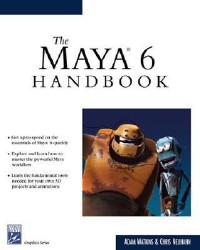
Maya is graphics software for special effects widely used by film and game studios. In this handbook for novice and intermediate level users, Watkins (computer arts, U. of the Incarnate Word, San Antonio, Texas) and Neuhahn, a Los Angeles-based professional animator, explain how to use the modeling tools of this latest Maya version and the concepts behind them. Tutorials include rendering an organic form and exterior scene. The companion CD contains the text's screenshots in full color and a tutorial folder. Annotation 漏2004 Book News, Inc., Portland, OR (booknews.com)
目录
Acknowledgments p. xi
Preface p. xiii
Maya Work Flow and Interface p. 1
A General 3D Work Flow p. 2
Project Conceptualization p. 2
Modeling p. 2
Shading (Texturing) p. 3
Lighting p. 3
Animation p. 3
Rendering p. 4
Work Flow Wrap-up p. 4
An Interface Overview p. 5
Modules p. 6
Menu Bar p. 6
Converting Pull-down Menus to Floating Menus and Palettes p. 6
Option Boxes p. 8
Status Line p. 8
Module Menu Set p. 9
New, Open, and Save p. 10
Selection Masks p. 10
Shelf p. 27
Toolbox p. 27
QWERTY p. 28
Quick Setup p. 28
Workspace p. 28
Channel/Layer Box, Tool Settings, and Attribute Editor p. 29
Time and Range Sliders p. 31
Command Line and Help Line p. 32
Conclusion p. 32
Getting Started with Modeling p. 33
Setting Up Your Project p. 34
Maneuvering in Maya p. 35
Exploring the Manipulator p. 36
Understanding States of Object Display p. 39
Moving On p. 41
Primitive Room Forms p. 42
Conclusion p. 62
NURBS and Component-Level Editing p. 65
Curves p. 67
Getting Started with Curves p. 67
NURBS p. 76
NURBS Modeling in "The Room" p. 80
Creating Arched Walls p. 81
Creating Trim for Doorways p. 92
Conclusion p. 99
NURBS Continued p. 101
NURBS Surfaces Continued p. 102
Conclusion p. 124
Component-Level Editing and Booleans p. 125
Power of the Duplication Tool p. 126
Exploring the Duplicate Tool p. 126
Finishing the Room p. 131
Component-Level Editing p. 137
Working with Isoparms p. 142
Boolean Functions p. 147
Conclusion p. 153
Subdivision Modeling p. 155
The States of a Subdivision Surface p. 156
Standard Mode p. 157
Polygon Mode p. 158
Creating a Cartoon Bird p. 162
Building Half a Model and Getting the Other Half for Free p. 180
Summary p. 182
Materials and Texturing p. 183
The Texturing Paradigm p. 184
Terms p. 184
Types of Materials p. 185
Anatomy of a Material p. 186
Texture Creation and Editing p. 190
Texturing the Room p. 193
Conclusion p. 209
Custom Texture Maps in Materials p. 211
Texturing the Room p. 212
Conclusion p. 233
Lighting and Rendering p. 235
Light Attributes p. 237
Light Types p. 241
Ambient Light p. 241
Directional Light p. 243
Point Light p. 244
Decay p. 244
Spot Light p. 246
Area Lights p. 247
Volume Light p. 248
Light Anatomy p. 248
Nighttime p. 253
Daytime Lighting p. 266
Rendering p. 277
The Render Using Drop-down List p. 277
Maya Software and Common Tabs p. 278
Conclusion p. 284
Rigging the Bird for Animation p. 285
The Joint Tool p. 286
Smooth Bind p. 291
The Paint Skin Weights Tool p. 294
Building a Skeleton for the Bird p. 298
Setting Up Controls for Animation p. 308
Skinning a Bird p. 314
The Mirror Skin Weights Tool p. 324
Conclusion p. 325
Animation p. 327
What Is Animation? p. 328
Keyframe Animation p. 329
Setting Up Maya for Animation p. 329
The Animation Tools p. 331
Time Slider and Current Time Marker p. 331
Playback Controls p. 332
Range Bar p. 332
Auto Keyframe Button p. 332
Animation Preferences Button p. 333
Animatable Elements p. 333
Basic Bird Animation p. 333
Outputting Your Animation p. 339
Conclusion p. 343
Which Hardware to Use p. 345
Customizing the Maya User Interface p. 355
Creating Effective Texture Maps p. 379
About the CD-ROM p. 391
Index p. 393
Preface p. xiii
Maya Work Flow and Interface p. 1
A General 3D Work Flow p. 2
Project Conceptualization p. 2
Modeling p. 2
Shading (Texturing) p. 3
Lighting p. 3
Animation p. 3
Rendering p. 4
Work Flow Wrap-up p. 4
An Interface Overview p. 5
Modules p. 6
Menu Bar p. 6
Converting Pull-down Menus to Floating Menus and Palettes p. 6
Option Boxes p. 8
Status Line p. 8
Module Menu Set p. 9
New, Open, and Save p. 10
Selection Masks p. 10
Shelf p. 27
Toolbox p. 27
QWERTY p. 28
Quick Setup p. 28
Workspace p. 28
Channel/Layer Box, Tool Settings, and Attribute Editor p. 29
Time and Range Sliders p. 31
Command Line and Help Line p. 32
Conclusion p. 32
Getting Started with Modeling p. 33
Setting Up Your Project p. 34
Maneuvering in Maya p. 35
Exploring the Manipulator p. 36
Understanding States of Object Display p. 39
Moving On p. 41
Primitive Room Forms p. 42
Conclusion p. 62
NURBS and Component-Level Editing p. 65
Curves p. 67
Getting Started with Curves p. 67
NURBS p. 76
NURBS Modeling in "The Room" p. 80
Creating Arched Walls p. 81
Creating Trim for Doorways p. 92
Conclusion p. 99
NURBS Continued p. 101
NURBS Surfaces Continued p. 102
Conclusion p. 124
Component-Level Editing and Booleans p. 125
Power of the Duplication Tool p. 126
Exploring the Duplicate Tool p. 126
Finishing the Room p. 131
Component-Level Editing p. 137
Working with Isoparms p. 142
Boolean Functions p. 147
Conclusion p. 153
Subdivision Modeling p. 155
The States of a Subdivision Surface p. 156
Standard Mode p. 157
Polygon Mode p. 158
Creating a Cartoon Bird p. 162
Building Half a Model and Getting the Other Half for Free p. 180
Summary p. 182
Materials and Texturing p. 183
The Texturing Paradigm p. 184
Terms p. 184
Types of Materials p. 185
Anatomy of a Material p. 186
Texture Creation and Editing p. 190
Texturing the Room p. 193
Conclusion p. 209
Custom Texture Maps in Materials p. 211
Texturing the Room p. 212
Conclusion p. 233
Lighting and Rendering p. 235
Light Attributes p. 237
Light Types p. 241
Ambient Light p. 241
Directional Light p. 243
Point Light p. 244
Decay p. 244
Spot Light p. 246
Area Lights p. 247
Volume Light p. 248
Light Anatomy p. 248
Nighttime p. 253
Daytime Lighting p. 266
Rendering p. 277
The Render Using Drop-down List p. 277
Maya Software and Common Tabs p. 278
Conclusion p. 284
Rigging the Bird for Animation p. 285
The Joint Tool p. 286
Smooth Bind p. 291
The Paint Skin Weights Tool p. 294
Building a Skeleton for the Bird p. 298
Setting Up Controls for Animation p. 308
Skinning a Bird p. 314
The Mirror Skin Weights Tool p. 324
Conclusion p. 325
Animation p. 327
What Is Animation? p. 328
Keyframe Animation p. 329
Setting Up Maya for Animation p. 329
The Animation Tools p. 331
Time Slider and Current Time Marker p. 331
Playback Controls p. 332
Range Bar p. 332
Auto Keyframe Button p. 332
Animation Preferences Button p. 333
Animatable Elements p. 333
Basic Bird Animation p. 333
Outputting Your Animation p. 339
Conclusion p. 343
Which Hardware to Use p. 345
Customizing the Maya User Interface p. 355
Creating Effective Texture Maps p. 379
About the CD-ROM p. 391
Index p. 393
- 名称
- 类型
- 大小
光盘服务联系方式: 020-38250260 客服QQ:4006604884
云图客服:
用户发送的提问,这种方式就需要有位在线客服来回答用户的问题,这种 就属于对话式的,问题是这种提问是否需要用户登录才能提问
Video Player
×
Audio Player
×
pdf Player
×
