

简介
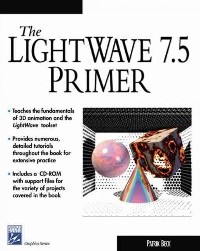
This guide explains the basic principles of 3D animation and the skills necessary to create and render images in the Lightwave program. After introducing the menus and commands available in the layout and modeler screens, tutorials provide step-by-step instructions for performing such tasks as setting up reflections, taking an object apart, applying an image map to a surface, making a texture rotate, bending a tube, and moving particles with gravity and wind. The CD- ROM contains example images, objects, and scenes. Annotation (c)2003 Book News, Inc., Portland, OR (booknews.com)
目录
What is 3D Animation? Basic Concepts of Geometry
The Virtual Camera Staging and Lights Keyframing as Choreography Rendering
The Final Output Software and System Specific Issues
What is so Special About Lightwave Mac, PC, and The Rest Course Material Provided on the CD
Frame Storage and Playback Animation Uses and Formats Video and Multimedia
Considerations Animation for the Web Images for Print
Rendering Elements for Design and Compositing Lightwave
Course Lesson Plan Learning the Basics
Basic Lightwave Layout Brief Tour of Layout and Modeler Load and Save Functions
How to Render Frames Display and Preview Options
The Basic Object Creating a Box in Modeler Using the Mouse to Create Objects
Using Numerical Input Commands Naming the Box Surface
Modifying the Box Geometry Saving the Box Object
Keyframing Objects in Layout Load the Box Object
Keyframing the Box into Position
Keyframing Camera and Lights
Rendering a Frame Texture Attributes
Introducing Basic Surface Attributes
Altering the Polygon Surfaces Using the Viper Preview
Working with Lights How the Lights Work
Types of Lights and Their Properties
Light Attributes Shadows, Raytrace and Shadow
Map Exercises and Self-Tests
The Virtual Camera Staging and Lights Keyframing as Choreography Rendering
The Final Output Software and System Specific Issues
What is so Special About Lightwave Mac, PC, and The Rest Course Material Provided on the CD
Frame Storage and Playback Animation Uses and Formats Video and Multimedia
Considerations Animation for the Web Images for Print
Rendering Elements for Design and Compositing Lightwave
Course Lesson Plan Learning the Basics
Basic Lightwave Layout Brief Tour of Layout and Modeler Load and Save Functions
How to Render Frames Display and Preview Options
The Basic Object Creating a Box in Modeler Using the Mouse to Create Objects
Using Numerical Input Commands Naming the Box Surface
Modifying the Box Geometry Saving the Box Object
Keyframing Objects in Layout Load the Box Object
Keyframing the Box into Position
Keyframing Camera and Lights
Rendering a Frame Texture Attributes
Introducing Basic Surface Attributes
Altering the Polygon Surfaces Using the Viper Preview
Working with Lights How the Lights Work
Types of Lights and Their Properties
Light Attributes Shadows, Raytrace and Shadow
Map Exercises and Self-Tests
The LightWave 7.5 primer / 1st ed.
- 名称
- 类型
- 大小
光盘服务联系方式: 020-38250260 客服QQ:4006604884
云图客服:
用户发送的提问,这种方式就需要有位在线客服来回答用户的问题,这种 就属于对话式的,问题是这种提问是否需要用户登录才能提问
Video Player
×
Audio Player
×
pdf Player
×
亲爱的云图用户,
光盘内的文件都可以直接点击浏览哦
无需下载,在线查阅资料!
