

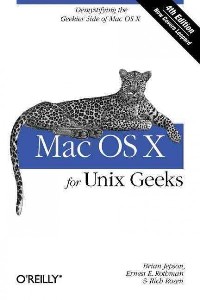
简介
Summary:
Publisher Summary 1
Introduces the Unix environment in Mac OS X and explains concepts such as the Terminal application, compiling code, creating and installing packages, and running Windows on top of Mac OS X.
Publisher Summary 2
The fourth edition of this Mac OS X manual provides more specific information on Leopard and the links between Apple's Darwin operating system and older and more traditional Unix applications, helping both developers and system administrators match utilities from these formats. Jepson, a programmer and author, teams with Rothman (mathematics, Salve Regina U., Rhode Island) and software developer Rosen to provide explicit tutorials on using LDAP and NetInfo directory services, compiling code with GCC 4, install free software from Fink and MacPorts, and master Spotlight utilities when searching through metadata. A free online edition of this book is available for 45 days after purchase. Annotation 漏2008 Book News, Inc., Portland, OR (booknews.com)
Publisher Summary 3
This book serves as a bridge for Unix developers and system administrators who've been lured to Mac OS X because of its Unix roots. When you first launch the Terminal application, you'll find yourself at home in a Unix shell, but like Apple's credo, "Think Different," you'll soon find yourself doing things a little differently. Some of the standard Unix utilities you've grown accustomed to may not be there, /etc/passwd and /etc/group have been supplanted with something called Directory Services, and when it comes to developing applications, you'll find that things like library linking and compiling have a few new twists to them.
Publisher Summary 4
If you're a developer or system administrator lured to Mac OS X because of its Unix roots, you'll quickly discover that performing Unix tasks on a Mac is different than what you're accustomed to. Mac OS X for Unix Geeksserves as a bridge between Apple's Darwin OS and the more traditional Unix systems. This clear, concise guide gives you a tour of Mac OS X's Unix shell in both Leopard and Tiger, and helps you find the facilities that replace or correspond to standard Unix utilities.
You'll learn how to perform common Unix tasks in Mac OS X, such as using Directory Services instead of the standard Unix /etc/passwd and /etc/group, and you'll be able to compile code, link to libraries, and port Unix software using either Leopard and Tiger. This book teaches you to:
Navigate the Terminal and understand how it differs from an xtermUse Open Directory (LDAP) and NetInfo as well as Directory ServicesCompile your code with GCC 4Port Unix programs to Mac OS X with FinkUse MacPorts to install free/open source softwareSearch through metadata with Spotlight's command-line utilitiesBuild the Darwin kernelAnd there's much more. Mac OS X for Unix Geeksis the ideal survival guide to tame the Unix side of Leopard and Tiger. If you're a Unix geek with an interest in Mac OS X, you'll soon find that this book is invaluable.
Publisher Summary 5
This book serves as a bridge for Unix developers and system administrators who've been lured to Mac OS X because of its Unix roots. When you first launch the Terminal application, you'll find yourself at home in a Unix shell, but like Apple's credo, "Think Different," you'll soon find yourself doing things a little differently. Some of the standard Unix utilities you've grown accustomed to may not be there, /etc/passwd and /etc/group have been supplanted with something called Directory Services, and when it comes to developing applications, you'll find that things like library linking and compiling have a few new twists to them.
目录
Copyright
Preface Section P.1.聽Audience for This Book
Section P.2.聽Organization of This Book
Section P.3.聽Xcode Tools
Section P.4.聽Where to Go for More Information
Section P.5.聽Conventions Used in This Book
Section P.6.聽Comments and Questions
Section P.7.聽Safari庐 Books Online
Section P.8.聽Acknowledgments from the Previous Editions
Section P.9.聽Acknowledgments from Brian Jepson
Section P.10.聽Acknowledgments from Ernest E. Rothman
Section P.11.聽Acknowledgments from Rich Rosen
Part 1:聽Getting Around Download Chapter
1 Token Chapter 1.聽Inside the Terminal Section 1.1.聽Mac OS X Shells
Section 1.2.聽The Terminal and xterm Compared
Section 1.3.聽Using the Terminal
Section 1.4.聽Customizing the Terminal
Section 1.5.聽Working with File and Directory Names
Section 1.6.聽The Services Menu
Section 1.7.聽Bonjour
Section 1.8.聽Alternative Terminal Applications
Section 1.9.聽The open Command
Download Chapter
1 Token Chapter 2.聽Searching and Metadata Section 2.1.聽Spotlight
keep-together聽2.2.聽Apple鈥檚 Hiding Places for File Metadata
Download Chapter
1 Token Chapter 3.聽Files and Filesystems Section 3.1.聽Sharing Files with Other Operating Systems
Section 3.2.聽Files and Directories
Chapter 4.聽Startup Section 4.1.聽Booting Mac OS X
Section 4.2.聽Creating Programs that Run Automatically
Section 4.3.聽Periodic Jobs
Download Chapter
1 Token Chapter 5.聽Directory Services Section 5.1.聽Understanding Directory Services
Section 5.2.聽Configuring Directory Services
Section 5.3.聽Managing Directory Services Data
Section 5.4.聽Flat Files and Their Directory Services Counterparts
Section 5.5.聽Programming with Directory Services
Download Chapter
1 Token Chapter 6.聽Printing Section 6.1.聽AddPrinter
Section 6.2.聽Printer Sharing
Section 6.3.聽The Common Unix Printing System (CUPS)
Section 6.4.聽Open Source Printer Drivers
Download Chapter
1 Token Chapter 7.聽The X Window System and VNC Section 7.1.聽Installing X11
Section 7.2.聽Running X11
Section 7.3.聽Customizing X11
Section 7.4.聽X11-Based Applications and Libraries
Section 7.5.聽Connecting to Other X Window Systems
Section 7.6.聽Virtual Network Computing (VNC)
Download Chapter
1 Token Chapter 8.聽Third-Party Tools and Applications Section 8.1.聽Frontends for SSH and SFTP
Section 8.2.聽Mounting SSH Servers As Network Volumes
Section 8.3.聽TeX
Section 8.4.聽R with an Aqua GUI
Section 8.5.聽Open Source Replacements for Microsoft Office
Section 8.6.聽Video
Section 8.7.聽Image Editing
Section 8.8.聽3D Modeling
Download Chapter
1 Token Chapter 9.聽Dual-Boot and Beyond Section 9.1.聽Why Bother?
Section 9.2.聽Linux on Mac Hardware
Section 9.3.聽Emulators on Mac OS X
Part 2:聽Building Applications Download Chapter
1 Token Chapter 10.聽Compiling Source Code Section 10.1.聽Compiler Differences
Section 10.2.聽Compiling Unix Source Code
Section 10.3.聽Architectural Issues
Section 10.4.聽X11-Based Applications and Libraries
Download Chapter
1 Token Chapter 11.聽Libraries, Headers, and Frameworks Section 11.1.聽Header Files
Section 11.2.聽The System Library: libSystem
Section 11.3.聽Shared Libraries Versus Loadable Modules
Section 11.4.聽Library Versions
Section 11.5.聽Creating and Linking Static Libraries
Section 11.6.聽Creating Frameworks
Section 11.7.聽Performance Tools and Debugging Tools
Section 11.8.聽CHUD Tools
Section 11.9.聽Interesting and Important Libraries
Section 11.10.聽Numerical Libraries
Part 3:聽Working with Packages Download Chapter
1 Token Chapter 12.聽Fink Section 12.1.聽Installing Fink
Section 12.2.聽Using Fink
Section 12.3.聽FinkCommander
Section 12.4.聽Installing Binaries Using Command-Line Utilities
Download Chapter
1 Token Chapter 13.聽MacPorts Section 13.1.聽Installing MacPorts
Section 13.2.聽Using MacPorts
Section 13.3.聽MacPorts Maintenance
Section 13.4.聽Connecting to the MacPorts SVN Repository
Section 13.5.聽MacPort GUIs
Download Chapter
1 Token Chapter 14.聽Creating and Distributing Installable Software Section 14.1.聽Using GNU tar
Section 14.2.聽Creating Disk Images
Section 14.3.聽Using PackageMaker
Section 14.4.聽Creating Fink Packages
Section 14.5.聽Creating MacPorts Packages
Part 4:聽Serving and System Management Download Chapter
1 Token Chapter 15.聽Using Mac OS X As a Server Section 15.1.聽Built-in Services: The Sharing Preference Pane
Section 15.2.聽The Email Server
Section 15.3.聽The Mac OS X Firewall
Section 15.4.聽Free Database Servers on Mac OS X
Section 15.5.聽The Outside World
Download Chapter
1 Token Chapter 16.聽System Management Tools Section 16.1.聽Diagnostic Utilities
Section 16.2.聽Kernel Utilities
Section 16.3.聽System Configuration Utilities
Section 16.4.聽Third-Party Applications
Download Chapter
1 Token Chapter 17.聽Other Programming Languages: Perl, Python, Ruby, and Java Section 17.1.聽Perl for Mac OS X Geeks
Section 17.2.聽Python for Mac OS X Geeks
Section 17.3.聽Ruby and Rails for Mac OS X Geeks
Section 17.4.聽Java for Mac OS X Geeks
Download Chapter
1 Token Appendix A.聽Mac OS X GUI Primer Section A.1.聽Overview of the Aqua Desktop
Section A.2.聽Making the Most of Your Desktop Space
Download Chapter
0 Tokens Colophon
Index
Preface Section P.1.聽Audience for This Book
Section P.2.聽Organization of This Book
Section P.3.聽Xcode Tools
Section P.4.聽Where to Go for More Information
Section P.5.聽Conventions Used in This Book
Section P.6.聽Comments and Questions
Section P.7.聽Safari庐 Books Online
Section P.8.聽Acknowledgments from the Previous Editions
Section P.9.聽Acknowledgments from Brian Jepson
Section P.10.聽Acknowledgments from Ernest E. Rothman
Section P.11.聽Acknowledgments from Rich Rosen
Part 1:聽Getting Around Download Chapter
1 Token Chapter 1.聽Inside the Terminal Section 1.1.聽Mac OS X Shells
Section 1.2.聽The Terminal and xterm Compared
Section 1.3.聽Using the Terminal
Section 1.4.聽Customizing the Terminal
Section 1.5.聽Working with File and Directory Names
Section 1.6.聽The Services Menu
Section 1.7.聽Bonjour
Section 1.8.聽Alternative Terminal Applications
Section 1.9.聽The open Command
Download Chapter
1 Token Chapter 2.聽Searching and Metadata Section 2.1.聽Spotlight
keep-together聽2.2.聽Apple鈥檚 Hiding Places for File Metadata
Download Chapter
1 Token Chapter 3.聽Files and Filesystems Section 3.1.聽Sharing Files with Other Operating Systems
Section 3.2.聽Files and Directories
Chapter 4.聽Startup Section 4.1.聽Booting Mac OS X
Section 4.2.聽Creating Programs that Run Automatically
Section 4.3.聽Periodic Jobs
Download Chapter
1 Token Chapter 5.聽Directory Services Section 5.1.聽Understanding Directory Services
Section 5.2.聽Configuring Directory Services
Section 5.3.聽Managing Directory Services Data
Section 5.4.聽Flat Files and Their Directory Services Counterparts
Section 5.5.聽Programming with Directory Services
Download Chapter
1 Token Chapter 6.聽Printing Section 6.1.聽AddPrinter
Section 6.2.聽Printer Sharing
Section 6.3.聽The Common Unix Printing System (CUPS)
Section 6.4.聽Open Source Printer Drivers
Download Chapter
1 Token Chapter 7.聽The X Window System and VNC Section 7.1.聽Installing X11
Section 7.2.聽Running X11
Section 7.3.聽Customizing X11
Section 7.4.聽X11-Based Applications and Libraries
Section 7.5.聽Connecting to Other X Window Systems
Section 7.6.聽Virtual Network Computing (VNC)
Download Chapter
1 Token Chapter 8.聽Third-Party Tools and Applications Section 8.1.聽Frontends for SSH and SFTP
Section 8.2.聽Mounting SSH Servers As Network Volumes
Section 8.3.聽TeX
Section 8.4.聽R with an Aqua GUI
Section 8.5.聽Open Source Replacements for Microsoft Office
Section 8.6.聽Video
Section 8.7.聽Image Editing
Section 8.8.聽3D Modeling
Download Chapter
1 Token Chapter 9.聽Dual-Boot and Beyond Section 9.1.聽Why Bother?
Section 9.2.聽Linux on Mac Hardware
Section 9.3.聽Emulators on Mac OS X
Part 2:聽Building Applications Download Chapter
1 Token Chapter 10.聽Compiling Source Code Section 10.1.聽Compiler Differences
Section 10.2.聽Compiling Unix Source Code
Section 10.3.聽Architectural Issues
Section 10.4.聽X11-Based Applications and Libraries
Download Chapter
1 Token Chapter 11.聽Libraries, Headers, and Frameworks Section 11.1.聽Header Files
Section 11.2.聽The System Library: libSystem
Section 11.3.聽Shared Libraries Versus Loadable Modules
Section 11.4.聽Library Versions
Section 11.5.聽Creating and Linking Static Libraries
Section 11.6.聽Creating Frameworks
Section 11.7.聽Performance Tools and Debugging Tools
Section 11.8.聽CHUD Tools
Section 11.9.聽Interesting and Important Libraries
Section 11.10.聽Numerical Libraries
Part 3:聽Working with Packages Download Chapter
1 Token Chapter 12.聽Fink Section 12.1.聽Installing Fink
Section 12.2.聽Using Fink
Section 12.3.聽FinkCommander
Section 12.4.聽Installing Binaries Using Command-Line Utilities
Download Chapter
1 Token Chapter 13.聽MacPorts Section 13.1.聽Installing MacPorts
Section 13.2.聽Using MacPorts
Section 13.3.聽MacPorts Maintenance
Section 13.4.聽Connecting to the MacPorts SVN Repository
Section 13.5.聽MacPort GUIs
Download Chapter
1 Token Chapter 14.聽Creating and Distributing Installable Software Section 14.1.聽Using GNU tar
Section 14.2.聽Creating Disk Images
Section 14.3.聽Using PackageMaker
Section 14.4.聽Creating Fink Packages
Section 14.5.聽Creating MacPorts Packages
Part 4:聽Serving and System Management Download Chapter
1 Token Chapter 15.聽Using Mac OS X As a Server Section 15.1.聽Built-in Services: The Sharing Preference Pane
Section 15.2.聽The Email Server
Section 15.3.聽The Mac OS X Firewall
Section 15.4.聽Free Database Servers on Mac OS X
Section 15.5.聽The Outside World
Download Chapter
1 Token Chapter 16.聽System Management Tools Section 16.1.聽Diagnostic Utilities
Section 16.2.聽Kernel Utilities
Section 16.3.聽System Configuration Utilities
Section 16.4.聽Third-Party Applications
Download Chapter
1 Token Chapter 17.聽Other Programming Languages: Perl, Python, Ruby, and Java Section 17.1.聽Perl for Mac OS X Geeks
Section 17.2.聽Python for Mac OS X Geeks
Section 17.3.聽Ruby and Rails for Mac OS X Geeks
Section 17.4.聽Java for Mac OS X Geeks
Download Chapter
1 Token Appendix A.聽Mac OS X GUI Primer Section A.1.聽Overview of the Aqua Desktop
Section A.2.聽Making the Most of Your Desktop Space
Download Chapter
0 Tokens Colophon
Index
- 名称
- 类型
- 大小
光盘服务联系方式: 020-38250260 客服QQ:4006604884
云图客服:
用户发送的提问,这种方式就需要有位在线客服来回答用户的问题,这种 就属于对话式的,问题是这种提问是否需要用户登录才能提问
Video Player
×
Audio Player
×
pdf Player
×
