

简介
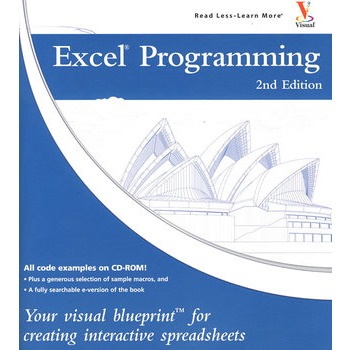
Excel(r) Programming 2nd Edition Welcome to the only guidebook series that takes a visual approach to professional-level computer topics. Open the book and you'll discover step-by-step screen shots that demonstrate over 120 key Excel programming techniques, including: Creating and launching keyboard shortcuts Setting macro security Assigning a digital signature Developing a function with VBA Displaying a built-in dialog box Converting a list into an array Using the msgbox function Processing a runtime error Saving a workbook in a specified format Finding the intersection of two ranges.
目录
HOW TO USE THIS BOOK
GETTING STARED WITH EXCEL MACROS
Introduction to Macros
Record a Macro
Run a Macro
Create and Launch a Keyboard Shortcut
Delete a Macro from a Workbook
Delete from the Personal Macro Workbook
Assign a Macro to a Toolbar Button
Assign a Macro to a Menu
Set Macro Security
USING THE VISUAL BASIC EDITOR
An Introduction to the Visual Basic Editor
Activate the Visual Basic Editor
Arrange the Visual Basic Editor Windows
Set Properties for a Project
Set Display Options for the Code Window
Add a New Module
Remove a Module
Rename a Macro4
Create a Startup Macro
Hide a Macro
Assign a Digital Signature to a Macro
Update a Recorded Macro
VBA PROGRAMMING BASICS
An Introduction to VBA
Create a Subroutine
Create a Function
Declare a Variable
Perform Mathematical Calculations
Create a Constant
Comment Your Code
Join Two Strings
WORKING WITH THE EXCEL OBJECT MODEL
An Introduction to the Excel Object Model 、
Using the Object Browser
Create an Object Variable
Change the Properties of an Object
Compare Object Variables
Using an Object Method
Display a Built-in Dialog Box
USING VARIABLES AND ARRAYS
Assign Values to Variables
Using Global Variables
Declare an Array
Declare a Multidimensional Array
Convert a List into an Array
Redimension an Array
Create a User-Defined Data Type
ADDING CONTROL STATEMENTS
Execute a Task While a Condition is True2
Perform Multiple Tasks Until a Condition is Met
Execute Tasks a Specific Number of Times
Using the For Each Next Loop
Conditionally Execute a Group of Statements
Execute a Statement Based upon the Value
Jump to a Specific Location in a Macro
Conditionally Call a Subroutine
USING BUILT-IN FUNCTIONS AND STATEMENTS
Using Excel Worksheet Functions
Using the MsgBox Function
Using the InputBox Function
Retrieve Current Date and Time
Determine the Amount of Time between Dates
Format a Date Expression
Format a Numeric Expression
Remove Extra Spacing from a String
Return a Portion of a String
Compare Two Strings
DEBUGGING MACROS
Debugging Basics
Debug a Procedure with Inserted Break Points
Using Watch Expressions to Debug a Procedure
Step through a Procedure
Resume Execution if an Error is Encountered
Process a Runtime Error
WORKING WITH OTHER WORKBOOKS AND FILES
Open a Workbook
Open a Text File as a Workbook
Open a File Requested by the User
Save a Workbook6
Save Workbook in Format Specified by User
Determine if a Workbook is Open0
Close a Workbook
Create a New Workbook
Delete a File
Find a File
WORKING WITH WORKSHEETS
Add a Sheet
Delete a Sheet
Move a Sheet
Copy and Paste a Sheet
Hide a Sheet
Change the Name of a Sheet
Save a Sheet to Another File
Protect a Worksheet
Protect a Chart
Print a Sheet
Sort Worksheets by Name
DEFINING RANGES
Using the Range Property
Using the Cells Property
Combine Multiple Ranges
Using the Offset Property
Delete a Range of Cells
Hide a Range of Cells
Specify the Name of a Range
Resize a Range
Insert a Range
Set the Width of Columns in a Range
Set the Height of Rows in a Range
Convert a Column of Text into Multiple Columns
Find the Intersection of Two Ranges
WORKING WITH CELLS
Cut and Paste Ranges of Cells
Copy and Paste Ranges of Cells0
Custom Paste Values in Cells
Add Comments to a Cell
Automatically Fill a Range of Cells
Copy a Range to Multiple Sheets
Place Borders around a Range of Cells
Find Specific Cell Values
Find and Replace Values in Cells
CUSTOMIZING DIALOG BOXES, MENUS, AND TOOLBARS
UserForm Basics
Working with CommandBars
Create a Custom Dialog Box
Call a Custom Dialog Box from a Procedure
Capture Input from a Custom Dialog Box
Validate Input from a Dialog Box
Create Custom UserForm Controls
Create a UserForm Template
Create a Custom Toolbar
Add Controls to a Toolbar
Create a Custom Menu
Add Items to a Menu
Create a Shortcut Menu
Delete Custom Toolbars and Shortcut Menus
WORKING WITH CHARTS
Chart Basics
Create a Chart Sheet
Embed a Chart within a Worksheet
Apply Chart Wizard Settings to a Chart
Add a New Data Series to a Chart
Format Chart Text
Create Charts with Multiple Chart Types
Determine Variations in a Series of Data
Add a Data Table to the Chart
Customize the Chart Axis
AUTOMATING PROCEDURES WITH EXCEL EVENTS
Understanding Excel Events
Run a Procedure as a Workbook Opens
Run a Procedure before Closing a Workbook
Run a Procedure before Saving a Workbook
Run a Procedure When Excel Creates a Workbook
Monitor a Range of Cells for Changes
Execute a Procedure at a Specific Time
Execute a Procedure When You Press Keys
Run a Procedure When Right-Clicking a Chart
APPENDIX A: VBA QUICK REFERENCE
VBA and Excel Object Model Quick Reference
APPENDIX B: ABOUT THE CD-ROM
What Is on the CD-ROM
Using the E-Version of This Book
Wiley Publishing, Inc End-User License Agreement
GETTING STARED WITH EXCEL MACROS
Introduction to Macros
Record a Macro
Run a Macro
Create and Launch a Keyboard Shortcut
Delete a Macro from a Workbook
Delete from the Personal Macro Workbook
Assign a Macro to a Toolbar Button
Assign a Macro to a Menu
Set Macro Security
USING THE VISUAL BASIC EDITOR
An Introduction to the Visual Basic Editor
Activate the Visual Basic Editor
Arrange the Visual Basic Editor Windows
Set Properties for a Project
Set Display Options for the Code Window
Add a New Module
Remove a Module
Rename a Macro4
Create a Startup Macro
Hide a Macro
Assign a Digital Signature to a Macro
Update a Recorded Macro
VBA PROGRAMMING BASICS
An Introduction to VBA
Create a Subroutine
Create a Function
Declare a Variable
Perform Mathematical Calculations
Create a Constant
Comment Your Code
Join Two Strings
WORKING WITH THE EXCEL OBJECT MODEL
An Introduction to the Excel Object Model 、
Using the Object Browser
Create an Object Variable
Change the Properties of an Object
Compare Object Variables
Using an Object Method
Display a Built-in Dialog Box
USING VARIABLES AND ARRAYS
Assign Values to Variables
Using Global Variables
Declare an Array
Declare a Multidimensional Array
Convert a List into an Array
Redimension an Array
Create a User-Defined Data Type
ADDING CONTROL STATEMENTS
Execute a Task While a Condition is True2
Perform Multiple Tasks Until a Condition is Met
Execute Tasks a Specific Number of Times
Using the For Each Next Loop
Conditionally Execute a Group of Statements
Execute a Statement Based upon the Value
Jump to a Specific Location in a Macro
Conditionally Call a Subroutine
USING BUILT-IN FUNCTIONS AND STATEMENTS
Using Excel Worksheet Functions
Using the MsgBox Function
Using the InputBox Function
Retrieve Current Date and Time
Determine the Amount of Time between Dates
Format a Date Expression
Format a Numeric Expression
Remove Extra Spacing from a String
Return a Portion of a String
Compare Two Strings
DEBUGGING MACROS
Debugging Basics
Debug a Procedure with Inserted Break Points
Using Watch Expressions to Debug a Procedure
Step through a Procedure
Resume Execution if an Error is Encountered
Process a Runtime Error
WORKING WITH OTHER WORKBOOKS AND FILES
Open a Workbook
Open a Text File as a Workbook
Open a File Requested by the User
Save a Workbook6
Save Workbook in Format Specified by User
Determine if a Workbook is Open0
Close a Workbook
Create a New Workbook
Delete a File
Find a File
WORKING WITH WORKSHEETS
Add a Sheet
Delete a Sheet
Move a Sheet
Copy and Paste a Sheet
Hide a Sheet
Change the Name of a Sheet
Save a Sheet to Another File
Protect a Worksheet
Protect a Chart
Print a Sheet
Sort Worksheets by Name
DEFINING RANGES
Using the Range Property
Using the Cells Property
Combine Multiple Ranges
Using the Offset Property
Delete a Range of Cells
Hide a Range of Cells
Specify the Name of a Range
Resize a Range
Insert a Range
Set the Width of Columns in a Range
Set the Height of Rows in a Range
Convert a Column of Text into Multiple Columns
Find the Intersection of Two Ranges
WORKING WITH CELLS
Cut and Paste Ranges of Cells
Copy and Paste Ranges of Cells0
Custom Paste Values in Cells
Add Comments to a Cell
Automatically Fill a Range of Cells
Copy a Range to Multiple Sheets
Place Borders around a Range of Cells
Find Specific Cell Values
Find and Replace Values in Cells
CUSTOMIZING DIALOG BOXES, MENUS, AND TOOLBARS
UserForm Basics
Working with CommandBars
Create a Custom Dialog Box
Call a Custom Dialog Box from a Procedure
Capture Input from a Custom Dialog Box
Validate Input from a Dialog Box
Create Custom UserForm Controls
Create a UserForm Template
Create a Custom Toolbar
Add Controls to a Toolbar
Create a Custom Menu
Add Items to a Menu
Create a Shortcut Menu
Delete Custom Toolbars and Shortcut Menus
WORKING WITH CHARTS
Chart Basics
Create a Chart Sheet
Embed a Chart within a Worksheet
Apply Chart Wizard Settings to a Chart
Add a New Data Series to a Chart
Format Chart Text
Create Charts with Multiple Chart Types
Determine Variations in a Series of Data
Add a Data Table to the Chart
Customize the Chart Axis
AUTOMATING PROCEDURES WITH EXCEL EVENTS
Understanding Excel Events
Run a Procedure as a Workbook Opens
Run a Procedure before Closing a Workbook
Run a Procedure before Saving a Workbook
Run a Procedure When Excel Creates a Workbook
Monitor a Range of Cells for Changes
Execute a Procedure at a Specific Time
Execute a Procedure When You Press Keys
Run a Procedure When Right-Clicking a Chart
APPENDIX A: VBA QUICK REFERENCE
VBA and Excel Object Model Quick Reference
APPENDIX B: ABOUT THE CD-ROM
What Is on the CD-ROM
Using the E-Version of This Book
Wiley Publishing, Inc End-User License Agreement
Excel编程:创造交互式电子表格的可视蓝图
- 名称
- 类型
- 大小
光盘服务联系方式: 020-38250260 客服QQ:4006604884
云图客服:
用户发送的提问,这种方式就需要有位在线客服来回答用户的问题,这种 就属于对话式的,问题是这种提问是否需要用户登录才能提问
Video Player
×
Audio Player
×
pdf Player
×
