

简介
Summary:
Publisher Summary 1
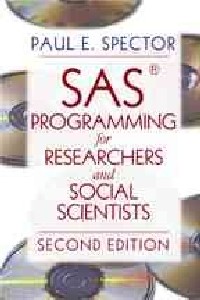
Social scientists, researchers, and others who wish to write programs with the SAS language will find basic programming concepts, debugging exercises, and increasingly sophisticated tasks provided in this guide. Using a problem-solving approach that focuses on common programming tasks, Spector (industrial/organizational psychology, U. of South Florida) covers the SAS language and its features with attention to the programming of algebraic and mathematical operations, statistics functions, random number generators, logical statements using the IF.THEN program, branching with the GOTO and LINK statements, programming Do loops, arrays, multiple data files, SAS PROCs, and how to enhance programming skills. The second edition tells how to use the SAS Windows interface for both Release 6.11 and 8.01. Annotation c. Book News, Inc., Portland, OR (booknews.com)
Publisher Summary 2
The book that won accolades from thousands has been completely revised! New features in this edition include:*New sections on debugging in each chapter that provide advice about common errors*End of chapter Debugging Exercises that offer readers the chance to practice spotting the errors in the sample programs*New section in Chapter 1 on how to use the interface, including how to work with three separate windows, where to write the program, executing the program, managing the program files, and using the F key*Five new appendices, including a Glossary of Programming Terms, A Summary of SAS Language Statements, A Summary of SAS PROCs, Information Sources for SAS PROCs, and Corrections for the Debugging Exercises*Plus, a link to Spector's online SAS course!
Publisher Summary 3
New features in this edition include:*New sections on debugging in each chapter that provide advice about common errors*End of chapter Debugging Exercises that offer readers the chance to practice spotting the errors in the sample programs*New section in Chapter 1 on how to use the interface, including how to work with three separate windows, where to write the program, executing the program, managing the program files, and using the F key*Five new appendices, including a Glossary of Programming Terms, A Summary of SAS Language Statements, A Summary of SAS PROCs, Information Sources for SAS PROCs, and Corrections for the Debugging Exercises*Plus, a link to Spector's online SAS course!聽
目录
Table Of Contents:
Preface xi
What's New in the Second Edition xiv
Acknowledgments xv
Introduction to the SAS® System 1(26)
What Makes the SAS System a Computer Language? 2(1)
Example of a SAS Program 3(2)
Different Releases and Versions of the SAS System 5(1)
A SAS Programming Session With the Windows Version 6(9)
Overview of the SAS System Interface, Release 6.11 7(2)
Overview of the SAS System Interface, Release 8.01 9(3)
Running Program 1.1 With the Windows Version 12(3)
How to Approach Programming a Problem 15(2)
Debugging a Program 17(4)
Types of Errors 18(1)
Finding Errors 19(2)
SAS Statements 21(1)
Additional Help 22(2)
Using This Book 24(1)
Debugging Exercises 25(2)
Inputting and Outputing Data 27(28)
Defining a Data Step 28(3)
Location of the Data Set to Input 31(3)
Inside the Program 32(1)
External File 32(1)
SAS Data Library 33(1)
Inputting Data Lines 34(7)
Specifying Column Locations 35(1)
W.d Formats 35(3)
Character Values 38(1)
List Input 38(2)
Holding the Input Line 40(1)
Controlling Output to the SAS Data Set 41(1)
Specifying the Location for Outputting 42(1)
Formatting the Output 43(1)
Proc Print 44(1)
Example of Inputting and Outputting 45(3)
Writing Reports With Put Statements 48(4)
Using Proc Print and Put for Debugging 52(1)
Common Errors 53(1)
Debugging Exercises 53(2)
Programming Algebraic and Mathematical Operations 55(20)
Arithmetic Operators 56(3)
SAS Functions 59(8)
ABS 59(2)
Descriptive Statistics Functions 61(2)
Log and Exponential Functions 63(1)
MOD 63(1)
Factorials, Combinations, and Permutations (Release 8) 63(1)
Probability Distributions 64(1)
Random Number Generators 64(1)
Rounding Functions 65(1)
SQRT 66(1)
Trigonomic Functions 66(1)
Deleting Variables From a SAS Data Set 67(1)
Examples Using Functions 68(4)
Common Errors 72(1)
Debugging Exercises 73(2)
Logical Statements 75(20)
Program to Screen for Data Errors 79(2)
The ELSE Statement 81(1)
Selecting and Deleting Cases From a SAS Data Set 82(1)
Detecting the End of a File 83(1)
Executing Several Statements After an IF...Then 84(1)
Overriding Case-by-Case Resetting of Variable Values 84(2)
Accumulators and Counters 86(1)
Computing an Independent Group t Test 87(4)
Common Errors 91(1)
Debugging Exercises 92(3)
Branching With GOTO and Link 95(16)
GOTO Statement 96(1)
Link Statement 97(1)
Return Statement 97(1)
Stop Statement 98(1)
Output Statement Revisited 98(1)
Flags 99(2)
A More Complex Example of Statement Control 101(4)
Program Flow 105(2)
Common Errors 107(2)
Debugging Exercises 109(2)
Do Loops 111(18)
Do Index= 112(1)
Do Until 113(2)
Do While 115(2)
Coin Flip Simulation With a Do Loop 117(1)
Nested Loops 118(3)
Simulation of the Violation of t-Test Assumptions 121(5)
Common Errors 126(2)
Debugging Exercises 128(1)
Arrays 129(22)
Array Statement 130(1)
One-Dimensional Arrays 131(1)
Scoring Psychological Tests With Arrays 132(5)
Multidimensional Arrays 137(3)
Handling Two-Dimensional Data Using Multidimensional Arrays 140(2)
Programming Matrix Algebra Operations 142(6)
Matrix Transpose 144(1)
Matrix Multiplication 144(1)
The SSCP Matrix Program 145(3)
Common Errors 148(1)
Debugging Exercises 149(2)
Manipulating Files 151(24)
Inputting Multiple Files 151(5)
Concatenation 152(1)
Merging 153(3)
Sorting With Proc Sort 156(1)
Inputting From and Outputting to SAS Data Library Files 157(2)
Outputting Multiple Data Sets 159(3)
Outputting to SAS Data Sets 160(1)
Outputting to Non-SAS Files 161(1)
Combining Data From Several Files 162(3)
Creating Multiple Files 165(6)
Deleting Cases With Missing Values 169(2)
Common Errors 171(1)
Debugging Exercises 172(3)
Using SAS® Procs 175(30)
Turnover Among University Clerical Workers 176(1)
Correlations With Proc Corr 177(2)
Frequency Tables With Proc Freq 179(9)
Descriptive Statistics With Proc Means 188(1)
Scatterplots With Proc Plot 188(2)
t Tests With Proc Test 190(1)
Complex Statistics 191(10)
Multiple Regression 193(2)
One-Way Anova 195(1)
Factorial Anoca 196(2)
Factor Analysis 198(3)
Common Errors 201(1)
Resources for Information About Using PROCs 201(4)
Final Advice on Becoming a SAS® Programmer 205(6)
Debugging and Testing a Program Revisited 206(1)
Alternate Approaches 206(2)
Advance Planning 208(1)
How to Become a Good Programmer 209(2)
Appendix A: Definitions of Useful Programming Terms 211(2)
Appendix B: Summary of SAS Language Statements 213(2)
Appendix C: Summary of Popular SAS PROCs 215(4)
Appendix D: Sources of Information About Using SAS PROCs for Statistical Analysis 219(2)
Appendix E: Corrections to the Debugging Exercises 221(4)
References 225(2)
Index 227(4)
About the Author 231
Preface xi
What's New in the Second Edition xiv
Acknowledgments xv
Introduction to the SAS® System 1(26)
What Makes the SAS System a Computer Language? 2(1)
Example of a SAS Program 3(2)
Different Releases and Versions of the SAS System 5(1)
A SAS Programming Session With the Windows Version 6(9)
Overview of the SAS System Interface, Release 6.11 7(2)
Overview of the SAS System Interface, Release 8.01 9(3)
Running Program 1.1 With the Windows Version 12(3)
How to Approach Programming a Problem 15(2)
Debugging a Program 17(4)
Types of Errors 18(1)
Finding Errors 19(2)
SAS Statements 21(1)
Additional Help 22(2)
Using This Book 24(1)
Debugging Exercises 25(2)
Inputting and Outputing Data 27(28)
Defining a Data Step 28(3)
Location of the Data Set to Input 31(3)
Inside the Program 32(1)
External File 32(1)
SAS Data Library 33(1)
Inputting Data Lines 34(7)
Specifying Column Locations 35(1)
W.d Formats 35(3)
Character Values 38(1)
List Input 38(2)
Holding the Input Line 40(1)
Controlling Output to the SAS Data Set 41(1)
Specifying the Location for Outputting 42(1)
Formatting the Output 43(1)
Proc Print 44(1)
Example of Inputting and Outputting 45(3)
Writing Reports With Put Statements 48(4)
Using Proc Print and Put for Debugging 52(1)
Common Errors 53(1)
Debugging Exercises 53(2)
Programming Algebraic and Mathematical Operations 55(20)
Arithmetic Operators 56(3)
SAS Functions 59(8)
ABS 59(2)
Descriptive Statistics Functions 61(2)
Log and Exponential Functions 63(1)
MOD 63(1)
Factorials, Combinations, and Permutations (Release 8) 63(1)
Probability Distributions 64(1)
Random Number Generators 64(1)
Rounding Functions 65(1)
SQRT 66(1)
Trigonomic Functions 66(1)
Deleting Variables From a SAS Data Set 67(1)
Examples Using Functions 68(4)
Common Errors 72(1)
Debugging Exercises 73(2)
Logical Statements 75(20)
Program to Screen for Data Errors 79(2)
The ELSE Statement 81(1)
Selecting and Deleting Cases From a SAS Data Set 82(1)
Detecting the End of a File 83(1)
Executing Several Statements After an IF...Then 84(1)
Overriding Case-by-Case Resetting of Variable Values 84(2)
Accumulators and Counters 86(1)
Computing an Independent Group t Test 87(4)
Common Errors 91(1)
Debugging Exercises 92(3)
Branching With GOTO and Link 95(16)
GOTO Statement 96(1)
Link Statement 97(1)
Return Statement 97(1)
Stop Statement 98(1)
Output Statement Revisited 98(1)
Flags 99(2)
A More Complex Example of Statement Control 101(4)
Program Flow 105(2)
Common Errors 107(2)
Debugging Exercises 109(2)
Do Loops 111(18)
Do Index= 112(1)
Do Until 113(2)
Do While 115(2)
Coin Flip Simulation With a Do Loop 117(1)
Nested Loops 118(3)
Simulation of the Violation of t-Test Assumptions 121(5)
Common Errors 126(2)
Debugging Exercises 128(1)
Arrays 129(22)
Array Statement 130(1)
One-Dimensional Arrays 131(1)
Scoring Psychological Tests With Arrays 132(5)
Multidimensional Arrays 137(3)
Handling Two-Dimensional Data Using Multidimensional Arrays 140(2)
Programming Matrix Algebra Operations 142(6)
Matrix Transpose 144(1)
Matrix Multiplication 144(1)
The SSCP Matrix Program 145(3)
Common Errors 148(1)
Debugging Exercises 149(2)
Manipulating Files 151(24)
Inputting Multiple Files 151(5)
Concatenation 152(1)
Merging 153(3)
Sorting With Proc Sort 156(1)
Inputting From and Outputting to SAS Data Library Files 157(2)
Outputting Multiple Data Sets 159(3)
Outputting to SAS Data Sets 160(1)
Outputting to Non-SAS Files 161(1)
Combining Data From Several Files 162(3)
Creating Multiple Files 165(6)
Deleting Cases With Missing Values 169(2)
Common Errors 171(1)
Debugging Exercises 172(3)
Using SAS® Procs 175(30)
Turnover Among University Clerical Workers 176(1)
Correlations With Proc Corr 177(2)
Frequency Tables With Proc Freq 179(9)
Descriptive Statistics With Proc Means 188(1)
Scatterplots With Proc Plot 188(2)
t Tests With Proc Test 190(1)
Complex Statistics 191(10)
Multiple Regression 193(2)
One-Way Anova 195(1)
Factorial Anoca 196(2)
Factor Analysis 198(3)
Common Errors 201(1)
Resources for Information About Using PROCs 201(4)
Final Advice on Becoming a SAS® Programmer 205(6)
Debugging and Testing a Program Revisited 206(1)
Alternate Approaches 206(2)
Advance Planning 208(1)
How to Become a Good Programmer 209(2)
Appendix A: Definitions of Useful Programming Terms 211(2)
Appendix B: Summary of SAS Language Statements 213(2)
Appendix C: Summary of Popular SAS PROCs 215(4)
Appendix D: Sources of Information About Using SAS PROCs for Statistical Analysis 219(2)
Appendix E: Corrections to the Debugging Exercises 221(4)
References 225(2)
Index 227(4)
About the Author 231
- 名称
- 类型
- 大小
光盘服务联系方式: 020-38250260 客服QQ:4006604884
云图客服:
用户发送的提问,这种方式就需要有位在线客服来回答用户的问题,这种 就属于对话式的,问题是这种提问是否需要用户登录才能提问
Video Player
×
Audio Player
×
pdf Player
×
