

简介
The Eclipse environment solves the problem of having to maintain your own Integrated Development Environment (IDE), which is time consuming and costly. Embedded tools can also be easily integrated into Eclipse. The C/C++CDT is ideal for the embedded community with more than 70% of embedded developers using this language to write embedded code. Eclipse simplifies embedded system development and then eases its integration into larger platforms and frameworks.
In this book, Doug Abbott examines Eclipse, an IDE, which can be vital in saving money and time in the design and development of an embedded system. Eclipse was created by IBM in 2001 and then became an open-source project in 2004. Since then it has become the de-facto IDE for embedded developers. Virtually all of the major Linux vendors have adopted this platform, including MontVista, LynuxWorks, and Wind River.
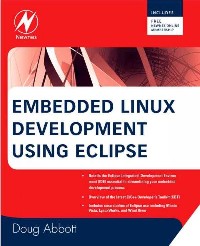
*Details the Eclipse Integrated Development Environment (IDE) essential to streamlining your embedded development process
*Overview of the latest C/C++ Developer's Toolkit (CDT)
*Includes case studies of Eclipse use including Monta Vista, LynuxWorks, and Wind River
目录
Table of Contents 8
Foreword: A Brave New World of Embedded Software Development 12
Preface 14
Audience and Prerequisites 15
Resources 15
Acknowledgments 16
Chapter 1: Introducing Eclipse 18
1.1 History 18
1.2 Eclipse Public License 20
1.3 Status of Eclipse 21
1.4 So What Is Eclipse, Anyway? 22
1.5 What Can You Do With Eclipse? 27
Summary 28
Resources 29
Chapter 2: Installation 30
2.1 System Requirements 30
2.2 Obtaining Eclipse 31
2.3 Installation 32
2.4 Installing Eclipse Under Windows 34
2.5 Embedded Software Development on Windows 36
Summary 46
Chapter 3: Getting Started 48
3.1 Start Eclipse 48
3.2 Basic Concepts 49
3.3 Perspectives, Editors, and Views 51
3.4 Menus 60
3.5 Configuring Eclipse 72
Summary 77
Chapter 4: C/C++ Developers' Toolkit (CDT) 78
4.1 Obtaining the Sample Source Code 78
4.2 Creating a New Project 78
4.3 Adding Source Code to the Project 80
4.4 The Program 83
4.5 Building the Project 84
4.6 Debugging the Project 85
4.7 Linking Projects 95
4.8 Refactoring 97
Summary 100
Resources 100
Chapter 5: Eclipse CDT-Digging Deeper 102
5.1 User-Supplied Makefiles 102
5.2 Thermostat Internals 106
5.3 Debugging Multi-Threaded Programs 108
5.4 Working With Embedded Target Hardware 111
Summary 124
Chapter 6: Device Software Development Platform 126
6.1 Adding on to Eclipse 126
6.2 Target Management and the Remote System Explorer (RSE) 131
6.3 Native Application Builder (NAB) 143
6.4 Other DSDP Subprojects 154
Summary 154
Chapter 7: Plug-In Development Environment (PDE) 156
7.1 Installing the PDE 156
7.2 So What Is a Plug-In? 157
7.3 Our First Plug-In 159
7.4 Building and Exporting a Plug-In 170
7.5 Exploring Further 175
7.6 Rich Client Platform (RCP) 175
Summary 184
Resources 185
Chapter 8: Eclipse Advanced Features 186
8.1 UML 186
8.2 CVS 208
Summary 220
Resources 220
Chapter 9: Eclipse-Based Development Products 222
9.1 Why Buy It? 222
9.2 LynuxWorks-Luminosity 223
9.3 MontaVista-DevRocket 231
9.4 Wind River-Workbench 239
Summary 250
Appendix A: The Eclipse Public License 252
Open Source Initiative OSI - Eclipse Public License v 1.0 252
Appendix B: The Embedded Linux Learning Kit 258
Index 260
Foreword: A Brave New World of Embedded Software Development 12
Preface 14
Audience and Prerequisites 15
Resources 15
Acknowledgments 16
Chapter 1: Introducing Eclipse 18
1.1 History 18
1.2 Eclipse Public License 20
1.3 Status of Eclipse 21
1.4 So What Is Eclipse, Anyway? 22
1.5 What Can You Do With Eclipse? 27
Summary 28
Resources 29
Chapter 2: Installation 30
2.1 System Requirements 30
2.2 Obtaining Eclipse 31
2.3 Installation 32
2.4 Installing Eclipse Under Windows 34
2.5 Embedded Software Development on Windows 36
Summary 46
Chapter 3: Getting Started 48
3.1 Start Eclipse 48
3.2 Basic Concepts 49
3.3 Perspectives, Editors, and Views 51
3.4 Menus 60
3.5 Configuring Eclipse 72
Summary 77
Chapter 4: C/C++ Developers' Toolkit (CDT) 78
4.1 Obtaining the Sample Source Code 78
4.2 Creating a New Project 78
4.3 Adding Source Code to the Project 80
4.4 The Program 83
4.5 Building the Project 84
4.6 Debugging the Project 85
4.7 Linking Projects 95
4.8 Refactoring 97
Summary 100
Resources 100
Chapter 5: Eclipse CDT-Digging Deeper 102
5.1 User-Supplied Makefiles 102
5.2 Thermostat Internals 106
5.3 Debugging Multi-Threaded Programs 108
5.4 Working With Embedded Target Hardware 111
Summary 124
Chapter 6: Device Software Development Platform 126
6.1 Adding on to Eclipse 126
6.2 Target Management and the Remote System Explorer (RSE) 131
6.3 Native Application Builder (NAB) 143
6.4 Other DSDP Subprojects 154
Summary 154
Chapter 7: Plug-In Development Environment (PDE) 156
7.1 Installing the PDE 156
7.2 So What Is a Plug-In? 157
7.3 Our First Plug-In 159
7.4 Building and Exporting a Plug-In 170
7.5 Exploring Further 175
7.6 Rich Client Platform (RCP) 175
Summary 184
Resources 185
Chapter 8: Eclipse Advanced Features 186
8.1 UML 186
8.2 CVS 208
Summary 220
Resources 220
Chapter 9: Eclipse-Based Development Products 222
9.1 Why Buy It? 222
9.2 LynuxWorks-Luminosity 223
9.3 MontaVista-DevRocket 231
9.4 Wind River-Workbench 239
Summary 250
Appendix A: The Eclipse Public License 252
Open Source Initiative OSI - Eclipse Public License v 1.0 252
Appendix B: The Embedded Linux Learning Kit 258
Index 260
- 名称
- 类型
- 大小
光盘服务联系方式: 020-38250260 客服QQ:4006604884
云图客服:
用户发送的提问,这种方式就需要有位在线客服来回答用户的问题,这种 就属于对话式的,问题是这种提问是否需要用户登录才能提问
Video Player
×
Audio Player
×
pdf Player
×
