

简介
Summary:
Publisher Summary 1
Explains how to use the Macintosh video production programs to capture and edit digital videos, apply effects, create DVD menus, and burn DVDs.
Publisher Summary 2
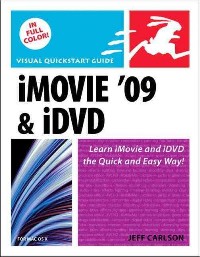
Visual QuickStart Guide—the quick and easy way to learn!
This full-color, amply illustrated, accessible book teaches readers the essential skills necessary for creating compelling movies with iMovie '09 and iDVD, Apple's consumer-friendly digital movie and DVD-burning software applications. Readers can follow the step-by-step instructions from the beginning to get a tour of the applications or look up specific tasks to learn just what they need to know. Longtime Macintosh and technology writer Jeff Carlson takes extra steps to ensure that readers understand all of the key aspects of digital movie making.
Easy visual approach uses pictures to guide you through iMovie '09 and iDVD (and how they interact with the other iLife ’09 applications) and show you what to do.Concise steps and explanations let you get up and running in no time.Page for page, the best content and value around.
目录
Table Of Contents:
Introduction xi
PART 1 SHOOTING 1(50)
The Digital Camcorder 3(14)
You May Already Own a Camcorder 3(1)
Buying a Camcorder 4(2)
Why Image Quality Is No Longer the Most Important Feature 6(2)
The CMOS ``Jelly Effect'' 8(4)
Features Worth Noting 12(2)
Features to Ignore/Avoid 14(3)
Composition and Coverage 17(14)
Preproduction 18(1)
An Afternoon, A Life 18(2)
Understanding Timecode 20(1)
Shooting Video Without Disruption 21(1)
Take Notes 22(1)
Composing Your Shots 23(2)
Focus 25(1)
Avoid Bouncing Video 25(1)
Depth of Field 26(1)
Coverage 27(4)
The Camera in Motion 31(6)
Don't Move 32(1)
But If You Must Move 32(1)
Zooming 33(1)
Dollying 34(1)
Changing Shutter Speed 35(1)
Panning 36(1)
Lighting 37(8)
Hard and Soft Light 38(1)
Color Temperature 39(1)
Three-Point Lighting 40(2)
Bounce Cards and Reflectors 42(1)
Shooting Outside 43(2)
Capturing Audio 45(6)
Headphones 46(1)
Your Camcorder's Microphone 47(1)
Ambient Sound 48(1)
Microphones 49(2)
PART 2 EDITING IN IMOVIE 51(128)
Make a Movie in a Hurry 53(6)
Make a Movie in a Hurry 54(5)
iMovie Overview 59(8)
Getting iMovie '09 59(1)
iMovie's Interface 60(1)
The Project Library 61(1)
The Project Browser 62(1)
The Viewer 63(1)
The Event Library 64(2)
Other View Options 66(1)
Importing Footage 67(12)
Importing Clips 68(1)
What If iMovie Won't Read a File Format? 69(1)
Importing from a Tapeless Camcorder 70(1)
Don't Forget to Eject 71(1)
Importing from a DV or HDV Camcorder 72(1)
What Happened to Magic iMovie? 73(1)
The Biggest Hard Drive Isn't Large Enough 74(1)
Importing Other Movies 75(2)
Importing Old VHS Tapes Using a DV Camcorder 77(1)
Importing Footage from an Analog Camcorder 77(1)
Copy-protected DVDs 78(1)
Extracting Footage from a DVD 78(1)
Managing Video 79(22)
Skimming Video 80(1)
Playing Video 81(1)
Double-click Behavior 82(1)
Selecting Video 83(2)
Managing Projects 85(1)
Projects Intended for iPhone 85(1)
NTSC and PAL 86(1)
Managing Events 87(1)
Moving Projects and Events to Other Drives 88(1)
Marking Footage 89(2)
Working with Rejected Footage 91(1)
iMovie File Locations 92(1)
Rescuing Clips via Time Machine 93(2)
Changing Clip Dates and Times 95(1)
Assigning Keywords 96(3)
Printing an Event 99(2)
Editing Video 101(34)
Time and Timecode 102(1)
Working through the Video Editing Backlog 103(1)
Adding Clips to the Movie 104(3)
Editing Using Beat Markers 107(2)
Ordering Clips 109(1)
Multi-Touch Editing 109(1)
Editing Clips 110(1)
Non-Destructive Editing 110(3)
Moving Split Clips 113(2)
Get In, Get Out 115(1)
Editing with the Precision Editor 116(3)
Using Comment Markers 119(1)
Changing Clip Speed 120(1)
Viewing the Inspector's Clip Adjustments Panel 121(1)
Stabilizing Shaky Video 121(2)
Cropping and Rotating 123(2)
Applying Video Effects 125(1)
Making Video Adjustments 126(2)
Creating a Cutaway 128(2)
Creating a Picture in Picture Effect 130(1)
Creating a Green Screen Effect 131(2)
Copying and Pasting Adjustments 133(1)
Working with Source Clips 134(1)
Editing Still Pictures 135(8)
Importing Photos 136(2)
Adding Motion with the Ken Burns Effect 138(1)
Ken Who? 139(2)
Changing the Duration of a Still Clip 141(1)
Creating a Freeze Frame 142(1)
Editing Audio 143(14)
iMovie's New Audio Approach 143(1)
Changing a Clip's Volume 144(1)
Fading Audio In or Out 145(1)
Adding Music 146(1)
Audio Copyright 147(3)
Recording Voiceovers 150(2)
Locking Background Audio 152(1)
Ducking Audio 153(1)
Trimming Audio Clips 154(2)
Adding Just the Audio from a Video Clip 156(1)
Transitions and Titles 157(14)
Adding Transitions 158(1)
Theme Transitions 159(1)
Most Valuable Transitions 160(1)
iMovie's Habit of Stealing Time 161(2)
Adding Titles 163(3)
Editing Title Text 166(1)
Editing Text Style 167(4)
Themes and Maps 171(8)
Applying a Theme 172(2)
Adding Theme Elements 174(1)
Editing Theme Transitions 175(1)
Creating a Map 176(2)
Editing a Map 178(1)
PART 3 SHARING FROM IMOVIE 179(44)
Scoring Your Movie in GarageBand 181(6)
Sharing to GarageBand 182(2)
Making Music Using GarageBand 184(2)
Getting the Score Back into iMovie 186(1)
Sharing to iTunes and Online 187(12)
Sharing to iTunes 188(1)
Sharing with the Media Browser 189(1)
Publishing to YouTube 190(2)
Publishing to a MobileMe Gallery 192(1)
Publishing to the Web Using iWeb 193(1)
Writing HTML 194(1)
Deciphering HTML Attributes 195(1)
Creating a Poster Movie 196(3)
Exporting Movies 199(8)
Exporting the Movie 200(1)
Exporting Windows-Friendly Movies 200(1)
Exporting to QuickTime 201(1)
QuickTime versus QuickTime Pro 202(2)
Video Compression Terms You Should Know 204(1)
QuickTime Geekery 205(1)
Exporting Final Cut XML 206(1)
Moving from iMovie to iDVD 207(2)
Creating Chapter Markers 208(1)
iDVD at a Glance 209(4)
Download the iDVD Section of This Book for Free! 209(1)
iDVD at a Glance 210(1)
Important iDVD Interface Terms 211(2)
Archiving, Encoding, and Burning 213(10)
Creating a Project Archive 214(1)
External Burners 214(2)
Encoding and Burn Times 216(1)
Choosing an Encoding Setting 216(2)
Burning the DVD 218(1)
How to Fix Missing Assets 218(3)
Save as Video_Ts Folder 221(1)
Saving as a Disc Image 221(1)
After the Burn 222(1)
APPENDIX A: TROUBLESHOOTING 223(4)
iMovie and iDVD Troubleshooting 224(1)
Disc Burning 225(2)
Index 227
Introduction xi
PART 1 SHOOTING 1(50)
The Digital Camcorder 3(14)
You May Already Own a Camcorder 3(1)
Buying a Camcorder 4(2)
Why Image Quality Is No Longer the Most Important Feature 6(2)
The CMOS ``Jelly Effect'' 8(4)
Features Worth Noting 12(2)
Features to Ignore/Avoid 14(3)
Composition and Coverage 17(14)
Preproduction 18(1)
An Afternoon, A Life 18(2)
Understanding Timecode 20(1)
Shooting Video Without Disruption 21(1)
Take Notes 22(1)
Composing Your Shots 23(2)
Focus 25(1)
Avoid Bouncing Video 25(1)
Depth of Field 26(1)
Coverage 27(4)
The Camera in Motion 31(6)
Don't Move 32(1)
But If You Must Move 32(1)
Zooming 33(1)
Dollying 34(1)
Changing Shutter Speed 35(1)
Panning 36(1)
Lighting 37(8)
Hard and Soft Light 38(1)
Color Temperature 39(1)
Three-Point Lighting 40(2)
Bounce Cards and Reflectors 42(1)
Shooting Outside 43(2)
Capturing Audio 45(6)
Headphones 46(1)
Your Camcorder's Microphone 47(1)
Ambient Sound 48(1)
Microphones 49(2)
PART 2 EDITING IN IMOVIE 51(128)
Make a Movie in a Hurry 53(6)
Make a Movie in a Hurry 54(5)
iMovie Overview 59(8)
Getting iMovie '09 59(1)
iMovie's Interface 60(1)
The Project Library 61(1)
The Project Browser 62(1)
The Viewer 63(1)
The Event Library 64(2)
Other View Options 66(1)
Importing Footage 67(12)
Importing Clips 68(1)
What If iMovie Won't Read a File Format? 69(1)
Importing from a Tapeless Camcorder 70(1)
Don't Forget to Eject 71(1)
Importing from a DV or HDV Camcorder 72(1)
What Happened to Magic iMovie? 73(1)
The Biggest Hard Drive Isn't Large Enough 74(1)
Importing Other Movies 75(2)
Importing Old VHS Tapes Using a DV Camcorder 77(1)
Importing Footage from an Analog Camcorder 77(1)
Copy-protected DVDs 78(1)
Extracting Footage from a DVD 78(1)
Managing Video 79(22)
Skimming Video 80(1)
Playing Video 81(1)
Double-click Behavior 82(1)
Selecting Video 83(2)
Managing Projects 85(1)
Projects Intended for iPhone 85(1)
NTSC and PAL 86(1)
Managing Events 87(1)
Moving Projects and Events to Other Drives 88(1)
Marking Footage 89(2)
Working with Rejected Footage 91(1)
iMovie File Locations 92(1)
Rescuing Clips via Time Machine 93(2)
Changing Clip Dates and Times 95(1)
Assigning Keywords 96(3)
Printing an Event 99(2)
Editing Video 101(34)
Time and Timecode 102(1)
Working through the Video Editing Backlog 103(1)
Adding Clips to the Movie 104(3)
Editing Using Beat Markers 107(2)
Ordering Clips 109(1)
Multi-Touch Editing 109(1)
Editing Clips 110(1)
Non-Destructive Editing 110(3)
Moving Split Clips 113(2)
Get In, Get Out 115(1)
Editing with the Precision Editor 116(3)
Using Comment Markers 119(1)
Changing Clip Speed 120(1)
Viewing the Inspector's Clip Adjustments Panel 121(1)
Stabilizing Shaky Video 121(2)
Cropping and Rotating 123(2)
Applying Video Effects 125(1)
Making Video Adjustments 126(2)
Creating a Cutaway 128(2)
Creating a Picture in Picture Effect 130(1)
Creating a Green Screen Effect 131(2)
Copying and Pasting Adjustments 133(1)
Working with Source Clips 134(1)
Editing Still Pictures 135(8)
Importing Photos 136(2)
Adding Motion with the Ken Burns Effect 138(1)
Ken Who? 139(2)
Changing the Duration of a Still Clip 141(1)
Creating a Freeze Frame 142(1)
Editing Audio 143(14)
iMovie's New Audio Approach 143(1)
Changing a Clip's Volume 144(1)
Fading Audio In or Out 145(1)
Adding Music 146(1)
Audio Copyright 147(3)
Recording Voiceovers 150(2)
Locking Background Audio 152(1)
Ducking Audio 153(1)
Trimming Audio Clips 154(2)
Adding Just the Audio from a Video Clip 156(1)
Transitions and Titles 157(14)
Adding Transitions 158(1)
Theme Transitions 159(1)
Most Valuable Transitions 160(1)
iMovie's Habit of Stealing Time 161(2)
Adding Titles 163(3)
Editing Title Text 166(1)
Editing Text Style 167(4)
Themes and Maps 171(8)
Applying a Theme 172(2)
Adding Theme Elements 174(1)
Editing Theme Transitions 175(1)
Creating a Map 176(2)
Editing a Map 178(1)
PART 3 SHARING FROM IMOVIE 179(44)
Scoring Your Movie in GarageBand 181(6)
Sharing to GarageBand 182(2)
Making Music Using GarageBand 184(2)
Getting the Score Back into iMovie 186(1)
Sharing to iTunes and Online 187(12)
Sharing to iTunes 188(1)
Sharing with the Media Browser 189(1)
Publishing to YouTube 190(2)
Publishing to a MobileMe Gallery 192(1)
Publishing to the Web Using iWeb 193(1)
Writing HTML 194(1)
Deciphering HTML Attributes 195(1)
Creating a Poster Movie 196(3)
Exporting Movies 199(8)
Exporting the Movie 200(1)
Exporting Windows-Friendly Movies 200(1)
Exporting to QuickTime 201(1)
QuickTime versus QuickTime Pro 202(2)
Video Compression Terms You Should Know 204(1)
QuickTime Geekery 205(1)
Exporting Final Cut XML 206(1)
Moving from iMovie to iDVD 207(2)
Creating Chapter Markers 208(1)
iDVD at a Glance 209(4)
Download the iDVD Section of This Book for Free! 209(1)
iDVD at a Glance 210(1)
Important iDVD Interface Terms 211(2)
Archiving, Encoding, and Burning 213(10)
Creating a Project Archive 214(1)
External Burners 214(2)
Encoding and Burn Times 216(1)
Choosing an Encoding Setting 216(2)
Burning the DVD 218(1)
How to Fix Missing Assets 218(3)
Save as Video_Ts Folder 221(1)
Saving as a Disc Image 221(1)
After the Burn 222(1)
APPENDIX A: TROUBLESHOOTING 223(4)
iMovie and iDVD Troubleshooting 224(1)
Disc Burning 225(2)
Index 227
- 名称
- 类型
- 大小
光盘服务联系方式: 020-38250260 客服QQ:4006604884
云图客服:
用户发送的提问,这种方式就需要有位在线客服来回答用户的问题,这种 就属于对话式的,问题是这种提问是否需要用户登录才能提问
Video Player
×
Audio Player
×
pdf Player
×
